
1. 서론
This manual provides detailed instructions for the proper use and care of your Altec Lansing Nanophones ANC 2.0 Wireless Over-Ear Bluetooth Headphones. Please read this manual thoroughly before using the product to ensure optimal performance and longevity.

Image 1.1: Altec Lansing Nanophones ANC 2.0 in Silver.
2. 패키지 내용
패키지에 모든 품목이 들어 있는지 확인하세요.
- Altec Lansing Nanophones ANC 2.0 Wireless Over-Ear Headphones
- USB-C 충전 케이블
- 3.5mm 오디오 케이블
- 사용 설명서 (본 문서)

Image 2.1: Included USB-C charging cable and 3.5mm audio cable.
3. 제품 오버view
Familiarize yourself with the headphone components and controls.
3.1 헤드폰 기능
- 능동형 소음 제거(ANC): 몰입감 넘치는 청취 환경을 위해 주변 소음을 줄여줍니다.
- 접이식 디자인 : 컴팩트한 보관과 휴대가 가능합니다.
- Adjustable Headband & Soft Ear Cushions: Ensures a comfortable fit for extended wear.
- 통합 마이크: 핸즈프리 통화 및 음성 비서 명령을 지원합니다.
- USB-C 충전: For fast and convenient power replenishment.
- 음성 지원 호환성: Access Siri or Google Voice with ease.

Image 3.1: Key features of the Nanophones ANC 2.0 headphones.
3.2 컨트롤 및 포트
Locate the following controls on your headphones:
- 전원 버튼: 켜기/끄기, 재생/일시정지, 통화 받기/끊기.
- 볼륨 높이기/다음 트랙 버튼: 짧게 누르면 볼륨이 커지고, 길게 누르면 다음 트랙이 됩니다.
- 볼륨 낮추기/이전 트랙 버튼: 짧게 누르면 볼륨이 낮아지고, 길게 누르면 이전 트랙으로 돌아갑니다.
- ANC 버튼: Activates/Deactivates Active Noise Cancellation.
- USB-C 충전 포트: 충전 케이블을 연결합니다.
- 3.5mm 오디오 잭: 유선 연결용.
- LED 표시등: 전원, 페어링, 충전 상태를 표시합니다.

이미지 3.2: 측면 view illustrating the location of controls and ports.
4. 설정
4.1 헤드폰 충전
- Connect the small end of the USB-C charging cable to the USB-C port on the headphones.
- Connect the large end of the USB-C charging cable to a USB power source (e.g., wall adapter, computer USB port).
- 충전 중에는 LED 표시등이 빨간색으로 켜지고, 충전이 완료되면 꺼집니다.
- 완전 충전에는 약 2-3시간이 걸립니다.
메모: 최적의 배터리 수명을 위해 처음 사용하기 전에 헤드폰을 완전히 충전하십시오.
4.2 전원 켜기/끄기
- 전원을 켜려면: 전원 버튼을 3초 동안 길게 누르세요. LED 표시등이 파란색으로 깜빡입니다.
- 전원을 끄려면: 전원 버튼을 3초 동안 길게 누르세요. LED 표시등이 꺼집니다.
4.3 블루투스 페어링
- 헤드폰의 전원이 꺼져 있는지 확인하십시오.
- Press and hold the Power Button for 5-7 seconds until the LED indicator flashes red and blue alternately. This indicates pairing mode.
- 기기(스마트폰, 태블릿, 컴퓨터)에서 Bluetooth를 활성화하고 사용 가능한 기기를 검색하세요.
- Select "Nanophones ANC 2.0" from the list of devices.
- 페어링이 완료되면 LED 표시등이 파란색으로 천천히 깜빡입니다.
- 비밀번호를 입력하라는 메시지가 나타나면 "0000"을 입력하세요.
메모: 헤드폰의 전원을 켜면 마지막으로 페어링된 기기에 자동으로 다시 연결을 시도합니다.
5. 사용 설명서
5.1 음악 재생
- 재생/일시 중지: 전원 버튼을 짧게 누르세요.
- 볼륨 업: 볼륨 높이기 버튼을 짧게 누르세요.
- 볼륨 작게 : 볼륨 낮추기 버튼을 짧게 누르세요.
- 다음 트랙: 볼륨 높이기 버튼을 길게 누르세요.
- 이전 트랙 : 볼륨 낮추기 버튼을 길게 누르세요.
5.2 전화 통화
- 전화 받기/종료: 전원 버튼을 짧게 누르세요.
- 전화 거부: 전원 버튼을 길게 누르세요.
- 마지막 번호 재다이얼: 전원 버튼을 두 번 누르세요.
5.3 능동형 소음 제거(ANC)
- ANC 활성화: Press the ANC Button. The ANC LED indicator will light up.
- ANC 비활성화: Press the ANC Button again. The ANC LED indicator will turn off.
메모: Using ANC will reduce battery life. The headphones provide up to 20 hours of playtime with ANC active, and up to 30 hours without ANC.
5.4 음성 어시스턴트
- Voice Assistant 활성화 : Triple-press the Power Button to activate Siri or Google Voice (depending on your connected device).
- You can then issue commands through the headphone's microphone.
5.5 유선 연결
- Insert one end of the 3.5mm audio cable into the headphone's audio jack.
- Insert the other end into your audio device's 3.5mm output.
- 배터리가 방전된 경우에도 유선 모드로 헤드폰을 사용할 수 있습니다.
6. 유지관리
6.1 청소
- 부드럽고 마른 천으로 헤드폰을 닦으세요.
- 연마성 세척제, 알코올, 화학 용제는 사용하지 마세요.
- 어떠한 구멍에도 습기가 들어가지 않도록 주의하세요.
6.2 보관
- 헤드폰은 극한의 온도를 피해 시원하고 건조한 곳에 보관하세요.
- When not in use, fold the headphones to protect them and save space.
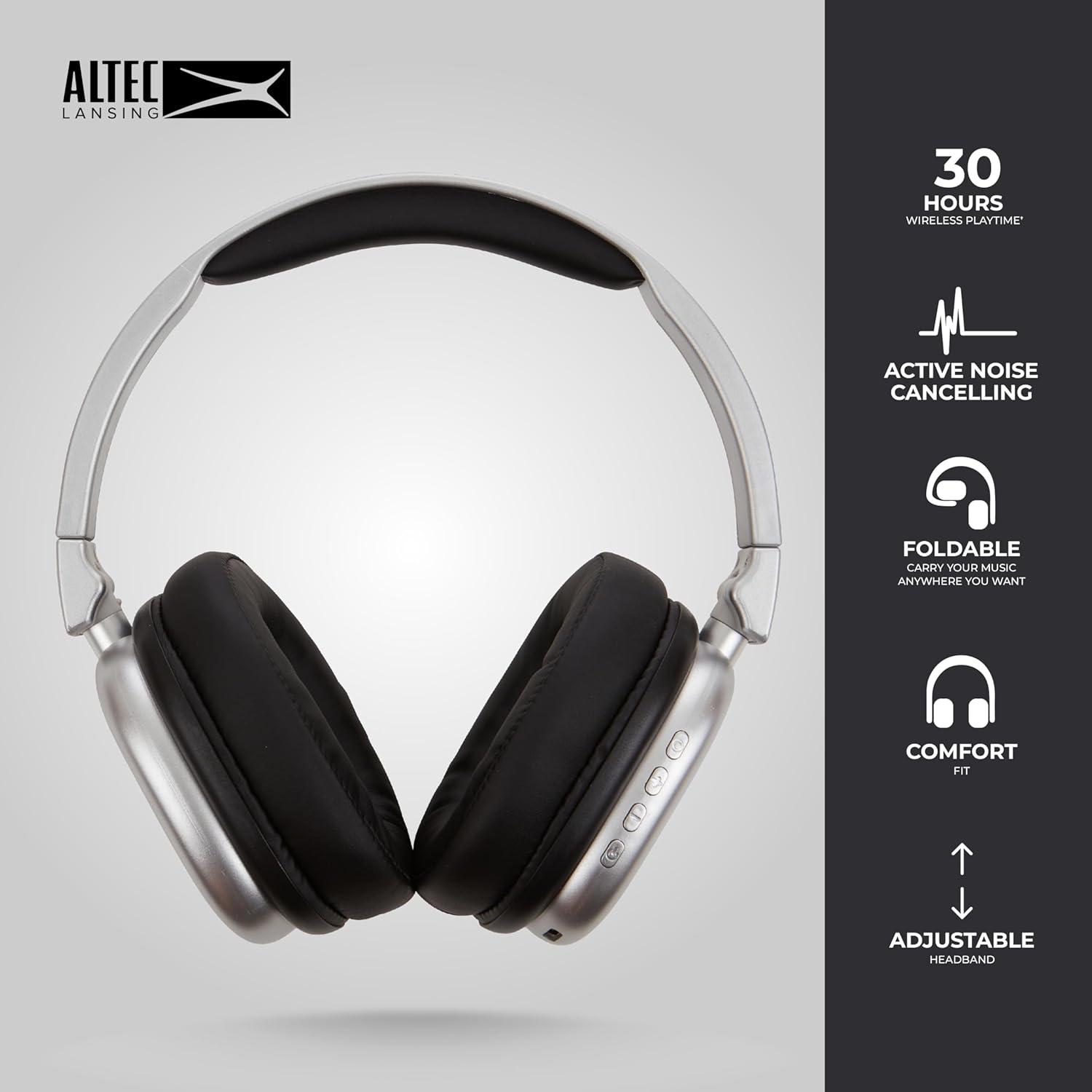
Image 6.1: The foldable design aids in compact storage.
7. 문제 해결
| 문제 | 해결책 |
|---|---|
| 헤드폰의 전원이 켜지지 않습니다. | 헤드폰이 충전되어 있는지 확인하세요. USB-C 케이블을 사용하여 전원에 연결하세요. |
| 블루투스로 페어링할 수 없습니다. |
|
| 소리가 나지 않거나 볼륨이 작습니다. |
|
| Active Noise Cancellation not working. | Ensure the ANC button has been pressed and the ANC LED indicator is lit. |
8. 사양
| 모델명 | Nanophones ANC 2.0 |
| 모델 번호 | MZX5501-MSIL-STK-6 |
| 상표 | 알텍랜싱 |
| 연결성 | Wireless (Bluetooth 4.1), Wired (3.5mm) |
| 귀 위치 | 오버이어 |
| 소음 제어 | 능동 소음 제거 |
| 배터리 수명 | Up to 30 hours (wireless), Up to 20 hours (with ANC) |
| 충전 포트 | USB-C |
| 오디오 드라이버 유형 | Dynamic Driver (1.5" Neodymium) |
| 주파수 범위 | 20Hz - 20,000Hz |
| 무게 | 7.05 온스 |
| 재료 | 플라스틱 |
9. 보증 및 지원
9.1 제조업체 보증
This product is covered by a manufacturer's warranty. Please refer to the warranty card included in your package or visit the official Altec Lansing web자세한 보증 약관은 해당 사이트에서 확인하세요.
9.2 고객 지원
For technical assistance, troubleshooting, or product inquiries, please contact Altec Lansing customer support through their official web사이트 또는 제품 포장에 제공된 연락처 정보를 참조하세요.
Web대지: www.alteclansing.com