
1. 서론
This manual provides essential information for the setup, operation, maintenance, and troubleshooting of your ViewSonic IFP55G1 55-inch 4K UHD ViewBoard Interactive Display. Please read this manual thoroughly before using the product to ensure proper and safe operation.
그만큼 ViewSonic IFP55G1 is a 55-inch 4K Ultra HD (3840x2160p) interactive display designed for educational and business environments. It features multi-point touch recognition, an OPS slot for external PCs, 10W dual speakers, and versatile connectivity options including HDMI, VGA, USB Hub, and USB-C inputs. Its OS-free design allows flexibility with various computing solutions.
주요 특징:
- 울트라 HD 해상도: 55 Inch 4K Ultra HD (3840x2160p) interactive display for crisp visuals.
- Advanced Multi-Touch: Allows multiple users to write and interact simultaneously with fingers and passive pens.
- 유연한 연결성: Equipped with a powerful quad-core processor and versatile ports including HDMI, VGA, RJ45, and USB.
- OS-Free Design: Provides enhanced security and flexibility to integrate with your preferred operating system via external PC or OPS device.
- Write-Away Technology: Enables instant writing with the stylus without extended setup.
2. 상자 안에 무엇이 들어있나요?
아래 나열된 모든 품목이 패키지에 포함되어 있는지 확인하십시오. 누락되거나 손상된 품목이 있는 경우 즉시 판매점에 문의하십시오.
- ViewSonic IFP55G1 Interactive Display
- 3m USB 2.0 touch cable x 1
- Touch pen (Passive pen) x 2 (VB-PEN-002)
- 3m 전원 케이블
- HDMI 2.0 cable 3m x 1
- 빠른 시작 가이드 + 규정 준수 선언문
- RS232 어댑터
- Screw (wall mount 4)
- 카메라 플레이트
- Remote control with AAA battery (Optional)
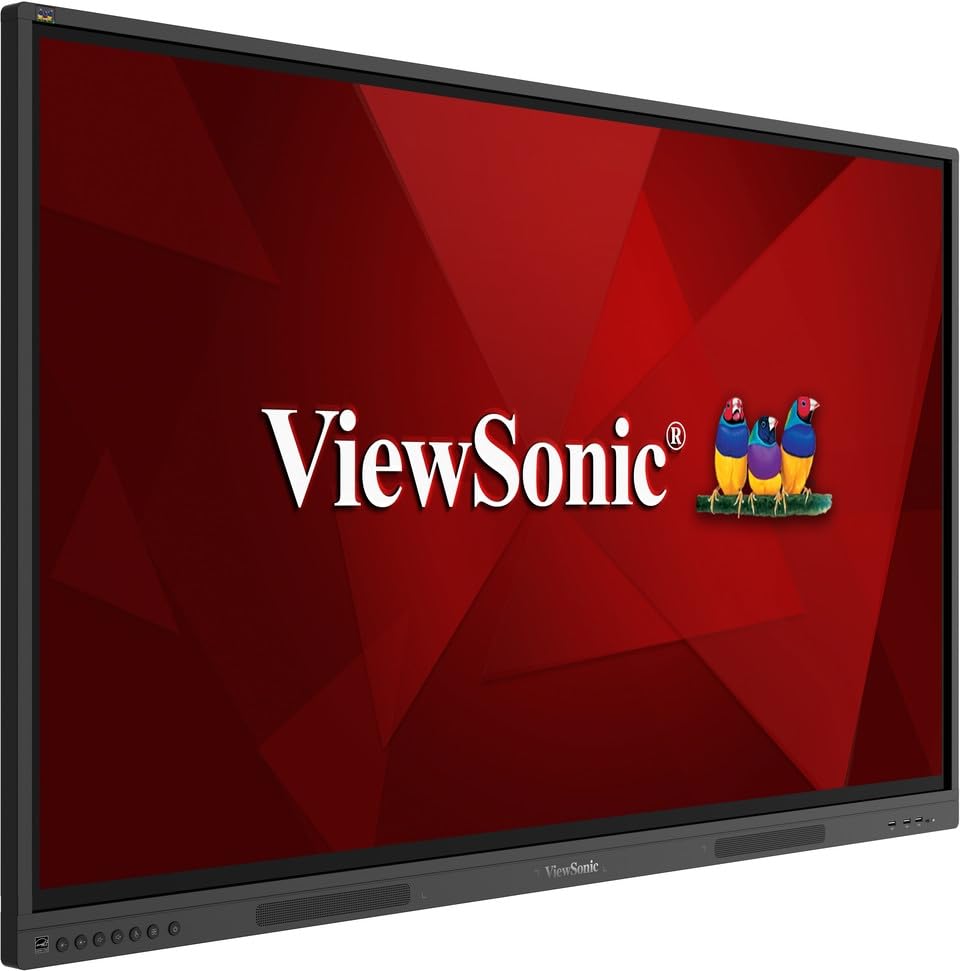
영상: ViewSonic IFP55G1 55-inch ViewBoard Interactive Display, front view.
3. 설정 지침
3.1 디스플레이 장착
The IFP55G1 can be wall-mounted or installed on a compatible mobile cart (sold separately). Ensure the mounting solution supports the display's weight (approximately 59.3 lbs / 26.9 kg) and dimensions (3.37 x 49.7 x 30.3 inches).
- For wall mounting, use the provided wall mount screws and ensure the wall structure is robust enough.
- Follow the instructions provided with your specific wall mount or mobile cart.
3.2 주변기기 연결하기
The display offers various ports for connecting external devices. Refer to the image below for port locations.

이미지: 측면 view 의 ViewSonic IFP55G1 interactive display showing various input ports including HDMI, VGA, and USB.
- 전원 연결: Connect the 3m power cable to the display and a grounded power outlet.
- 비디오 입력 : Connect your external PC or media player to the display using an HDMI 2.0 cable (provided), VGA cable, or USB-C cable. The display has 3 HDMI ports, 1 VGA port, and USB-C connectivity.
- 터치 기능: For interactive touch features with an external PC, connect the 3m USB 2.0 touch cable from the display's USB-B (Touch) port to a USB-A port on your PC.
- OPS 슬롯: If using an optional ViewSonic Slot-in PC (OPS device), insert it into the dedicated OPS slot on the rear of the display. This provides an integrated computing solution.
- 회로망: 유선 네트워크 접속을 위해 이더넷 케이블을 RJ45 포트에 연결합니다.
- USB 장치: Use the available USB-A ports to connect USB drives, keyboards, mice, or other peripherals.

이미지: ViewSonic IFP55G1 display demonstrating connectivity with various external devices, including laptops and mini PCs, highlighting its 'Bring Your Own Devices' capability.
4. 사용 설명서
4.1 전원 켜기/끄기
- 전원 켜기: Press the power button located on the display's front or side panel, or use the remote control. The display will power on and show the input source.
- 전원 끄기 : Press the power button again. A confirmation message may appear; select 'Power Off'. For complete power disconnection, unplug the power cable.
4.2 입력 소스 선택
Use the 'Source' button on the display or remote control to cycle through available input sources (HDMI 1, HDMI 2, HDMI 3, VGA, USB-C, OPS).
4.3 터치 기능 활용
Once the USB touch cable is connected to your external PC, the display will function as a multi-touch input device. You can use your fingers or the provided passive pens for interaction.
- Finger Touch: Use gestures similar to a tablet or smartphone for navigation, zooming, and drawing.
- Passive Pens: The two included passive pens (VB-PEN-002) allow for precise writing and drawing on the screen. The display's Write-Away technology enables instant use of the pens.

Image: A group of individuals collaborating around a ViewSonic IFP55G1 interactive display in a modern meeting room, demonstrating its multi-touch capabilities for instantaneous collaboration.
4.4 오디오 제어
The display features integrated 10W dual speakers. Adjust volume using the remote control or the buttons on the display panel.
5. 유지관리
5.1 디스플레이 청소
- 화면: 부드럽고 보풀이 없는 천으로 화면을 부드럽게 닦으세요. 잘 지워지지 않는 얼룩은 가볍게 닦아주세요.amp물이나 마모성이 없고 암모니아 성분이 없는 화면 세척제를 천에 적셔 사용하세요. 세척제를 화면에 직접 분사하지 마세요.
- Casing: c를 닦으세요asin부드럽고 마른 천으로 닦으십시오. 강한 화학 약품이나 연마제를 사용하지 마십시오.
5.2 일반 관리
- Avoid placing heavy objects on the display.
- Do not block ventilation openings on the rear of the display.
- Keep the display away from direct sunlight, heat sources, and excessive moisture.
6. 문제 해결
문제가 발생하면 ViewSonic IFP55G1, refer to the following common problems and solutions.
6.1 디스플레이 없음 / 검은색 화면
- 전원 케이블이 디스플레이와 작동하는 전원 콘센트에 모두 단단히 연결되어 있는지 확인하세요.
- Verify that the display is powered on (power indicator light should be active).
- Check that the video cable (HDMI, VGA, USB-C) is securely connected to both the display and the source device (PC, OPS).
- Select the correct input source using the 'Source' button on the display or remote control.
- Ensure the source device (PC, OPS) is powered on and outputting a video signal.
6.2 터치 기능이 작동하지 않음
- Confirm the USB touch cable is securely connected from the display's USB-B (Touch) port to a USB-A port on your external PC.
- Ensure your external PC's operating system has the necessary drivers installed for touch input.
- Restart both the display and the connected PC.
6.3 소리가 나지 않습니다
- Check the volume level on the display and the connected source device.
- Ensure the audio output from your source device is routed correctly to the display (e.g., via HDMI).
- 외부 오디오 시스템을 사용하는 경우, 제대로 연결되고 전원이 켜져 있는지 확인하세요.
7. 사양
아래는 해당 제품의 기술 사양입니다. ViewSonic IFP55G1 interactive display.
| 특징 | 사양 |
|---|---|
| 상표 | View소닉 |
| 모델명 | IFP55G1 |
| 화면 크기 | 55 인치 |
| 디스플레이 해상도 최대 | 3840x2160 픽셀 (4K UHD) |
| 네이티브 해상도 | 3840 x 2160 |
| 디스플레이 유형 | 액정표시장치 |
| 종횡비 | 16시 9분 |
| 인간 인터페이스 입력 | 터치스크린 |
| 연결 기술 | Ethernet, HDMI, USB Type C, VGA |
| HDMI 포트 총 개수 | 3 |
| 총 USB 포트 | 9 |
| 비디오 출력 인터페이스 | 디스플레이포트 |
| 오디오 출력 | Integrated 10W Dual Speakers |
| 품목 치수(LxWxH) | 3.37 x 49.7 x 30.3 인치 |
| 품목 무게 | 59.3 파운드 |
| 색상 | 검은색 |
| 특별 기능 | All-in-one USB port, Anti Glare Display, Light Sensor, Speakers, Touchscreen |
| 호환 장치 | 데스크탑, 노트북 |
| 한국어: | 766907024654 |
8. 보증 및 지원
8.1 보증 정보
그만큼 ViewSonic IFP55G1 interactive display comes with an industry-leading 3년 한정 보증 on parts, labor, and backlight. Onsite warranty service may also be available. Please refer to the warranty card included in your package or visit the official View소닉 website for detailed terms and conditions, and information on optional warranty extensions.
8.2 고객 지원
기술 지원, 제품 문의 또는 보증 청구 관련 사항은 다음 연락처로 문의해 주십시오. ViewSonic's award-winning customer service team. Contact information can be found on the official View소닉 website or in the Quick Start Guide provided with your product.