
ClokoWe T800
클로코위 미니 프로젝터 사용 설명서
모델 : T800
Brand: ClokoWe
1. 서론
This manual provides detailed instructions for the setup, operation, maintenance, and troubleshooting of your CLOKOWE Mini Projector, Model T800. Please read this manual thoroughly before using the projector to ensure proper function and to maximize your view경험.
2. 상자 안에 무엇이 들어있나요?
패키지를 열 때 다음 품목이 모두 포함되어 있는지 확인하세요.
- CLOKOWE Mini Projector
- HDMI 케이블
- 원격 제어
- 전원 코드
- 사용 설명서 (본 문서)
3. 안전 정보
To ensure safe operation and prolong the lifespan of your projector, please observe the following safety precautions:
- 통풍구를 막지 마십시오. 프로젝터 주변에 적절한 공기 흐름이 유지되도록 하십시오.
- l을 사용할 때 프로젝터 렌즈를 직접 쳐다보지 마십시오.amp 켜져 있습니다. 밝은 빛은 눈에 손상을 줄 수 있습니다.
- 프로젝터를 물이나 액체로부터 멀리하십시오. 어두운 곳에서 작동하지 마십시오.amp 환경.
- 제공된 전원 코드와 어댑터만 사용하십시오.
- 불안정한 표면에 프로젝터를 두지 마십시오.
- 천둥번개가 칠 때나 장기간 사용하지 않을 때는 프로젝터의 전원을 뽑아 두십시오.
4. 제품 특징
The CLOKOWE Mini Projector offers a range of advanced features for a versatile entertainment experience:
- 고급 디스플레이 기술: Equipped with LCD screen technology, supporting Full HD 1080P and 4K resolution for vivid details and colors. Features 10000 lumens brightness and a 10000:1 contrast ratio.
- Smart Android TV 11 OS: Built-in Android TV 11 operating system provides access to over 8000 applications, including popular streaming platforms like Netflix, Prime Video, and YouTube.
- Integrated Galaxy & Night Light Modes: Features 6 distinct galaxy projection modes and 7 ambient night light colors (with lens cover) to create various atmospheric effects.
- 270° 회전 스탠드: The flexible stand allows for projection onto various surfaces, including walls and ceilings, offering greater positioning versatility.
- 고속 연결: Supports the latest WiFi 6 (5G and 2.4G dual-band) for fast and stable content transmission, and Bluetooth 5.2 for effortless pairing with external audio devices.
- Automatic Image Correction: Features automatic keystone correction for quick adjustment of tilted images, ensuring a perfectly aligned picture.
- 폭넓은 호환성: Equipped with HDMI, USB, and audio ports for seamless connection to laptops, TV sticks, game consoles, smartphones, tablets, and USB drives.

Image: The CLOKOWE Mini Projector, highlighting its key features such as 4K support, galaxy projection, 270-degree adjustability, WiFi 6, Bluetooth 5.2, and integrated streaming apps.

Image: Visual representation of the projector's Full HD 1080P capability, emphasizing sharper images and brighter colors compared to standard projectors.
5. 설정
5.1 물리적 설정
Follow these steps to set up your projector for the first time:
- 놓기: Position the projector on a stable, flat surface. Utilize the 270° rotatable stand to adjust the projection angle as needed. The projector can project onto walls, screens, or ceilings.
- 전원 연결: 프로젝터의 전원 입력 단자에 전원 코드를 연결한 다음 전원 콘센트에 꽂으세요.
- 원격 제어: 리모컨에 AAA 배터리 2개(별도 구매)를 넣으세요.
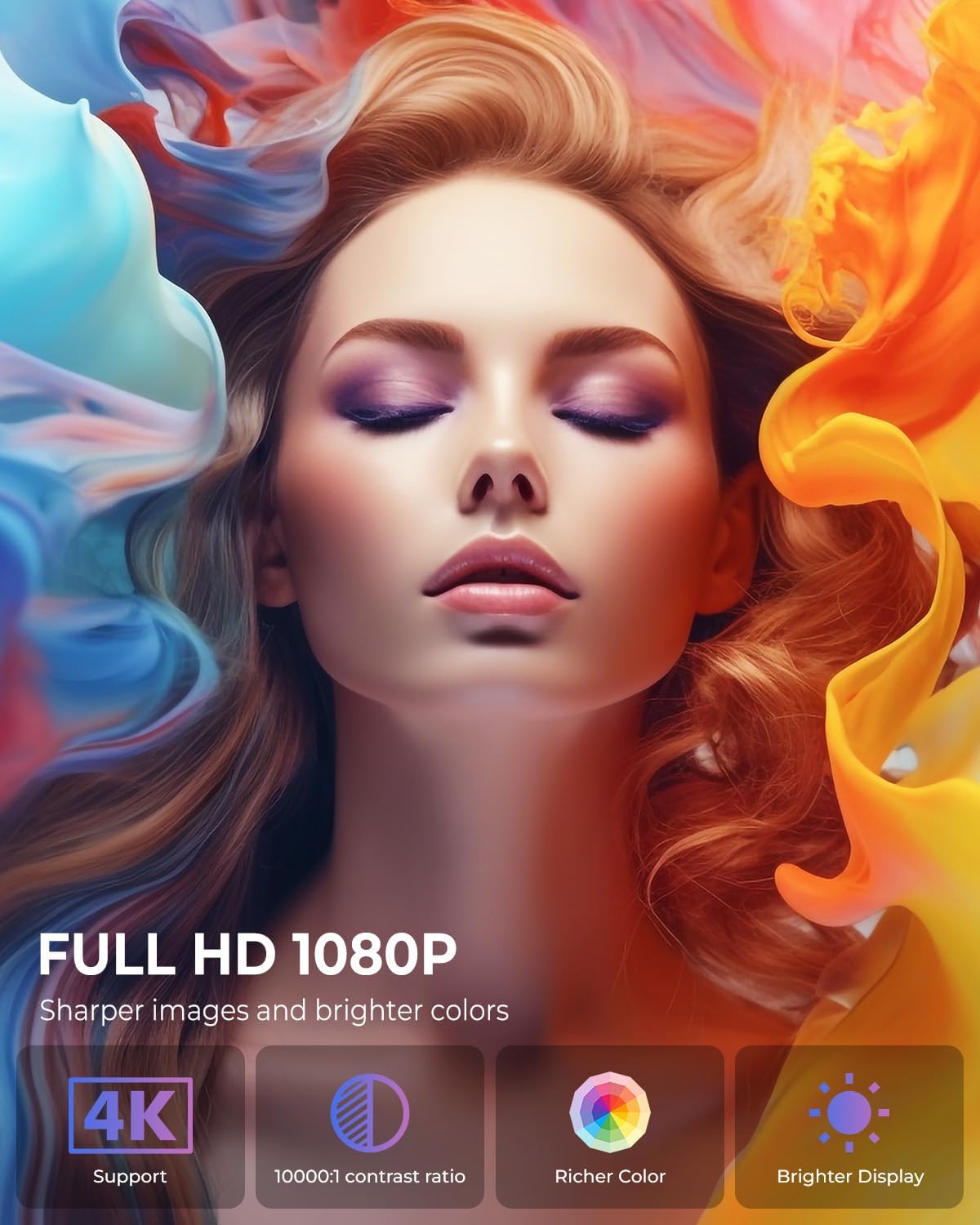
Image: The projector positioned to project galaxy patterns onto a ceiling, illustrating the flexibility of its 270-degree rotatable stand and its galaxy projection feature.

이미지: 전직ample of the projector creating a large 200-inch screen, with a note on recommended projection distances for optimal view주고받음.
5.2 초기 구성
After connecting power, press the power button on the projector or remote control to turn it on. Follow the on-screen prompts for initial setup:
- 언어 선택: 선호하는 언어를 선택하십시오.
- 네트워크 연결 : Select your Wi-Fi network and enter the password. The projector supports both 2.4G and 5G networks.
- 계정 로그인: Log in with your Google account to access the Android TV OS features and app store.
6. 사용 설명서
6.1 기본 작업
- 전원 켜기/끄기: 리모컨이나 프로젝터의 전원 버튼을 누르세요.
- 항해: Use the arrow keys on the remote to navigate menus and select options. The 'OK' button confirms selections, and the 'Back' button returns to the previous screen.
6.2 연결성
프로젝터는 다양한 연결 옵션을 제공합니다.
- Wi-Fi 연결: Access network settings to connect to a Wi-Fi network. The projector supports Wi-Fi 6 for faster and more stable streaming.
- 블루투스 연결 : Go to Bluetooth settings to pair with external Bluetooth speakers, headphones, or other compatible devices for enhanced audio.
- HDMI 입력: Connect devices like laptops, gaming consoles, or TV sticks using an HDMI cable. Select the HDMI input source from the projector's menu.
- USB 입력 : 미디어를 재생하려면 USB 드라이브를 삽입하세요. file드라이브에서 직접 연결됩니다.
- 오디오 출력: 3.5mm 오디오 잭을 사용하여 유선 헤드폰이나 외부 스피커를 연결하십시오.
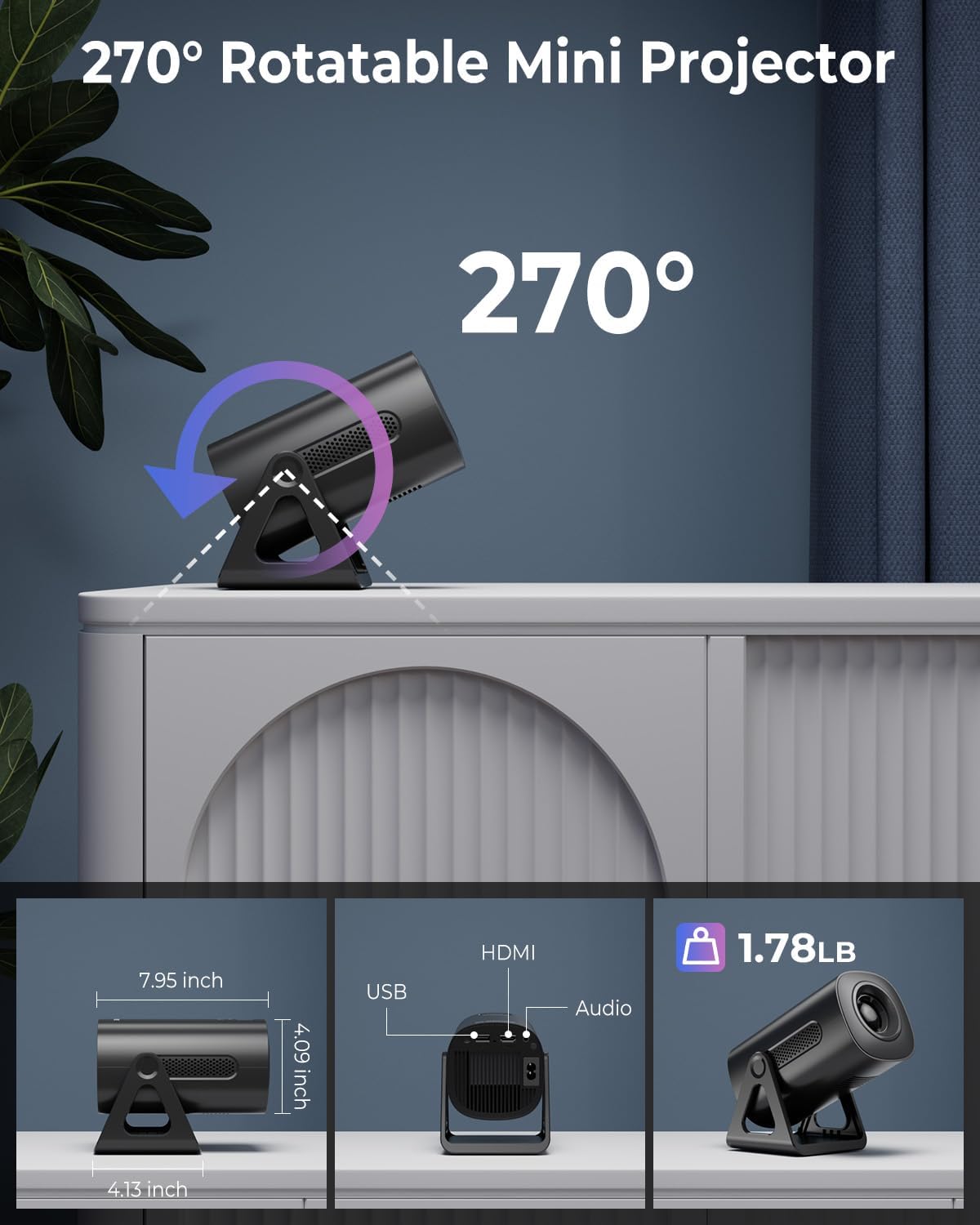
Image: Illustration of the projector's dual-band Wi-Fi 6 and Bluetooth 5.2 capabilities, demonstrating seamless wireless connectivity for streaming and audio.

Image: A visual guide to the projector's various input/output ports, including HDMI, USB, and audio, along with examp호환되는 기기의 수.
6.3 App Usage (Android TV OS)
With Android TV 11, you can access a wide range of applications:
- 앱 액세스: From the home screen, navigate to the 'Apps' section to view pre-installed applications or download new ones from the Google Play Store.
- 스트리밍 서비스: Enjoy content from pre-installed apps like Netflix, Prime Video, and YouTube. Ensure you are logged into your respective accounts.

Image: The projector's interface showcasing its built-in smart apps, providing direct access to popular streaming services without external devices.
6.4 투영 모드
- 은하 투영 모드: Activate the galaxy projection feature to display various cosmic patterns. There are 6 distinct modes to choose from.
- Night Light Modes: When the lens cover is applied, the projector can function as an ambient night light with 7 different color options.
6.5 이미지 조정
- 자동 키스톤 보정: The projector automatically corrects vertical image distortion. If manual adjustment is needed, navigate to the image settings.
- 줌 기능 : Adjust the projection size from 60% to 100% via the settings menu to fit your screen or wall perfectly.

Image: A demonstration of the projector's automatic vertical keystone correction, which ensures a rectangular image even when the projector is placed at an angle.
7. 유지관리
Regular maintenance helps ensure optimal performance and longevity of your projector:
- 렌즈 세척: 광학 렌즈 전용으로 제작된 부드럽고 보풀 없는 천으로 프로젝터 렌즈를 살살 닦아주세요. 연마성 세척제나 과도한 힘을 사용하지 마십시오.
- 통풍: Periodically check that the ventilation openings are clear of dust and debris. Use a soft brush or compressed air to clean them.
- 저장: 사용하지 않을 때는 프로젝터를 직사광선과 극한 온도 변화를 피해 서늘하고 건조한 곳에 보관하십시오.
8. 문제 해결
프로젝터에 문제가 발생하면 다음의 일반적인 문제와 해결 방법을 참조하세요.
| 문제 | 가능한 원인 | 해결책 |
|---|---|---|
| 전원이 없습니다 | Power cord not connected; Power outlet faulty; Projector off. | Ensure power cord is securely connected. Test outlet with another device. Press power button. |
| 이미지 없음 | 입력 소스가 잘못되었습니다. 케이블이 헐거워졌습니다. 렌즈 캡이 씌워져 있습니다. | Select correct input source (HDMI, USB). Check cable connections. Remove lens cap. |
| 흐릿한 이미지 | Focus not adjusted; Keystone incorrect; Projector too close/far. | Adjust focus ring. Check auto keystone correction or manually adjust. Adjust projection distance. |
| 소리가 나지 않습니다 | 볼륨이 너무 낮음; 음소거됨; 외부 오디오 장치가 연결/페어링되지 않았습니다. | Increase volume. Unmute. Ensure Bluetooth device is paired or wired device is connected. |
| Wi-Fi 연결 문제 | 잘못된 비밀번호; 라우터와의 거리가 너무 멀음; 네트워크 간섭. | Wi-Fi 비밀번호를 확인하세요. 프로젝터를 라우터 가까이로 이동하세요. 라우터와 프로젝터를 재시작하세요. |
9. 사양
Detailed technical specifications for the CLOKOWE Mini Projector (Model T800):
- 모델 번호: T800
- 상표: 클로코위
- 디스플레이 해상도: 1280 x 720 (Supports 1080P and 4K input)
- 연결 기술 : Bluetooth 5.2, Wi-Fi 6 (2.4G/5G Dual-Band), USB, HDMI, 3.5mm Audio Jack
- 특징: Portable, 270° Rotatable Stand, Android TV 11 OS, Galaxy Projector
- 추천 용도: 교육, 홈 시네마, 게임, 비즈니스
- 품목 무게: 2.38파운드
- 패키지 크기: 9.29 x 6.61 x 5.24 인치
- 제조업체: 클로코위
10. 보증 및 지원
For warranty information and technical support, please refer to the contact details provided on the product packaging or the official ClokoWe web대지. 보증 청구를 위해 구매 영수증을 보관하십시오.
추가 지원이 필요한 경우 다음을 방문할 수도 있습니다. ClokoWe Store on Amazon.
Ask a question about this manual
Ask about setup, troubleshooting, compatibility, parts, safety, or missing instructions. Manuals+ will review the question and use this page’s manual context to help answer it.