
1. 서론
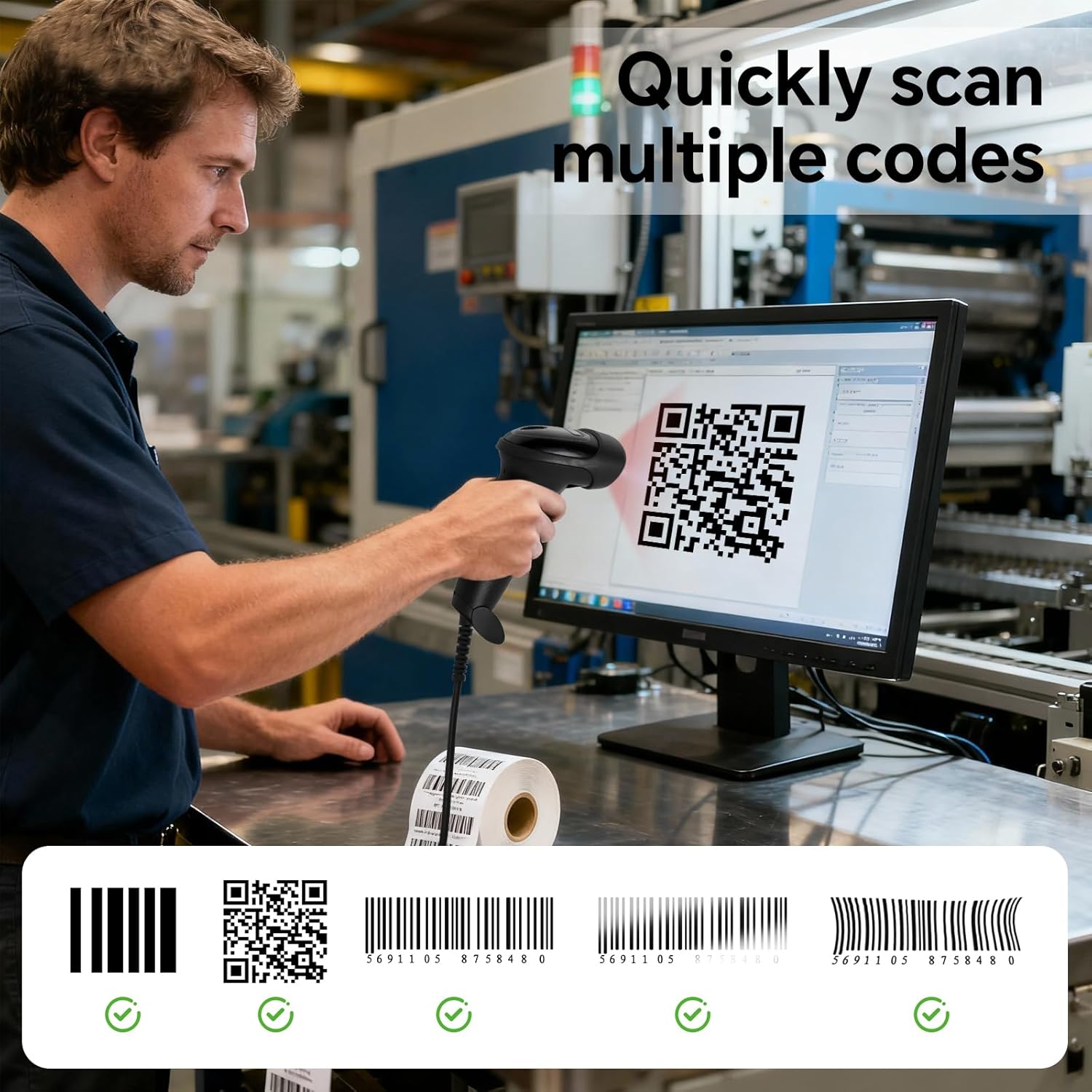
The YANZEO S200 is a high-speed, plug-and-play 2D barcode scanner designed for efficient data capture in various environments, including retail, inventory management, and point-of-sale (POS) systems. It features an advanced CMOS sensor for quick and accurate decoding of both 1D and 2D barcodes, including QR codes, Data Matrix, and PDF417, from paper labels and digital screens. Its robust design ensures durability in demanding work settings.
2. 설정
2.1 스캐너 연결
The YANZEO S200 barcode scanner is designed for simple plug-and-play operation. No additional drivers or software installation are required for most operating systems.
- Locate an available USB port on your computer (desktop, laptop, or tablet).
- Connect the USB cable from the scanner to the USB port on your device.
- The operating system will automatically detect and install the necessary device components. The scanner will be ready for use within seconds.

2.2 Using the Fixed Stand
The scanner comes with a fixed stand (YS2308-11 Holder) that enables hands-free scanning. This is particularly useful for high-volume scanning tasks.
- Place the scanner securely into the provided stand.
- For enhanced stability, the stand can be permanently affixed to a surface using screws or adhesive (not included).

3. 스캐너 작동
3.1 기본 스캐닝 절차
- 스캐너가 컴퓨터에 제대로 연결되어 있는지 확인하십시오.
- 스캔한 데이터가 표시될 애플리케이션(예: 텍스트 편집기, 스프레드시트 또는 POS 소프트웨어)을 엽니다.
- Aim the scanner's light beam at the barcode or QR code you wish to scan. Ensure the entire code is within the scanning area.
- Press the trigger button (for handheld use) or present the code to the scanner (for hands-free use).
- A successful scan is typically indicated by an audible beep and/or a visual confirmation light. The scanned data will appear in your active application.
3.2 스캐닝 모드
The YANZEO S200 supports versatile scanning modes to suit different operational needs:
- 수동 트리거 모드: The scanner activates only when the trigger button is pressed. Ideal for precise, individual scans.
- 자동 감지 모드: 스캐너는 감지 범위 내에 바코드가 나타나면 자동으로 바코드를 감지하고 스캔합니다. view, without needing to press the trigger. This mode is often used with the fixed stand for hands-free operation.
- 연속 스캐닝 모드: The scanner continuously emits its scanning beam, rapidly capturing any barcodes that pass through its field. Suitable for high-speed, repetitive scanning tasks.
3.3 데이터 업로드 모드
스캐너는 두 가지 기본 데이터 업로드 모드를 제공합니다.
- 자동 업로드 모드: Data is transmitted to the connected device immediately after each successful scan. This mode ensures real-time data synchronization.
- 저장 모드 : Scanned data is stored internally within the scanner's memory. This allows for offline operation, with data uploaded to the connected device at a later time, typically in a batch.

3.4 제품 비디오 데모
Watch this video for a visual demonstration of the YANZEO S200 barcode scanner in action.
4. 유지관리
4.1 청소
To ensure optimal performance and longevity of your scanner, regular cleaning is recommended:
- Use a soft, clean, lint-free cloth to wipe the scanner's exterior.
- 스캔 창은 렌즈 클리닝 천이나 부드러운 천으로 가볍게 닦아주세요.ampened with a mild, non-abrasive cleaning solution. Avoid harsh chemicals, solvents, or abrasive materials, as these can damage the device.
- 스캐너 하우징에 액체가 들어가지 않도록 주의하세요.
4.2 관리 및 취급
The YANZEO S200 is built with an IP54-rated housing, providing resistance to dust and water splashes, and can withstand drops from up to 1.5 meters. However, proper care is still essential:
- Avoid exposing the scanner to extreme temperatures, direct sunlight for prolonged periods, or high humidity.
- Do not attempt to disassemble or repair the scanner yourself. This will void the warranty and may cause damage.
- 스캐너를 사용하지 않을 때는 깨끗하고 건조한 환경에 보관하세요.

5. 문제 해결
If you encounter issues with your YANZEO S200 barcode scanner, refer to the following common problems and solutions:
| 문제 | 가능한 원인 | 해결책 |
|---|---|---|
| 컴퓨터에서 스캐너를 인식하지 못합니다 | USB 연결이 헐거워졌거나, USB 포트가 불량이거나, 운영 체제 문제일 수 있습니다. | Ensure the USB cable is securely connected. Try a different USB port or a different computer. Restart your computer. |
| 바코드를 스캔할 수 없습니다 | Incorrect aiming, damaged barcode, unsupported barcode type, insufficient lighting, scanner in incorrect mode. | Ensure the scanner is aimed directly at the center of the barcode. Check if the barcode is clear and undamaged. Verify the barcode type is supported (1D/2D). Ensure adequate lighting. Check the scanner's operating mode (manual, auto-detection). |
| Scanned data appears incorrectly or not at all | Application not in focus, incorrect keyboard layout, scanner configuration issue. | Ensure the target application window is active and ready to receive input. Check your computer's keyboard layout settings. If using Storage Mode, ensure data has been uploaded. |
| No beep or light indication after scanning | Unsuccessful scan, scanner settings. | Confirm the barcode is valid and properly aimed. Check scanner configuration for sound and light indicators. |
6. 사양
| 특징 | 세부 사항 |
|---|---|
| 상표 | 얀제오 |
| 모델 | S200 |
| 연결 기술 | USB |
| 호환 장치 | Desktop computer, Laptop, Tablet (Windows, Mac, Linux, Android) |
| 전원 | 전원 케이블 (USB 전원 공급) |
| 운영 볼륨tage | 5볼트(DC) |
| IP 등급 | IP54 (Dust and water splash resistant) |
| 낙하 저항 | 최대 1.5미터 |
| 지원되는 바코드 | 1D and 2D codes (e.g., QR, Data Matrix, PDF417) |
7. 보증 정보
Specific warranty details for the YANZEO S200 barcode scanner are not provided in the product information. Please refer to the warranty policy provided by your retailer or contact YANZEO customer support for detailed warranty terms and conditions.
8. 지원
For further assistance, technical support, or inquiries regarding your YANZEO S200 barcode scanner, please contact the vendor or manufacturer directly. Refer to your purchase documentation for specific contact information.


