
1. 서론
The TMEZON H4 Trail Camera is designed for wildlife monitoring, security surveillance, and game tracking. It features 4K video recording, 48MP still image capture, integrated WiFi and Bluetooth connectivity, and a solar panel for extended operation. This manual provides detailed instructions for setting up, operating, and maintaining your camera to ensure optimal performance.
2. 패키지 내용
- TMEZON H4 Trail Camera
- 태양광 패널
- 장착 스트랩
- 장착 나사
- USB 케이블
- 64GB SD 카드
- 사용자 설명서
3. 제품 오버view
Familiarize yourself with the main components of your TMEZON H4 Trail Camera.
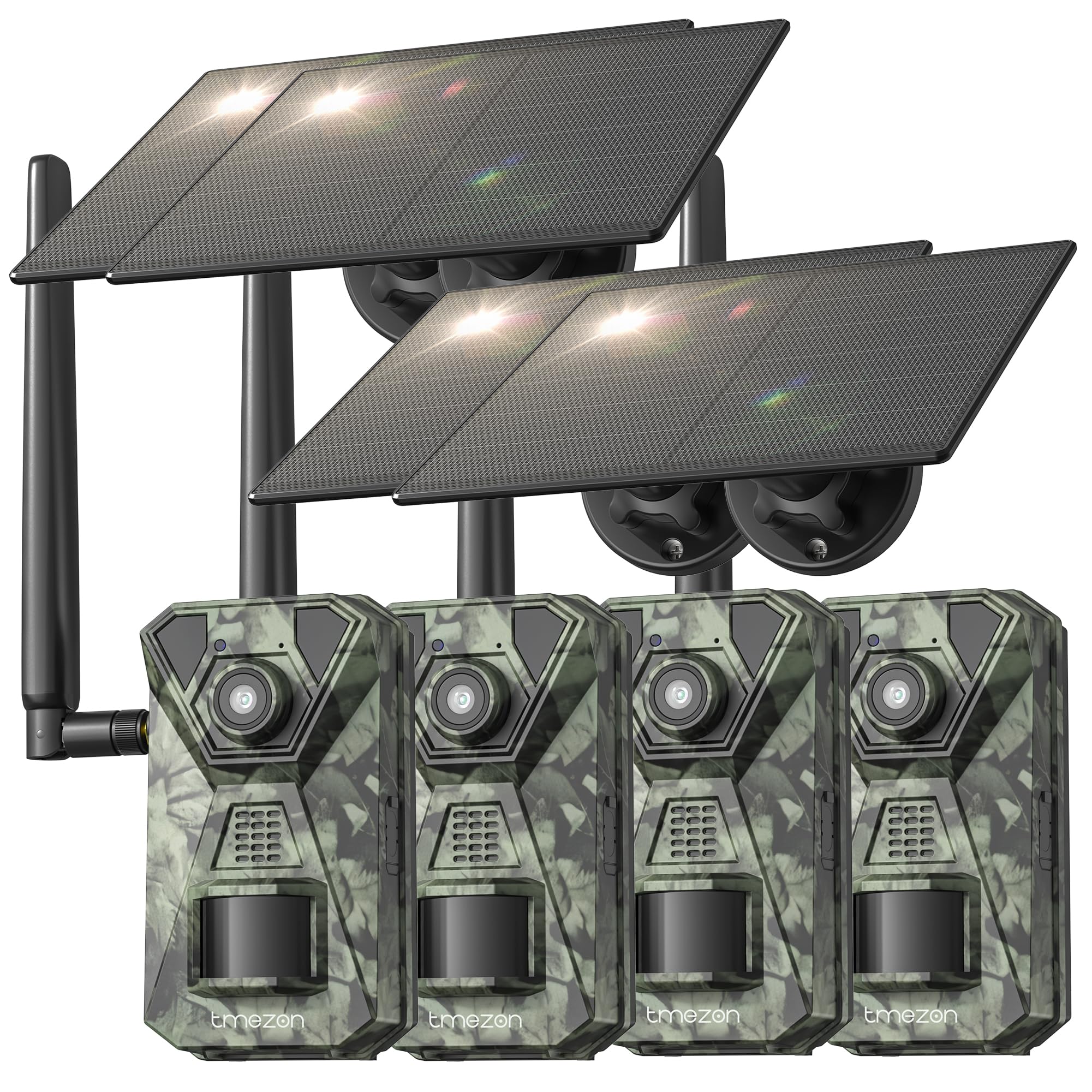
이미지 1: 앞쪽 view of the TMEZON H4 Trail Camera, showing the lens, PIR sensors, and integrated solar panel. This image illustrates the compact, camouflage design suitable for outdoor environments.
카메라 구성 요소:
- 렌즈: 이미지와 비디오를 캡처합니다.
- PIR 센서: Passive Infrared sensors detect motion.
- IR LED : 야간 시야를 위한 적외선 LED.
- LCD 화면: 메뉴 탐색을 위해 view캡처된 미디어를 사용합니다.
- 제어 버튼: 메뉴와 설정을 탐색하세요.
- SD 카드 슬롯: Insert the provided 64GB SD card.
- USB 포트: 컴퓨터에 연결하기 위해.
- 외부 전원 포트: For connecting the solar panel or external power source.
- 배터리 칸: Holds 8 AA batteries (not included) for backup power.
4. 설정
4.1. Battery and Solar Panel Installation
- 카메라의 배터리 칸을 엽니다.
- Insert 8 new AA batteries (alkaline or rechargeable NiMH recommended) according to the polarity indicators. These batteries serve as a backup to the solar panel.
- Connect the solar panel cable to the camera's external power port. Ensure the solar panel is positioned to receive maximum sunlight.
4.2. SD 카드 삽입
- Locate the SD card slot on the side or bottom of the camera.
- Insert the provided 64GB SD card with the metal contacts facing the correct direction until it clicks into place.
- 제거하려면 카드가 튀어나올 때까지 부드럽게 밀어 넣으세요.
4.3. 카메라 장착
- Use the included mounting strap to secure the camera to a tree or pole. Thread the strap through the slots on the back of the camera and tighten.
- Alternatively, use the mounting screws to attach the camera to a wall or other flat surface.
- Position the camera at a height of 3-6 feet (1-2 meters) and aim it towards the desired monitoring area. Ensure no obstacles block the PIR sensors.
4.4. 앱 다운로드 및 페어링
- 스마트폰 앱스토어(iOS 또는 Android)에서 TMEZON 공식 앱을 다운로드하세요. 검색 "TMEZON Trail Camera" or scan the QR code provided in the quick start guide.
- 스마트폰에서 블루투스를 활성화하세요.
- 카메라를 켭니다.
- Open the TMEZON app, select "Add Device," and follow the on-screen instructions to connect via Bluetooth.
- Once connected via Bluetooth, the app will prompt you to connect to the camera's WiFi network for faster data transfer and live view.
5. 카메라 작동
5.1. 전원 켜기/끄기 및 모드 선택
- OFF : 카메라 전원을 끕니다.
- 설정: Enter setup mode to configure settings, view photos/videos, or connect to the app.
- 에: Activate the camera for monitoring. The camera will enter monitoring mode after a short countdown.
5.2. 메뉴 탐색 및 설정
In SETUP mode, use the control buttons to navigate the menu on the LCD screen. Press the 'MENU' button to access settings. Key settings include:
- 방법: Select Photo, Video, or Photo+Video (Hybrid).
- 사진 해상도: 48MP, 30MP, 20MP, etc.
- 비디오 해상도: 4K, 2.7K, 1080P, 720P.
- PIR 감도 : High, Medium, Low. Adjust based on environment to avoid false triggers.
- PIR 간격: Time delay between detections.
- 타임 랩스: 움직임과 관계없이 설정된 간격으로 이미지를 캡처합니다.
- 날짜 및 시간: 현재 날짜와 시간을 설정합니다.
- SD 카드 포맷 : SD 카드에 있는 모든 데이터를 삭제하세요. Caution: This will delete all files.
5.3. Remote Monitoring via App
Once connected to the TMEZON app:
- View 라이브 푸tag전자 카메라에서.
- 카메라 설정을 원격으로 조정하세요.
- Browse and download captured photos and videos to your smartphone.
- Receive notifications for detected motion (if 4G LTE cellular transmission is enabled and configured).
6. 유지관리
6.1. 청소
- Wipe the camera lens and PIR sensors with a soft, dry cloth to remove dust or smudges.
- 효율적인 충전을 위해 태양광 패널이 깨끗한지 확인하십시오.
- 연마성 세척제나 용제를 사용하지 마십시오.
6.2. 보관
- If storing the camera for an extended period, remove the AA batteries.
- 카메라는 직사광선을 피해 시원하고 건조한 곳에 보관하세요.
7. 문제 해결
- 카메라 전원이 켜지지 않음: Check battery installation and charge level. Ensure solar panel is connected and receiving sunlight.
- 이미지/비디오 품질이 좋지 않음: Clean the lens. Ensure sufficient lighting or proper night vision settings. Check resolution settings.
- 동작 감지 안 됨: Adjust PIR sensitivity (High for sparse areas, Low for busy areas). Ensure PIR sensors are not obstructed. Check PIR interval settings.
- SD 카드 오류: Format the SD card in the camera's settings. If the issue persists, try a different compatible SD card.
- 앱 연결 문제: Ensure Bluetooth and WiFi are enabled on your phone. Restart both the camera and the app. Ensure the camera is in SETUP mode for initial pairing.
- 태양광 패널이 충전되지 않습니다: Ensure the solar panel is clean and positioned to receive direct sunlight. Check the connection cable.
8. 사양
| 모델명 | H4 |
| 효과적인 스틸 해상도 | 48 MP |
| 효과적인 비디오 해상도 | 4K |
| 연결 기술 | Wireless (WiFi, Bluetooth, 4G LTE) |
| 전원 | Solar Powered, 8x AA Battery Backup |
| 플래시 메모리 유형 | SD Card (64GB included, max 64GB supported) |
| 나이트 비전 범위 | 65 피트 |
| 트리거 속도 | 0.2초 |
| PIR 감지 각도 | 120° |
| 방수 등급 | IP66 |
| 품목 치수 | 4 x 3.5 x 6 인치 |
| 재료 | 금속, 플라스틱 |
9. 보증 및 지원
TMEZON products come with a standard manufacturer's warranty. For detailed warranty information, technical support, or service inquiries, please refer to the warranty card included in your package or visit the official TMEZON website. You can also contact customer support through the TMEZON app or the contact information provided on the product packaging.