
1. 서론
Welcome to the user manual for your new Google Pixel 9 smartphone. This guide provides essential information on setting up, operating, maintaining, and troubleshooting your device. The Google Pixel 9 combines advanced technology with user-friendly design, offering a powerful and intuitive mobile experience.
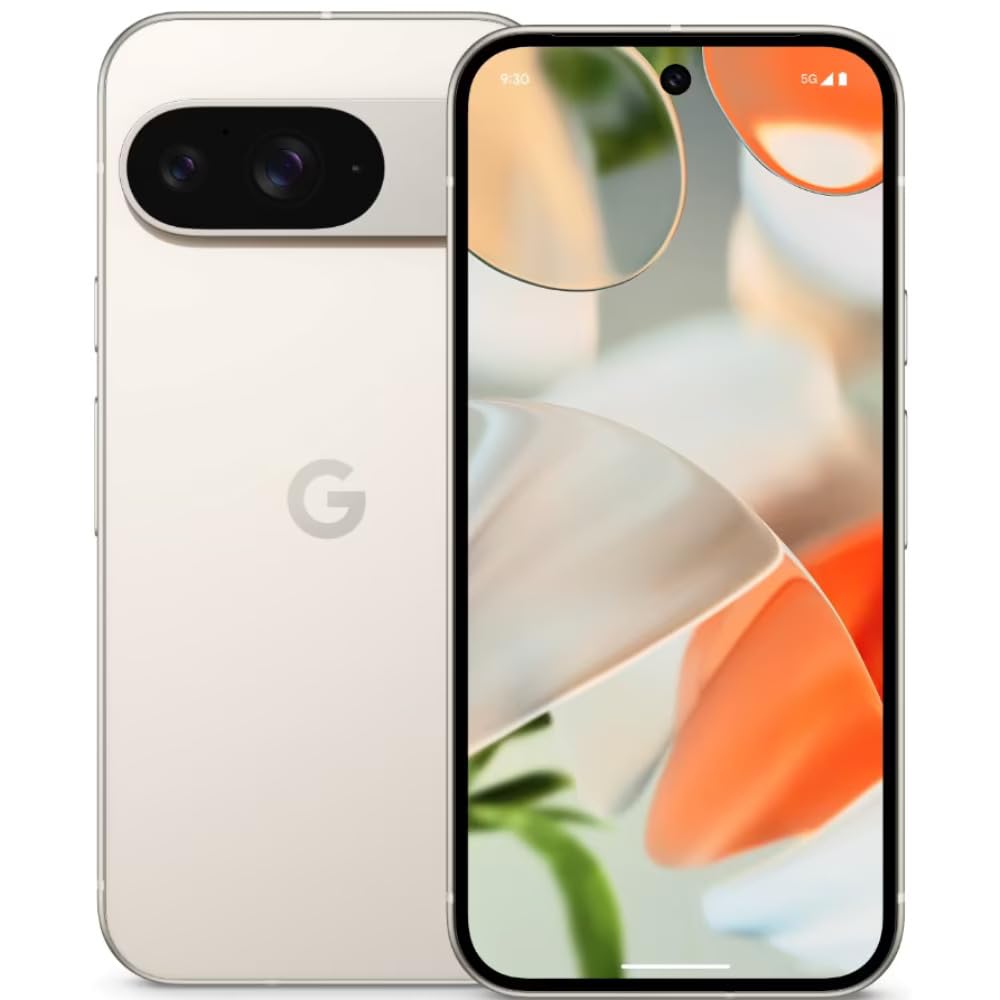
Image: The Google Pixel 9 smartphone, showcasing its sleek design and camera bar on the rear.
2. 설정
2.1. 언박싱 및 초기 충전
Carefully remove all components from the packaging. Before first use, it is recommended to fully charge your Pixel 9 using the provided USB-C to USB-C cable and a compatible power adapter (sold separately).
2.2. SIM 카드 삽입
- Pixel 9 측면에 있는 SIM 카드 트레이를 찾으세요.
- Insert the SIM ejector tool (included in the box) into the small hole on the tray and press firmly until the tray pops out.
- Place your Nano SIM card(s) into the tray with the gold contacts facing down. The Pixel 9 supports Dual SIM functionality.
- 트레이를 전화기 안으로 살짝 밀어 넣어 딸깍 소리가 나면서 제자리에 고정되도록 합니다.
2.3. 전원 켜기 및 초기 구성
Press and hold the Power button on the side of the device until the Google logo appears. Follow the on-screen instructions to complete the initial setup, including connecting to Wi-Fi, signing in with your Google account, and setting up security features like fingerprint recognition.
3. Google Pixel 9 작동하기
3.1. 디스플레이 및 탐색
The Pixel 9 features a 6.3-inch OLED display with a dynamic refresh rate up to 120Hz, providing smooth visuals. Navigate the device using touch gestures. Swipe up from the bottom to go home, swipe from the sides to go back, and swipe up and hold for recent apps.
3.2. 성능
Powered by the Google Tensor G4 processor and 12 GB of RAM, the Pixel 9 delivers efficient multitasking and responsive performance for applications and games.
3.3. 카메라 시스템
The Pixel 9 is equipped with a dual rear camera system: a 50 MP main sensor and a 48 MP ultrawide lens (123° field of view). The front camera is 10.5 MP. Advanced AI features enhance photography, including:
- 친구 추가해주세요: Allows users to insert themselves into photos.
- Pixel Studio: Enables image creation from text prompts.

Image: A visual representation of the Google Pixel 9's AI photo editing capabilities, showing how images can be enhanced or modified.

Image: Screenshots from the Google Pixel 9 illustrating AI functionalities such as Gemini for assistance, advanced Pixel Screenshots, and the 'Circle to Search' feature.
3.4. 배터리 및 충전
The device includes a 4700 mAh battery. It supports 45W USB-PD fast charging and 15W wireless charging. For optimal charging, use compatible USB-PD chargers.
3.5. 보안 기능
Unlock your device securely using the integrated fingerprint recognition sensor.
4. 유지관리
4.1. 내구성 및 보호성
The Pixel 9 is designed with durability in mind, featuring Corning Gorilla Glass Victus 2 for scratch resistance and protection against minor drops and spills. It is also water resistant.
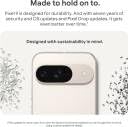
Image: The Google Pixel 9, highlighting its robust construction and the commitment to seven years of OS and security updates, ensuring longevity.
4.2. 소프트웨어 업데이트
Google provides seven years of OS and security updates for the Pixel 9, ensuring your device remains secure and up-to-date with the latest features. Regularly check for and install available updates via Settings > System > System update.
4.3. 기기 청소
To clean your Pixel 9, use a soft, lint-free cloth. Avoid abrasive materials or harsh chemicals. For stubborn marks, slightly dampen the cloth with water. Do not submerge the device in water.
5. 문제 해결
If you encounter issues with your Pixel 9, consider the following general troubleshooting steps:
- 장치를 다시 시작하세요: 간단한 재시작만으로도 많은 사소한 소프트웨어 오류를 해결할 수 있습니다.
- 소프트웨어 업데이트 확인: 기기에서 최신 소프트웨어 버전이 실행되고 있는지 확인하세요.
- Review 앱 권한: If an app is not functioning correctly, check its permissions in Settings.
- 캐시 지우기: For app-specific issues, try clearing the app's cache via Settings > Apps.
- 공장 초기화 : As a last resort, a factory reset can resolve persistent software problems. Back up your data before performing a factory reset.
For more complex issues or hardware malfunctions, please contact Google Support.
6. 사양
| 특징 | 사양 |
|---|---|
| 상표 | |
| 모델 | 픽셀 9 |
| 운영 체제 | 안드로이드 14 |
| 프로세서 | 구글 텐서 G4 |
| 숫양 | 12GB (XNUMX기가바이트) |
| 내부 저장소 | 256GB (XNUMX기가바이트) |
| 디스플레이 크기 | 6.3 인치 |
| 디스플레이 유형 | OLED |
| 해결 | 2424x1080 픽셀 |
| 후방 카메라 | 50 MP (Main), 48 MP (Ultrawide) |
| 전면 카메라 | 10.5 MP |
| 배터리 용량 | 4700mAh |
| 충전 중 | 45W USB-PD Fast Charging, 15W Wireless Charging |
| 연결성 | 5G, Wi-Fi, USB Type C |
| SIM 카드 유형 | 나노 SIM (듀얼 SIM) |
| 생체 인식 보안 | 지문 인식 |
| 방수 레벨 | 방수 |
| 치수(길이 x 너비 x 높이) | 15.2 x 7.2 x 0.8 센티미터 |
| 무게 | 198그램 |
7. 상자 안에 무엇이 들어있나요?
The Google Pixel 9 retail package includes the following items:
- 구글 픽셀 9 스마트폰
- USB-C to USB-C 케이블
- SIM 트레이 꺼내기 도구
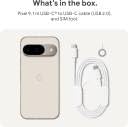
Image: A clear depiction of the Google Pixel 9 and its included accessories: a USB-C to USB-C cable and a SIM ejector tool.
8. 보증 및 지원
8.1. 제품 보증
Your Google Pixel 9 comes with a 1-year limited warranty from the date of purchase. This warranty covers manufacturing defects. Please retain your proof of purchase for warranty claims.
8.2. 고객 지원
For technical assistance, warranty claims, or further information, please visit the official Google Support website or contact Google customer service. Refer to the Google support page for your region for specific contact details and service center locations.