
1. 서론
This manual provides detailed instructions for the installation, operation, and maintenance of your ANNKE AU-DT81DX200-V1 4K 8-Channel Digital Video Recorder (DVR). This DVR is designed for security surveillance systems, offering 4K (8MP) high-definition live viewing and recording capabilities. It features advanced H.265+ video compression, AI human/vehicle detection, and supports various camera types for flexible integration.

Image 1.1: The ANNKE 4K 8CH DVR connected to a display, illustrating its 4K Ultra HD video capability.
2. 패키지 내용
Verify that all items listed below are included in your package. If any items are missing or damaged, contact ANNKE customer support.
- 1x ANNKE 4K 8CH DVR with 2TB Hard Drive
- 1x 5.9 ft/1.8 m HDMI Cable
- 1x 3.2 ft/1 m Ethernet Cable
- 1x 전원 어댑터
- 1x USB 마우스
- 1x 사용자 매뉴얼(이 문서)
- 벽 스티커 1개

Image 2.1: Visual representation of all components included in the ANNKE 4K 8CH DVR package.
3. 시스템 오버view
The ANNKE AU-DT81DX200-V1 DVR is a hybrid 5-in-1 system, supporting various camera technologies. It can operate in two primary modes:
- DVR 모드: Supports up to 8 BNC (TVI/AHD/CVI/CVBS) cameras and an additional 4 IP cameras.
- NVR Mode: Can be configured to support up to 12 IP cameras exclusively.
This flexibility allows for integration with existing analog systems while providing options for future IP camera expansion.
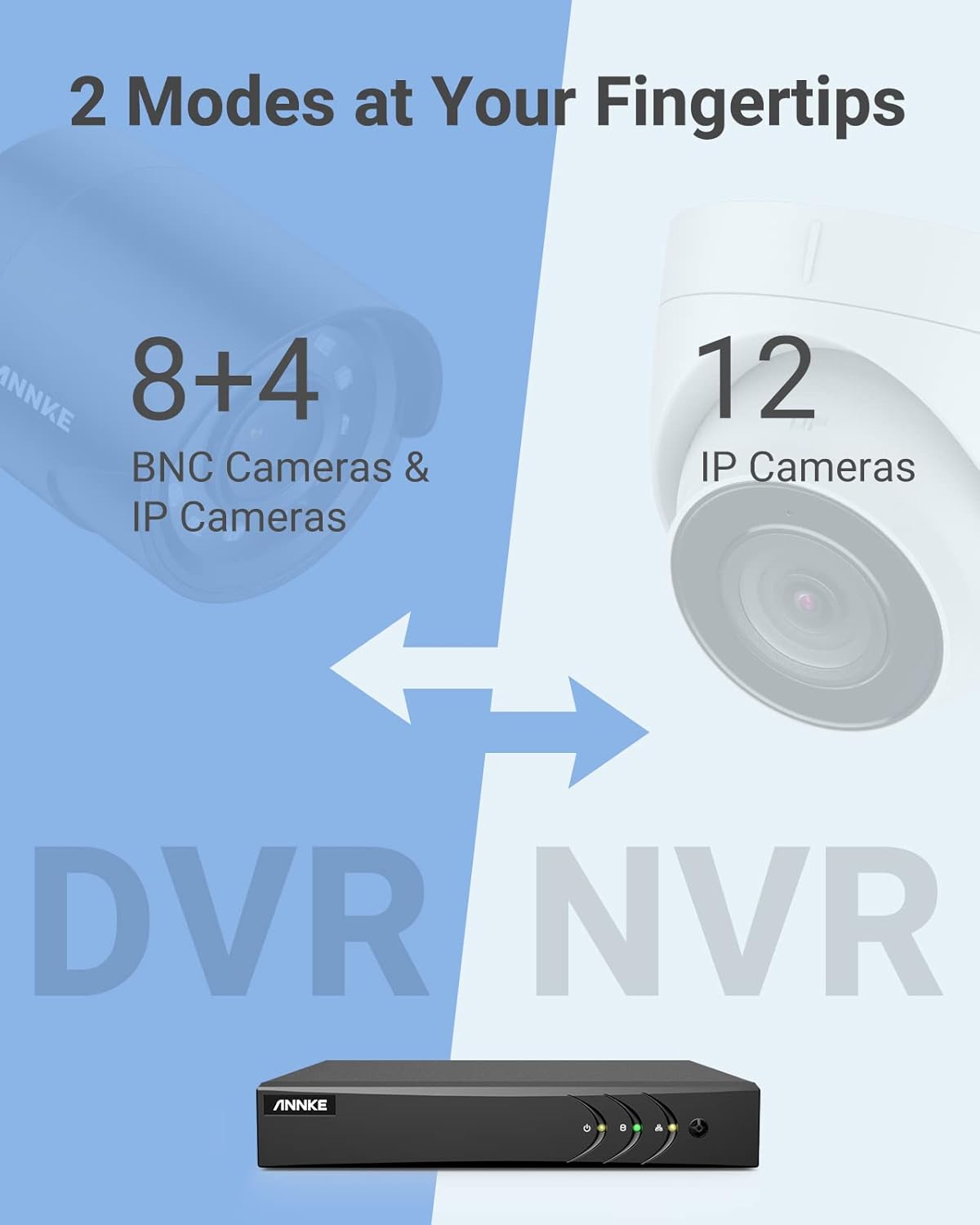
Image 3.1: Illustration of the DVR's dual operational modes, supporting both BNC and IP cameras or IP cameras exclusively.
4. 설치 가이드
4.1 물리적 설정
- 카메라 연결: Connect your security cameras to the BNC video input ports on the back of the DVR. For IP cameras, connect them to your network switch/router, and ensure the DVR is also connected to the same network via the Ethernet cable.
- 모니터 연결: Connect a monitor to the DVR's HDMI or VGA output port using the provided HDMI cable or a VGA cable (not included).
- USB 마우스 연결: USB 마우스를 DVR의 USB 포트 중 하나에 연결하세요.
- 전원 연결: Connect the power adapter to the DVR's power input and then plug it into a power outlet. The DVR will power on automatically.
4.2 초기 구성
처음 부팅 시 DVR이 초기 설정 마법사를 안내합니다. 화면의 지시에 따라 다음을 수행하세요.
- 관리자 계정에 강력한 비밀번호를 설정하세요.
- Configure network settings (DHCP is recommended for most users).
- 날짜와 시간을 설정하세요.
- Scan and add IP cameras if applicable.
5. DVR 작동
5.1 라이브 View
초기 설정 후 DVR은 라이브를 표시합니다. view from connected cameras. Use the USB mouse to navigate the interface. Right-click to access the main menu.
5.2 녹음
The DVR is pre-configured for continuous recording. You can customize recording schedules, motion-triggered recording, or alarm-triggered recording via the main menu under 기록 > 일정.
5.3 재생
다시view 기록된 footage:
- 라이브에서 view, 마우스 오른쪽 버튼을 클릭하고 선택하세요 재생.
- Select the desired camera(s) and date.
- Use the timeline to navigate through recordings. Events (like motion detection) are often marked on the timeline for quick access.

Image 5.1: The DVR's playback interface, demonstrating how to locate and review recorded events on a timeline.
6. 고급 기능
6.1 AI 기반 사람/차량 감지
The DVR incorporates deep learning-based motion detection 2.0, which can differentiate between human and vehicle movements. This significantly reduces false alarms caused by environmental factors such as leaves or light changes.
- 구성: Enable and configure AI detection for each analog channel via the main menu under AI > Motion Detection 2.0.
- Smart Events: Supports line crossing and intrusion detection for specific areas.
- 알림: Configure the DVR to send app push notifications, email alerts, or trigger a buzzer when human or vehicle motion is detected.
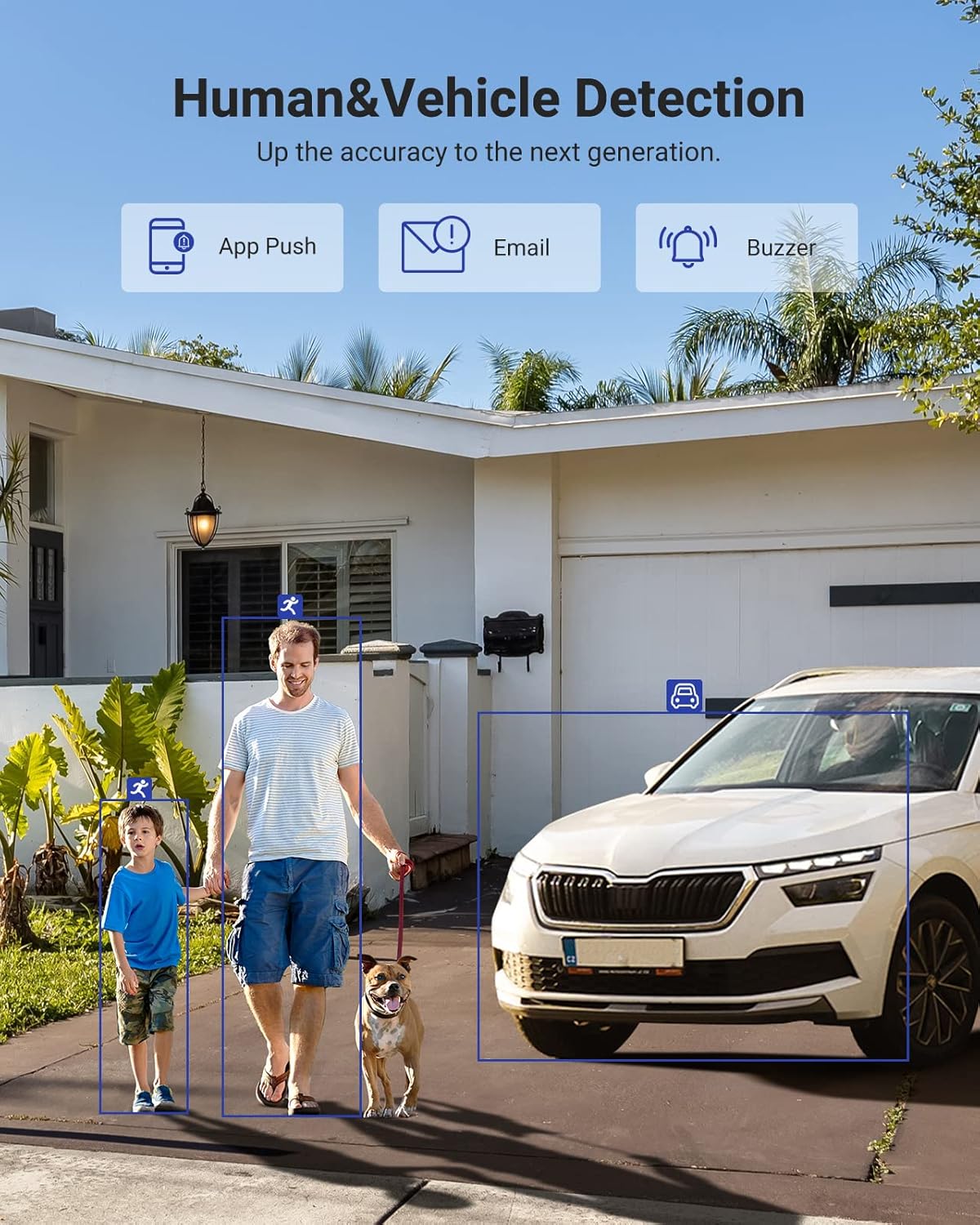
Image 6.1: Visual demonstration of the AI human and vehicle detection capability, showing how the system identifies and distinguishes between people and vehicles.
6.2 원격 접속
Access your DVR remotely from anywhere using the ANNKE Vision App or a web 브라우저.
- ANNKE Vision App: Download the app from the App Store (iOS) or Google Play Store (Android). Register an account and add your DVR by scanning the QR code or entering its serial number.
- Web 브라우저: Access the DVR's web 인터페이스에 IP 주소를 입력하여 web 컴퓨터의 브라우저.
- 호환성: The system is compatible with various devices including smartphones, tablets, laptops, and personal computers. It also supports integration with Alexa for voice control.

Image 6.2: Remote access via the ANNKE Vision App, showing compatibility with mobile devices and Alexa.
7. Video Management
7.1 H.265+ 비디오 압축
The DVR utilizes advanced H.265+ video compression technology. This technology significantly reduces file sizes, saving up to 80% of storage space compared to H.264 compression, while maintaining video quality. This allows for longer recording durations on the same 2TB hard drive.

Image 7.1: Comparison illustrating the storage efficiency of H.265+ compression versus H.264.
8. 호환성
The ANNKE AU-DT81DX200-V1 is a versatile 5-in-1 hybrid DVR, designed to be compatible with a wide range of security cameras:
- HD TVI Input: Supports 8 MP@15 fps, 5 MP@20 fps, 3K@20 fps, 4 MP@30 fps.
- AHD Input: Supports 5 MP@20 fps, 4 MP@30 fps, 1080p@25 fps, 1080p@30 fps.
- HD CVI Input: Supports 4 MP@30 fps, 4 MP@25 fps, 1080p@25 fps, 1080p@30 fps.
- CVBS 입력: Supports PAL/NTSC standards.
- IPC Input: Supports up to 8MP IP cameras.
This broad compatibility ensures that the DVR can integrate with both older analog cameras and modern IP cameras, providing a flexible upgrade path for existing surveillance systems.

Image 8.1: The DVR's compatibility with various camera technologies, including TVI, CVI, AHD, and IP cameras.
9. 사양
| 특징 | 사양 |
|---|---|
| 상표 | 안케 |
| 모델 번호 | AU-DT81DX200-V1 |
| 연결 기술 | 열광한 |
| 비디오 캡처 해상도 | 4K(8만 화소) |
| 채널 수 | 8 (Analog) + 4 (IP) or 12 (IP) |
| 비디오 압축 | H.265 Pro+/H.265 Pro/H.265/H.264+/H.264 |
| Supported Camera Types | TVI, AHD, CVI, CVBS, IPC |
| AI 기능 | Human Detection, Vehicle Detection, Line Crossing, Intrusion Detection |
| 메모리 저장 용량 | 2 TB HDD (Up to 10 TB supported) |
| 원격 접속 | ANNKE Vision App, Web 브라우저 |
| 호환 장치 | 카메라, 노트북, 개인용 컴퓨터, 스마트폰, 태블릿 |
| 전원 | 코드식 전기 |
| 색상 | 검은색 |
| 품목 치수 | 17.13 x 12.4 x 3.86 인치 |
10. 유지관리
정기적인 유지보수는 DVR 시스템의 최적 성능과 수명 연장을 보장합니다.
- 청소: DVR에 먼지가 쌓이지 않도록 하십시오. 외부를 닦을 때는 부드럽고 마른 천을 사용하십시오. 액체 세척제는 사용하지 마십시오.
- 통풍: 과열을 방지하려면 DVR을 환기가 잘 되는 곳에 두십시오. 환기구를 막지 마십시오.
- 펌웨어 업데이트: ANNKE 공식 웹사이트를 주기적으로 확인하세요. website for firmware updates. Keeping your DVR's firmware updated can improve performance, add new features, and enhance security.
- 데이터 백업: 중요한 비디오 파일을 정기적으로 백업하세요tag외부 저장 장치에 저장합니다.
- 하드 드라이브 상태: The DVR's menu may offer options to check the health status of the installed hard drive. Monitor this periodically.
11. 문제 해결
이 섹션에서는 DVR 사용 중 발생할 수 있는 일반적인 문제에 대해 설명합니다.
- 비디오 출력 없음:
- DVR과 모니터 모두에 연결된 HDMI/VGA 케이블의 연결 상태를 확인하십시오.
- 모니터가 올바른 입력 소스로 설정되어 있는지 확인하세요.
- Verify the DVR is powered on (power indicator light should be active).
- 카메라 화면 없음:
- Check camera power supply and video cable connections.
- For IP cameras, ensure they are on the same network as the DVR and properly added in the DVR's camera management settings.
- Verify camera compatibility with the DVR (refer to Section 8).
- 원격 액세스가 작동하지 않음:
- DVR이 인터넷에 연결되어 있는지 확인하십시오.
- Check network settings on the DVR (e.g., DHCP enabled, correct IP address).
- Verify the ANNKE Vision App is updated to the latest version.
- Ensure the DVR is properly added to your ANNKE Vision account.
- 오작동 동작 경보:
- Adjust the sensitivity of motion detection in the DVR settings.
- Utilize the AI Human/Vehicle Detection feature (Section 6.1) to filter out irrelevant movements.
- Define specific detection zones to exclude areas with frequent non-threatening movement.
If you continue to experience issues, please contact ANNKE customer support.
12. 보증 및 지원
ANNKE 제품에는 일반적으로 제한적 보증이 제공됩니다. 제품 패키지에 포함된 보증 카드를 참조하거나 ANNKE 공식 웹사이트를 방문하십시오. web해당 지역의 자세한 보증 약관 및 조건은 해당 사이트에서 확인하세요.
For technical support, product inquiries, or warranty claims, please contact ANNKE customer service through their official website or the contact information provided in your product documentation. Have your model number (AU-DT81DX200-V1) and purchase details ready when contacting support.
ANNKE 공식 Web대지: www.annke.com