
1. 서론
This manual provides comprehensive instructions for the proper installation and operation of the QSZN Android Canbus Box GM-RZ-10. This device is designed to facilitate the integration of an aftermarket Android car radio multimedia player with your vehicle's existing electrical system, ensuring functions such as steering wheel controls and vehicle data are maintained. Please read this manual thoroughly before installation and use.
2. 제품 오버view
The QSZN Android Canbus Box GM-RZ-10 is a specialized interface module that translates your vehicle's CAN bus signals into a format compatible with aftermarket Android head units. This enables the retention of factory features like steering wheel controls, door status, climate control information, and other vehicle data on your new multimedia system.
Image 2.1: The QSZN Android Canbus Box GM-RZ-10 and its associated wiring harness.
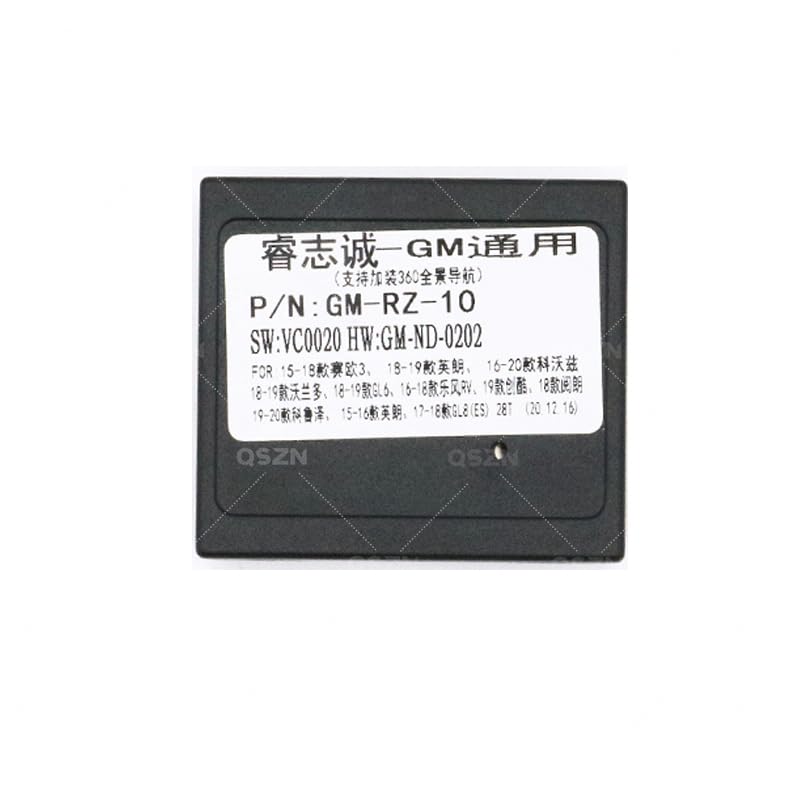
이미지 2.2: 상세 view of the GM-RZ-10 Canbus Box module.
3. 호환성
This Canbus Box and wiring harness set is compatible with the following Buick vehicle models:
- Buick EXCELLE: 2015-2017 models
- Buick GL8 2.8S: 2017 and newer models
- Buick GL6: 2018 and newer models
Ensure your vehicle's make, model, and year match the listed compatibility to guarantee proper function.
4. 패키지 내용
패키지를 열 때 모든 구성품이 들어 있고 손상되지 않았는지 확인하세요.
- 1 x QSZN Android Canbus Box (GM-RZ-10)
- 1 x Vehicle-specific Wiring Harness
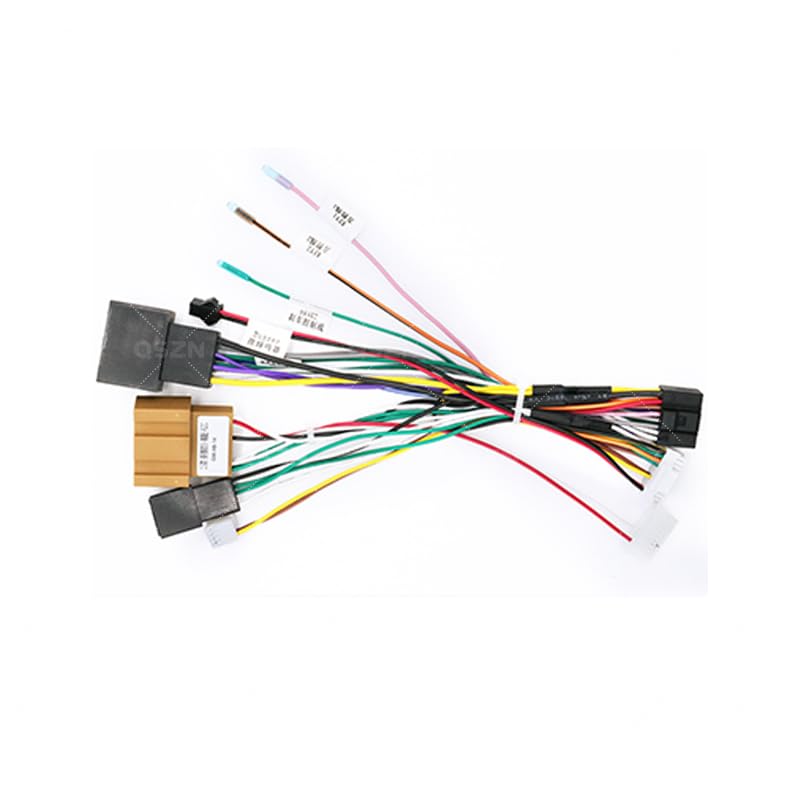
Image 4.1: The vehicle-specific wiring harness included in the package.
5. 설정 및 설치
중요한: Installation of this product requires technical knowledge of car audio systems and vehicle wiring. Professional installation is highly recommended to avoid damage to your vehicle or the product. Disconnect the vehicle's battery before beginning installation.
5.1 사전 설치 단계
- 차량 분해: Carefully remove the factory car radio and any associated trim panels to access the wiring harness. Refer to your vehicle's service manual for specific instructions.
- 커넥터 식별: Locate the factory wiring harness connectors that were previously connected to your original car radio.
5.2 배선 연결
Connect the QSZN wiring harness as follows:
- 차량에 연결: Plug the vehicle-specific end of the QSZN wiring harness into the corresponding factory connectors in your dashboard. Ensure a secure fit.
- Canbus Box 연결: Connect the GM-RZ-10 Canbus Box module to the designated connector on the QSZN wiring harness. This connection is typically a multi-pin connector.
- 안드로이드 헤드 유닛에 연결: Connect the other end of the QSZN wiring harness to your aftermarket Android car radio multimedia player. This harness will provide power, speaker connections, and data lines for the Canbus functions.
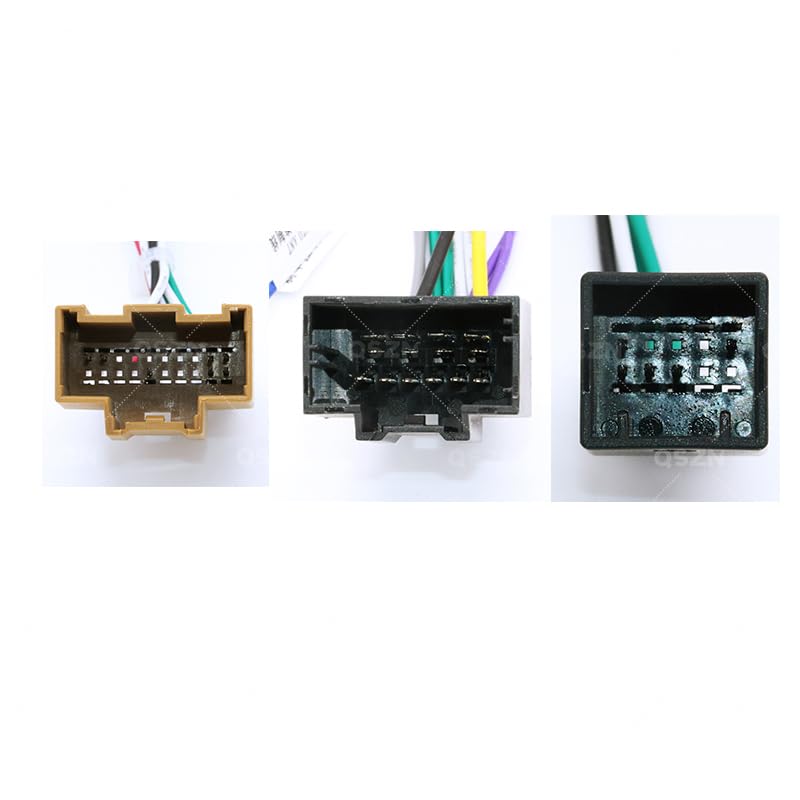
이미지 5.1: Example of wiring harness connectors for proper connection.
5.3 설치 후 확인
- 배터리를 다시 연결하십시오: 모든 연결이 완료되면 차량 배터리를 다시 연결합니다.
- 테스트 기능: Turn on the vehicle and the Android head unit. Verify that the head unit powers on, audio plays, and all Canbus-controlled functions (e.g., steering wheel controls, reverse camera activation, door open warnings) are working correctly.
- 보안 구성 요소: Once confirmed working, carefully route and secure all wiring to prevent pinching or rattling. Reinstall trim panels and the head unit.
6. 사용 설명서
The QSZN Android Canbus Box GM-RZ-10 operates automatically once correctly installed. It acts as an interpreter between your vehicle's CAN bus system and your Android multimedia player. There are no user-adjustable settings on the Canbus box itself.
- 스티어링 휠 컨트롤: Your factory steering wheel controls should now operate the corresponding functions on your Android head unit (e.g., volume up/down, track skip, mode). Configuration may be required within your Android head unit's settings.
- 차량 정보 표시 장치: Depending on your Android head unit and vehicle model, certain vehicle information (e.g., door status, climate control settings, parking sensor data) may be displayed on the head unit screen.
- 후진 기어 감지: The Canbus box provides a reverse signal to the head unit, automatically switching to the reverse camera view when the vehicle is put into reverse (if a camera is installed and connected).
7. 유지관리
The QSZN Android Canbus Box GM-RZ-10 is designed for maintenance-free operation. To ensure longevity:
- 모듈과 배선을 습기와 극한 온도로부터 보호하십시오.
- 모든 연결 부분이 안전하게 유지되고 부식되지 않았는지 확인하세요.
- Avoid physical damage to the module or wiring harness.
8. 문제 해결
설치 후 문제가 발생하면 다음 문제 해결 가이드를 참조하십시오.
| 문제 | 가능한 원인 | 해결책 |
|---|---|---|
| Android head unit does not power on. | Incorrect power connection; Blown fuse; Faulty head unit. | Check all power connections on the harness. Verify vehicle fuses. Test head unit with direct power if possible. |
| 핸들 컨트롤이 작동하지 않습니다. | Canbus box not connected; Incorrect Canbus box selection in head unit settings; Wiring issue. | Ensure Canbus box is securely connected. Access your Android head unit's settings to select the correct Canbus protocol (e.g., GM-RZ-10 or similar Buick option). Check Canbus data wires. |
| 스피커에서 소리가 나지 않습니다. | Speaker wires incorrectly connected; Amplifier issue (if applicable); Head unit settings. | Verify all speaker wire connections. Check head unit's audio output settings. |
| Vehicle information (e.g., door status) not displayed. | Canbus data not being read; Head unit software limitation. | Ensure Canbus box is correctly connected and recognized by the head unit. Some head units may require specific apps or firmware updates to display all vehicle data. |
If problems persist after following these steps, contact a qualified car audio technician or the product vendor for further assistance.
9. 사양
- 모델: GM-RZ-10
- 품목 유형: 케이블, 어댑터 및 소켓
- 재료: 플라스틱
- 색상: Black (Canbus Box), Multi-color (Wiring Harness)
- 기원: 중국 본토
- 제조업체: 헌탄
- 제조업체 부품 번호: HUNT9EC69432935825074F207C2C648B4873
- 호환 차량: Buick EXCELLE (2015-2017), Buick GL8 2.8S (2017+), Buick GL6 (2018+)
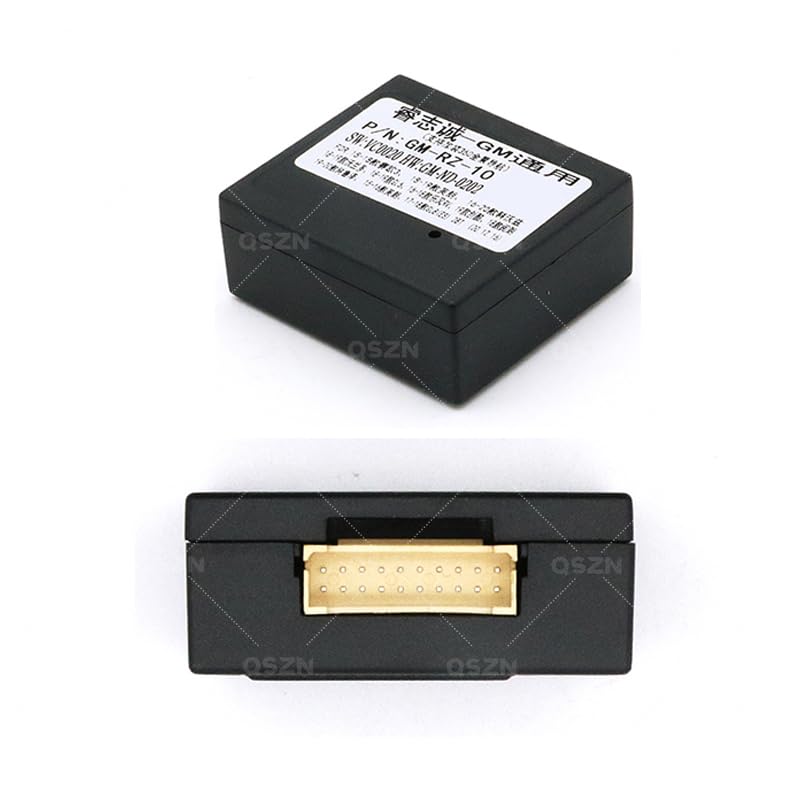
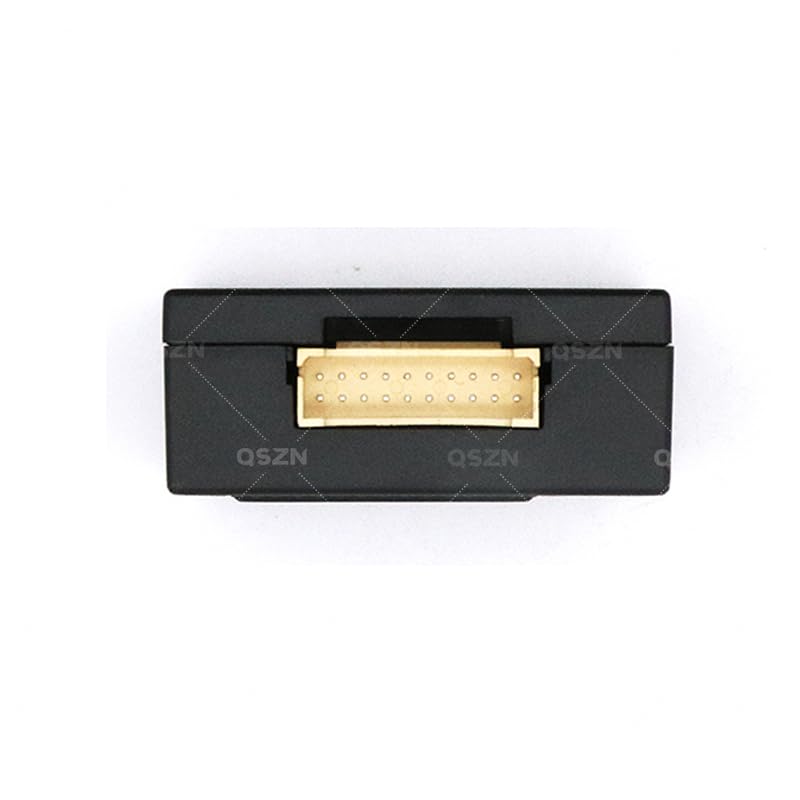
이미지 9.1: 하단 view of the Canbus Box, showing the multi-pin connector.
이미지 9.2: 상단 view of the Canbus Box, displaying model and software information.
10. 보증 및 지원
Specific warranty information is not provided in the product details. For warranty claims or technical support, please contact the retailer or manufacturer directly. Keep your purchase receipt as proof of purchase.
고객 지원팀에 문의하실 때는 다음 정보를 제공해 주시기 바랍니다.
- Product Model: GM-RZ-10
- 구매일자
- 문제에 대한 설명
- Your vehicle's make, model, and year