
1. 서론
The Oclean X Elite 10 electric toothbrush is designed to provide a personalized and effective oral hygiene experience. Featuring a responsive touchscreen, 12-zone tracking, and multiple brushing modes, this device helps you achieve a thorough clean. This manual will guide you through the setup, operation, maintenance, and specifications of your new Oclean X Elite 10 electric toothbrush.
2. 안전 정보
- 질식 위험: Keep the toothbrush and its small parts away from young children to prevent choking.
- 브러시 헤드 교체: For optimal hygiene and performance, replace the toothbrush head every 3 months.
- 전기 안전: Do not immerse the charging base in water. Ensure the charging port is dry before charging.
- 건강 상태: Consult your dentist before using this product if you have severe periodontal disease or have undergone oral surgery.
3. 패키지 내용
다음 품목이 패키지에 포함되어 있는지 확인하세요.
- Oclean X Elite 10 Electric Toothbrush Handle
- Oclean Brush Head(s)
- 마그네틱 충전 베이스
- USB 충전 케이블
- 사용자 설명서
4. 설정
4.1 초기 충전
Before first use, fully charge your Oclean X Elite 10 toothbrush. A full charge takes approximately 3 hours and provides up to 40 days of battery life.
- Connect the USB charging cable to the magnetic charging base.
- Plug the USB cable into a compatible power adapter (not included).
- Place the toothbrush handle onto the magnetic charging base. The screen will indicate charging status.
4.2 브러시 헤드 부착
Align the brush head with the metal shaft on the toothbrush handle and push it down until it clicks into place. Ensure it is securely fastened.
4.3 앱 연결(선택 사항)
For personalized settings and detailed brushing reports, download the Oclean app from your device's app store. The app can establish a seamless connection between brushing data and Apple Health, automatically synchronizing brushing records, creating a digital oral hygiene file, and helping users monitor long-term dental health trends.
5. 사용 설명서
5.1 전원 켜기/끄기
손잡이에 있는 전원 버튼을 눌러 칫솔을 켜거나 끕니다.
5.2 브러싱 모드 선택
The Oclean X Elite 10 offers 4 brushing modes, which can be selected and switched via the touchscreen:
- 빠른 청소: For a standard, efficient clean.
- 민감한: 민감한 치아와 잇몸을 위한 부드러운 세정.
- 마사지: Gently massages gums for improved circulation.
- 호분: Designed to help remove surface stains.
5.3 터치스크린 인터페이스
The intuitive touchscreen allows you to navigate settings, select modes, and view brushing feedback. You can also customize wallpapers through the Oclean app.
5.4 Personalized Brushing Plan
Through the Oclean app, you can define your brushing habits and create a personalized brushing plan for day and night, optimizing your oral care routine.
5.5 Real-time Feedback and Reporting
The Oclean X Elite 10 provides real-time feedback on cleaning and evaluation for 12 dental surfaces. Utilizing WiFi direct connection technology, it offers ultra-fast response and generates a three-dimensional evaluation report after each brushing. This report includes information on coverage, cleanliness, and duration, enabling more efficient and faster analysis of oral data.
5.6 통합 타이머
The toothbrush features an integrated timer to ensure you brush for the dentist-recommended duration, typically 2 minutes, with quadrant reminders.
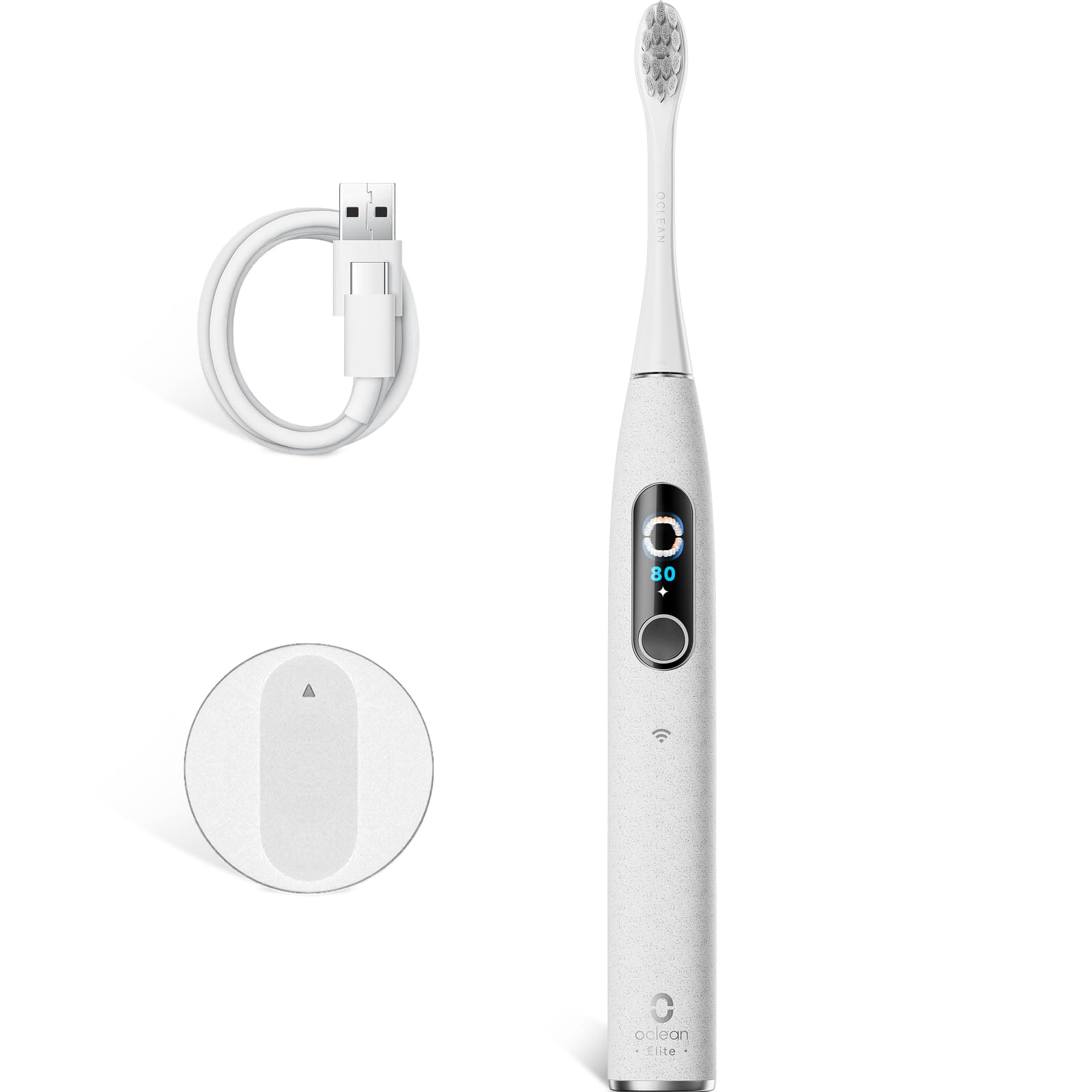
Image 1: The Oclean X Elite 10 Electric Toothbrush handle with a brush head attached, showcasin세련된 디자인이에요.
6. 유지관리
6.1 Cleaning the Brush Handle
After each use, wipe the toothbrush handle with a damp cloth to remove any toothpaste residue. Do not immerse the handle in water.
6.2 브러시 헤드 청소
Rinse the brush head thoroughly under running water after every brushing session. Periodically remove the brush head and rinse the connection area.
6.3 브러시 헤드 교체
Replace your brush head every 3 months, or sooner if the bristles become frayed or worn, to maintain effective cleaning performance and hygiene.
6.4 충전 중
Recharge the toothbrush when the battery indicator shows low power. Ensure the charging contacts on both the handle and the base are clean and dry before placing the handle on the charger.
7. 문제 해결
- 칫솔이 켜지지 않습니다: Ensure the toothbrush is fully charged. If it still doesn't turn on, contact customer support.
- Toothbrush does not connect to the app: Ensure Bluetooth/WiFi is enabled on your smartphone and the toothbrush is charged and within range. Restart both devices and try again.
- 칫솔질 힘 감소: The battery might be low. Charge the toothbrush. If the issue persists, consider replacing the brush head.
- 충전 문제: Ensure the charging base and toothbrush contacts are clean and dry. Try a different USB power adapter.
8. 사양
| 상표 | 오클린 |
| 모델명 | X Elite 10 |
| 모델 번호 | Elite10Grey |
| 치수(길이 x 너비 x 높이) | 2 x 3 x 25cm |
| 무게 | 260그램 |
| 배터리 | 1 x 12V(포함) |
| 전원 | 배터리 구동 |
| 특징 | 브러싱 타이머 |
| 브러시 헤드 유형 | U자형 |
| 소음 수준 | 45데시벨 |
| Brushing Power | 84,000 movements/minute |
| 브러싱 Amp위도 | 40° |
| 배터리 수명 | 최대 40일 (3시간 충전 기준) |
| 원산지 | 중국 |
9. 보증 및 지원
For warranty information, product support, or to purchase replacement parts and brush heads, please visit the official Oclean website or contact Oclean customer service directly. Keep your purchase receipt as proof of purchase.