
COCOCAM CC-C7
COCOCAM 2K Indoor Pan/Tilt WiFi Camera User Manual
Model: CC-C7
1. 서론
Welcome to the COCOCAM 2K Indoor Pan/Tilt WiFi Camera user manual. This guide provides detailed instructions on how to set up, operate, and maintain your new security camera. Please read this manual thoroughly before using the product to ensure proper functionality and safety.

Figure 1.1: COCOCAM 2K Indoor Pan/Tilt WiFi Camera
The COCOCAM 2K Indoor Pan/Tilt WiFi Camera is designed to provide comprehensive surveillance for your home, baby, or pets. With its advanced features like 2K resolution, two-way audio, AI human detection, and long-lasting battery, you can monitor your indoor spaces with ease and peace of mind.
2. 제품 오버view
2.1 패키지 내용
패키지에 모든 품목이 들어 있는지 확인하세요.
- 1x COCOCAM 2K Indoor Pan/Tilt WiFi Camera
- 1x USB 충전 케이블
- 1x 사용자 설명서
2.2 주요 특징
- 오래 지속되는 배터리: Equipped with a 5200mAh rechargeable battery for extended operation. Once fully charged, it can detect motion up to 5,000 times, ensuring continuous monitoring.
- 팬 및 틸트 기능: Offers a 355° horizontal rotation and 90° vertical tilt range for comprehensive room coverage.
- 2K Crystal Clear Resolution: Captures every detail with 3MP (2304*1296) resolution, ensuring high-quality video footage.
- 양방향 오디오 : Built-in microphone and speaker allow for seamless communication with family members or visitors from anywhere.
- AI Intelligent Recognition & PIR Human Detection: Advanced AI analysis and PIR human detection minimize false alerts and focus on specific areas of interest. Optional paid features include detection of vehicles, animals, and packages.
- 향상된 야간 투시경: Infrared night vision range of 20 meters ensures clear surveillance even in low-light conditions.
- 유연한 스토리지 옵션: Supports up to 128GB TF card (not included) and offers cloud storage (6-second recording and 7-day loop coverage).
- Mobile Compatibility & Voice Control: Connect effortlessly using your Android or iOS smartphone/tablet. Compatible with Amazon Alexa and Google Assistant for convenient hands-free control.

Figure 2.1: Built-in 5200mAh Rechargeable Battery

Figure 2.2: 355° Pan & 90° Tilt Coverage

Figure 2.3: See Clearly in 2K Resolution

그림 2.4: 양방향 오디오 통신

Figure 2.5: AI Intelligent Recognition & PIR Human Detection

Figure 2.6: Clear Night Vision in the Dark
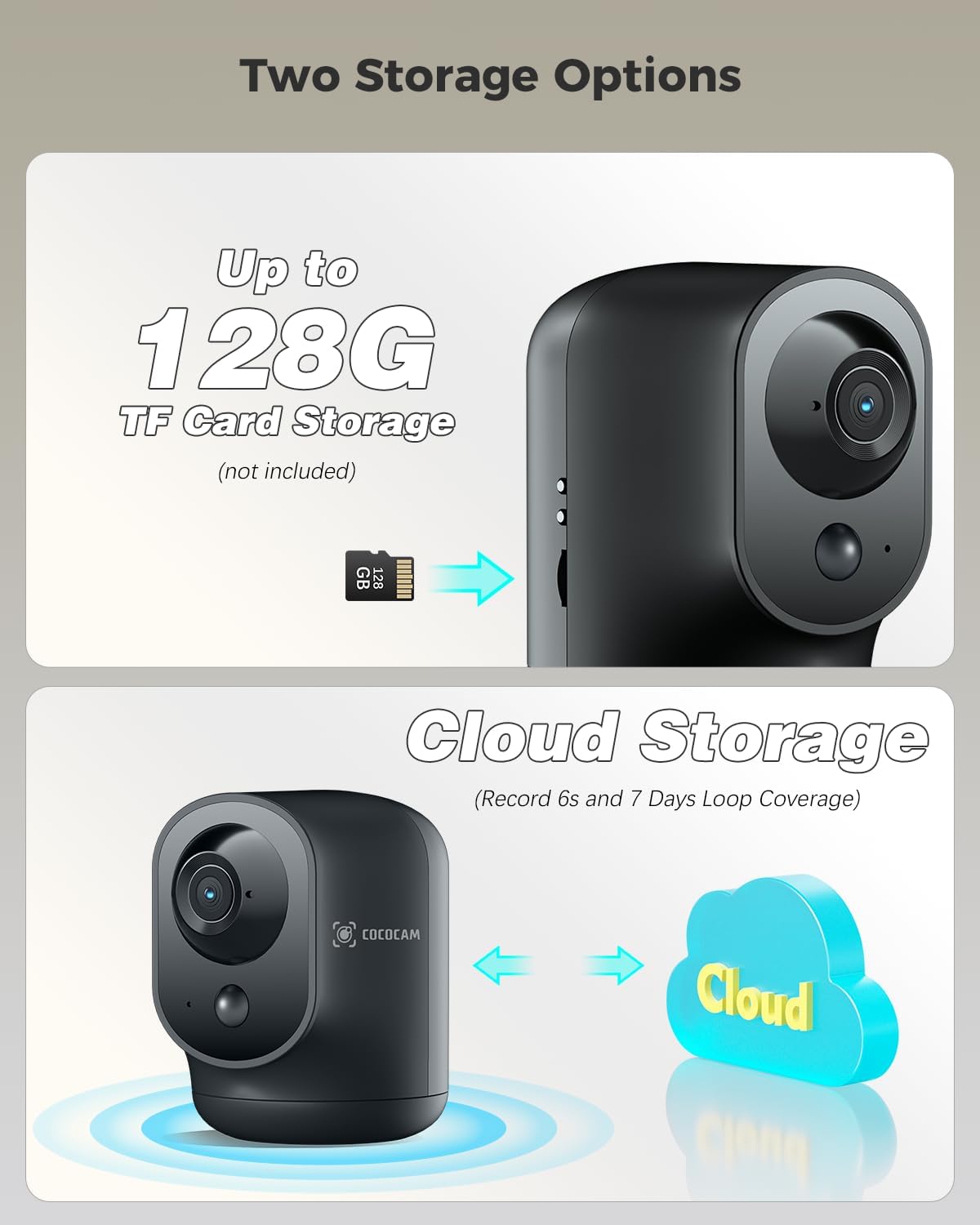
Figure 2.7: Two Storage Options
3. 설정 가이드
3.1 초기 충전
Before first use, fully charge the camera using the provided USB charging cable. The charging indicator light will change once charging is complete.
3.2 앱 다운로드 및 설치
Download the "CloudEdge" app from your smartphone's app store (Google Play Store for Android or Apple App Store for iOS). Follow the on-screen instructions to install the app.
3.3 장치 페어링
- Open the CloudEdge app and create an account or log in.
- 새로운 기기를 추가하려면 "+" 아이콘을 탭하세요.
- 목록에서 카메라 모델을 선택하세요.
- Follow the in-app instructions to connect the camera to your Wi-Fi network. This typically involves scanning a QR code displayed on your phone with the camera lens.
- 연결되면 카메라 이름을 지정하고 라이브 방송을 시작할 수 있습니다. view주고받음.
3.4 카메라 배치
The camera is designed for indoor use and can be placed on any flat surface, such as a table or shelf. Ensure it is within range of your Wi-Fi network for optimal performance.
4. 사용 설명서
4.1 라이브 View
Open the CloudEdge app and select your camera from the device list to access the live video feed. You can view 실시간 푸tage 인터넷 연결이 가능한 곳 어디에서나 가능합니다.
4.2 팬 및 틸트 제어
라이브 중 view, use the directional controls within the app to remotely pan (rotate horizontally) and tilt (rotate vertically) the camera lens to adjust its view잉 각도.
4.3 양방향 오디오
라이브에서 마이크 아이콘을 탭하세요 view interface to speak through the camera's speaker. Tap the speaker icon to listen to audio from the camera's surroundings.
4.4 동작 감지 및 알림
The camera features PIR human detection. You can customize alarm settings and define specific alarm zones within the app to focus on critical areas. When motion is detected, you will receive instant notifications on your smartphone.
4.5 녹음 및 재생
Recordings are triggered by motion detection. You can store footage on a local TF card (up to 128GB, not included) or subscribe to the cloud storage service for 6-second event recordings and 7-day loop coverage. Access recorded videos through the playback feature in the app.
4.6 야간 투시경
카메라는 저조도 환경에서 자동으로 적외선 야간 투시 모드로 전환되어 선명한 흑백 영상을 제공합니다.tag최대 20미터까지.
5. 유지관리
- 청소: 부드럽고 마른 천을 사용하여 카메라 렌즈와 본체를 닦으세요. 강한 화학 물질이나 연마재는 사용하지 마세요.
- 배터리 관리 : To prolong battery life, avoid exposing the camera to extreme temperatures. Recharge the battery when the app indicates a low battery level.
- 펌웨어 업데이트: Regularly check the CloudEdge app for available firmware updates. Keeping your camera's firmware updated ensures optimal performance and security.
6. 문제 해결
| 문제 | 가능한 원인 / 해결책 |
|---|---|
| 카메라가 Wi-Fi에 연결되지 않음 | Ensure your Wi-Fi network is 2.4GHz (5GHz is not supported). Check Wi-Fi password. Move camera closer to router. Reset camera and try pairing again. |
| 모션 감지 알림 없음 | Check motion detection settings in the app. Ensure PIR detection is enabled and sensitivity is adjusted correctly. Verify alarm zones are set up. |
| 비디오 품질이 좋지 않음 | Check your internet connection speed. Ensure the camera lens is clean. Adjust camera placement for better lighting. |
| 양방향 오디오가 작동하지 않음 | Ensure microphone and speaker permissions are granted to the app on your phone. Check volume settings on both the app and your phone. |
| 배터리가 빨리 소모됩니다 | 자주 라이브 viewing, excessive motion events, or weak Wi-Fi signal can increase battery consumption. Reduce sensitivity or live view time if possible. |
For more detailed troubleshooting or persistent issues, please refer to the help section within the CloudEdge app or contact COCOCAM customer support.
7. 사양
| 특징 | 세부 사항 |
|---|---|
| 모델 번호 | CC-C7 |
| 비디오 해상도 | 2K (3MP, 2304x1296p) |
| 팬/틸트 범위 | 355° 수평, 90° 수직 |
| 배터리 용량 | 5200mAh(리튬이온) |
| 나이트 비전 범위 | 20 미터 |
| 연결성 | 와이파이(2.4GHz) |
| 저장 옵션 | TF Card (up to 128GB, not included), Cloud Storage |
| 특별 기능 | Two-way audio, HD Resolution, PTZ Technology, Night Vision, PIR Human Detection, AI Recognition |
| 치수(길이 x 너비 x 높이) | 7 x 8.5 x 10cm |
| 무게 | 420그램 |
| 재료 | 아크릴로니트릴 부타디엔 스티렌(ABS) |
| 호환 장치 | 스마트폰(안드로이드, iOS) |
| 컨트롤러 유형 | Amazon Alexa, Android, Google Assistant, CloudEdge |
8. 보증 및 지원
COCOCAM products come with a standard warranty. Please refer to the product packaging or the official COCOCAM web구체적인 보증 약관은 해당 사이트에서 확인하세요.
For technical support, troubleshooting assistance, or any inquiries regarding your COCOCAM 2K Indoor Pan/Tilt WiFi Camera, please contact COCOCAM customer support. Their responsive team is available to assist you with setup and any operational questions.
You can often find contact information or support resources via the CloudEdge app or by visiting the COCOCAM brand store on Amazon or their official web대지.
Ask a question about this manual
Ask about setup, troubleshooting, compatibility, parts, safety, or missing instructions. Manuals+ will review the question and use this page’s manual context to help answer it.