
소개
This manual provides instructions for the proper use and maintenance of your KODAK MicroSD Card 256GB UHS-II U3 V60. This high-performance memory card is designed for demanding applications such as 4K and 8K video recording, high-resolution photography, and rapid data transfer.
The KODAK MicroSD Card offers a storage capacity of 256GB and features UHS-II interface with U3 and V60 speed ratings, ensuring fast read and write speeds for efficient workflow.
제품 끝view

이미지: 앞면 view of a Kodak MicroSD card. Note: The image displays a 128GB card, but this product is the 256GB version.
The KODAK MicroSD Card is a compact, high-capacity storage solution. It is designed for use in a wide range of compatible devices, including digital cameras, drones, smartphones, and other devices requiring high-speed data storage.
주요 특징은 다음과 같습니다.
- 초고속 성능: Up to 300MB/s read speed and 160MB/s write speed.
- Optimized for 4K/8K Video: Supports continuous recording of ultra-high-definition video.
- 대용량: 256GB storage for extensive photo and video libraries.
- UHS-II Interface: Provides advanced speed capabilities.
- 내구성: Designed to be drop-proof and temperature-proof.
- SD Adapter Included: For compatibility with devices that use standard SD card slots.
설정
1. MicroSD 카드 삽입
- Identify the MicroSD Card Slot: Locate the microSD card slot on your compatible device (e.g., camera, drone, smartphone). Refer to your device's manual for exact location and orientation.
- 카드를 삽입하세요: Gently push the KODAK MicroSD card into the slot with the gold contacts facing the correct direction, as indicated by your device. A click sound usually confirms proper insertion. Do not force the card.
2. SD 어댑터 사용

Image: Packaging of a Kodak MicroSD card, illustrating the included SD adapter. Note: The image displays a 128GB card, but this product is the 256GB version.
The included SD adapter allows the microSD card to be used in devices that accept standard SD cards.
- 어댑터에 MicroSD 카드를 삽입하세요. Slide the KODAK MicroSD card into the designated slot on the SD adapter until it clicks into place.
- 어댑터를 기기에 삽입하세요: Insert the SD adapter (with the microSD card inside) into the SD card slot of your device.
3. 카드 서식 지정
For optimal performance and compatibility, it is recommended to format the microSD card using your device's formatting function before first use. Formatting erases all data on the card, so ensure no important files가 있습니다.
- Access your device's settings or menu.
- Locate the storage or memory card options.
- Select the option to "Format" or "Erase" the card.
- 작업을 확인합니다.
작동 지침
1. Recording 4K/8K Video and High-Resolution Photos
The KODAK MicroSD Card's V60 speed rating supports sustained write speeds necessary for recording high-bitrate 4K and 8K video, as well as capturing rapid-fire high-resolution photos.
- Ensure your device is set to the desired resolution and frame rate.
- Begin recording or capturing as per your device's instructions.
- The card's performance minimizes dropped frames and ensures smooth capture.
2. 전송 Files
전송하려면 files to or from the microSD card:
- Remove Card Safely: Always safely eject the card from your device before physical removal to prevent data corruption.
- Insert into Card Reader: Insert the microSD card (or the SD adapter with the microSD card) into a compatible card reader connected to a computer. For optimal speeds, use a UHS-II compatible card reader.
- 입장 Files: The card will appear as a removable drive on your computer. You can then drag and drop file필요에 따라 s.

Image: A Kodak MicroSD card with icons indicating compatibility with various devices such as laptops, cameras, drones, and smartphones. Note: The image displays a 128GB card, but this product is the 256GB version.
유지
1. Safe Handling and Storage
- 안전하게 꺼내기: Always use the "Safely Remove Hardware" option on your computer or the eject function on your device before physically removing the card.
- 연락처 보호: Avoid touching the gold contacts on the card to prevent damage or data corruption.
- 올바르게 보관하세요: When not in use, store the microSD card in its protective case or a secure compartment to prevent physical damage, dust, and static electricity.
2. 내구성 특징
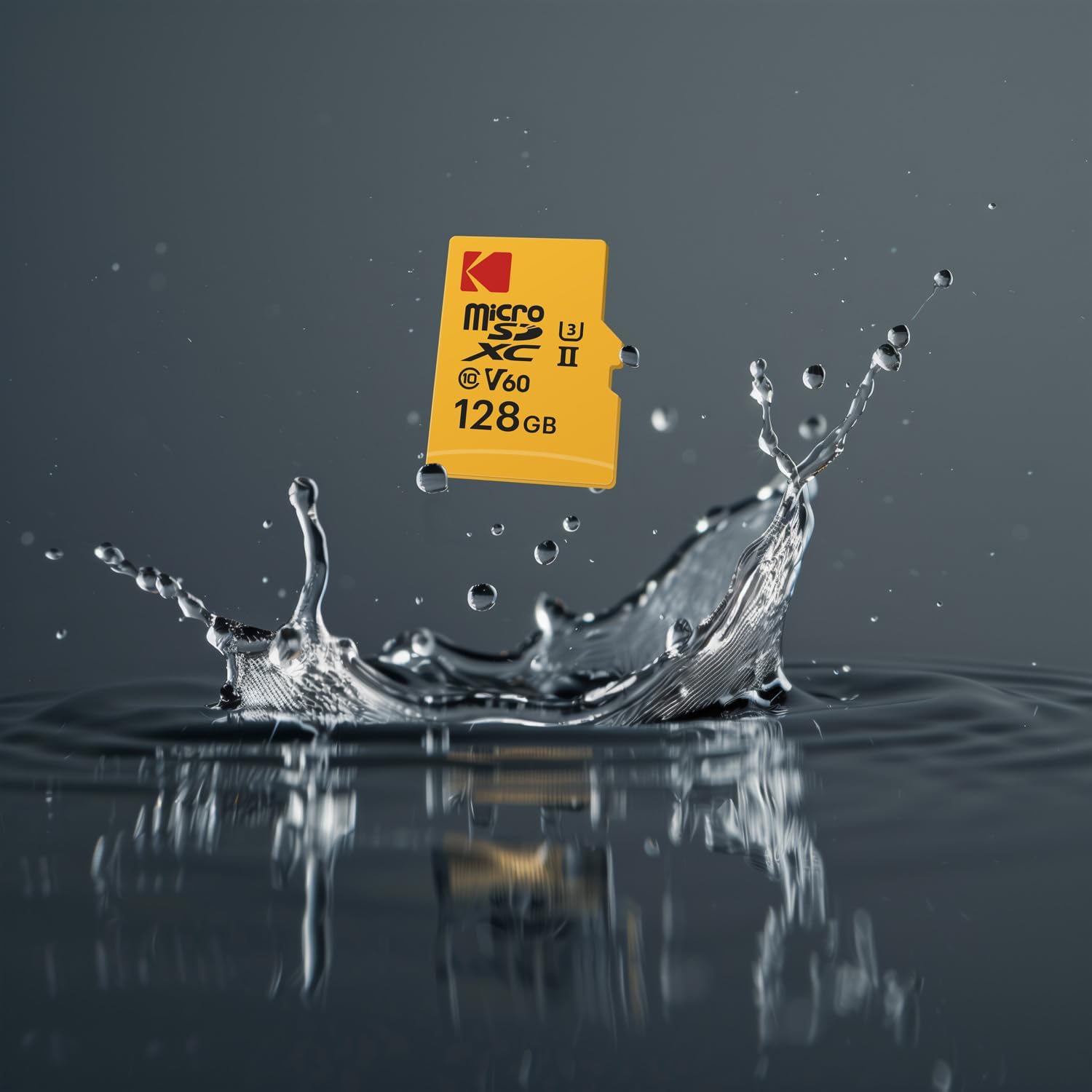
Image: A Kodak MicroSD card splashing into water, illustrating its robust design. Note: The image displays a 128GB card, but this product is the 256GB version.
The KODAK MicroSD Card is designed with enhanced durability:
- 낙하 방지: Resists damage from accidental drops.
- 내열성: Operates reliably in a wide range of temperatures.
While durable, avoid exposing the card to extreme conditions beyond its specified operating range, strong magnetic fields, or harsh chemicals.
3. 데이터 백업
Regularly back up important data from your microSD card to another storage device (e.g., computer hard drive, cloud storage) to prevent data loss.
문제 해결
| 문제 | 가능한 원인 | 해결책 |
|---|---|---|
| 기기에서 카드를 인식하지 못했습니다. |
|
|
| 읽기/쓰기 속도가 느립니다. |
|
|
| Errors during recording or transfer. |
|
|
| Card difficult to insert/remove. |
|
|
명세서
| 상표 | 코닥 |
| 모델 번호 | EKMSDM256GUHS2V1K |
| 메모리 저장 용량 | 256GB (XNUMX기가바이트) |
| 플래시 메모리 유형 | 마이크로 SDXC |
| 하드웨어 인터페이스 | 마이크로SDXC |
| 읽기 속도 | 최대 300MB/s |
| 쓰기 속도 | 최대 160MB/s |
| 스피드 클래스 | UHS-II, U3, V60 |
| 특별 기능 | Drop Proof, Lightweight, Temperature Proof |
| 품목 무게 | 3그램(약 0.106온스) |
| 호환 장치 | Cameras, Drones, Smartphones, and other devices supporting microSDXC |
보증 및 지원
한정 보증
This KODAK MicroSD Card comes with a Limited Warranty. Please refer to the warranty information provided with your product packaging or visit the official KODAK web보증 범위, 기간 및 청구 절차에 관한 자세한 약관은 해당 사이트를 참조하십시오.
고객 지원
For technical assistance, troubleshooting beyond this manual, or warranty inquiries, please contact KODAK customer support. Contact information can typically be found on the product packaging or the official KODAK web대지.