
1. 제품 오버view
This manual provides detailed instructions for the installation, operation, and maintenance of your Denash A78SD3 AM3 Motherboard. Please read this manual thoroughly before proceeding with installation to ensure correct setup and optimal performance.
주요 특징
- Stable Power Design: Features a multi-phase power system for stable and optimal performance.
- 광범위한 연결성: Includes 4 USB 2.0 ports and 4 Serial ATA 3.0 ports for versatile peripheral and storage connections.
- 강력한 성능: Supports AM3 socket APU processors and 2-channel DDR3 memory up to 16GB.
- Immersive Visuals & Audio: Equipped with HDMI and VGA video outputs, 100Mbps Ethernet, and 5.1 channel sound.
- Amp저장 옵션: 4 Serial ATA 3.0 ports accommodate high-capacity storage needs.

그림 1.1: 이상view of the Denash A78SD3 AM3 Motherboard. This image displays the full layout of the motherboard, including the CPU socket, memory slots, expansion slots, and various I/O ports.

Figure 1.2: Denash A78SD3 Motherboard with key components labeled. This image highlights the locations of the 24-pin ATX power connector, 2-channel DDR3 memory slots, SATA 2.0 ports, keyboard and mouse ports, HDMI, VGA, USB 2.0 ports, network port, sound output, 4-pin CPU power connector, and PCIe X16 slot.
2. 기술 사양
The following table details the technical specifications of the Denash A78SD3 Motherboard:
| 특징 | 사양 |
|---|---|
| 품목 유형 | A78SD3 Computer Motherboard |
| 재료 | 인쇄 회로 기판 |
| 마더보드 칩 | Integrated Sound Card, Card with Integrated Graphics |
| 메인 칩셋 | for RS780 Series |
| Card Chip | Integrated 100Mbps Ethernet |
| 사운드 칩 | Integrated 6 Channel Sound Chip |
| 프로세서 사양 | Supports AM3 Interface for APU Processors |
| CPU 소켓 | AM3 |
| Supported CPU Quantity | 1 Piece (CPU Excluded) |
| 메모리 유형 | DDR3 1600/1333/1066MHz |
| 메모리 슬롯 | 2 x DDR3 (Memory Excluded), Maximum supported 16GB (Maximum 8GB per stick) |
| 확장 슬롯 | 1 x PCI-E X16 Graphics Card Slot, 1 x COM Serial Port Header, 2 x USB 2.0 Headers, 4 x Serial ATA 3.0 Ports |
| I / O 인터페이스 | PS/2 (Keyboard/Mouse) x 1 Each, 1 x RJ45 Ethernet Port, 1 x VGA Port, 1 x High Definition Multimedia Interface Output, 4 x USB 2.0 Ports, Sound Interfaces |
| 마더 보드 크기 | Approx. 17x21.3cm / 6.7x8.4in |
| 배터리 유형 | 1 x CR2032L Battery (Included) |
| 전원 커넥터 | 4 Pin and 24 Pin Power Connector |
| 전원 공급 모드 | 4단계 |
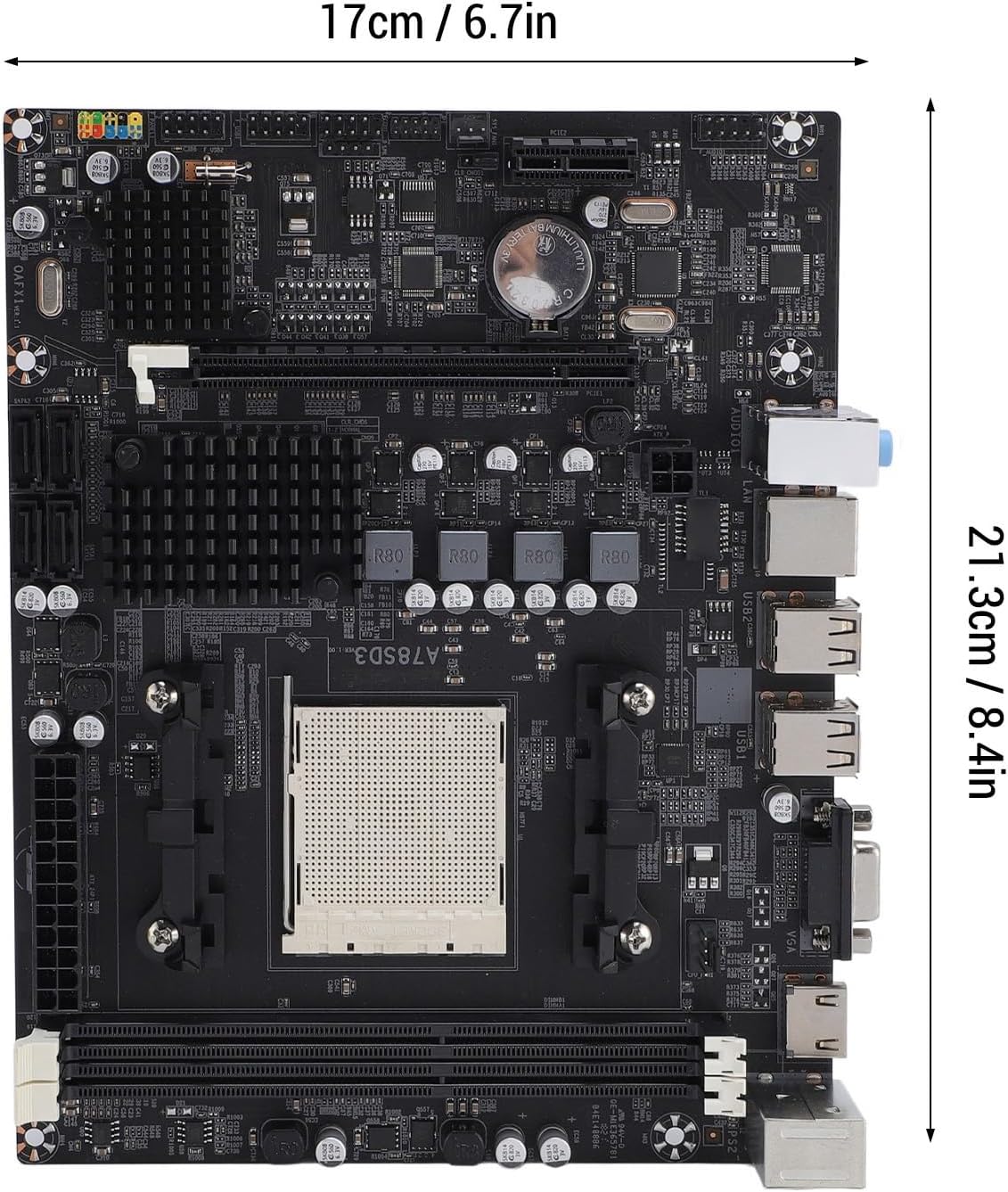
Figure 2.1: Dimensions of the Denash A78SD3 Motherboard. The image shows the motherboard measuring approximately 17cm (6.7in) in width and 21.3cm (8.4in) in length.
3. 설치 및 설정
마더보드와 구성 요소를 올바르게 설치하려면 다음 단계를 따르세요.
3.1 CPU 설치
- 마더보드에서 AM3 CPU 소켓을 찾으세요.
- 소켓 측면의 로드 레버를 조심스럽게 들어 올리세요.
- Align the triangular mark on your AM3 processor with the corresponding mark on the socket. Carefully place the CPU into the socket without forcing it.
- Lower the load lever back into its locked position to secure the CPU.
- CPU에 열전도성 페이스트를 바르고 제조업체의 지침에 따라 CPU 쿨러를 설치합니다.
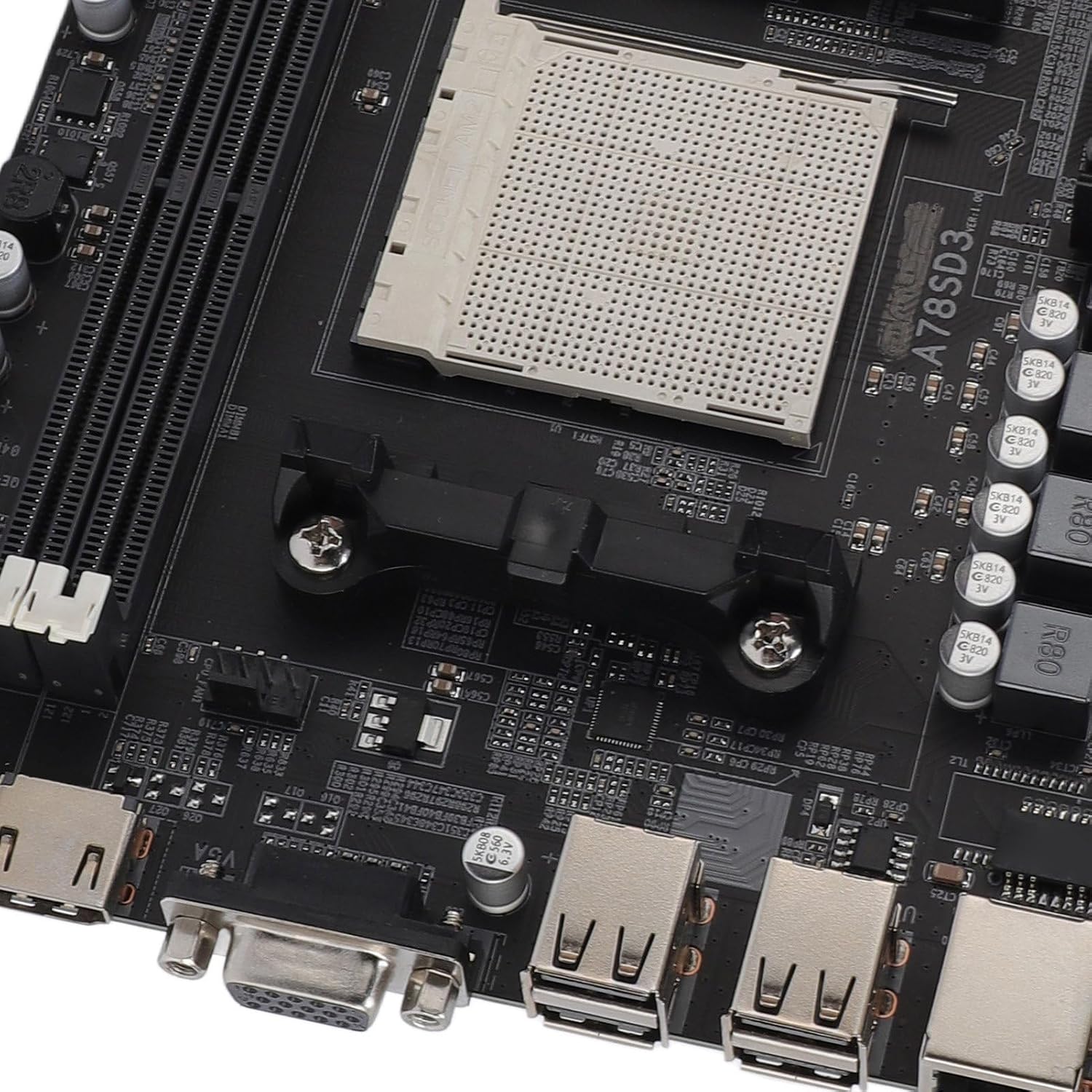
그림 3.1: 클로즈업 view of the AM3 CPU socket on the Denash A78SD3 Motherboard. This image shows the pin grid array (PGA) socket where the processor is installed.
3.2 메모리(RAM) 설치
- DDR3 메모리 슬롯 두 개를 찾으세요.
- 메모리 슬롯 양쪽 끝에 있는 클립을 엽니다.
- DDR3 메모리 모듈의 노치를 메모리 슬롯의 키에 맞춥니다.
- 클립이 제자리에 고정될 때까지 메모리 모듈을 슬롯에 단단히 삽입하세요. 두 클립이 모두 완전히 닫혔는지 확인하세요.

그림 3.2: 클로즈업 view of the 2-channel DDR3 memory slots on the Denash A78SD3 Motherboard. This image highlights the slots where RAM modules are to be installed.
3.3 저장 장치 연결
- Locate the 4 Serial ATA 3.0 ports on the motherboard.
- SATA 데이터 케이블의 한쪽 끝을 마더보드의 SATA 포트에 연결합니다.
- SATA 데이터 케이블의 다른 쪽 끝을 저장 장치(HDD/SSD)에 연결하십시오.
- 전원 공급 장치(PSU)에서 저장 장치로 SATA 전원 케이블을 연결합니다.
3.4 전원 연결
- Connect the 24-pin ATX main power connector from your PSU to the corresponding slot on the motherboard. Ensure it clicks into place.
- 파워서플라이의 4핀 CPU 전원 커넥터를 CPU 근처의 4핀 전원 소켓에 연결하십시오.
3.5 주변 장치 연결
- 비디오 출력: Connect your monitor to either the VGA port or the HDMI port on the motherboard's I/O panel.
- USB 장치: 키보드, 마우스 및 기타 USB 장치를 사용 가능한 USB 2.0 포트에 연결하십시오.
- 회로망: Connect an Ethernet cable from your router or modem to the RJ45 Ethernet port for network access.
- 오디오: Connect speakers or headphones to the appropriate audio jacks on the I/O panel.
- 전면 패널 커넥터: Connect the power switch, reset switch, power LED, HDD LED, and front panel audio/USB headers from your computer case to the corresponding pins on the motherboard. Refer to your case manual for specific pin assignments.

그림 3.3: 클로즈업 view of the I/O ports on the Denash A78SD3 Motherboard. This image shows the USB ports, VGA port, HDMI port, Ethernet port, and audio jacks.
4. 운영 가이드
모든 구성 요소가 설치 및 연결되면 시스템을 작동할 수 있습니다.
4.1 Initial System Startup
- 모든 전원 케이블이 단단히 연결되어 있고 전원 공급 장치가 켜져 있는지 확인하십시오.
- 컴퓨터 케이스의 전원 버튼을 누르세요.
- 시스템 전원이 켜지고 모니터에 화면이 표시될 것입니다.
4.2 BIOS/UEFI 설정
The BIOS (Basic Input/Output System) or UEFI (Unified Extensible Firmware Interface) is the firmware that initializes hardware during the booting process. To access the BIOS/UEFI setup utility:
- 시스템 시작 중에 지정된 키(일반적으로)를 반복해서 누르십시오. 델, F2, 또는 F10) as indicated on the screen.
- Within the BIOS/UEFI, you can configure boot order, system time, hardware settings, and more. Save changes before exiting.
4.3 운영 체제 및 드라이버 설치
- 운영 체제 설치 미디어(USB 드라이브 또는 DVD)를 삽입합니다.
- 화면의 안내에 따라 원하는 운영 체제를 설치하십시오.
- After OS installation, install the necessary drivers for the motherboard components (chipset, audio, LAN, graphics) from the provided driver disc or the manufacturer's web대지.
5. 유지관리
정기적인 유지관리는 마더보드의 수명과 안정적인 성능을 보장하는 데 도움이 됩니다.
5.1 청소
- Periodically clean dust from the motherboard and other internal components using compressed air.
- 청소하기 전에 시스템의 전원이 꺼져 있고 플러그가 뽑혀 있는지 확인하세요.
- 액체나 연마성 물질의 사용을 피하십시오.
5.2 BIOS 업데이트
BIOS updates can improve system stability, add support for new hardware, or fix bugs. Check the Denash support website for the latest BIOS versions and follow their instructions carefully. Incorrect BIOS updates can damage your motherboard.
5.3 CMOS 배터리 교체
The motherboard uses a CR2032L coin cell battery to retain BIOS settings and system time when the computer is off. If your system consistently loses time or BIOS settings, the battery may need replacement.
- Power off the computer and unplug it from the wall outlet.
- Locate the CR2032L battery on the motherboard.
- 기존 배터리를 조심스럽게 배터리 홀더에서 빼내세요.
- Insert a new CR2032L battery with the positive (+) side facing up.
6. 문제 해결
이 섹션에서는 일반적으로 발생할 수 있는 문제에 대한 해결책을 제공합니다.
6.1 No Power / System Does Not Turn On
- 전원 공급 장치(PSU)가 벽면 콘센트에 제대로 연결되어 있고 전원이 켜져 있는지 확인하십시오.
- Ensure the 24-pin and 4-pin power connectors are securely attached to the motherboard.
- 전면 패널 전원 스위치 케이블이 마더보드 헤더에 올바르게 연결되어 있는지 확인하세요.
- 가능하다면 다른 시스템이나 파워서플라이 테스터를 사용하여 파워서플라이를 테스트해 보세요.
6.2 모니터에 디스플레이가 표시되지 않음
- Ensure the monitor is powered on and the video cable (VGA or HDMI) is securely connected to both the monitor and the motherboard.
- If using a dedicated graphics card, ensure the monitor is connected to the graphics card's output, not the motherboard's integrated graphics ports.
- Reseat the memory modules. Incorrectly seated RAM is a common cause of no display.
- Check if the CPU is properly installed and the CPU cooler is functioning.
6.3 주변 장치가 감지되지 않음
- For USB devices, try connecting them to different USB ports.
- Ensure all necessary drivers for the motherboard and peripherals are installed.
- Check BIOS/UEFI settings to ensure USB ports or other relevant controllers are enabled.
- For SATA devices, ensure both data and power cables are securely connected.
6.4 시스템 불안정성/충돌
- Check for overheating. Ensure CPU and case fans are working correctly and heatsinks are clean.
- 메모리 진단 도구를 실행하여 RAM 모듈에 결함이 있는지 확인하십시오.
- 모든 드라이버가 최신 상태인지 확인하세요.
- Check the power supply unit for sufficient wattage와 안정성.
7. 보증 및 지원
Denash products are designed for reliability and performance. For specific warranty terms and conditions, please refer to the warranty card included with your product or visit the official Denash web대지.
7.1 기술 지원
If you encounter issues that cannot be resolved using this manual, please contact Denash customer support. Have your product model number (A78SD3) and purchase information ready when contacting support.
For the most up-to-date support information, including FAQs and driver downloads, please visit the official Denash support web대지.