
1. 서론
This manual provides detailed instructions for the installation, operation, and maintenance of your Gsycle Programmable Smart Thermostat. Please read this manual thoroughly before installation and use to ensure proper function and safety. Keep this manual for future reference.
2. 안전 정보
- 설치는 자격을 갖춘 전기 기술자가 수행해야 합니다.
- 온도 조절 장치를 설치하거나 정비하기 전에 항상 회로 차단기의 전원을 분리하세요.
- 모든 배선이 해당 지역의 전기 규정과 규정을 준수하는지 확인하세요.
- Do not install in locations with excessive vibration, direct sunlight, or extreme temperature fluctuations.
- This thermostat is designed for AC95-240V electric heating systems. Do not use with other voltage systems or heating types.
3. 패키지 내용
패키지에 모든 품목이 들어 있는지 확인하세요.
- 1 x Gsycle Programmable Smart Thermostat
- 2 x 장착 나사
- 1 x 사용 설명서(이 문서)
4. 제품 오버view
The Gsycle Smart Thermostat features a sleek, round design with a 13mm recessed panel for seamless integration into your home. It includes an LED display for clear temperature readings and capacitive touch keys for intuitive control.
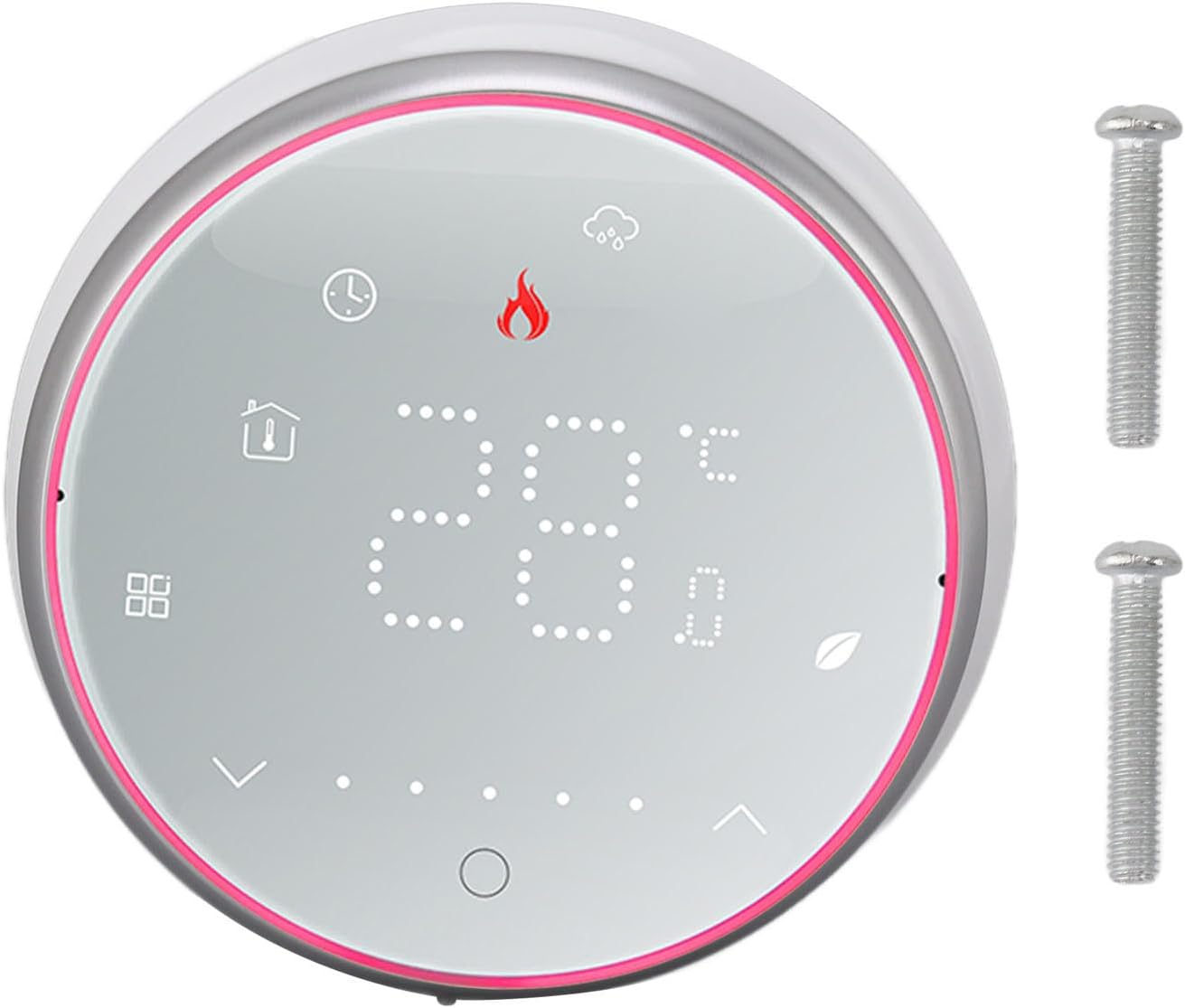
그림 4.1: 앞쪽 view of the Gsycle Smart Thermostat, showcasing its LED display and the included mounting screws.

그림 4.2: The thermostat's LED display showing different icons for mode, time, and temperature settings, indicating its versatile interface.

그림 4.3: 사이드 프로file of the thermostat, illustrating its 13mm recessed panel design, thermal hole for accurate temperature sensing, and durable PC ABS shell construction.
5. 설정 및 설치
Follow these steps for proper installation of your thermostat. Ensure power is OFF before proceeding.
5.1 장착
- 직사광선, 외풍 또는 열원으로부터 멀리 떨어진 실내 벽면의 적절한 위치를 선택하십시오.
- The thermostat is designed to fit standard 86x86mm or European-style concealed boxes.
- Carefully separate the front panel from the back plate.
- Mount the back plate to the wall box using the provided screws. Ensure it is level.
5.2 배선
Connect the electrical wires to the terminals on the back plate according to your heating system's wiring diagram. This thermostat is for electric heating systems (AC95-240V, 16A). Consult a qualified electrician if you are unsure about wiring connections.
5.3 최종 조립
- Once wiring is complete and secure, carefully reattach the front panel to the mounted back plate.
- 회로 차단기에서 전원을 복구하십시오. 온도 조절기 표시등에 불이 들어올 것입니다.

그림 5.1: The Gsycle Smart Thermostat seamlessly installed on a wall, demonstrating its recessed design in a typical home environment.
6. 사용 설명서
Your Gsycle Smart Thermostat offers intuitive control and programmable features for optimal comfort and energy efficiency.
6.1 기본 작업
- 전원 켜기/끄기: Press the power icon (usually a circle with a line) to turn the thermostat on or off.
- 온도 조절: Use the up and down arrow icons on the display to set your desired temperature. The current room temperature and set temperature will be displayed.
- 모드 선택: Press the mode icon (e.g., flame for heating) to cycle through available operating modes.
6.2가지 프로그래밍 가능한 설정
The thermostat supports 5+1+1 day programming (5 weekdays, Saturday, Sunday) with 6 programmable time slots per day. This allows you to customize temperature settings to match your schedule and save energy.
- Access the programming menu by pressing and holding the menu/settings icon (refer to display icons).
- Navigate through the days and time slots using the arrow keys.
- Set the desired temperature for each time slot.
- Confirm settings to save. The thermostat will automatically follow the programmed schedule.
6.3 정전 보호
The thermostat is equipped with a power failure protection function. All your settings, including programmed schedules, are safely stored in memory and will be retained even during a power outage. No need to reconfigure after power is restored.
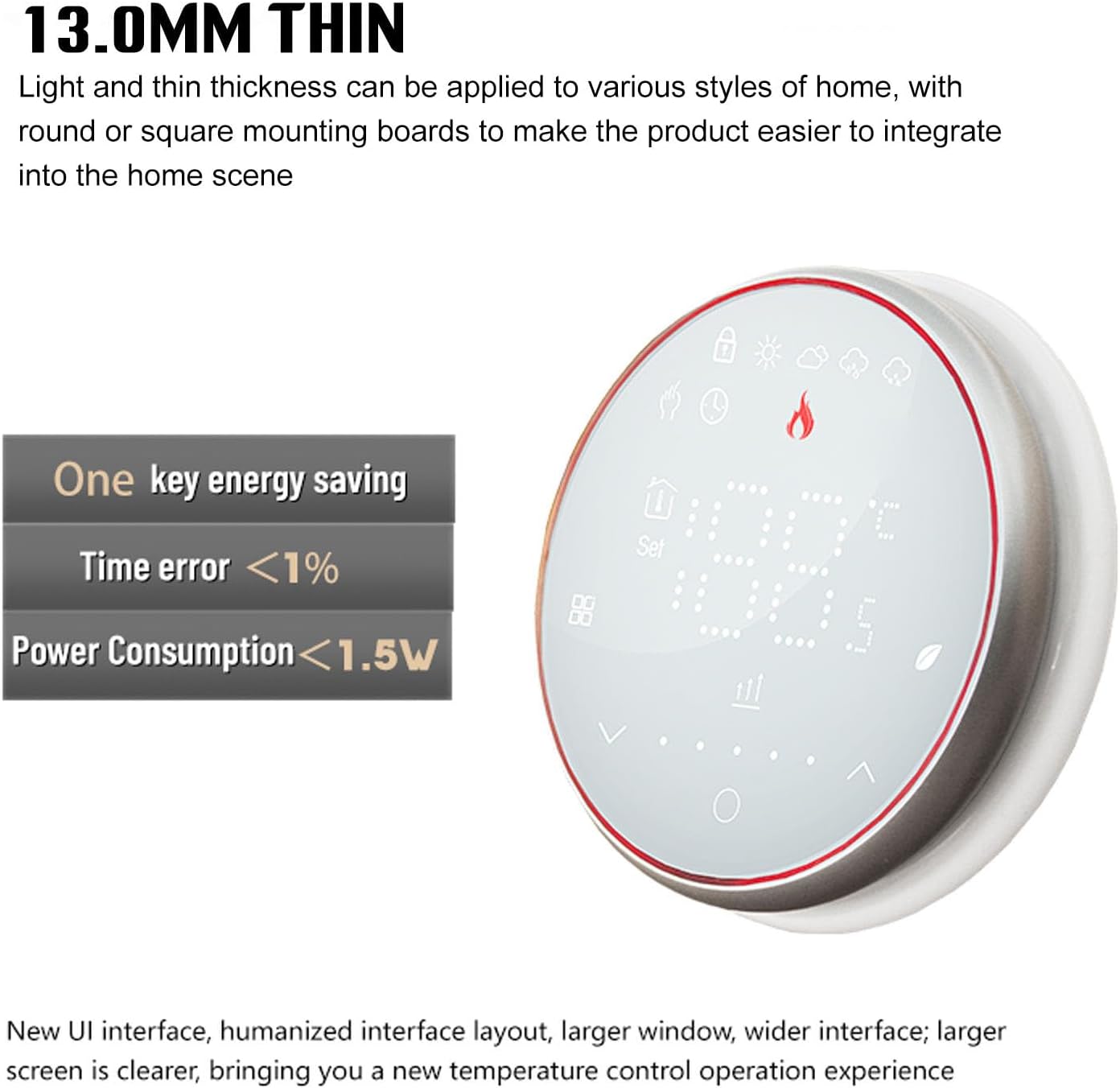
그림 6.1: The thermostat's design emphasizes its 13.0mm thin profile and energy-saving capabilities, including a time error of less than 1% and power consumption below 1.5W.
7. 유지관리
To ensure optimal performance and longevity of your Gsycle Smart Thermostat, follow these simple maintenance guidelines:
- 청소: Gently wipe the display and outer casing with a soft, dry cloth. Do not use abrasive cleaners, solvents, or chemical sprays, as these can damage the surface or internal components.
- 센서 영역: Ensure the thermal hole (refer to Figure 4.3) is free from dust or obstructions to maintain accurate temperature readings.
- 충격 방지: Protect the thermostat from physical impact or dropping, which can damage the sensitive electronics.
8. 문제 해결
온도 조절 장치에 문제가 발생하면 다음의 일반적인 문제와 해결 방법을 참조하세요.
| 문제 | 가능한 원인 | 해결책 |
|---|---|---|
| 온도 조절기 디스플레이가 비어 있음 | 전원이 들어오지 않음, 배선이 잘못되었습니다. | Check circuit breaker. Verify wiring connections are secure and correct. |
| 잘못된 온도 판독값 | Sensor obstructed, thermostat location | Ensure the thermal hole is clear. Relocate thermostat if exposed to drafts or direct heat. |
| 난방 시스템이 응답하지 않습니다 | Wiring issue, system fault | Check wiring to the heating system. Consult a qualified technician if the heating system itself is faulty. |
| Programmable schedule not working | Settings not saved, manual override | Ensure programmed settings were saved. Check if the thermostat is in manual mode; switch to auto/program mode. |
이러한 해결 방법을 시도한 후에도 문제가 지속되면 고객 지원팀에 문의하세요.
9. 사양
| 특징 | 사양 |
|---|---|
| 모델 | Gsycle8gzshgdwa1-12 |
| 권tag및 범위 | 교류 95-240V |
| 현재의 | 16A |
| 감지기 | NTC3950, 10K |
| 온도 오류 | ±1 Degree Celsius |
| 온도 조절 범위 | 5~35도 섭씨 |
| 실내 온도 범위 | 5~99도 섭씨 |
| 디스플레이 온도 범위 | 5~99도 섭씨 |
| Normal Working Environment Temperature | 0~45도 섭씨 |
| Normal Working Environment Humidity | 5-95% RH (결로 없음) |
| 보관 온도 | -10-45 섭씨 |
| 전력 소비 | <1.5W |
| 시간 오류 | <1% |
| Mounting Insert Box | 86x86mm or Regular European Style Concealed Box |
| 커넥터 | 2 x 1.5mm² 또는 1 x 2.5mm² |
| 보호 등급 | IP20 |
| 키 유형 | 정전식 터치 키 |
| 재료 | 폴리카보네이트, ABS |
| 무게 | 약 200g / 7.1oz |
| 패널 두께 | 13mm (recessed) |
10. 보증 및 지원
Gsycle products are manufactured to high-quality standards. For warranty information or technical support, please refer to the contact details provided with your purchase documentation or visit the official Gsycle website. Please have your model number (Gsycle8gzshgdwa1-12) ready when contacting support.