
1. 서론
This manual provides essential information for the safe and effective use of your QANYEGN 720P HD WiFi Camera. This camera is designed to enhance the experience of F3, F4, and 1/24 series RC cars by providing real-time high-definition video and image capture. Please read this manual thoroughly before operating the device and retain it for future reference.
2. 안전 정보
- Keep the camera away from water and moisture to prevent damage.
- 카메라를 분해하거나 개조하지 마십시오. 그렇게 하면 보증이 무효화되고 손상이 발생할 수 있습니다.
- Ensure proper ventilation when operating the camera to prevent overheating.
- 제조업체가 제공하거나 권장하는 액세서리만 사용하세요.
- 작은 부품이 포함되어 있으므로 어린아이의 손이 닿지 않는 곳에 보관하십시오.
3. 패키지 내용
패키지에 모든 품목이 들어 있는지 확인하세요.
- 1 x 720P Wifi Camera
- 1 Set x Hook and Loop (2 Accessories in Total)
- 1 x 사용자 설명서
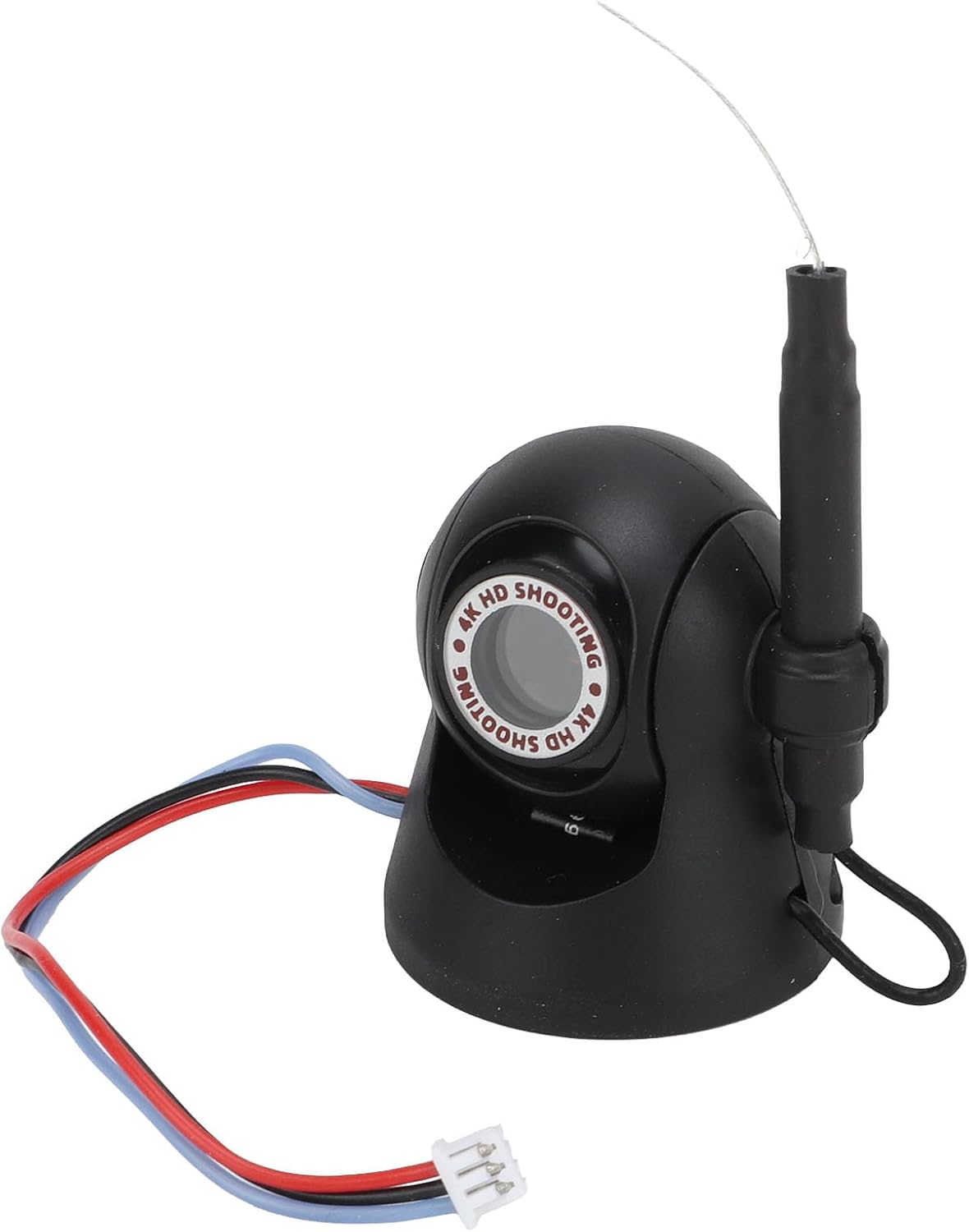
이미지: 앞면 view of the QANYEGN 720P HD WiFi Camera, showing its compact design and connection wires.
4. 사양
| 특징 | 세부 사항 |
|---|---|
| 품목 유형 | 720P Wifi Camera |
| 재료 | 플라스틱 + 전자 부품 |
| 색상 | 검은색 |
| 사진 해상도 | 1280x720p |
| 비디오 해상도 | 1280x720p |
| 이미지 전송 거리 | 대략. 40m / 131.2피트 |
| 제품 크기 | Approx. 35x30mm / 1.4x1.2in |
| 애플리케이션 | For F3 F4 1/24 Series RC Cars |
| 조절 가능한 각도 | 45° |

이미지: 상세 view of the camera, illustrating its compact size and design.
5. 설정
5.1 카메라 설치
- Identify a suitable mounting location on your F3, F4, or 1/24 series RC car.
- Use the provided hook and loop fasteners to securely attach the camera to the RC car. Ensure the camera is stable and facing the desired direction.
- Connect the camera's power cable to the designated port on your RC car. Refer to your RC car's manual for specific power connection points.

Image: Step-by-step visual guide for attaching the camera to an RC car using hook and loop fasteners and connecting the power cable.
5.2 모바일 앱 연결
- Download the official QANYEGN camera application from your mobile device's app store (iOS/Android).
- Power on your RC car and the attached WiFi camera.
- On your mobile device, go to WiFi settings and connect to the camera's WiFi network (usually named 'QANYEGN_XXXX' or similar). No password is typically required.
- Open the QANYEGN app. The app should automatically detect and connect to the camera, displaying a live feed.

Image: The camera positioned next to a smartphone, illustrating the wireless connection for live view주고받음.
6. 사용 설명서
6.1 실시간 모니터링
모바일 앱에 연결되면 다음을 수행할 수 있습니다. view high-definition images and video in real-time directly on your smartphone. This allows for monitoring driving conditions and capturing scenic view작동 중 s.

Image: The camera shown in an outdoor environment, demonstrating its use for capturing moments during activities like picnics or playtime.
6.2 Adjusting the Shooting Angle
The camera features a 45° adjustable angle. Manually adjust the camera's position on its mount to expand your shooting range and capture different perspectives. This flexibility is useful for various activities such as picnics, hiking, or traveling with your RC car.
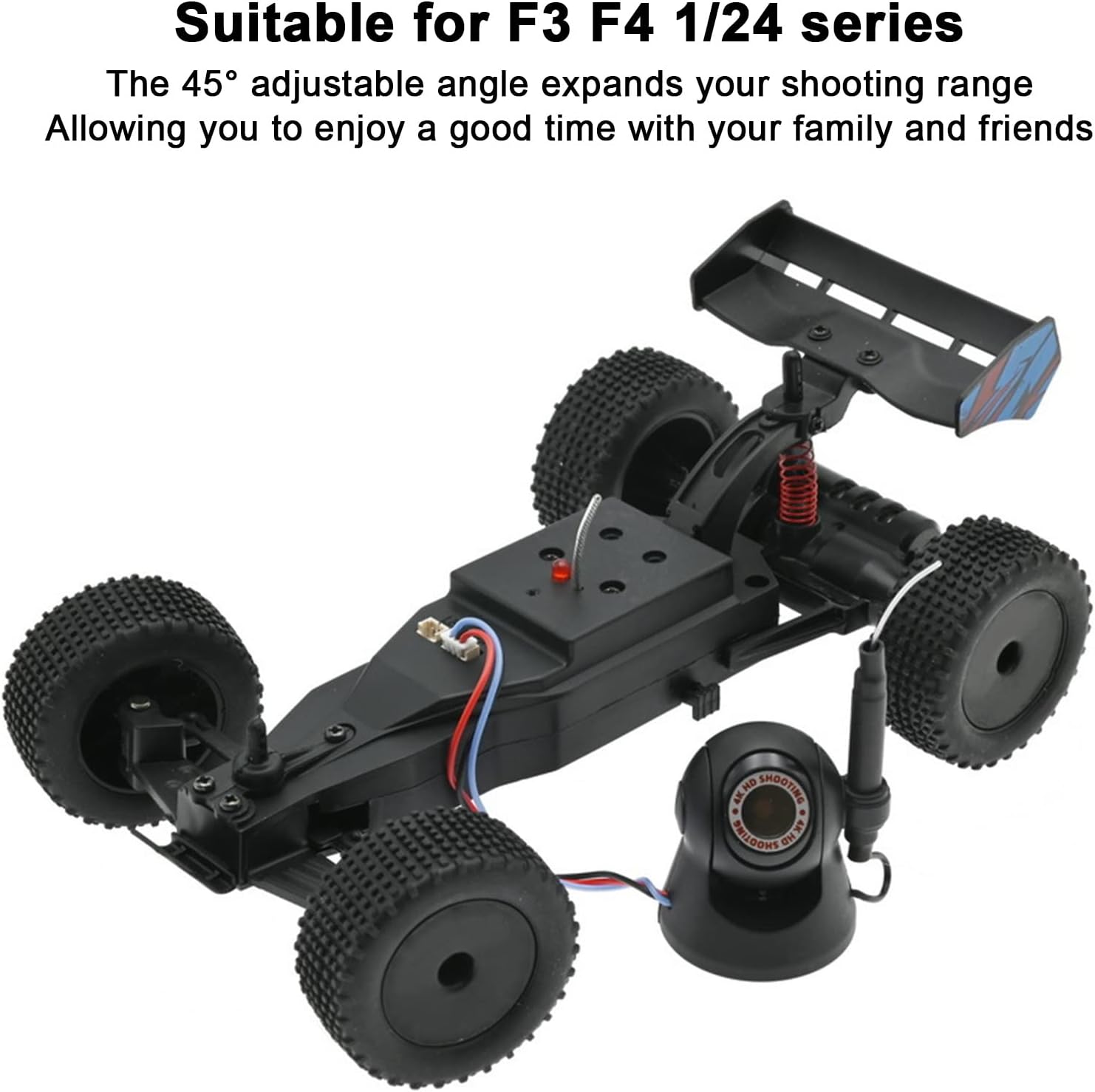
Image: The camera positioned alongside an RC car, illustrating its compatibility and the ability to adjust its view잉 각도.
6.3 사진 및 비디오 캡처
Within the mobile application, locate the dedicated buttons for taking photos and recording videos. Tap these buttons to capture high-resolution images (1280x720p) or record high-definition video (1280x720p). Captured media will be saved directly to your mobile device.
7. 유지관리
- 청소: 부드럽고 마른 천을 사용하여 카메라 렌즈와 본체를 닦으세요. 강한 화학 물질이나 연마재는 사용하지 마세요.
- 저장: 사용하지 않을 때는 카메라를 직사광선과 극한 온도 변화를 피해 서늘하고 건조한 곳에 보관하십시오.
- 연결 확인: Periodically inspect the connection wires for any signs of wear or damage.
8. 문제 해결
| 문제 | 가능한 원인 | 해결책 |
|---|---|---|
| No live feed in app | Camera not powered on; WiFi not connected; App error. | Ensure RC car and camera are powered. Check mobile device WiFi settings to confirm connection to camera's network. Restart the app. |
| 화질이 나쁘다 | Dirty lens; Low light conditions; Exceeding transmission range. | Clean the camera lens. Operate in well-lit environments. Ensure camera is within the 40m transmission range. |
| Camera disconnects frequently | Interference; Out of range; Low power. | Move away from sources of strong electromagnetic interference. Stay within the recommended transmission range. Ensure RC car battery is sufficiently charged. |
9. 보증 및 지원
For warranty information or technical support, please refer to the contact details provided with your purchase documentation or visit the official QANYEGN web사이트. 보증 청구를 위해 구매 증빙 자료를 보관하세요.