
ClokoWe T800
ClokoWe 미니 프로젝터 T800 사용 설명서
모델 : T800
1. 서론
This manual provides detailed instructions for the safe and effective use of your ClokoWe Mini Projector T800. Please read this manual thoroughly before operating the device and retain it for future reference.
안전 정보
- l을 사용할 때 프로젝터 렌즈를 직접 쳐다보지 마십시오.amp 켜져있습니다.
- 과열을 방지하려면 프로젝터 주변을 적절하게 환기시키십시오.
- 프로젝터를 물이나 다른 액체로부터 멀리하세요.
- 기기와 함께 제공된 전원 어댑터만 사용하세요.
- 프로젝터를 직접 분해하거나 수리하지 마십시오. 도움이 필요하면 고객 지원 센터에 문의하십시오.
2. 패키지 내용
패키지에 모든 품목이 들어 있는지 확인하세요.
- ClokoWe Mini Projector T800
- HDMI 케이블
- 원격 제어
- 전원 코드
- 사용 설명서 (본 문서)
3. 제품 오버view
프로젝터의 구성 요소와 기능을 숙지하세요.
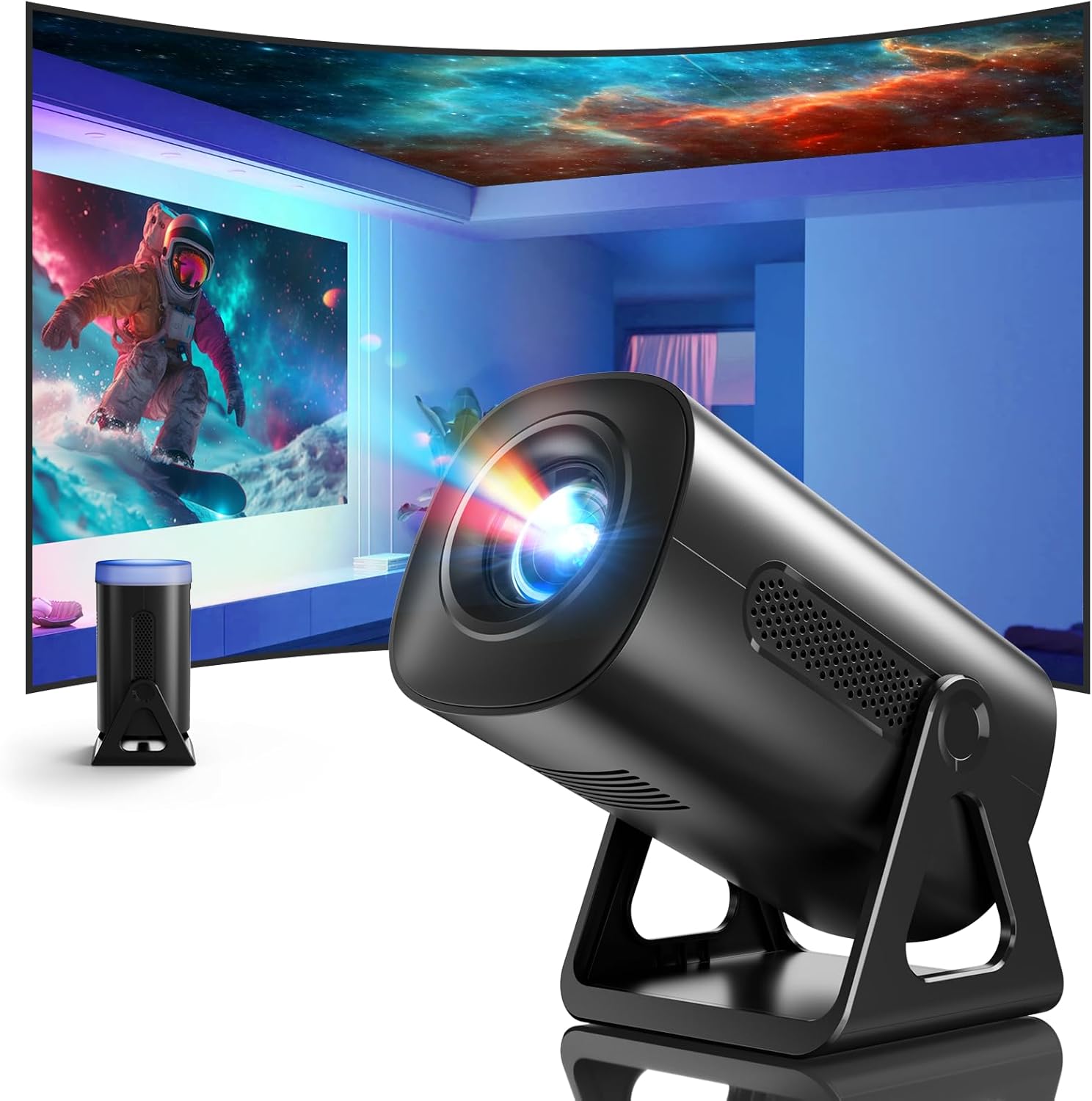
이미지 3.1: 앞면 view of the ClokoWe Mini Projector T800, showcasing its compact design and projection capability.
주요 특징:
- Native 1080p Resolution with 4K Support
- 270° Rotatable Stand for flexible projection angles
- Integrated Star Projector with 6 Galaxy Projection Modes and 7 Ambient Night Light Colors
- Dual Band WiFi 6 (2.4G/5G) for stable wireless connectivity
- Bluetooth 5.2 HiFi Speaker for enhanced audio
- Automatic Keystone Correction and 50%-100% Zoom function
- Multiple connectivity options: USB, HDMI, AV, Audio

Image 3.2: Dimensions and weight of the projector, highlighting the 270-degree rotatable stand.
4. 설정
4.1 전원 연결
- 프로젝터의 전원 입력 포트에 전원 코드를 연결하십시오.
- 전원 코드의 다른 쪽 끝을 표준 전기 콘센트에 꽂습니다.
- 전원 표시등이 켜집니다.
4.2 배치 및 조정
The 270° rotatable stand allows for flexible placement and projection.

Image 4.1: The projector's 270-degree rotation feature, enabling projection onto walls, floors, or ceilings.
- 위치: 프로젝터를 안정적이고 평평한 표면에 놓으십시오.
- 각도 조정: Rotate the projector body on its stand to achieve the desired projection angle (up to 270 degrees).
- 집중하다: 프로젝터 렌즈의 초점 링을 사용하여 이미지를 선명하게 조정하십시오.
- 키스톤 보정: The projector features automatic keystone correction. If the image appears trapezoidal, the device will automatically adjust it to a rectangular shape. Manual adjustments may also be available in the settings menu.

Image 4.2: Demonstration of automatic keystone correction and image zoom capabilities.
5. 사용 설명서
5.1 초기 전원 켜기
- 프로젝터나 리모컨의 전원 버튼을 누르세요.
- The projector will start up and display the main interface.
5.2 연결성
The projector supports various input sources and wireless connections.

이미지 5.1: 이상view of supported device connections via HDMI, USB, and Audio interfaces.
5.2.1 WiFi Connection (Dual Band WiFi 6)
- 프로젝터의 '설정' 메뉴로 이동하세요.
- '네트워크' 또는 'Wi-Fi 설정'을 선택하세요.
- Choose your desired 2.4G or 5G WiFi network from the list.
- 비밀번호를 입력하고 접속합니다.

Image 5.2: Demonstrating Dual Band WiFi 6 connectivity and wired screen mirroring with a smartphone.
5.2.2 블루투스 연결 (블루투스 5.2)
- '설정'으로 이동하여 '블루투스'를 선택하세요.
- Bluetooth를 켜고 사용 가능한 기기를 검색하세요.
- 목록에서 Bluetooth 스피커나 헤드폰을 선택하여 페어링하세요.

Image 5.3: The projector's Bluetooth 5.2 capability for connecting to external audio devices.
5.2.3 HDMI/USB/AV Connection
- Connect your device (e.g., laptop, TV stick, game console) to the corresponding HDMI, USB, or AV port on the projector.
- Select the correct input source from the projector's main menu using the remote control.
5.3 Projection Modes (Star Projector & Night Light)
The projector includes integrated ambient lighting features.

Image 5.4: The projector's ability to display 7 night light colors and 6 galaxy projection modes.
- 은하계 투영: Access the 'Star Projector' or 'Galaxy Modes' option in the menu to select from 6 different galaxy patterns.
- 은은한 야간 조명: With the lens cover on, select from 7 ambient light colors to use the projector as a night light.
5.4 이미지 조정
- 줌 기능 : Adjust the projection size from 50% to 100% via the projector's menu settings.
- 화질 : The projector supports native 1080p resolution and 4K input. Ensure your source content is of high quality for the best view경험.
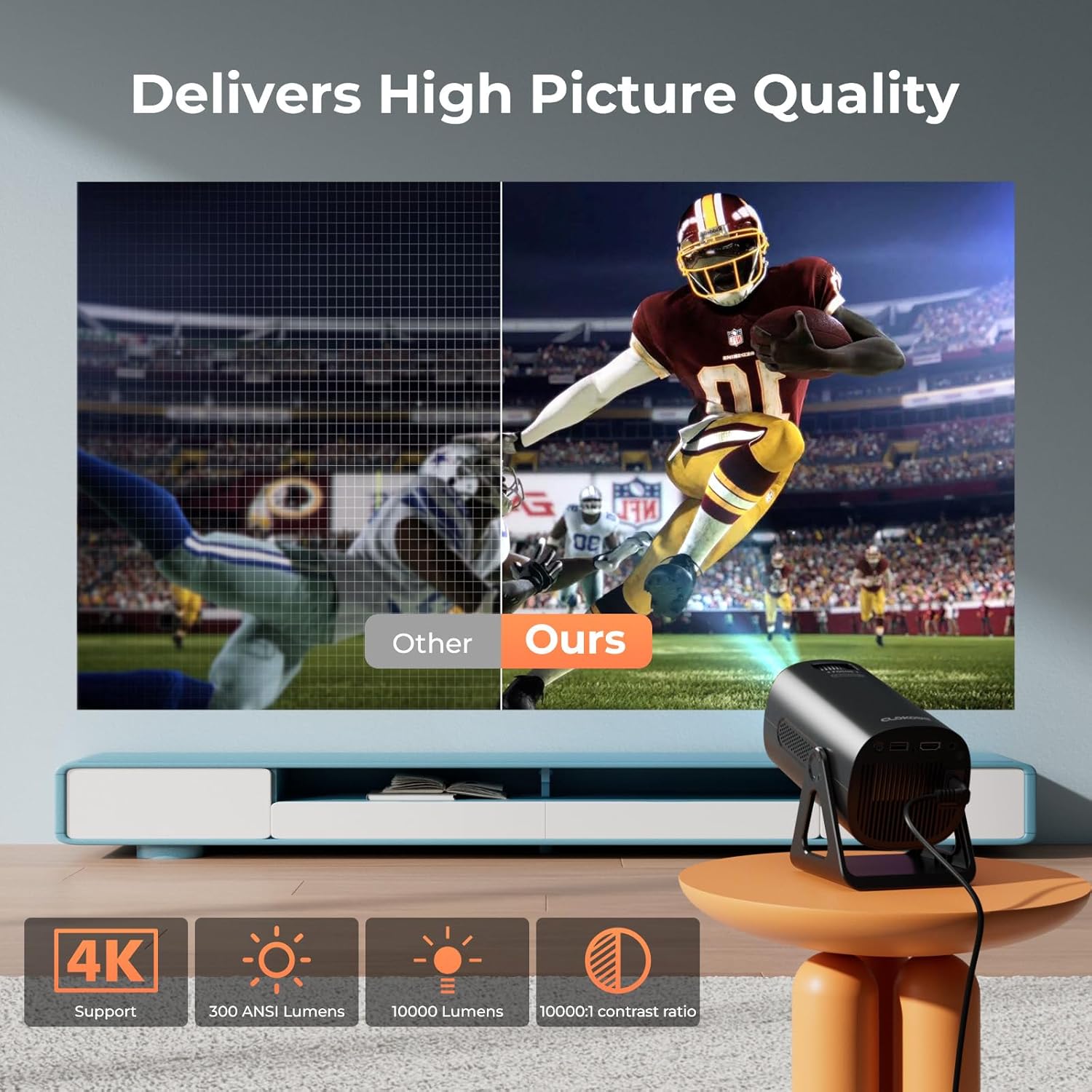
Image 5.5: Visual comparison of picture quality, emphasizing 4K support and brightness specifications.
6. 유지관리
- 렌즈 세척: 광학 렌즈 전용으로 제작된 부드럽고 보풀 없는 천으로 프로젝터 렌즈를 살살 닦아주세요. 연마성 세척제는 사용하지 마십시오.
- 먼지 제거: Regularly clean the projector's vents with a soft brush or compressed air to prevent dust buildup, which can affect performance and lifespan.
- 저장: 장기간 사용하지 않을 경우 프로젝터를 서늘하고 건조한 곳에 보관하십시오. 가능하면 원래 포장이나 보호 케이스에 넣어 보관하는 것이 좋습니다.
- 전원 끄기 : Always power off the projector correctly and allow it to cool down before unplugging or moving it.
7. 문제 해결
일반적인 문제 및 해결책:
- 전원 없음:
• Ensure the power cord is securely connected to both the projector and the power outlet.
• 전원 콘센트가 제대로 작동하는지 확인하십시오. - 이미지/신호 없음:
• Verify that the correct input source (HDMI, USB, AV) is selected in the projector's menu.
• Check the connection cables between the projector and the source device.
• Ensure the source device is powered on and outputting a signal. - 흐린 이미지:
• 프로젝터 렌즈의 초점 링을 조정하십시오.
• Ensure the projection surface is flat and the projector is stable.
• Check if the lens is clean. - 이미지의 형태는 사다리꼴입니다.
• The automatic keystone correction should adjust this. If not, check for manual keystone adjustment options in the settings. - 소리 없음:
• Check the volume settings on both the projector and the source device.
• If using Bluetooth, ensure the external speaker/headphones are properly paired and connected.
• If using HDMI, ensure the audio output is correctly configured on the source device. - 와이파이/블루투스 연결 문제:
• Ensure the projector is within range of the WiFi router or Bluetooth device.
• Restart the projector and the network device.
• Re-enter WiFi passwords carefully.
8. 사양
| 특징 | 사양 |
|---|---|
| 모델 번호 | T800 |
| 디스플레이 해상도 | 1280 x 720 (Native 1080p, 4K Support) |
| 연결 기술 | 3.5mm Jack, Bluetooth 5.2, HDMI, USB, Wi-Fi 6 (2.4G/5G) |
| 특징 | Portable, 270° Rotatable Stand, Star Projector, Ambient Night Light, Auto Keystone Correction, Zoom |
| 추천 용도 | 비즈니스, 교육, 게임, 홈 시네마 |
| 품목 무게 | 2.38파운드 |
| 패키지 크기 | 9.13 x 6.69 x 5.28 인치 |
9. 보증 및 지원
ClokoWe products are designed for reliability and performance. For warranty information, technical support, or service inquiries, please refer to the warranty card included in your package or visit the official ClokoWe web해당 사이트입니다. 고객 지원팀에 문의하실 때는 모델 번호(T800)와 구매 정보를 준비해 주시기 바랍니다.
Ask a question about this manual
Ask about setup, troubleshooting, compatibility, parts, safety, or missing instructions. Manuals+ will review the question and use this page’s manual context to help answer it.