
Strong Leap-UNA
STRONG Leap-UNA 2K 안드로이드 TV 스트리밍 스틱 사용 설명서
Model: Leap-UNA
브랜드: Strong
소개
The STRONG Leap-UNA TV Streaming Stick is a compact and powerful device designed to transform your television into a smart TV, providing instant access to a vast array of streaming content. Powered by Android TV 11, it offers seamless 2K resolution streaming with Wi-Fi 5 connectivity. This manual provides detailed instructions for setting up, operating, and maintaining your Leap-UNA streaming stick to ensure an optimal entertainment experience.
안전 정보
- 장치를 사용하기 전에 모든 지침을 읽으십시오.
- 기기를 비, 습기 또는 극한의 온도에 노출시키지 마세요.
- 과열을 방지하려면 장치 주변을 적절하게 환기시키십시오.
- 장치와 함께 제공된 전원 어댑터만 사용하십시오.
- 기기를 직접 분해하거나 수리하지 마십시오. 모든 정비는 자격을 갖춘 기술자에게 맡기십시오.
- 장치를 직사광선과 열원에서 멀리 두십시오.
패키지 내용
모든 품목이 모두 있고 상태가 양호한지 확인하세요.
- STRONG Leap-UNA 2K Android TV Streaming Stick
- 원격 제어
- Power Adapter (or USB cable for power)
- HDMI Extender (if included)
- 사용 설명서 (본 문서)
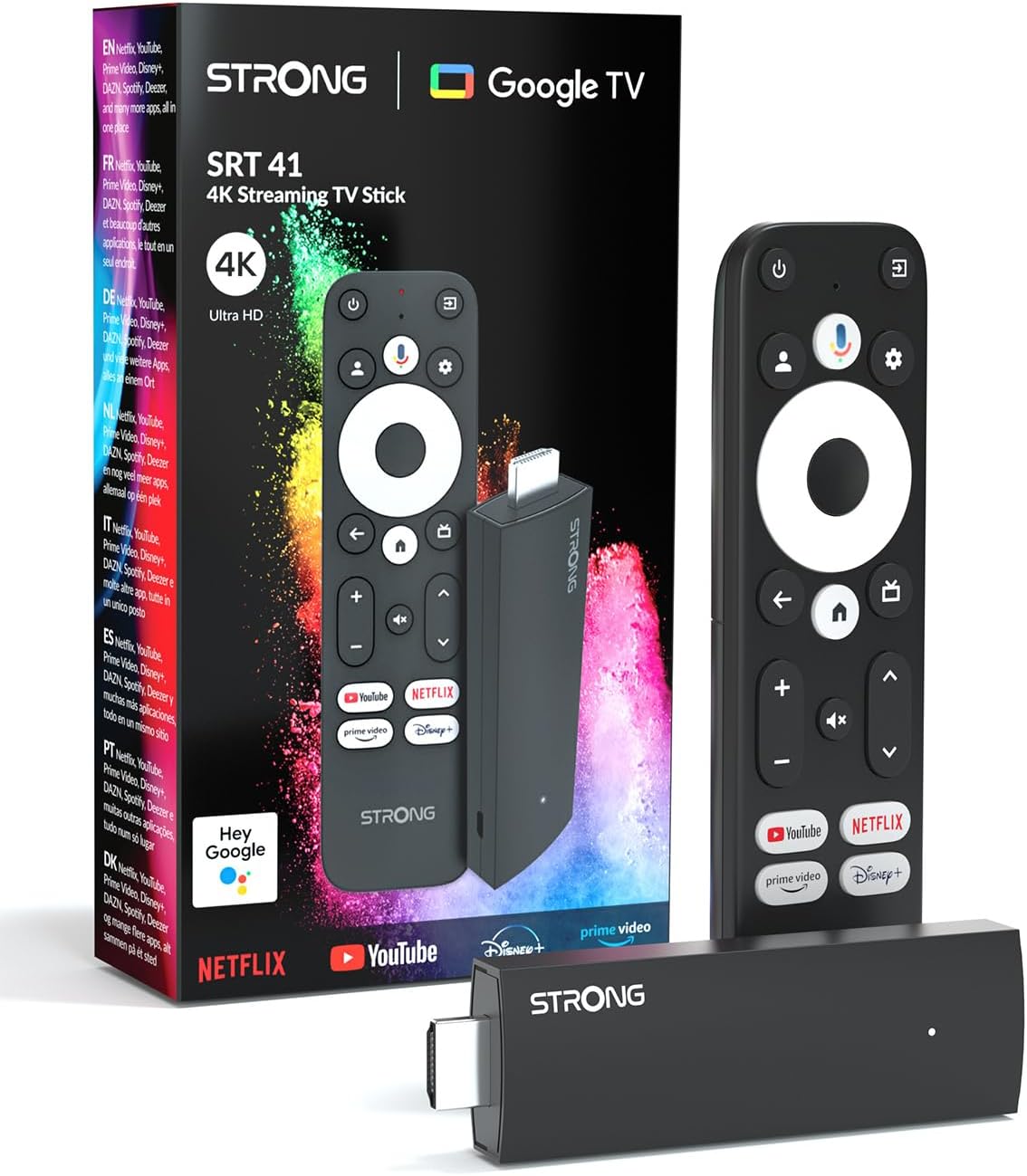
Image: The STRONG Leap-UNA streaming stick, its remote control, and the product packaging. This shows the main components included in the box.
제품 끝view
The Leap-UNA stick is designed for ease of use and portability. It connects directly to your TV's HDMI port.
장치 구성 요소:
- Streaming Stick: Compact device with an HDMI connector for TV and a Micro USB port for power.
- 원격 제어: Features dedicated buttons for power, navigation, volume, Google Assistant, and quick access to popular streaming services like Netflix and YouTube.

Image: A close-up of the STRONG Leap-UNA streaming stick, highlighting its compact design and connectivity options including HDMI and Micro USB ports.
설정
Follow these steps to set up your STRONG Leap-UNA streaming stick:
- TV에 연결: Plug the STRONG Leap-UNA streaming stick directly into an available HDMI port on your television. If space is limited, use an HDMI extender (if provided).
- 전원 켜기: Connect the power adapter to the Micro USB port on the streaming stick and then plug the adapter into a power outlet. The device will power on automatically.
- HDMI 입력 선택: Use your TV's remote control to select the correct HDMI input source to which the Leap-UNA stick is connected.
- 리모컨 페어링: Follow the on-screen instructions to pair your remote control. This usually involves pressing and holding specific buttons on the remote close to the stick.
- Wi-Fi에 연결: On the screen, select your Wi-Fi network from the list and enter the password. Ensure you have a stable internet connection for optimal streaming.
- Google 계정 설정: Sign in with your Google account. This is necessary to access the Google Play Store, Google Assistant, and other Google services. If you don't have one, you can create one.
- 앱 설치: After initial setup, you can download and install your favorite streaming applications like Netflix, Amazon Prime Video, YouTube, and Disney+ from the Google Play Store.

Image: Visual representation of the simple setup process: 1. Connect the stick to your TV. 2. Connect to your internet box (Wi-Fi). 3. Start streaming your content.
작동 지침
리모컨 사용하기:
The included remote control allows you to navigate the Android TV interface and control your streaming experience.
- 탐색 패드: Use the circular pad to move through menus and select items.
- 뒤로가기 버튼: 이전 화면으로 돌아갑니다.
- 홈 버튼: Android TV 홈 화면으로 돌아갑니다.
- Google 어시스턴트 버튼: 음성 명령을 활성화하려면 누르세요.
- 볼륨 버튼: TV 볼륨을 조절하세요.
- 전용 앱 버튼: Quickly launch Netflix, YouTube, Prime Video, and Disney+ (if available).

Image: The remote control for the STRONG Leap-UNA, highlighting its dedicated app buttons and the wide range of applications available through Google Play.
Google 어시스턴트를 이용한 음성 제어:
The integrated Google Assistant allows you to control your device and search for content using your voice. Press the Google Assistant button on your remote and speak your command. Examples에는 다음이 포함됩니다.
- "넷플릭스를 열어줘"
- 액션 영화를 찾아보세요
- "영화 제목을 재생하세요"
- "날씨가 어때요?"

Image: The STRONG Leap-UNA remote control positioned in front of a TV screen, illustrating the use of Google Assistant for voice commands, such as "Avvia Netflix" (Start Netflix).
Chromecast 내장:
With Chromecast built-in, you can cast content directly from your smartphone, tablet, or computer to your TV. Simply open a compatible app on your mobile device and tap the Cast icon ▶ to send the content to your TV.

Image: A TV screen displaying content being cast via Google Cast, with a smartphone in the foreground demonstrating the casting functionality.
유지
To ensure the longevity and optimal performance of your STRONG Leap-UNA streaming stick, follow these maintenance guidelines:
- 청소: 부드럽고 마른 천을 사용하여 기기를 닦으세요. 액체 세척제나 에어로졸은 사용하지 마세요.
- 통풍: Ensure the device is placed in a well-ventilated area and that its vents are not blocked.
- 소프트웨어 업데이트: 이 기기는 자동 소프트웨어 업데이트를 받을 수 있습니다. 성능 향상 및 새로운 기능 추가를 위한 업데이트를 받으려면 인터넷에 연결되어 있는지 확인하십시오.
- 저장: 장시간 사용하지 않을 경우에는 기기를 시원하고 건조한 곳에 보관하세요.
문제 해결
If you encounter issues with your STRONG Leap-UNA streaming stick, refer to the following common problems and solutions:
| 문제 | 가능한 원인 | 해결책 |
|---|---|---|
| 전원이 들어오지 않음/장치가 켜지지 않음 | Power cable not connected properly; Faulty power adapter; Power outlet issue. | Check all power connections. Try a different power outlet. Ensure the power adapter is working. |
| TV에 영상이 나오지 않아요 | Incorrect HDMI input selected; Loose HDMI connection; TV compatibility issue. | Ensure your TV is on the correct HDMI input. Reconnect the HDMI cable. Try a different HDMI port on your TV. |
| 리모콘이 응답하지 않음 | Batteries are low or dead; Remote not paired; Obstruction between remote and stick. | Replace batteries. Re-pair the remote control (refer to Setup section). Ensure no obstructions. |
| 버퍼링 또는 스트리밍 품질 저하 | Weak Wi-Fi signal; Internet speed issues; Network congestion. | Move the stick closer to your Wi-Fi router. Restart your router. Check your internet speed. Reduce other network activity. |
| 앱이 충돌하거나 정지됨 | App error; Insufficient memory; Software glitch. | Restart the app. Clear the app's cache (Settings > Apps > [App Name] > Clear cache). Restart the streaming stick. |
명세서
| 특징 | 세부 사항 |
|---|---|
| 상표 | 강한 |
| 모델명 | Leap-UNA |
| 운영 체제 | 안드로이드 TV 11 |
| 해결 | 2K |
| 연결 기술 | Bluetooth, HDMI, IR, Wi-Fi (Wi-Fi 5) |
| 지원되는 인터넷 서비스 | Netflix, Amazon Prime Video, Disney+, YouTube |
| RAM 크기 | 1GB (XNUMX기가바이트) |
| 치수 | 9L x 3W x 1.5H 센티미터 |
| 호환 장치 | TV, smartphone, tablet, personal computer, laptop |
| 색상 | 검은색 |
보증 및 지원
STRONG products are designed for reliability and performance. For warranty information and technical support, please refer to the warranty card included with your product or visit the official STRONG website. You can also contact customer support through the details provided on the packaging or website for assistance with any issues not covered in this manual.
최신 정보와 지원을 받으려면 다음 사이트를 방문하세요. www.strong.tv
Ask a question about this manual
Ask about setup, troubleshooting, compatibility, parts, safety, or missing instructions. Manuals+ will review the question and use this page’s manual context to help answer it.