
삼성 갤럭시 S25 울트라
삼성 갤럭시 S25 울트라 5G 스마트폰 사용 설명서
Model: Galaxy S25 Ultra
1. 서론
This manual provides essential information for the proper use and maintenance of your Samsung Galaxy S25 Ultra 5G smartphone. Please read this guide thoroughly before operating your device to ensure optimal performance and safety. The Samsung Galaxy S25 Ultra is a high-performance Android smartphone featuring 5G connectivity, advanced camera capabilities, and integrated Galaxy AI functionalities.
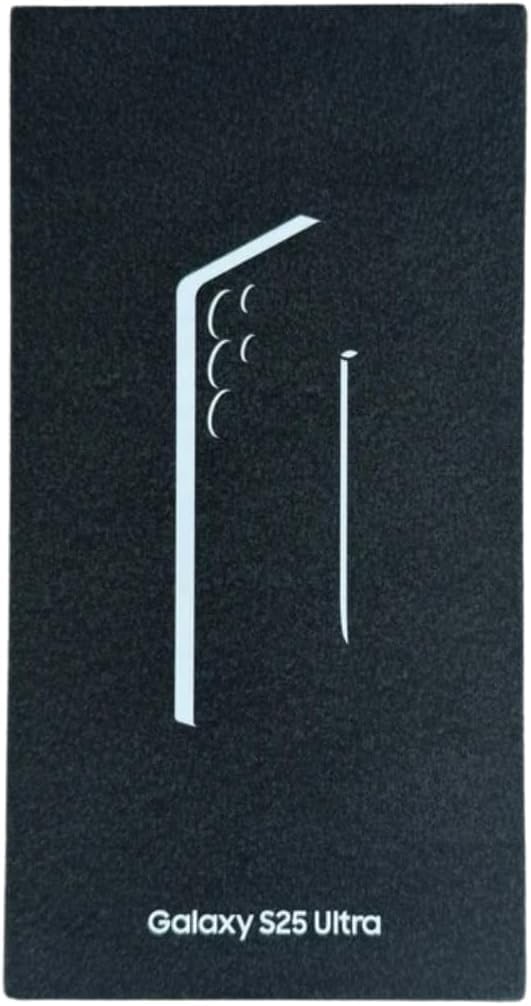
2. 상자 안에 무엇이 들어있나요?
제품 포장에 모든 품목이 들어 있는지 확인하세요.
- Samsung Galaxy S25 Ultra Mobile Device
- USB 케이블(C형)
- SIM 제거 도구
- 빠른 시작 가이드
참고: 전원 어댑터는 별도로 판매될 수 있습니다.
3. 초기 설정
3.1. SIM 카드 삽입
- 기기 측면에서 SIM 카드 트레이를 찾으세요.
- SIM 카드 분리 도구를 트레이 옆의 작은 구멍에 넣고 트레이가 튀어나올 때까지 살살 밀어주세요.
- Place your Nano-SIM card(s) into the tray with the gold contacts facing down. The Galaxy S25 Ultra supports Dual SIM.
- 트레이를 장치에 조심스럽게 다시 삽입합니다.
이미지: 앞면 view of the Samsung Galaxy S25 Ultra. This image displays the device's large display and sleek design, illustrating its overall appearance.
3.2. 배터리 충전
Before first use, fully charge the device battery. Connect the USB cable to the device's USB Type-C port and then to a compatible power adapter (sold separately) or a computer's USB port. The device supports fast charging.
3.3. 전원 켜기 및 초기 구성
- 삼성 로고가 나타날 때까지 전원/측면 키를 길게 누릅니다.
- 화면의 안내에 따라 언어를 선택하고, Wi-Fi 네트워크에 연결하고, Google 계정을 설정하세요.
- Configure biometric security options such as Face Recognition for enhanced device security.
4. 장치 작동
4.1. 기본 탐색
The Galaxy S25 Ultra features an intuitive touchscreen interface. Swipe, tap, and pinch to navigate through menus, open applications, and interact with content.
4.2. 통화 및 메시징
To make a call, open the Phone app and dial the number or select a contact. To send a message, open the Messages app, select a contact, and type your message.
4.3. 카메라 사용
Your device is equipped with a powerful camera system, including a 108 Megapixel rear camera and a 12 Megapixel front camera. It features four rear cameras for versatile photography. Open the Camera app to capture photos and videos. Explore various modes like Portrait, Night, and Pro for different shooting scenarios.
4.4. 갤럭시 AI 기능
The Galaxy S25 Ultra integrates advanced Galaxy AI features to enhance various aspects of your smartphone experience, including communication, productivity, and creativity. Refer to the on-device AI features guide for detailed usage instructions.
4.5. 연결성
The device supports 5G cellular technology for high-speed internet access. It also includes Bluetooth, NFC, USB, and Wi-Fi for various connectivity needs. Manage these settings through the 'Settings' application.
5. 유지관리 및 관리
5.1. 기기 청소
Use a soft, lint-free cloth to clean the screen and body of your device. Avoid using abrasive cleaners or solvents, as these can damage the finish. For stubborn smudges, slightly damp천에 물을 적셔요.
5.2. 소프트웨어 업데이트
Regularly check for and install software updates to ensure your device has the latest features, security patches, and performance improvements. Samsung provides up to 7 years of announced updates for this model. Access updates via 'Settings' > 'Software update'.
5.3. 방수성
The Samsung Galaxy S25 Ultra is water-resistant. However, this resistance is not permanent and may decrease over time with normal wear. Avoid submerging the device in water or exposing it to high-pressure water jets. Ensure all ports are dry before charging.
5.4. 배터리 관리
To prolong battery life, avoid extreme temperatures. The device has a 5000 mAh battery capacity. A full charge typically takes approximately 3 hours. Average battery life is around 150 hours, with talk time up to 36.44 hours.
6. 문제 해결
This section addresses common issues you might encounter with your Samsung Galaxy S25 Ultra.
6.1. 장치 전원이 켜지지 않음
- 배터리가 충분히 충전되어 있는지 확인하세요. 기기를 충전기에 연결한 후 최소 10분 동안 전원을 켜세요.
- Press and hold the Power/Side key for at least 10 seconds to perform a forced restart.
6.2. 네트워크 연결 문제
- Check if Airplane mode is disabled in Quick Settings.
- SIM 카드가 올바르게 삽입되고 활성화되어 있는지 확인하세요.
- 기기를 다시 시작하세요.
- Go to 'Settings' > 'Connections' > 'Mobile networks' > 'Network operators' and select your network manually.
6.3. 애플리케이션 충돌 또는 멈춤 현상
- 문제가 있는 애플리케이션을 닫았다가 다시 엽니다.
- Clear the app's cache and data via 'Settings' > 'Apps' > [App Name] > 'Storage'.
- 앱이 최신 버전으로 업데이트되었는지 확인하세요.
- 기기를 다시 시작하세요.
6.4. 배터리 수명 단축
- 화면 밝기를 낮추고 화면 시간 초과를 더 짧게 설정하세요.
- Disable unused features like Wi-Fi, Bluetooth, GPS, and 5G when not needed.
- 백그라운드에서 실행 중인 전력 소모가 큰 앱을 식별하여 닫습니다.
- Enable power-saving modes in 'Settings' > 'Battery and device care'.
6.5. 공장 초기화(최후의 수단)
If issues persist, you may need to perform a factory data reset. This will erase all data from your device. Back up important data before proceeding. Go to 'Settings' > 'General management' > 'Reset' > 'Factory data reset'.
7. 기술 사양
| 특징 | 사양 |
|---|---|
| 상표 | 삼성 |
| 모델명 | Galaxy S25 Ultra (Internal: 8806095815695) |
| 운영 체제 | 기계적 인조 인간 |
| 숫양 | 12GB (XNUMX기가바이트) |
| 저장 용량 | 512GB (XNUMX기가바이트) |
| CPU 모델 | 스냅드래곤 8 엘리트 |
| CPU 속도 | 4GHz |
| 화면 크기 | 6.9 인치 |
| 디스플레이 해상도 | 3120 x 1440 (AMOLED) |
| 새로 고침 빈도 | 120Hz |
| 후면 카메라 해상도 | 108 Megapixels (4 cameras) |
| 전면 카메라 해상도 | 12 Megapixels (1 camera) |
| 배터리 용량 | 5000mAh |
| SIM 카드 유형 | Nano-SIM (Dual SIM) |
| 셀룰러 기술 | 5G |
| 연결성 | Bluetooth, NFC, USB Type-C, Wi-Fi |
| 방수성 | Waterproof (IP rating not specified, but generally resistant) |
| 생체 인식 보안 | 얼굴 인식 |
| 치수 | 16.3 x 7.8 x 0.8 센티미터 |
| 모델 연도 | 2025 |
8. 보증 정보
Your Samsung Galaxy S25 Ultra is covered by a 2-year manufacturer warranty. This warranty covers defects in materials and workmanship under normal use. For specific terms and conditions, please refer to the warranty card included in your product packaging or visit the official Samsung support web대지.
9. 지원 및 추가 리소스
For further assistance, detailed user guides, software downloads, and frequently asked questions, please visit the official Samsung support website for your region. You can also contact Samsung customer service for personalized support.
추가 자료:
- 안전 정보 (PDF)
- 사용 설명서 (PDF)
- 사용 설명서(PDF)
- Data Transparency Statement (PDF)
These documents are available for download on the Samsung support web대지.
Ask a question about this manual
Ask about setup, troubleshooting, compatibility, parts, safety, or missing instructions. Manuals+ will review the question and use this page’s manual context to help answer it.