소개
This manual provides detailed instructions for the assembly, operation, and maintenance of your new FLEXISPOT L-Shaped Electric Height Adjustable Standing Desk. Please read this manual thoroughly before assembly and use to ensure proper function and safety.
- 넓은 데스크탑: 넓은 L자형 작업대는 친환경 목재를 접합하여 매끄럽게 제작되었으며, 크기는 70.9" x 63.0"입니다. 이 작업대는 다음과 같은 장점을 제공합니다. amp진행 중인 프로젝트와 사무용품을 위한 공간입니다.
- 다재다능한 방향성: 이 높이 조절식 책상은 데스크탑 부분이 더 넓어 왼쪽 또는 오른쪽으로 위치를 조정할 수 있어 공간에 가장 잘 맞는 레이아웃으로 사용할 수 있습니다.
- 견고한 구조: 산업용 등급의 강철 프레임과 견고한 데스크탑(1")이 결합되어 최대 220lbs의 무게를 지탱할 수 있어 이상적인 작업 환경을 손쉽게 조성할 수 있습니다.
- 사용자 정의 가능한 LED 제어 패널: LED 제어 패드를 사용하면 책상 높이를 4가지 설정으로 저장할 수 있어, 원하는 서서 일하는 자세와 앉아서 일하는 자세를 쉽게 전환할 수 있습니다.
안전 정보
Always ensure the desk is properly assembled and anchored to the floor to prevent tipping. Do not exceed the maximum weight capacity of 220 lbs (100 kg) to maintain stability. Follow the assembly instructions carefully to avoid injury.
The product ships in two separate packages which may arrive separately. Ensure all packages are received before beginning assembly.
설정 및 조립
Assembly requires two people. Tools recommended for assembly include a drill. Please refer to the detailed video instructions for visual guidance.
조립 단계view:
- Install Middle Column Connecting Joining Plate: Attach the joining plate to the middle column using the provided screws.
- 책상 다리 설치하기: Secure the long and short side desk feet to the columns.
- Install Crossbeams: Attach the long and short crossbeams between the desk legs.
- Extend Crossbeam: Loosen the screws on the crossbeam and extend it to the desired length.
- Install Drive Rods: Loosen the drive rod, insert it into the mechanism, spin, and tighten.
- 지지판 설치: Attach the support plate to the frame.
- 데스크톱 설치: Insert dowels and connect the desktop sections. Secure them with the provided plates and screws.
- 데스크탑에 프레임 부착: Carefully place the assembled frame, adapter holder, and support tube onto the desktop. Adjust the frame to align with pilot holes and attach it securely.
- Secure Crossbeams and Drive Rods: Ensure all crossbeams and drive rods are firmly secured.
- Install Controller and Wiring: Mount the control panel and power adapter. Connect all necessary wiring for the motors and control panel.
- 배플 설치: Attach the baffle to cover the wiring.
- Turn Over the Desk: With assistance, carefully turn the desk upright.
시각적 안내:
동영상: Installation of Right L-Shaped Desk. This video demonstrates the step-by-step assembly process for the right-hand L-shaped configuration of the desk.
동영상: Installation of Left L-Shaped Desk. This video guides you through the assembly process for the left-hand L-shaped configuration of the desk.
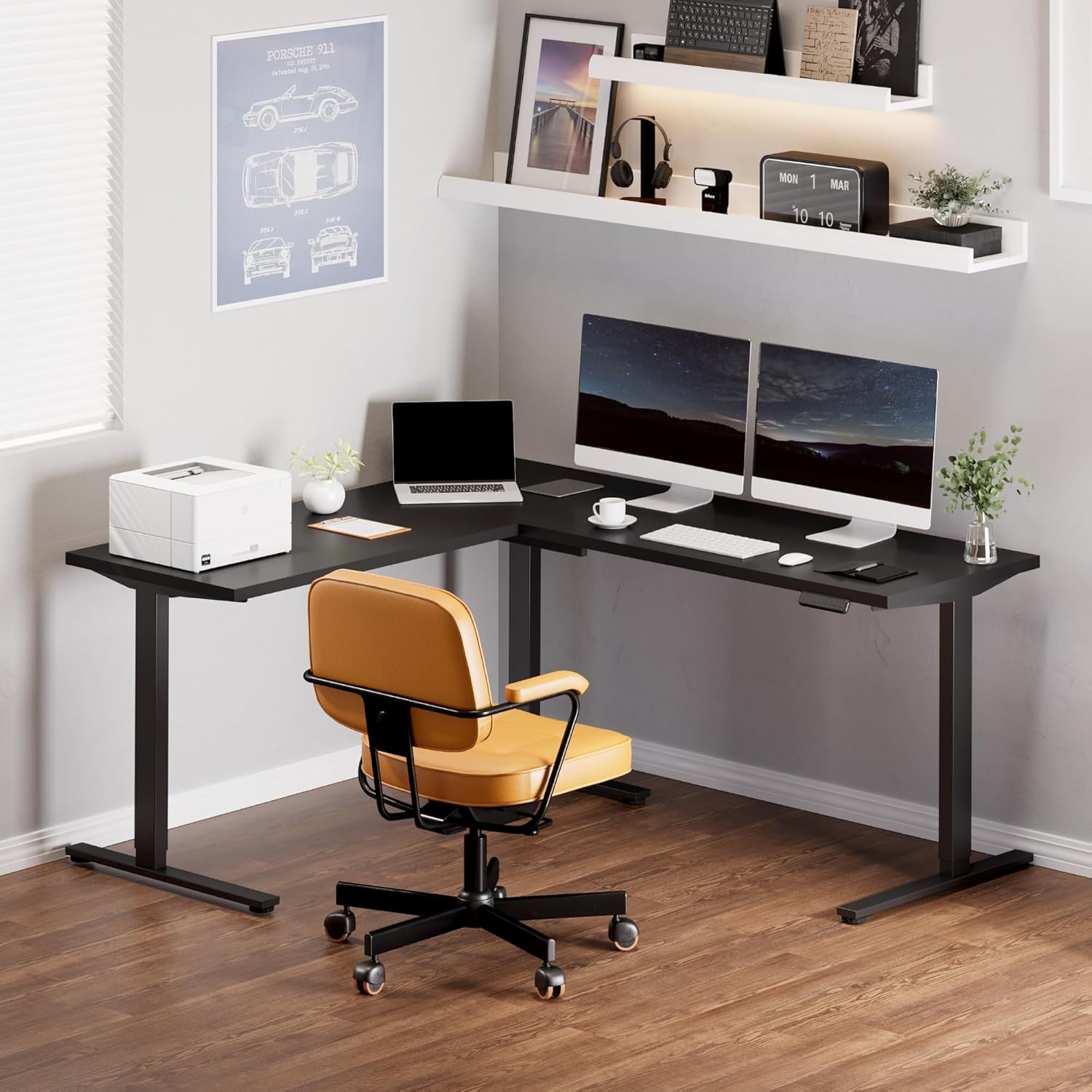
영상: Fully assembled FLEXISPOT L-Shaped Standing Desk in a modern office environment, showcasin넓은 공간과 기능성을 갖추고 있습니다.

영상: Detailed dimensions of the L-shaped desk, highlighting its width, depth, and adjustable height range.
작동 지침
제어판 기능:

영상: The smart control panel with buttons for height adjustment and memory presets.
- Up/Down Buttons (Arrows): Press and hold the up or down arrow to adjust the desk height. Release the button to stop at the desired height.
- 메모리 사전 설정(1, 2, 3, 4): To save a height setting, adjust the desk to your preferred height, then press the 'M' button followed by the desired number (1, 2, 3, or 4). The display will show 'S-' and then the number to confirm. To recall a saved height, simply press the corresponding number button.
- 충돌 방지 기능: The desk is equipped with an anti-collision system. If the desktop encounters an obstacle while moving, it will automatically stop and reverse slightly to prevent damage.
유지
- Regularly check all screws and connections to ensure they are tight. Tighten if necessary.
- 책상 표면을 부드러운 천으로 닦으세요.amp 천으로 닦으세요. 연마성 세제나 강한 화학 물질은 피하세요.
- 모터와 전기 부품에 먼지와 습기가 닿지 않도록 하십시오.
- Ensure cables are neatly managed to prevent snagging or damage during height adjustments.
문제 해결
| 문제 | 가능한 원인 | 해결책 |
|---|---|---|
| 책상이 움직이지 않고 제어에 반응하지 않습니다. | Power cable disconnected; control panel cable loose; motor cable loose. | Check all power and motor connections. Ensure they are securely plugged in. Reset the system by unplugging for 10 seconds and plugging back in. |
| 책상이 고르지 않게 움직이거나 이상한 소리가 납니다. | Loose connections; uneven load; drive rod not properly installed. | Check all frame connections and ensure they are tightened. Distribute weight evenly on the desktop. Verify drive rod installation as per assembly video. |
| 충돌 방지 기능이 자주 작동합니다. | Obstruction in desk's path; sensitivity setting too high. | Remove any objects from the desk's path. Consult the full user manual for instructions on adjusting anti-collision sensitivity (if applicable). |
| 데스크톱 영역이 완벽하게 정렬되지 않습니다. | Assembly error; pilot holes not used correctly. | 조심스럽게 다시view assembly instructions and videos. Ensure all desktop connecting plates are correctly installed and tightened. Some users have noted that pilot holes are for reference and may require minor adjustments or re-drilling for perfect alignment. |
명세서
- 상표: 플렉스팟
- 모양: 직사각형(L자형 구성)
- 책상 디자인: 스탠딩 데스크
- 제품 크기: 63인치 깊이 x 70.9인치 너비 x 45.9인치 높이
- 색상: 검정색 프레임 + 검정색 상판
- 스타일: 현대의
- 기본 재료: 합금강
- 최고 물자 유형: 목재
- 마감 유형 : 우아한
- 특징: 유선
- 테이블탑 두께: 1 인치
- 최대 높이: 45.9 인치
- 최소 높이: 28 인치
- 최대 무게 권장 : 220 파운드
- 높이 위치 수: 4 (메모리 사전 설정)
- 필요한 조립: 네 (추천인원 2명)
- 조립에 권장되는 도구: 송곳
보증 및 지원
5-Year FLEXISPOT Guarantee: 책상 프레임과 모터에 대한 5년 보증, 제어판 및 전자 장치에 대한 2년 보증으로 안심하고 사용하세요.
For further assistance, troubleshooting, or warranty claims, please contact FLEXISPOT customer support through their official web제품을 구매한 사이트 또는 소매업체.