
1. 소개 및 이상view
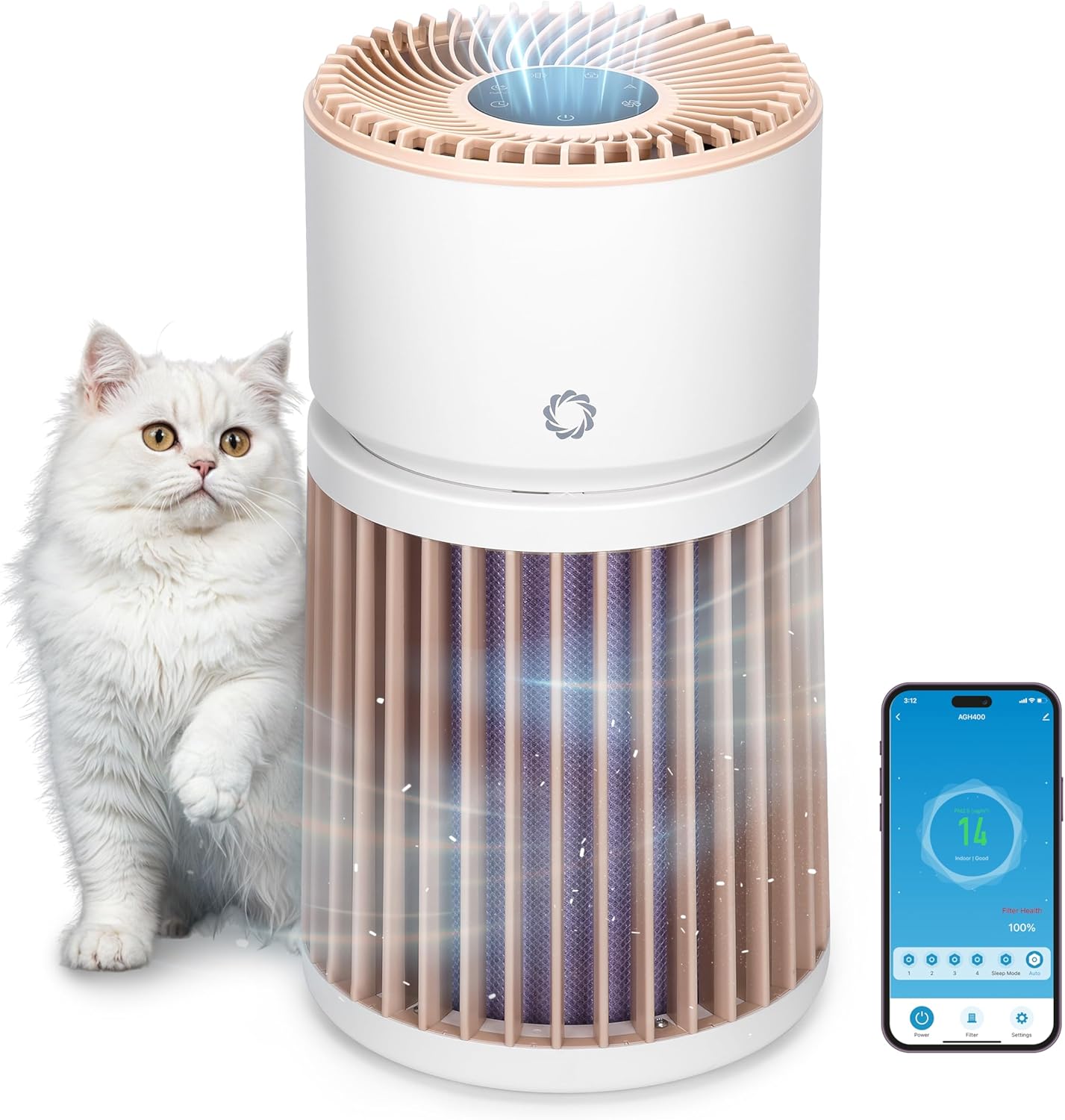
The Airthereal AGH400-PET Pet Air Purifier is designed to improve indoor air quality, especially in homes with pets. It features advanced filtration technology to effectively remove pet odors, dander, hair, dust, and other airborne particles, ensuring a fresher and healthier environment.
- Advanced Odor Elimination: Equipped with a powerful HEPA Purple Filter to combat pet odors and lingering smells.
- 세척 가능한 사전 필터: A removable surface pre-filter captures pet hair and large particles, extending the lifespan of the main filter.
- 반려동물 친화적 디자인: Engineered to safely manage pet hair, cat urine odors, and dust, creating a healthier space for both pets and owners.
- Integrated PM 2.5 Sensor: Monitors and responds to changes in air quality in real-time, optimizing purification for any room size.
- 360° 공기 흡입구: Provides comprehensive air purification by effectively capturing airborne particles from all directions.
- 초저소음 수면 모드: Operates silently to ensure a peaceful and fresh environment without disturbance.
2. 설정 지침
- 정수기 풀기: 상자에서 공기 청정기와 모든 포장재를 조심스럽게 꺼내세요.
- 필터 포장 제거: Twist the top section of the purifier counter-clockwise to unlock and lift it off. Remove the plastic packaging from the H13 Purple HEPA Filter.
- 필터 설치: Place the unwrapped filter back into the base unit. Ensure it is seated correctly.
- 장치 재조립: Align the top section with the base and twist clockwise to lock it securely in place.
- 놓기: Place the air purifier on a flat, stable surface, ensuring at least 15 inches (38 cm) of clearance on all sides for optimal airflow. Avoid placing it near walls or furniture that could obstruct air intake.
- 전원 연결: Plug the power adapter into the DC input port on the back of the unit, then plug the adapter into a standard electrical outlet.

3. 사용 설명서
제어판 이상view
The control panel is located on the top of the air purifier and features touch-sensitive buttons and a digital display.

- 전원 버튼 (U): 장치를 켜거나 끄려면 누릅니다.
- 팬 속도 버튼(A): Cycle through 4 fan speed settings (F1-F4).
- 자동 모드 버튼(A): Activates automatic fan speed adjustment based on real-time air quality.
- 절전 모드 버튼(C): Reduces fan speed to the lowest setting and dims/turns off display lights for quiet operation.
- 타이머 버튼(L): Set the operating time (e.g., 1-12 hours).
- 아동 잠금 버튼(L): Press and hold for 3 seconds to activate/deactivate, preventing accidental changes to settings.
- 필터 재설정 표시기: Lights up when the filter needs cleaning or replacement.
대기질 지표
The LED light ring on the control panel changes color to indicate the current air quality:
- 녹색: Good air quality (PM2.5 < 50 µg/m³)
- 노란색 : Moderate air quality (PM2.5 51-100 µg/m³)
- 빨간색: Unhealthy air quality (PM2.5 > 101 µg/m³)

모바일 앱 제어
The AGH400-PET can be controlled remotely via a mobile application. Download the appropriate app (e.g., AIR.ai APP) from your smartphone's app store. Follow the in-app instructions to connect your device. The app allows you to:
- Turn the purifier On/Off.
- Adjust fan speeds and modes.
- 타이머와 일정을 설정하세요.
- Monitor air quality and filter health.
- Activate Child Lock.

4. 유지관리
필터 청소 및 교체
Regular maintenance of the filters ensures optimal performance and extends the life of your air purifier.
- 세척 가능한 사전 필터: The outer pre-filter is designed to capture larger particles like pet hair. It can be removed and gently washed with water. Ensure it is completely dry before reattaching.
- H13 Purple HEPA Filter: This multi-layer filter is not washable and should be replaced every 6-8 months, or when the filter reset indicator lights up, depending on usage and air quality.
필터 교체:
- 공기 청정기의 전원을 끄고 플러그를 뽑으세요.
- Twist the top section counter-clockwise and lift it off.
- Carefully remove the old H13 Purple HEPA Filter.
- Insert the new filter into the base unit, ensuring proper orientation.
- Reattach the top section by aligning and twisting clockwise until locked.
- Plug in the unit and press and hold the Filter Reset button for 3 seconds to reset the filter life indicator.

5. 문제 해결
| 문제 | 가능한 원인 | 해결책 |
|---|---|---|
| 장치가 켜지지 않습니다 | 플러그가 꽂혀 있지 않음; 전원이 꺼짐tag예: 장치가 올바르게 조립되지 않았습니다. | Check power connection; ensure top and base are locked; check household circuit breaker. |
| 공기 흐름 감소 또는 이상 소음 | Clogged filter; foreign object in fan. | Clean/replace filters; check for obstructions (unplug first). |
| 공기질 표시기는 항상 빨간색/노란색입니다. | High pollution levels; sensor obstruction. | Allow time for purification; clean the PM2.5 sensor (refer to manual for location). |
| 모바일 앱에 연결할 수 없습니다 | Incorrect Wi-Fi password; device too far from router; app issues. | Verify Wi-Fi credentials; move unit closer to router; restart app/device. |
6. 사양
- 모델 번호: AGH400-PET
- 제품 크기: 11.8 x 11.8 x 21.3 인치
- 품목 무게: 13.34 파운드
- 전원: DC
- 왓tage: 42 와트
- 제어 방법: App, Touch control
- 필터 유형: Odor Decomposition Filter, HEPA and Activated Carbon
- 바닥 면적 적용 범위: 최대 3500평방피트
- 소음 수준: 28데시벨 (절전 모드 시)
- 입자 보유 크기: 0.1 마이크론
- 특별 기능: HEPA Purple Filter, Integrated PM 2.5 Air Quality Sensor
- 인증: CARB 인증
- 색상: 하얀색

7. 보증 및 지원
For warranty information, technical support, or any questions regarding your Airthereal Pet Air Purifier AGH400-PET, please refer to the official Airthereal web사이트를 방문하거나 고객 서비스에 직접 문의하세요. 보증 청구를 위해 구매 영수증을 보관하세요.
더 많은 정보와 지원은 다음에서 찾을 수 있습니다. 에어테리얼 공식 Web대지.