
1. 서론
The Yasola RC Drone Car Model 828 is a versatile 2-in-1 remote control vehicle designed for both ground driving and aerial flight. This manual provides essential instructions for safe operation, setup, and maintenance to ensure an enjoyable experience.
2. 안전수칙
- 성인 감독: Always ensure adult supervision when children are operating the drone car.
- 비행 환경: Operate the drone in open, clear areas, away from people, animals, buildings, and other obstacles. Avoid flying in strong winds or rain.
- 배터리 안전:
- 제공된 충전 케이블과 배터리만 사용하십시오.
- 배터리를 과충전하거나 단락시키지 마십시오.
- Do not expose batteries to extreme temperatures or fire.
- If batteries swell or leak, discontinue use immediately.
- 프로펠러 안전: 회전하는 프로펠러에 손가락, 머리카락, 헐렁한 옷 등이 닿지 않도록 주의하세요.
- 충격 회피: Avoid collisions with objects or people to prevent damage to the drone car and potential injury.
- 물 노출: Do not expose the drone car to water or moisture.
3. 패키지 내용
패키지에 모든 품목이 들어 있는지 확인하세요.
- 1 x Yasola RC Drone Car (Model 828)
- 1 x 원격 제어
- 2 x Lithium Batteries (for drone car)
- 1 x USB 충전 케이블
- 4 x 예비 프로펠러
- 1 x 사용자 매뉴얼(이 문서)
4. 설정 가이드
4.1 배터리 설치
For the Drone Car:
- Locate the battery compartment on the underside of the drone car.
- 배터리함 덮개를 조심스럽게 엽니다.
- Connect the drone battery to the drone's power connector.
- 배터리를 수납공간 안에 넣고 덮개를 단단히 닫으세요.
- Use a small screwdriver to turn the battery cover screw to secure it.


리모컨의 경우:
- 리모컨 뒷면의 배터리 수납칸을 엽니다.
- Insert 2 LR44 batteries (included) according to the polarity markings.
- 배터리 칸을 닫습니다.
4.2 드론 배터리 충전
- USB 충전 케이블을 드론 배터리에 연결합니다.
- USB 단자를 호환되는 USB 전원(예: 컴퓨터, USB 벽면 어댑터)에 꽂으세요.
- The indicator light on the USB cable will show charging status (refer to charger for specific light indications).
- Charging typically takes approximately 60-90 minutes. Do not leave unattended while charging.
4.3 Pairing the Remote Control with the Drone Car
- Ensure the drone car battery is installed and fully charged.
- Long press the power button on the drone car to turn it on. The LED lights will begin to flash.
- 리모컨을 켜세요. 리모컨의 표시등이 깜빡일 것입니다.
- Move the left joystick (throttle) on the remote control up and then down. The remote control will beep, and the drone car's lights will become solid, indicating successful pairing.
- The default mode after pairing is typically Flight Mode.
5. 사용 설명서
5.1 원격 제어view
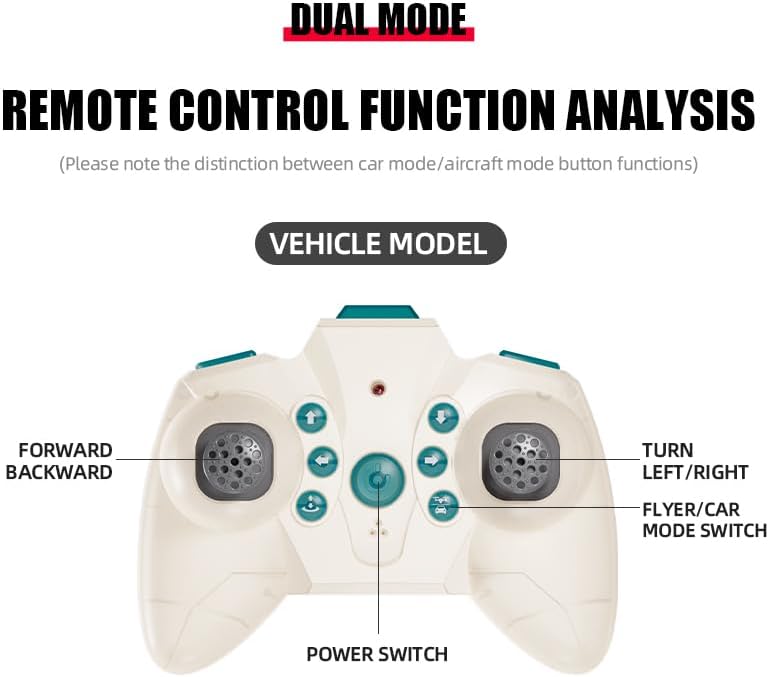
The remote control features dual modes for car and flight operation. Familiarize yourself with the controls:
- 왼쪽 조이스틱(스로틀): Controls forward/backward movement in car mode, and ascent/descent in flight mode.
- Right Joystick (Steering/Direction): Controls left/right turns in car mode, and directional flight (forward, backward, left, right) in flight mode.
- 모드 전환 버튼: Toggles between Flight Mode and Car Mode.
- One-Key Take Off/Landing Button: Initiates automatic take-off or landing in flight mode.
- Speed Shift Button: Adjusts the speed setting (low/high).
- 헤드리스 모드 버튼: Activates headless mode for simplified flight control.
- 전등 스위치 버튼: Toggles the LED lights.
5.2 Switching Between Flight Mode and Car Mode
- After pairing, the drone car is typically in Flight Mode.
- 전환하려면 자동차 모드: Ensure the drone car has landed and propellers have stopped spinning. Press the Mode Switch button on the remote control. The lights on the drone car will turn red to indicate Car Mode.
- 전환하려면 비행 모드: Press the Mode Switch button again. The lights on the drone car will turn blue to indicate Flight Mode.

5.3 비행 운영
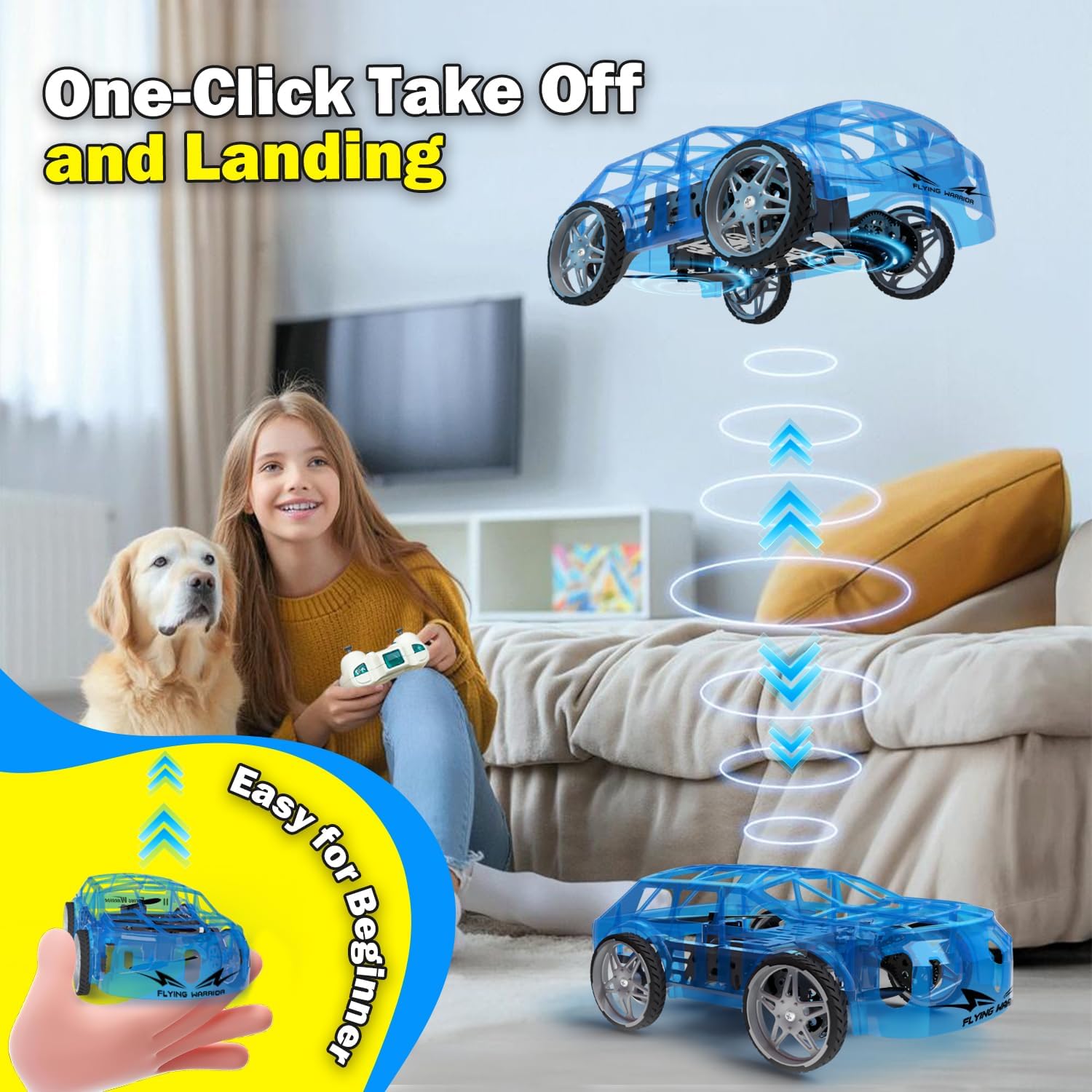
- One-Key Take Off: With the drone car in Flight Mode, press the One-Key Take Off/Landing button. The drone will automatically ascend to a stable hovering altitude.
- 고도 제어: 왼쪽 조이스틱을 위로 밀면 올라가고 아래로 밀면 내려갑니다.
- Directional Flight: Push the right joystick forward to fly forward, backward to fly backward, left to fly left, and right to fly right.
- 회전: Push the left joystick left or right to rotate the drone car.
- 속도 조정 : Press the Speed Shift button to toggle between low and high-speed modes.
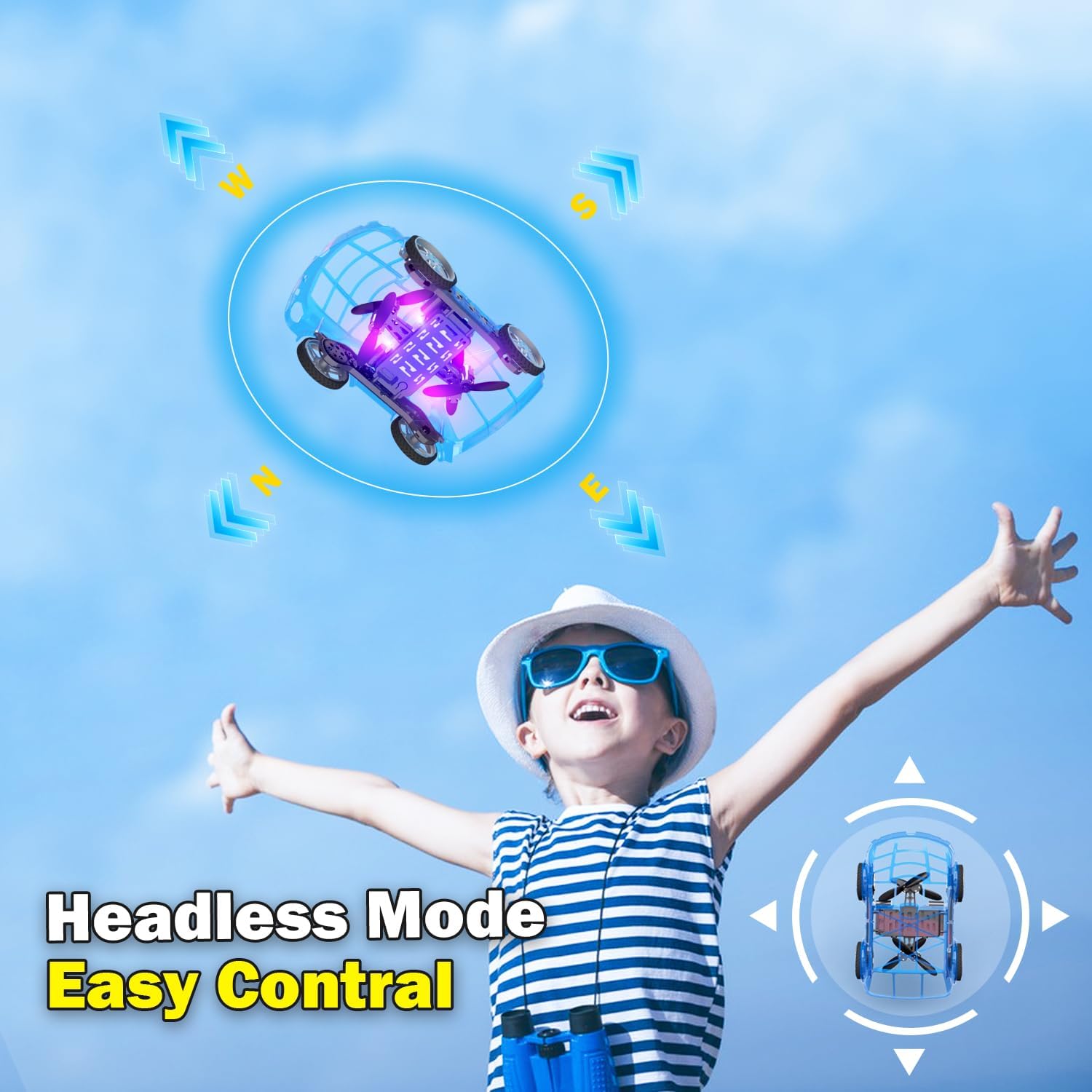
- 헤드리스 모드: Press the Headless Mode button to activate. In this mode, the drone's orientation is relative to the pilot, regardless of the drone's front direction. Press again to exit.
- 원키 랜딩: Press the One-Key Take Off/Landing button again to initiate an automatic landing. The drone will slowly descend and land.

5.4 Car Operations
- 앞으로 뒤로: Push the left joystick up to drive forward and down to drive backward.
- 선회: Push the right joystick left to turn left and right to turn right.
- 속도 조정 : Press the Speed Shift button to toggle between low and high-speed modes.
6. 유지관리
- 청소: Use a soft, dry cloth to clean the drone car. Do not use water or chemical cleaners.
- 프로펠러 교체: If a propeller is damaged, carefully remove it and replace it with a spare propeller, ensuring correct orientation.
- 배터리 관리 :
- 사용하지 않을 때는 배터리를 서늘하고 건조한 곳에 보관하십시오.
- Do not store fully charged or completely depleted batteries for extended periods.
- Charge batteries at least once every three months to maintain their health.
7. 문제 해결
| 문제 | 가능한 원인 | 해결책 |
|---|---|---|
| Drone car does not respond to remote control. | Not paired; low battery in drone or remote; drone not powered on. | Ensure drone and remote are powered on. Re-pair the remote control (Section 4.3). Charge drone battery. Replace remote control batteries. |
| Drone car cannot take off or flies unstably. | Low drone battery; damaged propellers; incorrect calibration; operating in windy conditions. | Charge drone battery. Check and replace damaged propellers. Perform "Outer eight calibration" (refer to video demonstration). Operate in calm conditions. |
| Short flight time (e.g., 3-5 minutes). | Normal battery capacity for mini drones; battery not fully charged. | Ensure battery is fully charged before use. Utilize the second included battery for extended play. |
| Drone car drifts during flight. | Needs fine-tuning/trimming; environmental factors (e.g., slight breeze). | Use the direction fine-tuning buttons on the remote control to correct drift. Ensure operation in a calm environment. |
8. 사양
- 상표: Yasola
- 모델 이름: 828
- 제품 크기: 9.56인치 길이 x 5.11인치 너비 x 3.54인치 높이
- 품목 무게: 9.4 온스(0.59 파운드)
- 재료: 플라스틱
- 색상: 파란색
- 연결 기술 : Remote control 2.4G
- 배터리 용량: 600밀리amp 시간(리튬 이온)
- 연령대 (설명): Kid (recommended for ages 8-12)
- 특별 기능: Drone car, UFO, flying and running RC drone, flying car, One-Key Take Off/Landing, LED Lights, 2 Mode Control, Headless Mode, High-Low Speed Shift.
9. 보증 및 지원
For warranty information, technical support, or any inquiries regarding your Yasola RC Drone Car Model 828, please refer to the contact information provided on the product packaging or visit the official Yasola web대지.