
소개
The SYNCO G1(A1) is a compact 2.4GHz wireless lavalier microphone system designed for clear audio capture across various devices. Utilizing 2.4GHz frequency spectrum and Syncoder technology, it ensures a stable and seamless audio transmission. This system is compatible with DSLR cameras, mobile phones, camcorders, laptops, and tablets, making it a versatile tool for content creators.
상자 안에 무엇이 들어있나요?
- Receiver (RX) & Transmitter (TX) x 1
- 3.5mm TRRS Smartphone Cable x 1
- 3.5mm TRS Camera Cable x 1
- 2-in-1 Charging Cable x 1
- Lavalier Microphone (with Foam Wind Muffy) x 1
- Furry Windshield x 1
- 휴대용 가방 x 1

제품 끝view
The G1(A1) system is designed for portability and ease of use, weighing only 35g per unit and measuring 52x42x16mm. It supports both built-in and external microphones, offering flexibility for various recording scenarios. The system boasts a transmission range of up to 150m (429ft) in line-of-sight conditions with a low latency of 12.5ms, ensuring reliable audio capture.


설정
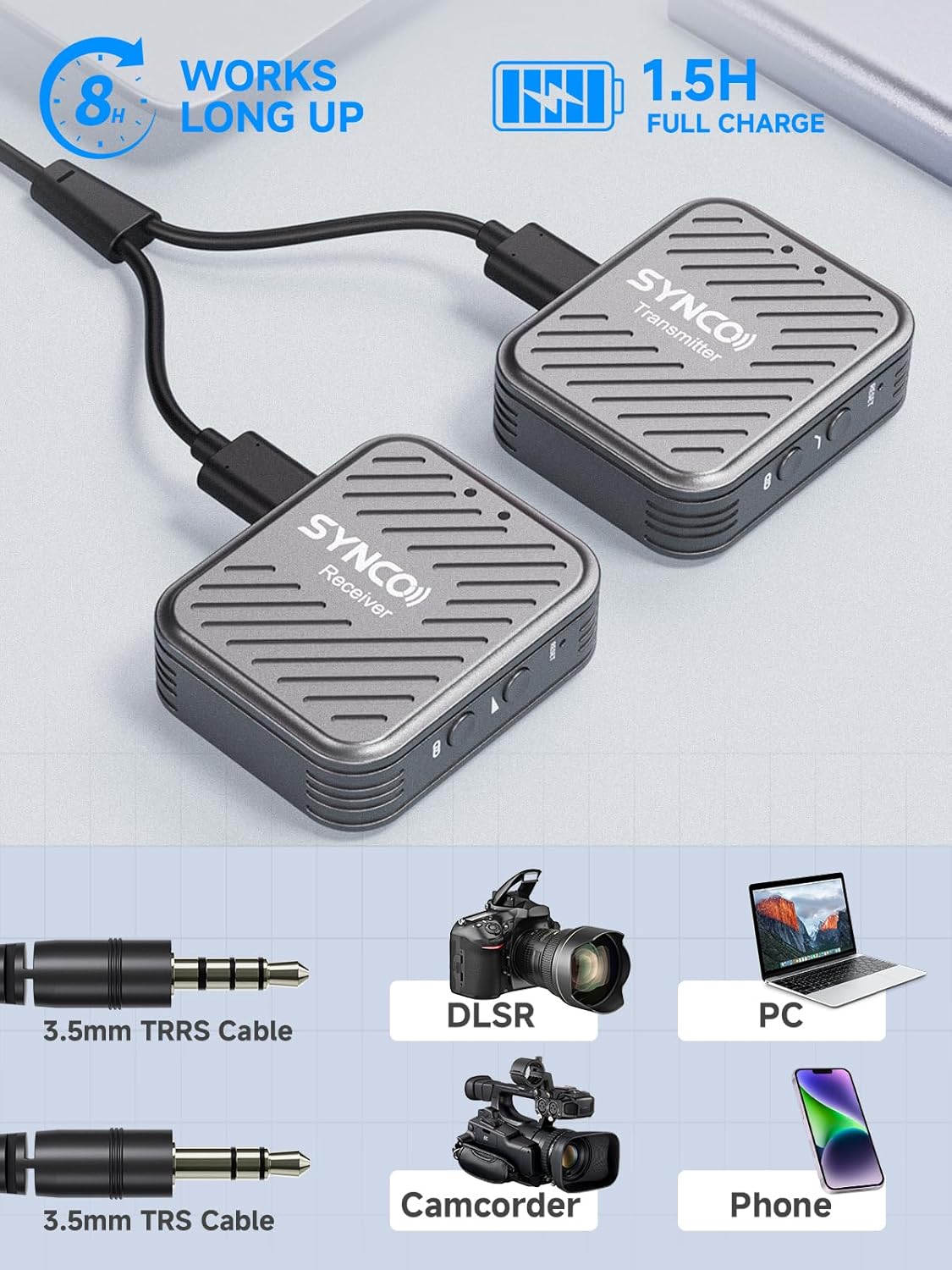
The G1(A1) system supports automatic connection between the transmitter (TX) and receiver (RX) upon power-on. Manual pairing is also possible if needed. The RX features a 3.5mm TRS audio output, making it widely compatible with devices using 3.5mm interfaces. Use the provided 3.5mm TRRS cable for smartphones and the 3.5mm TRS cable for cameras.
- 전원 켜기: Press and hold the power button on both the TX and RX units until the indicator lights illuminate. They should automatically pair.
- 장치에 연결:
- For Smartphones: Use the 3.5mm TRRS cable to connect the RX to your smartphone's audio jack. An adapter (not included) may be required for phones without a 3.5mm jack.
- For DSLR Cameras/Camcorders: Use the 3.5mm TRS cable to connect the RX to your camera's microphone input.
- For Laptops/Tablets: Use the appropriate 3.5mm cable. A USB-C to 3.5mm adapter might be needed for devices with only USB-C ports.
- Attach Lavalier Microphone: Plug the lavalier microphone into the MIC input on the TX unit. Secure the microphone to clothing using the clip.
- Attach Windshield: For outdoor use or windy conditions, attach the furry windshield to the lavalier microphone to reduce wind noise.
작동 지침
The SYNCO G1(A1) integrates DSP technology for instant audio optimization. It offers real-time audio monitoring and adjustable volume levels for precise control over your recordings.
- 소음 제거 : The system features a one-touch noise cancellation function. Press the dedicated button on the TX unit to activate or deactivate it, reducing unwanted background noise.
- 실시간 모니터링: Connect headphones to the 3.5mm TRS headphone jack on the RX unit to monitor your audio in real-time during recording.
- 볼륨 조절: Adjust the audio input level directly on the TX unit to optimize signal levels and prevent distortion.


유지
To ensure the longevity and optimal performance of your SYNCO G1(A1) wireless microphone system, follow these maintenance guidelines:
- 청소: 부드럽고 마른 천으로 제품을 닦으십시오. 독한 화학 약품이나 연마재는 사용하지 마십시오.
- 저장: Store the microphone system in its provided carrying bag when not in use to protect it from dust, moisture, and physical damage. Keep it in a cool, dry place.
- 배터리 관리 : Fully charge the units before extended storage. If storing for a long period, periodically charge the batteries to maintain their health. The system provides up to 8 hours of working time on a 1.5-hour full charge.
- 케이블 관리 : 케이블 내부 손상을 방지하기 위해 케이블을 급격하게 구부리거나 꺾지 마십시오.
문제 해결
If you encounter issues with your SYNCO G1(A1) system, refer to the following common troubleshooting steps:
- 소리 없음:
- Ensure both TX and RX units are powered on and successfully paired (indicated by solid blue lights).
- Check all cable connections between the RX unit and your recording device. Ensure they are securely plugged in and the correct cable type (TRRS for smartphones, TRS for cameras) is used.
- Verify the volume levels on both the TX unit and your recording device are not muted or set too low.
- Test with another recording device or cable to rule out device-specific issues.
- 음질 불량/왜곡:
- Adjust the volume level on the TX unit. If the level is too high, it can cause distortion.
- Ensure the lavalier microphone is positioned correctly and not rubbing against clothing.
- Activate the noise cancellation feature if recording in a noisy environment.
- Check for obstructions or excessive distance between the TX and RX units that might interfere with the signal.
- 연결 문제:
- If units do not pair automatically, perform manual pairing as per the full user manual.
- Ensure there are no other 2.4GHz devices causing interference nearby.
명세서
| 상표 | 싱크로 |
| 모델 번호 | GPUSY-G2A2 |
| 연결 기술 | 무선(2.4GHz) |
| 마이크 폼 팩터 | 라발리에 |
| 채널 수 | 1 |
| 커넥터 유형 | 3.5 mm 잭 |
| 전원 | 배터리 구동 |
| 품목 무게 | 9.6 온스 |
| 패키지 크기 | 7.17 x 3.9 x 2.52 인치 |
| 특징 | 클립 |
| 추천 용도 | 스트리밍 |
보증 및 지원
SYNCO products typically come with a standard manufacturer's warranty. For detailed warranty information, product support, or service inquiries, please refer to the official SYNCO web사이트를 방문하거나 고객 서비스에 직접 문의하세요. 보증 청구에 대비해 구매 증빙 자료로 구매 영수증을 보관하세요.