
소개
This manual provides detailed instructions for the setup, operation, maintenance, and troubleshooting of your Beats Powerbeats Pro 2 Wireless Earbuds. Please read this guide thoroughly to ensure optimal performance and longevity of your device.
설정
1. 언박싱 및 초기 충전
패키지를 열면 모든 구성품이 들어 있는지 확인하세요.
- Powerbeats Pro 2 earbuds
- 무선 충전 기능이 있는 충전 케이스
- Ear tips with five size options
- 보증서
- 빠른 시작 가이드
The USB-C to USB-C charging cable and power adapter are sold separately.
Before first use, place the earbuds into the charging case and charge the case fully. The charging case supports wireless Qi charging.
2. 안정적인 착용감 확보
A proper fit is crucial for sound quality and comfort. The Powerbeats Pro 2 feature secure-fit ear hooks designed to stay in place during physical activity.
- 이어팁 사이즈를 선택하세요: Choose the ear tip size that provides the best seal for your ear canal. Five sizes (XS, S, M, L, XL) are included. Experiment to find the most comfortable and secure fit.
- 이어버드 위치: 이어폰을 귀에 부드럽게 삽입하세요.
- Secure Earhook: Rotate the earhook towards the back of your ear until it sits comfortably and securely over your ear.
- Perform Fit Test: For Apple devices, use the Fit Test feature in iOS settings. For Android devices, use the Beats app to perform a fit test. This helps ensure optimal audio performance and noise cancellation.

This image illustrates the three steps for achieving a great fit: selecting the correct ear tip size, securing the earhook, and performing a fit test.

This image demonstrates the secure fit of the Powerbeats Pro 2 earbuds during a workout, emphasizing the earhook design.
3. 장치와 페어링
The Powerbeats Pro 2 are compatible with both Apple and Android devices.
- Apple 기기의 경우: Open the charging case near your unlocked iPhone, iPad, or Mac. Follow the on-screen prompts for one-touch pairing. The H2 chip enables automatic switching between your iCloud-connected devices.
- Android 기기의 경우: Download the Beats app from the Google Play Store. Open the charging case, then open the Beats app on your Android device and follow the pairing instructions. The app also provides access to customizable controls, battery status widgets, and the "Locate My Beats" feature.
- 일반 블루투스 페어링: With the earbuds in the case and the lid open, press and hold the system button on the charging case until the LED indicator begins to flash. Select "Powerbeats Pro 2" from your device's Bluetooth settings.
작동 지침

이 이미지는 개요를 제공합니다.view of the main features of the Powerbeats Pro 2 earbuds.
1. 컨트롤
Each earbud features on-ear buttons and tactile volume rockers for easy control.
- 재생/일시정지/건너뛰기: Use the 'b' button on either earbud. Single press to play/pause, double press to skip forward, triple press to skip backward.
- 볼륨 조절: Use the tactile volume rockers located on the top edge of each earbud.
- 통화 관리: Single press the 'b' button to answer or end a call. Double press to decline an incoming call.
- 음성 어시스턴트 : Press and hold the 'b' button to activate Siri (Apple devices) or your device's voice assistant (Android devices).
2. 소음 제어 모드
The Powerbeats Pro 2 offer Active Noise Cancelling (ANC) and Transparency mode.
- 능동 소음 제거(ANC): 외부 소음을 차단하여 몰입감 넘치는 청취 경험을 제공합니다.
- 투명 모드: 오디오를 즐기면서도 주변 소리를 들을 수 있어 상황 인식력이 향상됩니다.
Switch between modes using the 'b' button (customizable in settings) or through your device's audio settings.

This image visually represents the advanced audio features, including ANC, Transparency mode, adaptive EQ, and spatial audio.
3. Heart-Rate Monitoring
Integrated heart-rate monitoring sensors provide real-time pulse data, useful for tracking workouts.
- The sensors pulse over 100 times per second to measure your heart rate.
- 데이터는 viewed and tracked through compatible fitness apps on your connected device.
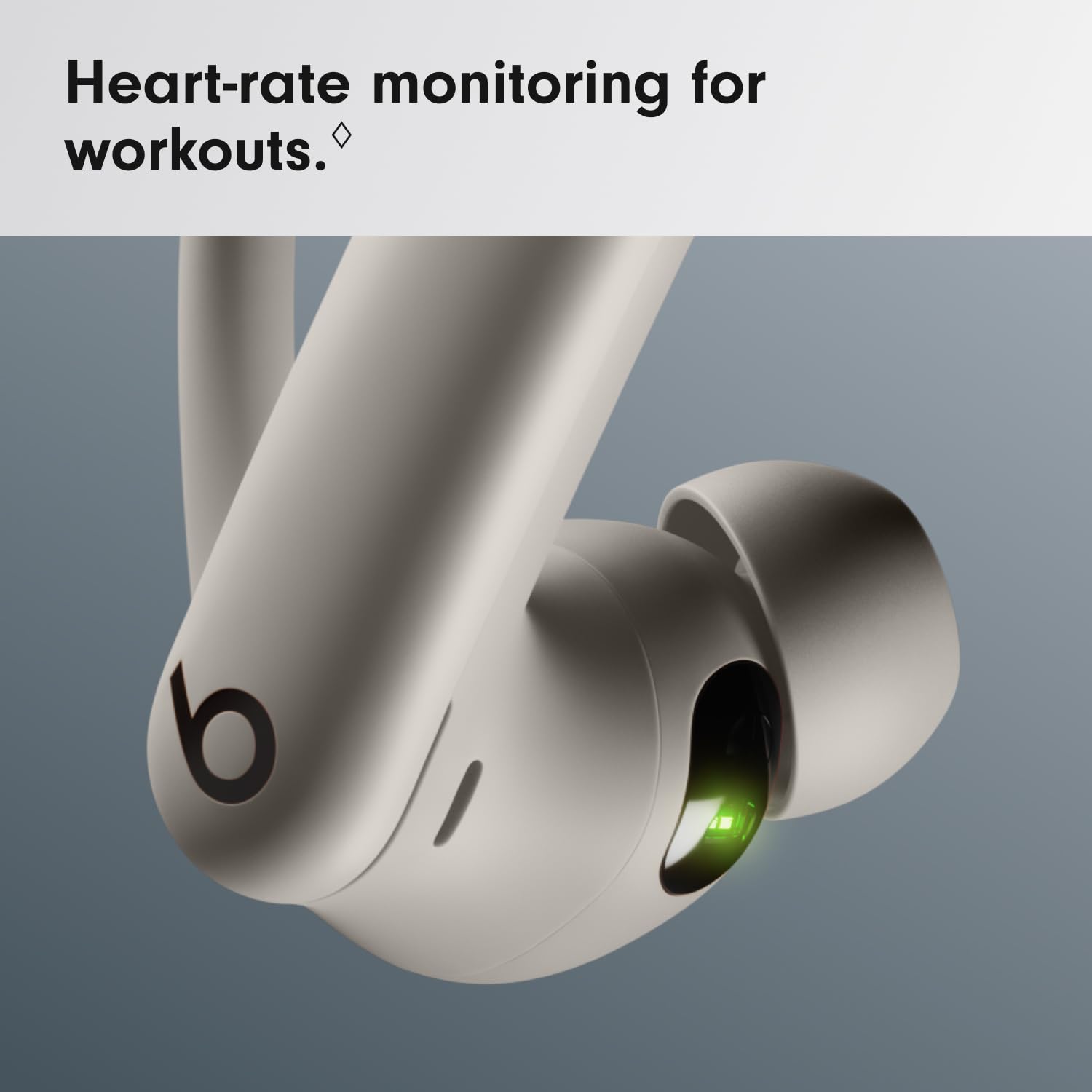
This close-up image highlights the heart-rate monitoring sensor on the earbud, indicated by a green light.
4. 이어버드와 케이스 충전
The Powerbeats Pro 2 offer up to 45 hours of battery life with the charging case.
- 이어버드 충전: 이어버드를 충전 케이스에 넣으세요. 자동으로 충전이 시작됩니다.
- Charging Case (Wired): Connect a USB-C cable (sold separately) to the charging port on the case and to a power adapter.
- Charging Case (Wireless): Place the charging case on a Qi-certified wireless charging mat.
- 배터리 상태: The LED indicator on the case shows the charging status. On Apple devices, battery status is displayed on your device. On Android, use the Beats app.

This image shows the Powerbeats Pro 2 earbuds within their charging case, emphasizing the convenience of wireless charging and the extended battery life.
유지
1. 청소
- 부드럽고 마른 보푸라기 없는 천으로 이어폰과 충전 케이스를 정기적으로 청소하세요.
- Do not use abrasive materials, aerosols, solvents, or alcohol-based cleaners.
- 이어팁을 제거하고 필요에 따라 물과 순한 비누로 세척한 후 완전히 건조시킨 다음 다시 부착하십시오.
- 이어폰과 케이스의 충전 접점이 깨끗하고 이물질이 없는지 확인하세요.
2. 방수 및 방한 기능
The Powerbeats Pro 2 are sweat and water resistant with an IPX4 rating, making them suitable for workouts and light rain.
- IPX4 rating means they are resistant to splashing water from any direction.
- They are not waterproof and should not be submerged in water.
- 샤워나 수영처럼 고압의 물이나 빠른 속도의 물에 노출시키지 마세요.
- 이어버드가 젖었을 경우, 손상을 방지하기 위해 충전 케이스에 다시 넣기 전에 완전히 말려주세요.

This image shows the Powerbeats Pro 2 earbuds being used during a strenuous workout, highlighting their sweat and water-resistant design (IPX4 rating).
3. 보관
이어버드를 사용하지 않을 때는 충전 케이스에 보관하여 보호하고 충전 상태를 유지하세요.
문제 해결
| 문제 | 가능한 해결책 |
|---|---|
| 이어폰이 페어링되지 않음 |
|
| 소리가 나지 않거나 볼륨이 작음 |
|
| 충전 문제 |
|
| Heart-rate monitor not working |
|
명세서
| 상표 | 비트 |
| 모델명 | Powerbeats Pro 2 |
| 모델 번호 | MX733ZM/A |
| 한국어: | 195949590962 |
| 귀 위치 | 귀에 |
| 폼 팩터 | In Ear, True Wireless |
| 소음 제어 | 능동 소음 제거, 소음 차단 |
| 방수 등급 | IPX4(땀 및 방수) |
| 연결 기술 | Bluetooth, Wi-Fi (for certain features) |
| 배터리 수명(충전 케이스 포함) | 최대 45시간 |
| 충전 케이스 | Wireless Qi Charging Capable |
| 제어 유형 | 볼륨 조절, 앱 제어, 버튼 제어, 시리, 터치 제어, 음성 제어 |
| 호환 장치 | 휴대폰, 데스크톱, 노트북, 스마트워치, 태블릿(애플 및 안드로이드) |
| 재료 | Plastic, Silicone, Nickel-Titanium Alloy |
| 품목 무게 | 0.15 킬로그램 |
| 원산지 | 중국 |
보증 및 지원
1. 보증 정보
Your Beats Powerbeats Pro 2 Wireless Earbuds come with a 1년 한정 보증 from the date of purchase. This warranty covers manufacturing defects. Please refer to the included warranty card for full terms and conditions.
2. 고객 지원
For further assistance, technical support, or warranty claims, please visit the official Beats support website or contact their customer service. Keep your proof of purchase handy.
Official Beats Support: www.beatsbydre.com/support