
Colesma bddb0dfb-c656-4a86-9089-b5b81030e49d
Colesma 1.59" HD Smart Watch for Women User Manual
Model: bddb0dfb-c656-4a86-9089-b5b81030e49d
1. 서론
Thank you for choosing the Colesma 1.59" HD Smart Watch. This device is designed to enhance your daily life with features such as Bluetooth calling, comprehensive health monitoring, and fitness tracking. This manual provides detailed instructions to help you get started and make the most of your new smart watch.
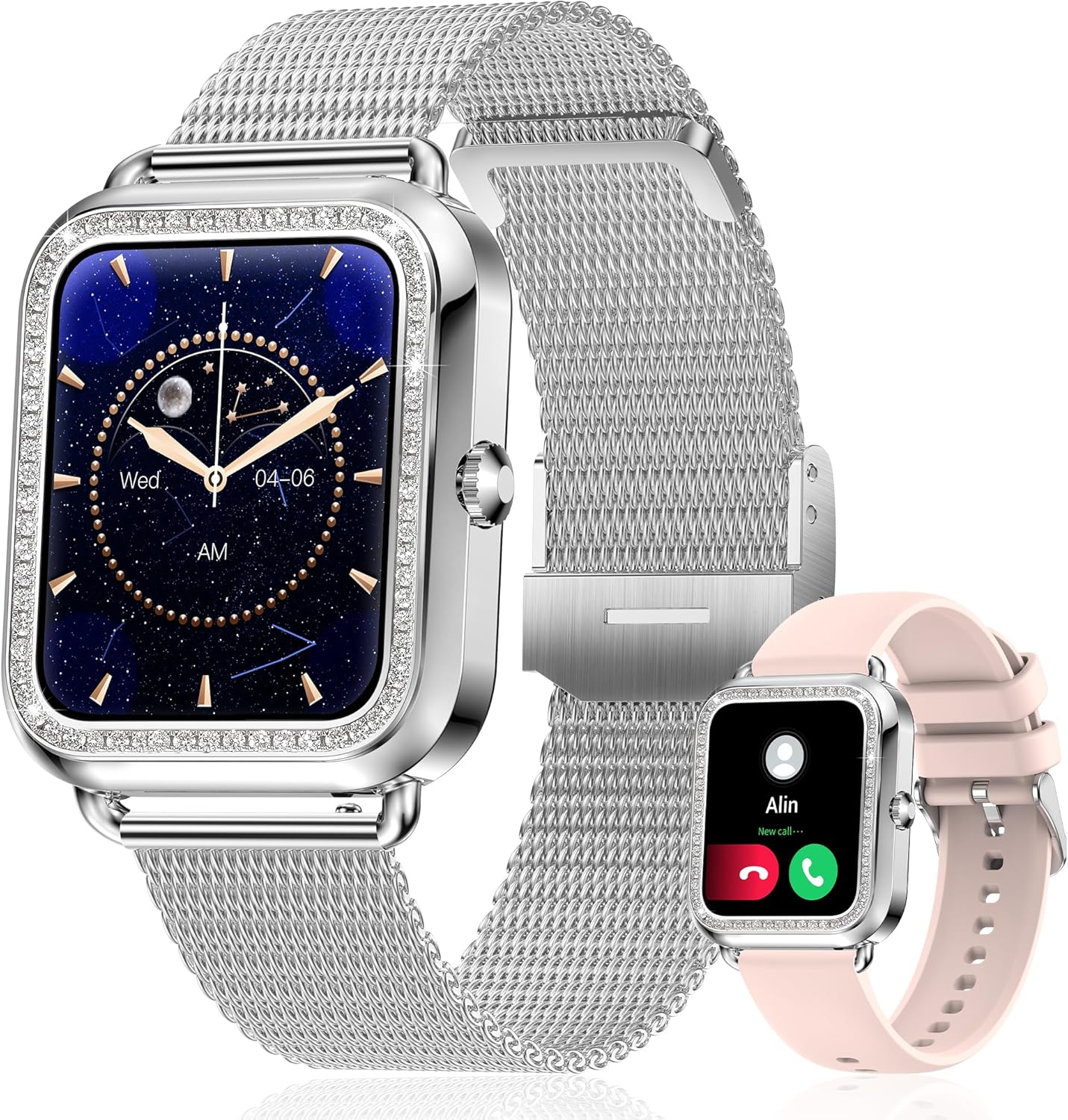
Figure 1: Colesma 1.59" HD Smart Watch

Figure 2: Key Features of the Colesma Smart Watch
2. 설정
2.1 상자 내용물
- 1x Watch Body
- 2x Watch Bands (one metal, one silicone)
- 1x 충전 케이블
- 1x 사용자 설명서

그림 3: 패키지 내용물 및 치수
2.2 스트랩 설치
The watch comes with two interchangeable bands. Follow these steps to attach or remove the watch strap:
- To remove: Locate the small pin on the underside of the strap where it connects to the watch. Slide the pin inwards to release the strap.
- To install: Align one end of the strap's pin with the groove hole on the watch. Press the other side of the pin inwards, align it with the opposite groove, and release. Gently move the strap left and right to ensure it is securely fastened.
Video 1: How to Remove and Install the Watch Strap
2.3 앱 설치 및 기기 페어링
To unlock the full functionality of your smart watch, download and connect it to the FitCloudPro app on your smartphone.
- 스마트폰에서 Bluetooth가 활성화되어 있는지 확인하세요.
- Download the 'FitCloudPro' app from the Google Play Store (for Android) or the App Store (for iOS). You can also scan the QR code provided in the product packaging or visit http://fitcloud.hetangsmart.com/qrcode/.
- Open the FitCloudPro app, navigate to the 'Device' section, and search for 'I68' to bind your watch.
- For call functionality: After binding the watch in the app, go to your phone's Bluetooth settings. Find 'Watch Call' in the list of available devices and connect to it. Once connected, you can make and receive calls directly from your watch.

Figure 4: App Download and Bluetooth Call Connection Steps
Video 2: Connecting the Call Bluetooth Feature
3. 사용 설명서
3.1 기본 탐색
The smart watch features a 1.59" HD full touch screen. Swipe left, right, up, or down to access different menus and functions. The side button typically serves as a power button or a return-to-home screen button.
3.2 시계 화면 사용자 정의
Personalize your watch with over 180 watch faces available in the FitCloudPro app, or create your own using your favorite photos.
- Open the FitCloudPro app and navigate to the 'Watchface' section.
- Browse available watch faces or select the option to customize with your own image.
- Choose your desired watch face and sync it to your watch.
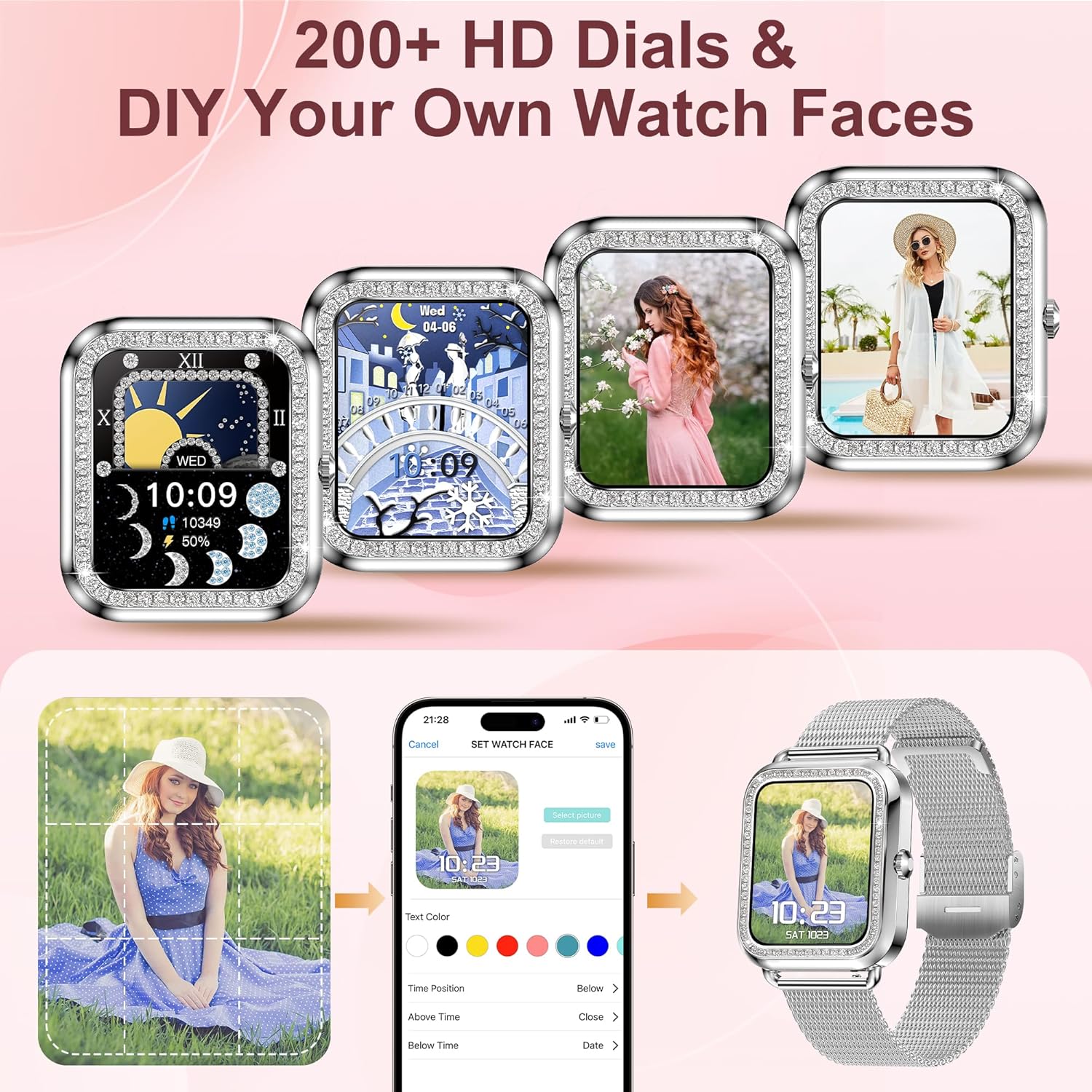
그림 5: 시계 화면 맞춤 설정 옵션
Video 3: How to DIY Your Watch Face
3.3 Call and Message Notifications
Once connected via Bluetooth, you can make/receive calls and get notifications from various apps (e.g., SMS, Facebook, WhatsApp, Instagram, X) directly on your watch. The watch saves call and message records.

Figure 6: Bluetooth Call and Message Notification Features
3.4 음성 어시스턴트
Activate your phone's AI assistant (Siri, Bixby, Google, etc.) directly from your watch. This allows you to control music playback, set alarms, and perform other tasks using voice commands.

Figure 7: Bluetooth Call and AI Voice Assistant
3.5 상태 모니터링
The watch features advanced sensors for continuous health monitoring. Data can be synced to the FitCloudPro app for analysis.
- 심박수: 실시간 심박수 추적.
- 혈압: 혈압을 모니터링하세요.
- SpO2: 혈중 산소 수치를 측정하세요.
- 수면 모니터: Tracks sleep duration and identifies sleep states (deep, light, awake).
- 여성 건강: Provides menstrual cycle tracking and reminders.
Note: The monitoring data from the fitness watch is for reference only and cannot be used for medical purposes.

Figure 8: Health and Sleep Tracking

Figure 9: All-Day Health Monitoring

Figure 10: Women's Health Care Features
3.6 피트니스 트래킹 및 스포츠 모드
The watch records daily steps, distance, and calorie consumption. It supports over 120 sports modes, including cycling, running, yoga, and sit-ups, to help you track your workouts scientifically.

그림 11: 활동 추적

그림 12: 다양한 스포츠 모드
3.7 Raise to Wake
Enable the 'Raise to Wake' feature in the FitCloudPro app to automatically turn on the screen when you raise your wrist. You can set specific time periods for this feature to avoid disturbances, for example, during sleep.
Video 4: How to Set Up the Raise to Wake Feature
3.8 기타 기능
The smart watch includes additional useful functions:
- 일기 예보: 실시간 날씨 업데이트를 받아보세요.
- 음악 제어: 휴대폰에서 음악 재생을 제어하세요.
- 카메라 제어: 시계를 휴대폰 카메라의 원격 셔터로 사용하세요.
- 전화번호 찾기: Locate your misplaced phone by triggering an alarm.
- Sedentary & Drink Reminders: Receive alerts to move or drink water.

Figure 13: Utility Features
4. 유지관리
4.1 충전 중
Charge your watch using the provided magnetic charging cable. A full charge typically takes 2.5 hours, providing 3-7 days of normal use and up to 25 days of standby time.
Important: If using a charging adapter, the recommended voltage is 5V. Do not use power adapters exceeding 5V/2A to prevent damage.

그림 14: 충전 및 배터리 수명
4.2 방수성
The watch is IP67 waterproof, meaning it can withstand splashes, rain, and brief immersion. It is suitable for daily activities like washing hands.
Caution: Not recommended for use in hot water, saunas, or steam rooms, as high temperatures and steam can compromise the water resistance.
5. 문제 해결
If you encounter any issues with your Colesma Smart Watch, please refer to the following common solutions or contact customer support.
- 시계가 켜지지 않음: 시계가 완전히 충전되었는지 확인하세요. 충전 케이블에 연결하고 최소 30분 동안 충전한 후 전원을 켜세요.
- 휴대폰과 페어링할 수 없습니다: Ensure Bluetooth is enabled on your phone and the watch. Make sure the FitCloudPro app is installed and you are attempting to pair through the app's device management section. For call functionality, remember to connect 'Watch Call' separately in your phone's Bluetooth settings.
- 부정확한 건강 데이터: Ensure the watch is worn snugly on your wrist, not too tight or too loose. Clean the sensor on the back of the watch regularly. Remember that data is for reference only and not for medical diagnosis.
- 알림이 나타나지 않음: Check app permissions for FitCloudPro on your phone to ensure it has access to notifications. Verify that notifications are enabled within the FitCloudPro app settings for specific applications.
- 짧은 배터리 수명: Battery life can vary based on usage. Frequent use of call functions, continuous health monitoring, and high screen brightness can reduce battery duration. Try reducing screen brightness or disabling continuous monitoring if not needed.
6. 사양
| 특징 | 세부 사항 |
|---|---|
| 화면 크기 | 1.59 인치 |
| 운영 체제 | 안드로이드 및 iOS |
| 연결 기술 | 블루투스 |
| 방수성 | IP67 |
| 배터리 용량 | 210밀리amp 시간 |
| 품목 무게 | 7 온스 |
| 품목 모델 번호 | bddb0dfb-c656-4a86-9089-b5b81030e49d |
| 제조업체 | 콜레스마 |
7. 보증 및 지원
Colesma is committed to providing excellent customer service and product support.
- 평생 지원: We offer lifetime support and solutions for our products.
- 24시간 서비스: Quick service is available via email.
- 30일 반품 정책: 30일 이내 이유 불문 반품 정책을 이용해 보세요.
- 2년 교체 보증: A 2-year free replacement policy is provided for eligible issues.
For further assistance, please contact Colesma customer support through the contact information provided with your purchase or on the official Colesma web대지.
Ask a question about this manual
Ask about setup, troubleshooting, compatibility, parts, safety, or missing instructions. Manuals+ will review the question and use this page’s manual context to help answer it.