
1. 서론
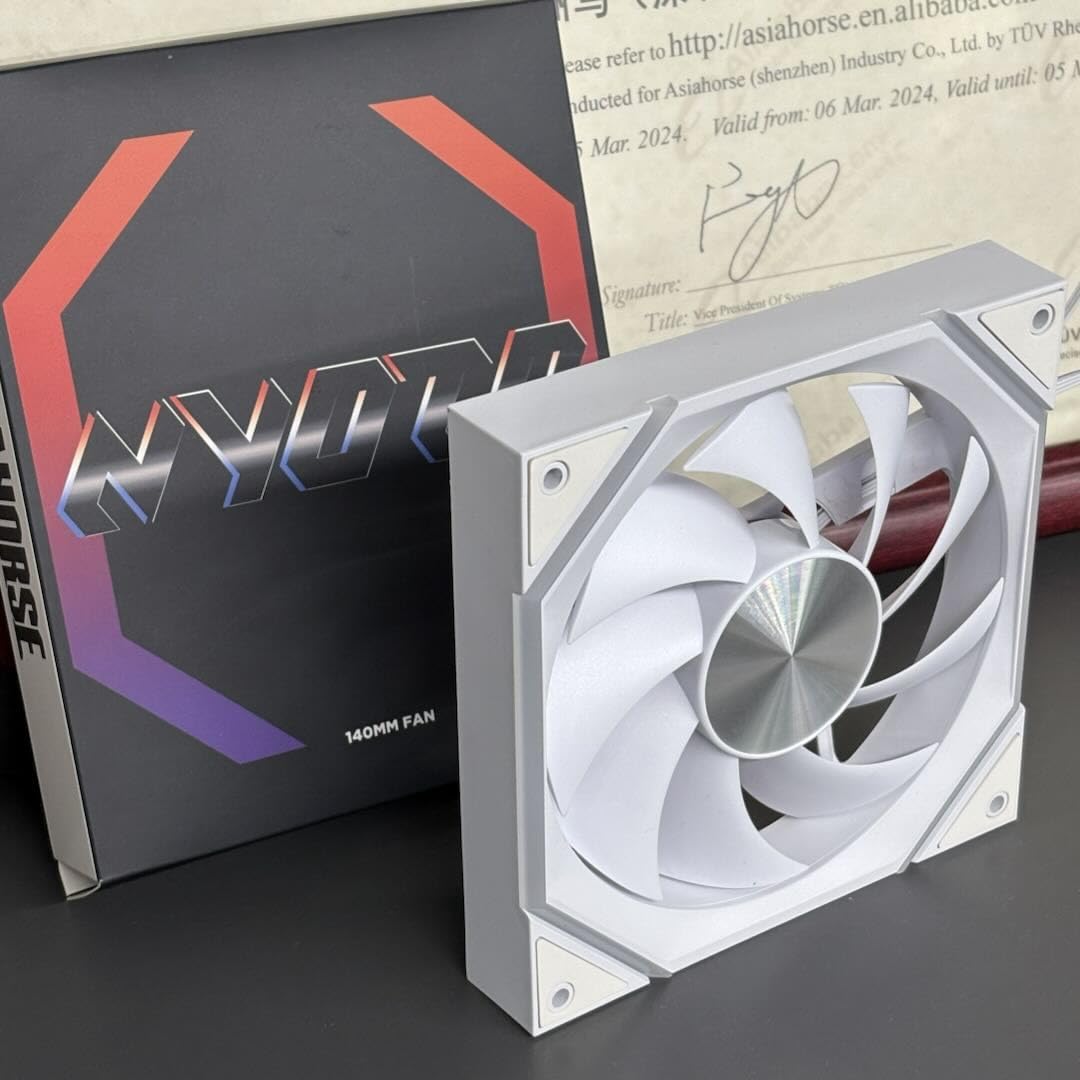
Thank you for choosing the AsiaHorse Nyota ARGB PC Case Fan 140MM. This fan is designed to provide efficient cooling and vibrant ARGB lighting for your computer system. This manual will guide you through the installation, operation, and maintenance to ensure optimal performance and longevity of your fan.
2. 주요 특징
- High-Performance Hydrodynamic Bearing (HDB): Features a sealed oil system for reduced friction, quieter operation, and an extended lifespan of over 50,000 hours.
- 뛰어난 냉각: Delivers 89.77 CFM airflow and 3.24 mmH2O air pressure at 1800 RPM, effectively dissipating heat during demanding tasks.
- 조용한 작동: Engineered with a special noise reduction design, including a 7-blade structure and rubber pads, limiting noise to a maximum of 30dB(A).
- ARGB Sync Compatibility: Supports 16.8 million color ARGB lighting effects and is compatible with motherboard control software such as Asus Aura Sync, Gigabyte RGB Fusion, and MSI Mystic RGB Sync.
- 내구성 있는 구조: Built with high-quality plastic for reliability and long-term performance.
3. 기술 사양
| 특징 | 사양 |
|---|---|
| 모델 번호 | NyotaMega |
| 치수(길이 x 너비 x 높이) | 140 x 140 x 25mm |
| 팬 속도 | 800-1800 ±10% RPM |
| 공기 흐름 용량 | 89.77CFM ±10% |
| 공기압 | 3.24mm수소 |
| 소음 수준 | 6-29 dB(A) (Max 30 dB(A)) |
| 베어링 유형 | Hydrodynamic Fluid Bearing (HDB) |
| 수명 | > 50,000시간 |
| 전원 커넥터 | 4 핀 PWM |
| ARGB 커넥터 | 5V 3핀 ARGB |
| 권tage | 12볼트 |
| 왓tage | 7와트 |
| 재료 | 플라스틱 |
| 호환 장치 | Desktop PCs, 280/420mm CPU Water Coolers |
4. 설치 가이드
Before installation, ensure your computer is powered off and unplugged from the wall outlet. Refer to your PC case and motherboard manuals for specific fan header locations and clearances.
4.1 패키지 내용
- 1 x AsiaHorse Nyota 140mm ARGB PC Case Fan
- 1 x 4-Pin PWM Cable
- 1 x 5V 3핀 ARGB 케이블
- 4 x 장착 나사
- 1 x 사용자 매뉴얼(이 문서)
4.2 Fan Direction and Placement
The Nyota fan supports both forward (exhaust) and reverse (air suction) configurations. Proper fan placement is crucial for optimal airflow and cooling efficiency within your PC case.
This image illustrates the AsiaHorse Nyota ARGB 140mm PC case fan installed within a computer chassis. It demonstrates how the fan can be configured for either forward (exhaust) or reverse (air suction) airflow, optimizing cooling for components like the GPU and overall PC case temperature. The fan's ARGB lighting is visible, adding to the aesthetic appeal.
- Forward (Exhaust) Configuration: Ideal for chassis rear, front, or top mounting, and for CPU water cooling setups. Air is pushed out of the case.
- Reverse (Air Suction) Configuration: Suitable for case bottom or side mounting, and for CPU air cooling. Air is drawn into the case.
4.3 설치 단계
- 장착 위치 준비: Identify the desired fan mounting location in your PC case. Ensure there is sufficient clearance.
- 팬 위치: Place the fan in the chosen location, ensuring the desired airflow direction (forward for exhaust, reverse for intake).
- 팬 고정: Use the provided mounting screws to firmly attach the fan to the case. Avoid overtightening.
- PWM 케이블을 연결하세요: Connect the 4-pin PWM cable from the fan to an available 4-pin fan header on your motherboard. This allows for speed control.
- ARGB 케이블을 연결하세요: Connect the 5V 3-pin ARGB cable from the fan to an available 5V 3-pin ARGB header on your motherboard. Warning: Do NOT connect to a 12V 4-pin RGB header, as this will damage the fan's ARGB LEDs.
- 케이블 관리 : 다른 부품과의 간섭을 피하고 공기 흐름을 개선하기 위해 케이블을 깔끔하게 정리하십시오.
- 전원 켜기: 모든 연결이 제대로 되었으면 PC 케이스를 닫고 전원 플러그를 꽂은 다음 컴퓨터를 켜십시오.
5. 운영
5.1 팬 속도 제어(PWM)
The AsiaHorse Nyota fan utilizes PWM (Pulse Width Modulation) technology, allowing your motherboard to dynamically control the fan speed based on system temperature. This ensures optimal cooling performance while minimizing noise.
- Access your motherboard's BIOS/UEFI settings or use compatible software provided by your motherboard manufacturer to configure fan curves.
- Adjust fan speeds to balance cooling needs with desired noise levels.
5.2 ARGB 조명 제어
The fan's ARGB lighting can be controlled via your motherboard's compatible software. Ensure the 5V 3-pin ARGB cable is correctly connected to your motherboard's ARGB header.
- 호환되는 소프트웨어 : Use software such as Asus Aura Sync, Gigabyte RGB Fusion, or MSI Mystic RGB Sync to customize lighting effects.
- 사용자 정의 옵션: Adjust colors, lighting modes, brightness, and speed to create personalized visual effects.
6. 유지관리
정기적인 유지 관리는 선풍기의 수명과 최적의 성능을 보장하는 데 도움이 됩니다.
- 먼지 청소: Periodically clean dust from the fan blades and frame using compressed air or a soft brush. Ensure the fan is powered off and unplugged before cleaning.
- 점검: Check for any loose cables or obstructions that might impede fan rotation.
- 액체를 피하세요: 선풍기나 전기 부품에 액체 세척제를 직접 사용하지 마십시오.
7. 문제 해결
| 문제 | 가능한 원인 | 해결책 |
|---|---|---|
| 팬이 회전하지 않습니다 |
|
|
| ARGB 조명이 작동하지 않습니다 |
|
|
| 선풍기 소리가 너무 커요 |
|
|
8. 보증 및 지원
The AsiaHorse Nyota ARGB PC Case Fan 140MM comes with a 3년 무상 보증 구매일로부터.
If you encounter any issues or have questions regarding your product, please do not hesitate to contact our professional customer service team. We aim to respond within 24 hours.
For support, please visit the AsiaHorse official web자세한 내용은 해당 사이트를 참조하거나 구매 서류와 함께 제공된 연락처 정보를 참조하세요.