
1. 서론
This manual provides detailed instructions for the installation, operation, and maintenance of your Techage CG6DB 2K Wireless Outdoor Surveillance Camera. Please read this manual carefully before using the product to ensure proper functionality and safety. This camera offers 2K resolution, AI motion detection, color night vision, two-way audio, and IP66 weather resistance.
2. 설정 및 설치
The Techage CG6DB camera is designed for wireless operation, offering flexible placement options without the need for complex wiring. Installation is straightforward and can be completed in minutes using the Vicohome app.
2.1 Wireless Installation
The camera is 100% wireless, powered by a long-lasting battery. This allows for easy mounting in various outdoor locations.

Image: The Techage CG6DB camera mounted on a wall, highlighting its wireless nature and ease of installation. Icons indicate wireless connectivity, simple setup, and a durable battery.
2.2 앱 연결
To connect the camera to your network, download the Vicohome app. Follow the in-app instructions to pair the camera with your 2.4GHz WiFi network. 메모: This camera only supports 2.4GHz WiFi.
3. 운영
The Techage CG6DB camera offers a range of features to enhance your surveillance capabilities.
3.1 2K Ultra-HD Resolution
Experience crystal-clear video with 2K resolution, providing 1.5 times more clarity than standard 1080P cameras. This ensures sharper images both day and night.

Image: A visual comparison illustrating the enhanced detail provided by the 2K Ultra-HD resolution of the Techage camera compared to a standard 1080P image.
3.2 컬러 나이트 비전
The camera features an improved dual LED headlight combined with full-color night vision, allowing you to see clear and detailed images even in complete darkness. You can switch between infrared night vision (black and white) and color night vision with the spotlight activated.

Image: A demonstration of the camera's color night vision capability, showing a clear, illuminated scene at night compared to standard infrared night vision.
3.3 Intelligent Motion Detection & Alerts
Equipped with advanced motion detection, the camera identifies human movements and sends real-time alerts to your Vicohome app. The built-in headlight and siren can be configured to activate automatically upon detection, deterring intruders.

Image: This graphic illustrates the camera's multi-alarm features, including motion detection, siren, spotlight, and instant app notifications when activity is detected.
3.4 양방향 커뮤니케이션
The integrated microphone and speaker enable two-way audio communication. You can speak with visitors or warn unwanted guests directly through your smartphone via the Vicohome app.

Image: A visual representation of the real-time two-way communication feature, allowing users to interact with individuals at their doorstep through the camera.
3.5 저장 옵션
The camera supports two storage methods to keep your footage secure:
- SD 카드 저장: Supports Micro SD cards up to 128 GB (not included).
- 클라우드 스토리지: Provides secure cloud storage with a free 3-day recording of events on a rotating basis, without hidden fees.

Image: This graphic illustrates the camera's support for both SD card storage (up to 128GB) and cloud storage, with a smartphone interface showing recorded events.
3.6 AI Detection Analysis
The camera offers advanced AI detection capabilities (subscription required after trial) that reliably recognize people, pets, vehicles, and packages, providing more precise alerts.

Image: A visual explanation of the AI detection analysis feature, highlighting its ability to identify specific objects like people, pets, vehicles, and packages within the camera's view.
4. 유지관리
4.1 배터리 수명
The camera is equipped with a powerful battery that can last up to 5 months on a single charge under optimal conditions. With regular activity, the battery typically lasts at least one month per charge. Recharge the battery using the provided USB cable when indicated by the app.
4.2 내후성
The Techage CG6DB camera is IP66 certified, making it highly resistant to dust and water. It is designed to operate reliably in various extreme weather conditions, including rain, snow, and heat.
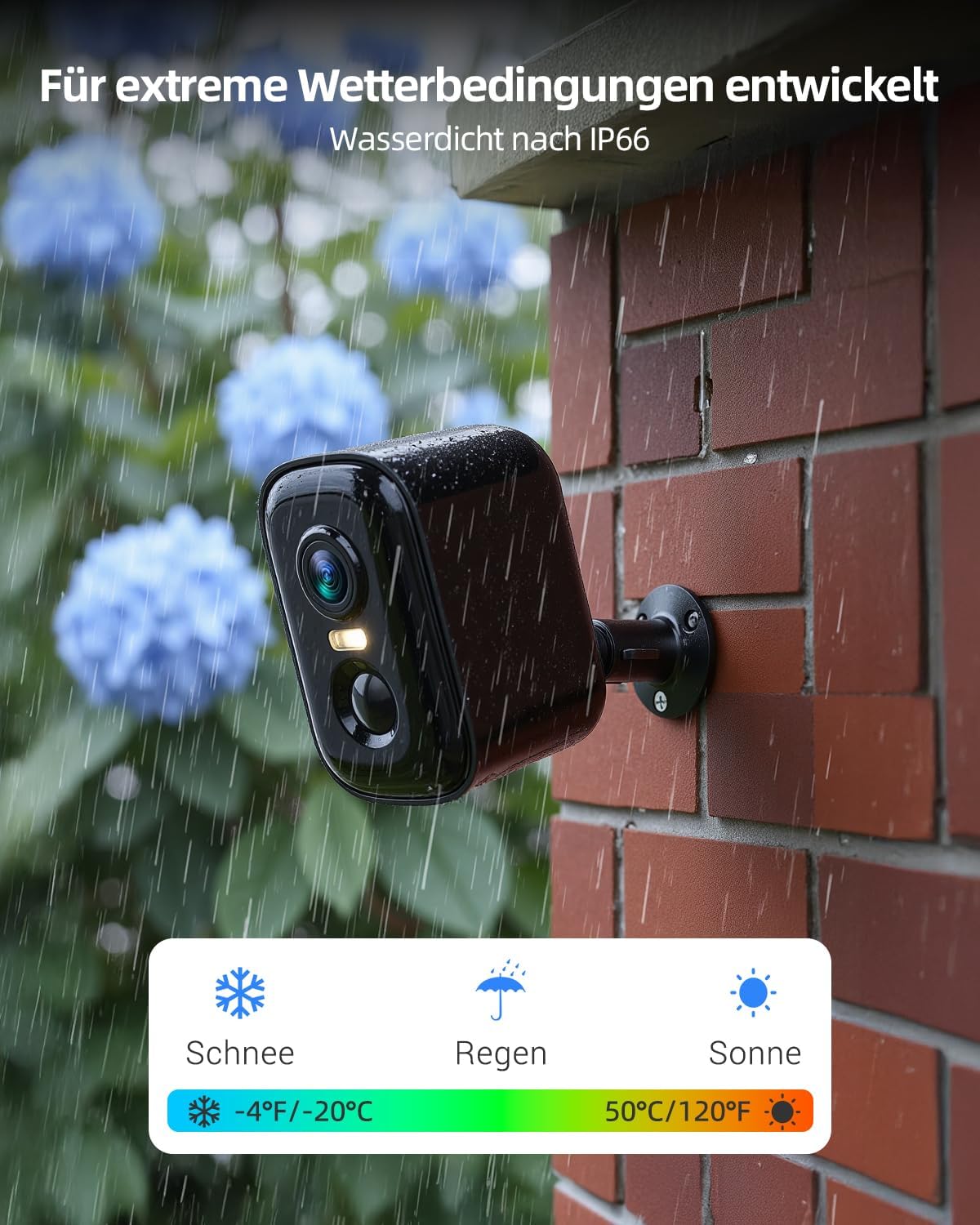
Image: This image demonstrates the camera's robust design for extreme weather conditions, highlighting its IP66 waterproof rating and ability to withstand snow, rain, and sun.
4.3 청소
최적의 성능을 유지하려면 카메라 렌즈와 하우징을 주기적으로 부드러운 천으로 닦아주세요.amp 옷감. 가혹한 화학 물질이나 연마재를 사용하지 마십시오.
5. 문제 해결
- 카메라가 Wi-Fi에 연결되지 않음: Wi-Fi 네트워크가 2.4GHz 대역인지 확인하십시오. 카메라가 라우터의 통신 범위 내에 있는지 확인하십시오. 카메라와 라우터를 모두 재시작하십시오.
- 비디오 품질이 좋지 않음: Ensure the camera lens is clean. Check your Wi-Fi signal strength.
- 동작 감지가 작동하지 않습니다: Verify that motion detection is enabled in the Vicohome app. Adjust sensitivity settings if necessary.
- 배터리가 빠르게 소모됨: 동작 감지 알림 또는 실시간 알림 빈도를 줄이세요 view sessions. Ensure the camera is not in an area with constant activity.
- 양방향 오디오 문제: 앱에서 마이크와 스피커 설정을 확인하세요. 휴대전화 볼륨이 충분히 큰지 확인하세요.
For further assistance, refer to the Vicohome app's help section or contact customer support.
6. 사양
| 특징 | 사양 |
|---|---|
| 모델명 | CG6DB |
| 비디오 캡처 해상도 | 2304P (2K) |
| 연결 기술 | 무선(Wi-Fi) |
| Wi-Fi 주파수 | 2.4GHz 전용 |
| 특별 기능 | Night Vision (Color), AI Motion Detection, 2-Way Talk |
| 실내/실외 사용 | 집 밖의 |
| 내후성 | IP66 방수 |
| 컨트롤러 유형 | 비코홈 앱 |
| 장착 유형 | 벽걸이형 |
| 저장 옵션 | 마이크로 SD 카드(최대 128GB), 클라우드 스토리지 |
| 품목 치수 | 9.2 x 5.9 x 5.6 센티미터 |
| 품목 무게 | 0.62 킬로그램 |
7. 보증 및 지원
For warranty information and customer support, please refer to the documentation included with your product or visit the official Techage website. You can also find assistance through the Vicohome app's support section.