
1. 서론
Welcome to the Valerion VisionMaster Pro 4K Laser Projector. This manual provides essential information for setting up, operating, and maintaining your projector to ensure optimal performance and longevity. Please read this manual thoroughly before using the product.
2. 상자 안에 무엇이 들어있나요?
Your Valerion VisionMaster Pro package includes the following items:
- VisionMaster Pro Projector
- 원격 제어
- 사용 설명서 (본 문서)
- 전원 어댑터
- EPP Protective Case
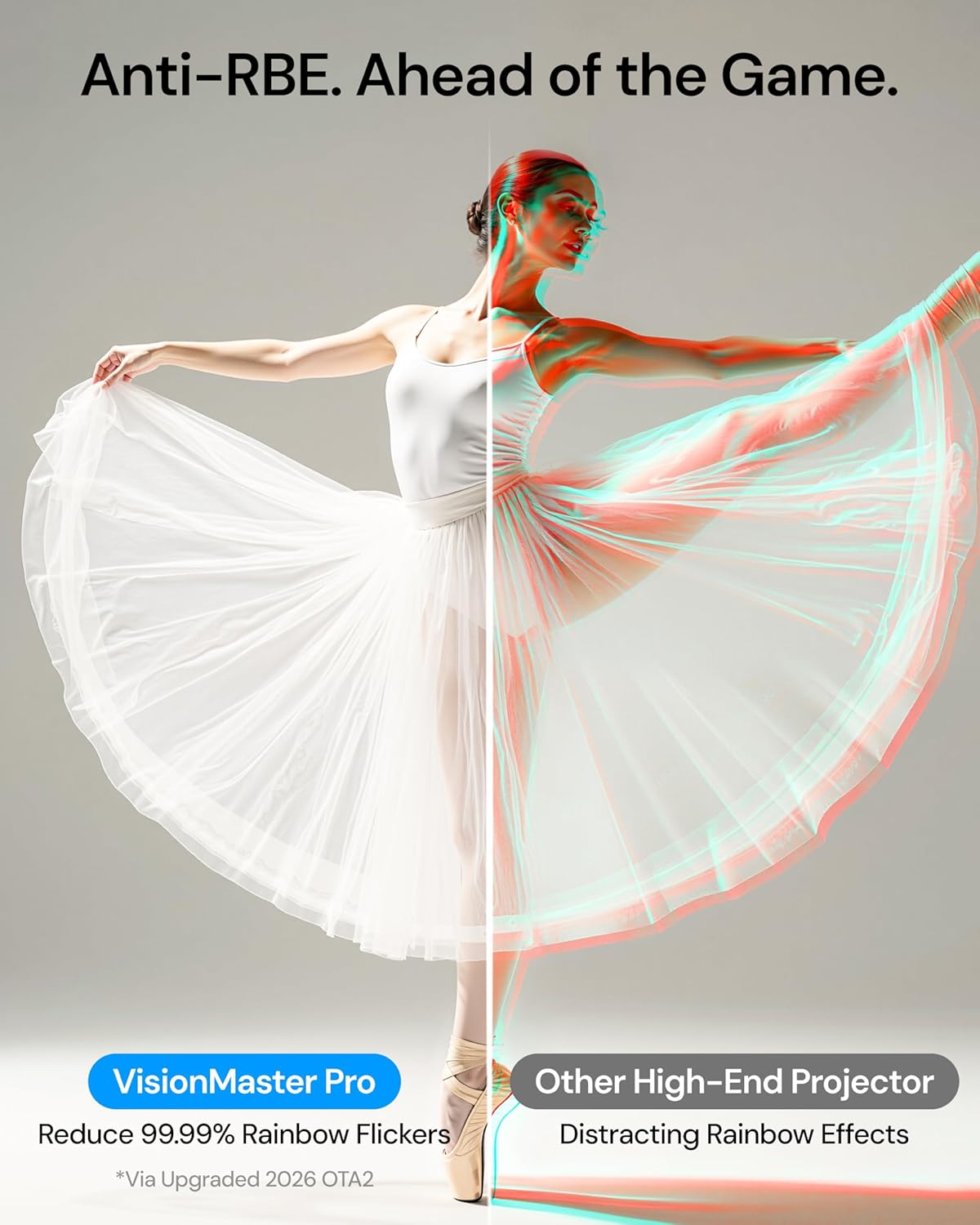
Image: Valerion VisionMaster Pro projector with included accessories.
3. 제품 오버view
3.1 정면 View

Image: The front of the projector features the main projection lens and integrated sensors for auto-focus and keystone correction.
3.2 후면 View (연결 포트)

Image: The rear panel provides various connectivity options, including HDMI, USB, Ethernet, and audio outputs.
- DC 36V : 전원 입력.
- S/PDIF: 광학 오디오 출력.
- USB 3.0: High-speed USB port for external storage or devices.
- USB 2.0: Standard USB port for external storage or devices.
- HDMI 1, HDMI 2, HDMI 3 (eARC): HDMI inputs for connecting external video sources. HDMI 3 supports eARC for enhanced audio return.
- 오디오 출력: 3.5mm audio jack for external speakers or headphones.
- LAN : 유선 네트워크 연결을 위한 이더넷 포트.
3.3 리모컨

Image: The included remote control allows for easy navigation and control of the projector's features.
4. 설정
4.1 배치
The VisionMaster Pro offers flexible placement options thanks to its 0.9-1.5 throw ratio optical zoom and automatic adjustment features. You can project an image up to 300 inches.

Image: Optical zoom allows for flexible projector placement without loss of image clarity.
최적의 viewing, ensure the projector is placed on a stable, flat surface or mounted securely. The projector features automatic focus and keystone correction to quickly adjust the image geometry.
4.2 전원 켜기 및 초기 설정
- Connect the power adapter to the DC 36V port on the projector and plug it into a power outlet.
- 프로젝터나 리모컨의 전원 버튼을 눌러 켜세요.
- The projector will automatically perform auto-focus and auto-keystone correction.
- 화면 안내에 따라 언어 선택 및 네트워크 연결을 포함한 초기 설정을 완료하십시오.

Image: The projector features AI Box for automatic scene optimization, auto-calibration for precise setup, and auto-focus for instant clarity.
5. 사용 설명서
5.1 Smart OS and Streaming
The VisionMaster Pro features an AI Smart OS with built-in Google TV+, providing instant access to popular streaming platforms like Netflix, YouTube, Amazon Prime Video, and Disney+. Its MT9618 chipset with 4GB RAM and 128GB ROM ensures seamless multitasking and smooth 4K UHD streaming.

Image: The Google TV interface offers easy access to streaming apps and content.
5.2 영상 설정
Experience stunning visuals with 4K UHD clarity, 15,000:1 contrast ratio, and Enhanced Black Level (EBL) technology. The projector supports HDR10+ with Dynamic Tone Mapping and is ISF-certified for color accuracy.
- 명도: Adjust the ISO Lumens output. For optimal black levels, ensure the room is as dark as possible.
- 차이: The 15,000:1 contrast ratio with EBL delivers deep blacks.
- 색상: 110% Rec.2020 wide color gamut ensures vivid, lifelike colors. ISF-certified calibration provides industry-leading color accuracy.
- AI Super Resolution: Enhances Full HD content to sharper 4K details.
- 다이내믹 톤 매핑: Optimizes brightness and contrast for HDR10+ content in real-time.

Image: The projector offers color mastery with RGB Laser technology, ISF certification, and Dynamic Tone Mapping.
5.3 사운드 설정
The VisionMaster Pro supports Dolby Vision and DTS:X audio formats for an immersive sound experience. While it has built-in speakers, connecting to an external sound system via HDMI (eARC) or optical output is recommended for a full home theater experience.
5.4 게임 모드
For gamers, the projector offers ultra-smooth 4ms input lag and a 240Hz refresh rate on ultra-wide 21:9 or 32:9 screens. Customize your gameplay with dedicated modes like RPG, FPS, and RCG, along with enhanced FPS crosshairs and night vision.

Image: The projector supports 4ms input lag and 240Hz refresh rate for pro-level gaming.
5.5 Voice Control and Casting
Control your projector with voice commands via Alexa, Google Home, or Apple HomeKit. Stream high-resolution content effortlessly from any device with AirPlay 2, Miracast, and Chromecast support.

Image: The projector is the first to offer Google Assistant support in near and far field.
6. 유지관리
6.1 청소
Regularly clean the projector lens with a soft, lint-free cloth. Avoid using abrasive cleaners or solvents. Keep the ventilation grilles clear of dust to ensure proper airflow.
6.2 펌웨어 업데이트
To ensure optimal performance and access to the latest features, keep your projector's firmware updated. Anti-RBE technology, for example, requires a two-part firmware update (System Firmware OTA and DLP Display Engine Firmware).

Image: Firmware updates are crucial for enabling features like Anti-RBE. Both System Firmware (OTA) and DLP Display Engine Firmware updates are required.
7. 문제 해결
If you encounter any issues with your VisionMaster Pro, please refer to the following common solutions:
- 전원 없음: 전원 어댑터가 프로젝터와 콘센트에 제대로 연결되어 있는지 확인하십시오. 다른 콘센트에 연결해 보십시오.
- 이미지 없음: Check that the correct input source is selected. Verify HDMI cables are securely connected.
- 흐린 이미지: Allow the auto-focus to complete. If needed, manually adjust focus via settings.
- 이미지 왜곡: Allow auto-keystone correction to complete. If needed, manually adjust keystone via settings.
- 소리 없음: Check the volume level on the projector and your connected audio device. Ensure the correct audio output is selected.
For further assistance, please contact Valerion Customer Service.
8. 사양
| 상표: | 발레리온 |
| 모델 번호: | 비전마스터 프로 |
| 디스플레이 해상도: | 3840 x 2160(4K UHD) |
| 명도: | 2500 ISO 루멘 |
| 대비율: | 15,000:1 with EBL |
| 빛의 출처: | RGB Laser (DLP) |
| 색상 범위: | 110% REC 2020 |
| 투사 비율: | 0.9-1.5:1 |
| 연결 기술 : | Bluetooth 5.2, Ethernet, HDMI 2.1, USB 3.0, Wi-Fi 6e |
| 특별 기능: | HDR 10+, IMAX Enhanced, Optical Zoom 0.9-1.5, 4ms Input Lag, 240Hz Refresh Rate, AI Smart OS |
| 품목 무게: | 15.4파운드 |
| 제품 크기: | 7.48 x 9.45 x 10.24 인치 |
9. 보증 및 지원
9.1 30-Day Price Protection

Image: Valerion offers a 30-Day Price Protection policy. If the price drops within 30 days of purchase from Valerion on Amazon, contact customer service for a refund of the difference.
9.2 고객 서비스
For any inquiries or support, please contact Valerion Customer Service:
- 이메일: support@valerion.com
- 라이브 채팅: 당사에서 사용 가능 website, Mon-Fri | 9 AM – 6 PM (EST)
- 전화 또는 WhatsApp으로 연락주세요. +1 (888) 891-8839, Mon-Fri | 9 AM – 6 PM (EST)

Image: Valerion Customer Service contact details for email, live chat, and phone/WhatsApp support.
10. 제품 비디오
Valerion VisionMaster Pro: Theater-Size Home View잉
Video: Experience theater-size home viewing with the Valerion VisionMaster Pro projector.
Valerion VisionMaster Pro2: Outdoor Big Screen Magic
Video: See how the Valerion VisionMaster Pro2 transforms outdoor spaces into big-screen entertainment areas.
Meet the VisionMaster Pro2: A Good Projector Can Do It All
비디오: 오버view of the versatile capabilities of the VisionMaster Pro2 projector.