
소개
Thank you for choosing the Micool DY20PLUS Bluetooth 5.4 Headset. This single-ear wireless headset is designed for clear communication and extended use, featuring advanced noise cancellation and long battery life. This manual provides detailed instructions to help you get the most out of your device.

Image: The Micool DY20PLUS Bluetooth 5.4 Headset, showcasing its sleek black and gold design with an ear hook and LED battery indicators.
상자 안에 무엇이 들어있나요?
Upon opening your Micool DY20PLUS package, you should find the following items:
- Micool DY20PLUS Bluetooth Headset
- USB-C 충전 케이블
- 사용자 설명서
- 추가 이어팁 (다양한 사이즈)
영상: 언박싱 및 전체 리뷰view of the Micool DY20PLUS headset and its included accessories, such as the charging cable and various eartips.
설정
1. 헤드셋 충전
Before first use, fully charge your headset. The Micool DY20PLUS features a Type-C charging port for convenience.
- 제공된 USB-C 충전 케이블을 헤드셋의 충전 포트에 연결하십시오.
- 케이블의 다른 쪽 끝을 호환되는 USB 전원(예: 벽면 어댑터, 컴퓨터 USB 포트)에 연결합니다.
- 완전히 충전하는 데는 약 1.5~2시간이 걸립니다.
- The LED Power Display Light on the headset indicates the remaining battery level. There are four levels, with each grid representing 25% of the battery. Double-click the Volume+ button to check the remaining power.

Image: Visual representation of the headset's quick charge capability, showing that 10 minutes of charging provides 4 hours of continuous use.
2. 기기와 페어링
The DY20PLUS uses Bluetooth 5.4 for a stable and efficient connection.
- 헤드셋이 충전되어 있고 전원이 꺼져 있는지 확인하세요.
- Press and hold the Multi-Function Button (MFB) on the headset for more than 3 seconds until the indicator light flashes, indicating it's in pairing mode.
- 기기(스마트폰, 태블릿, 컴퓨터)에서 Bluetooth를 활성화하고 사용 가능한 기기를 검색하세요.
- Select "DY20PLUS" from the list of found devices to connect.
- 페어링이 성공적으로 완료되면 표시등이 깜빡임을 멈춥니다.
The headset offers a wireless connection distance of up to 50 meters (150 feet) in a straight line and can be connected to two devices simultaneously, allowing you to seamlessly switch between music and calls.
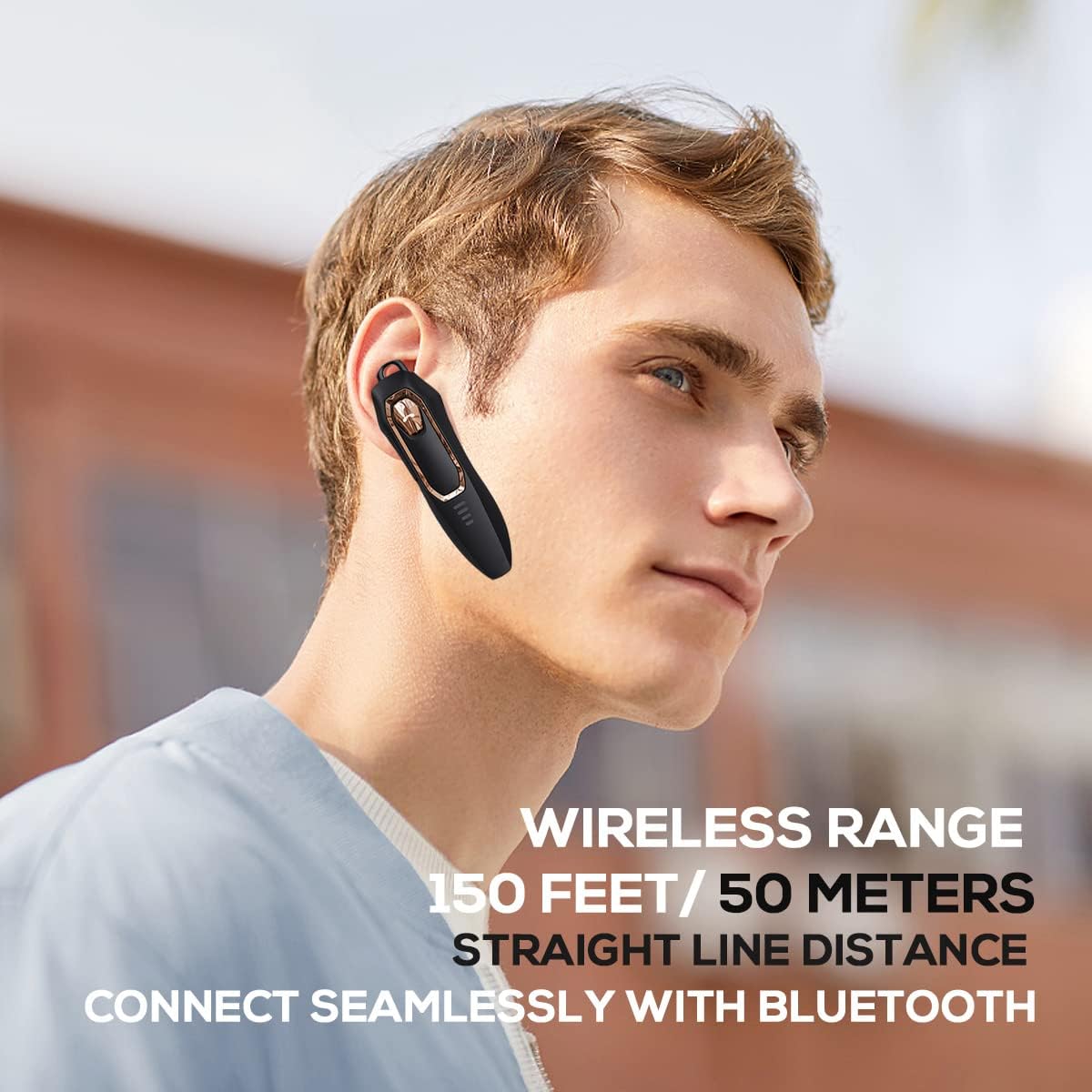
Image: A person wearing the headset, illustrating the 150 feet / 50 meters wireless range and seamless Bluetooth connectivity.
작동 지침
헤드셋을 최적으로 사용하려면 조작법을 숙지하십시오.
버튼 기능:

Image: A detailed diagram showing the location and function of each button on the Micool DY20PLUS headset, including the Multi-Function Button (MFB), volume controls, and mute button.
- 전원 켜기/끄기: Press and hold the MFB for >3 seconds.
- 음악 재생/일시 중지: One-tap the MFB.
- 전화 받기/종료: One-tap the MFB.
- 전화 거부: Press and hold the MFB for >2 seconds.
- 음성 지원(Siri/Google Assistant) 활성화: Double-tap the MFB.
- 노래 전환: Press Volume+ for 2 seconds for next song, Volume- for 2 seconds for previous song.
- 볼륨 조절: Short press Volume+ to increase volume, short press Volume- to decrease volume.
- 음소거 기능: Press the dedicated mute button for >2 seconds to mute/unmute your microphone during a call.
- 언어 변경: Three-tap the MFB.
- 마지막 발신 통화 재다이얼: Three-tap the call button (MFB).
주요 특징
고급 노이즈 캔슬링
The DY20PLUS headset is equipped with two microphones for noise reduction and omnidirectional silicon microphone technology. It filters out approximately 80% of external noise. An updated Bluetooth 5.4 version with an integrated digital noise reduction algorithm further enhances noise reduction by 30%, ensuring clearer calls even in noisy environments.

Image: An illustration demonstrating how the two noise-cancelling microphones work to block background noise and maintain clear call quality.
Video: A demonstration highlighting the noise-cancelling capabilities of the Micool DY20PLUS Bluetooth Headset, particularly useful for truck drivers and noisy environments.
배터리 수명 연장
The headset provides up to 36 hours of talk time and 45 hours of music playback on a single charge. With a standby time of 20 days, it's designed for long-lasting performance, suitable for extended meetings or travel.

Image: An illustration emphasizing the headset's 36+ hour talk time and 45 hours of music playback, designed to power through work calls and daily activities.
편안하고 가벼운 디자인
Weighing only 12 grams, the DY20PLUS is ultra-small and light. Its ergonomic design ensures a secure and comfortable fit for all-day wear without causing ear fatigue. The ear canal-mouth canal design is airtight and optimized for bass.

Image: A person wearing the headset, highlighting its 12g ultra-lightweight design and compatibility with various devices like laptops, computers, pads, and phones.
광범위한 호환성
The Micool DY20PLUS is compatible with a wide range of devices, including telephones, smart speakers, and cellphones, making it versatile for various communication needs.
유지
- 청소: 부드럽고 마른 천을 사용하여 헤드셋을 닦으세요. 강한 화학 물질이나 연마재는 사용하지 마세요.
- 저장: 헤드셋은 서늘하고 건조한 곳에 보관하고, 극한 온도와 직사광선을 피하십시오.
- 방수 기능: The headset is water-resistant. However, avoid submerging it in water or exposing it to heavy rain for prolonged periods.
- 충전 중: Always use the provided USB-C cable or a certified equivalent for charging to prevent damage.
문제 해결
| 문제 | 가능한 해결책 |
|---|---|
| 헤드셋이 켜지지 않습니다. | Ensure the headset is fully charged. Press and hold the MFB for more than 3 seconds. |
| 기기와 페어링할 수 없습니다. |
|
| 소리가 나지 않거나 볼륨이 작습니다. |
|
| 통화 품질이 좋지 않습니다. |
|
명세서
| 특징 | 세부 사항 |
|---|---|
| 모델명 | DY20PLUS |
| 상표 | 미쿨 |
| 연결 기술 | 무선(블루투스) |
| 블루투스 버전 | 5.4 |
| 배터리 수명(통화 시간) | 최대 36시간 |
| 배터리 수명(음악 재생 시) | 최대 45시간 |
| 충전 시간 | 1.5 - 2시간 |
| 충전 포트 | USB-C |
| 무선 범위 | 최대 50미터(150피트) |
| 소음 제거 | Dual-Mic Noise Reduction (80% filtered, 30% enhanced by algorithm) |
| 무게 | 12그램 |
| 이어피스 모양 | 귀에 |
| 방수 레벨 | 방수 |
| 호환 장치 | Telephones, Smart Speaker, Cellphones |
보증 및 지원
For warranty information and customer support, please refer to the documentation included with your purchase or contact Micool customer service directly. Details can typically be found on the manufacturer's official web사이트나 구매처를 통해 구매하세요.