
1. 이상view
The Amazon Basics USB Flash Drive is a versatile storage solution designed for seamless data transfer between various devices. Featuring both USB-C and USB-A dual ports, this 128GB thumb drive offers broad compatibility and efficient performance for your storage needs. Its durable metal construction and rotating design ensure protection and convenience.
2. 주요 특징
- 128 GB Storage Capacity: 제공합니다 ample space for documents, photos, videos, and other files. Note: Actual usable capacity may be slightly less due to formatting and system files.
- 듀얼 포트 디자인: Equipped with both USB-C and USB-A connectors for universal compatibility with a wide range of devices.
- 효율적인 성능: Offers reliable data transfer with a default exFAT format, ensuring lower power consumption and broad device support.
- High Read Speed: Capable of read speeds up to 400 Megabytes Per Second. Actual speeds may vary based on device, file size, and type.
- 프리미엄 건설: Features a robust metal exterior casing with a rotating open/close design to protect the connectors, and a hanging hole for convenient attachment to keychains or lanyards.
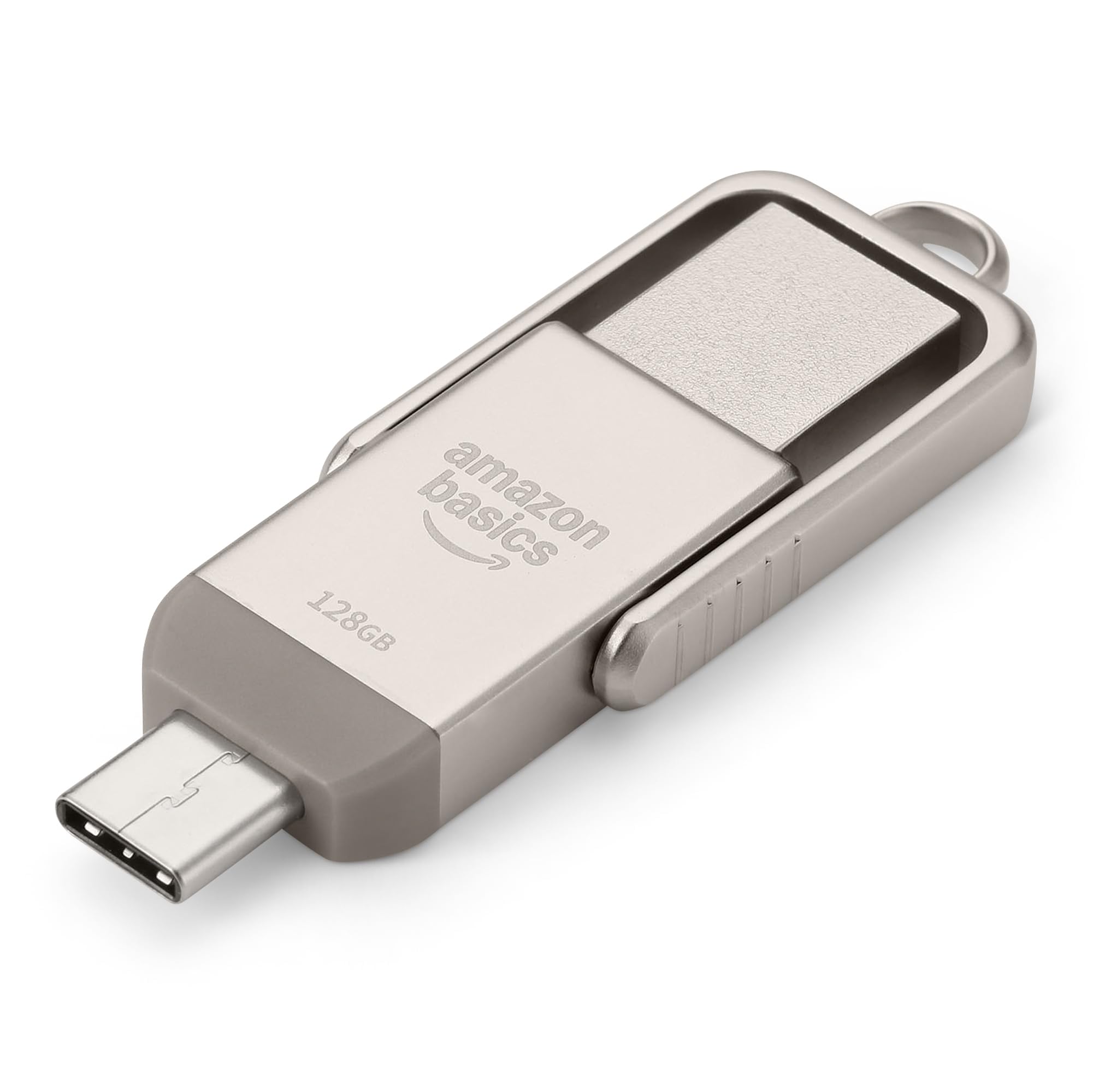
Figure 1: Amazon Basics 128GB USB Flash Drive, showcasin컴팩트한 디자인과 듀얼 커넥터가 특징입니다.
3. 설정
- 장치 포트를 확인하십시오. Determine whether your device (phone, tablet, computer) uses a USB-A or USB-C port.
- Select Correct Connector: Rotate the metal casing of the flash drive to expose the appropriate connector (USB-A or USB-C).
- Insert Flash Drive: Carefully insert the exposed connector into the corresponding port on your device. Ensure a secure connection.
- 장치 인식: 기기가 플래시 드라이브를 자동으로 감지해야 합니다. 대부분의 운영 체제에서는 알림이 표시되거나 드라이브에 액세스할 수 있게 됩니다. file 관리자 (예: File Explorer on Windows, Finder on macOS, Files app on mobile devices).

Figure 2: USB Flash Drive connected to a laptop's USB-A port.
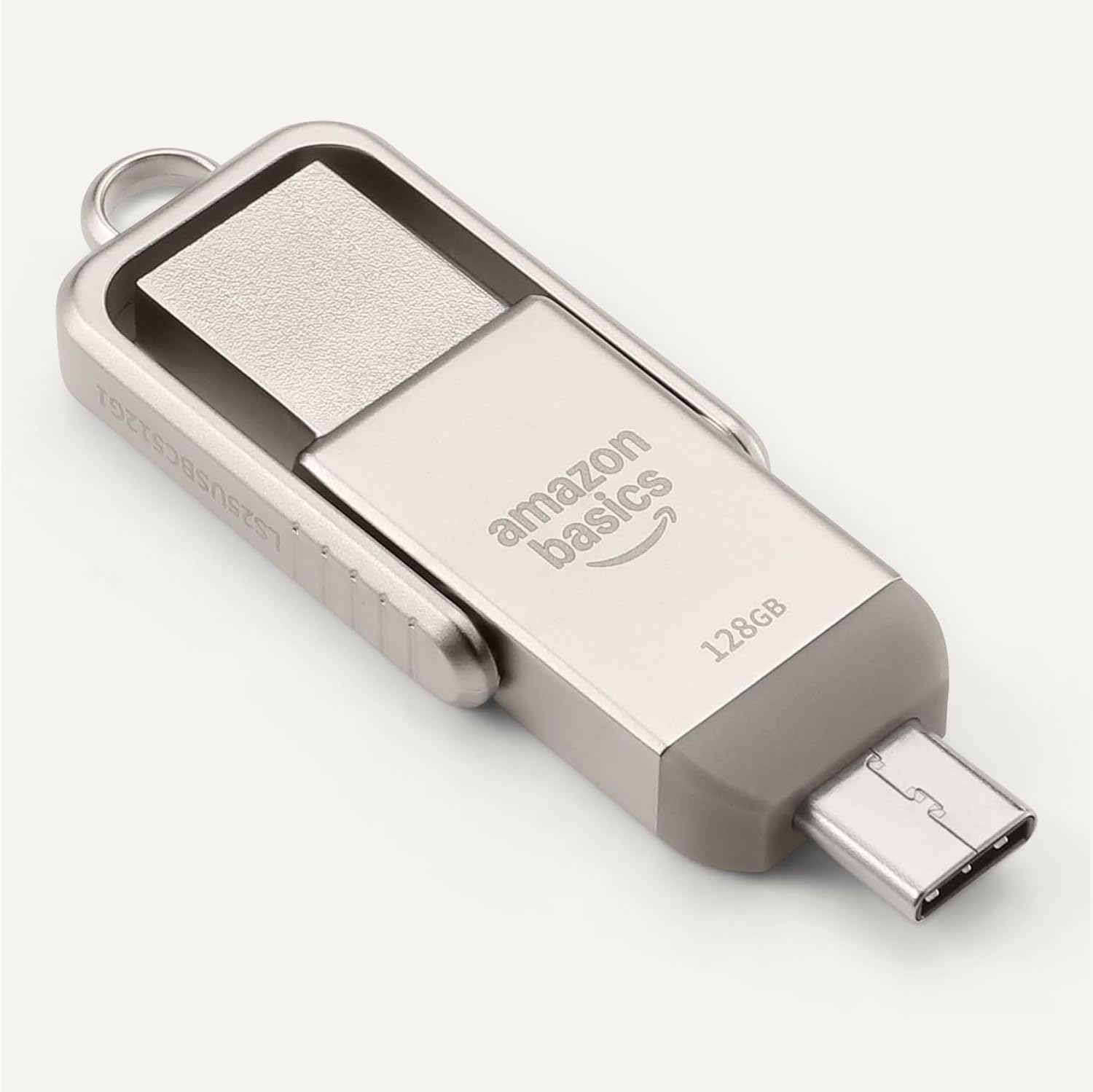
Figure 3: USB Flash Drive connected to a smartphone's USB-C port.
4. 사용 설명서
4.1. 전송 Files
- 복사 붙여 넣기: 로 이동합니다 files you wish to transfer. Select them, then right-click (or long-press on touch devices) and choose 'Copy'. Navigate to the flash drive's directory, right-click (or long-press), and select 'Paste'.
- 드래그 앤 드롭: 당신의 file manager and arrange windows so you can see both the source folder and the flash drive's folder. Click and drag the desired files from the source folder to the flash drive's folder.
4.2. 안전한 제거
데이터 손상을 방지하려면 플래시 드라이브를 물리적으로 분리하기 전에 항상 안전하게 제거하십시오.
- 윈도우: Click the 'Safely Remove Hardware and Eject Media' icon in the taskbar, then select the flash drive.
- 맥 OS : Drag the flash drive icon from your desktop to the Trash, or right-click the icon and select 'Eject'.
- Android/iPadOS: Look for an 'Eject' or 'Unmount' option within the file manager app or notification panel.
5. 호환성
The Amazon Basics USB Flash Drive is designed for broad compatibility:
- 운영 체제: Compatible with Windows, macOS, Linux, Android, and iPadOS devices that support USB mass storage.
- 장치 유형: Works with computers, laptops, tablets, and smartphones featuring USB-A or USB-C ports.
- File 체계: Pre-formatted with exFAT for maximum compatibility across different operating systems and larger file 크기.
- 중요 참고 사항: This flash drive is incompatible with Lightning ports found on some Apple devices.
5.1. Compatibility Demonstration
Video 1: Demonstration of the Amazon Basics USB Flash Drive's compatibility with various phone cases and devices, highlighting successful and unsuccessful fits.
Video 2: Demonstration of using a thumb drive with a mini projector, showing file format requirements (FAT32) for video, audio, and image playback.
6. 성능
The Amazon Basics USB Flash Drive is engineered for efficient data handling:
- 읽기 속도: Up to 400 Megabytes Per Second.
- 쓰기 속도: Varies depending on the device, file 크기, file 유형 및 기타 환경 요인.
- 낮은 전력 소비: Designed for energy efficiency, contributing to longer battery life on connected mobile devices.
For optimal performance, ensure your device's USB port supports USB 3.2 Gen 1 or higher standards.
7. 유지관리 및 관리
- 커넥터 보호: Always rotate the metal casing to cover the unused connector when not in use to prevent dust and physical damage.
- 조심스럽게 다루십시오: Avoid dropping the drive or subjecting it to excessive force.
- 온도: Store the drive in a cool, dry place away from extreme temperatures.
- 청소: 외부를 닦을 때는 부드럽고 마른 천을 사용하십시오. 액체 세제나 용제는 사용하지 마십시오.
8. 문제 해결
- 드라이브가 인식되지 않음:
- Ensure the drive is fully inserted into the correct USB port.
- 기기의 다른 USB 포트를 사용해 보세요.
- 기기를 재시작하고 다시 시도해 보세요.
- 기기의 설정을 확인하세요 file manager or disk management utility to see if the drive is listed.
- 느린 전송 속도:
- Ensure you are using a USB 3.0 (or higher) compatible port for optimal speeds. USB 2.0 ports will result in slower transfers.
- 많은 작은 것을 전송합니다 file여러 개의 파일을 한 번에 전송하는 것보다 속도가 느릴 수 있습니다. file 전체 크기가 동일합니다.
- 시스템 리소스를 사용하고 있을 수 있는 다른 애플리케이션을 종료하세요.
- "Unsupported File" Error:
- This error typically occurs when the device you are connecting the flash drive to (e.g., a projector or smart TV) does not support the file format (e.g., .mov, .mp4, .txt, .png) or the file system (e.g., NTFS vs. FAT32/exFAT).
- 보장하다 files are formatted to FAT32 or exFAT for broad compatibility.
- 전환하다 files to a format supported by your playback device. Common formats include .mp4 for video, .mp3 or .wav for audio, and .jpeg for images.
- 드라이브가 뜨거워지고 있습니다:
It is normal for the metal casing of the flash drive to become warm during prolonged use or heavy data transfers. This does not indicate a malfunction.
9. 사양
| 특징 | 사양 |
|---|---|
| 모델명 | LS25USBC128G1 |
| 메모리 저장 용량 | 128GB (명목상) |
| 연결 기술 | USB |
| 하드웨어 인터페이스 | USB 3.2 1세대 |
| 하드웨어 연결 기술 | USB 타입 A, USB 타입 C |
| 읽기 속도 | 초당 400메가바이트 |
| 특징 | 듀얼 USB 커넥터 |
| 색상 | Champ아그네 실버 |
| 품목 무게 | 2.11 온스 |
| 패키지 크기 | 9.21 x 7.01 x 0.71 인치 |
10. 보증 및 지원
This Amazon Basics product is backed by Amazon's customer service and return policies.
- 반품 정책: Typically 30 days for refunds or replacements. Please refer to Amazon's current return policy for specific details.
- 선택형 보호 플랜: Additional photo and data recovery plans are available for purchase (e.g., 2-year or 3-year plans).
- 고객 지원: For assistance, please visit the Amazon Basics Store or contact Amazon Customer Service directly through your Amazon account.