
소개
The Newmowa 5-inch Phone Vlog Selfie Monitor Screen is designed to enhance your mobile content creation by providing a real-time view of your phone's rear camera. This allows for high-quality video recording and photography, ideal for vlogging, live streaming, and selfies. It features both wired and wireless connectivity options, screen rotation, and a magnetic attachment system for ease of use.
패키지 내용
- 1 x Selfie Monitor Screen
- 1 x Magnetic Phone Holder
- 1 x 블루투스 원격 제어
- 1 x Dual USB-C Cable
- 1 x Type-C 충전 케이블
- 1 x Soft Velvet Bag
- 1 x 사용 설명서
설정
1. Attaching the Monitor to Your Phone
The Newmowa monitor features a unique magnetic attachment system. Securely attach the magnetic phone holder to the back of your iPhone. The monitor then magnetically connects to this holder, ensuring a stable setup for recording.

Image: Newmowa 5-inch Phone Vlog Selfie Monitor Screen with magnetic phone holder attached to an iPhone.
2. 초기 충전
Before first use, fully charge the monitor screen using the provided Type-C charging cable. Connect the cable to the Type-C charging port on the monitor and a 5V/1A charger, power bank, laptop, or car charger. The red light indicates charging, and the green light indicates a full charge.

Image: Newmowa 5-inch Phone Vlog Selfie Monitor Screen being charged via a Type-C cable.
작동 지침
1. Wired Recording (4K 30fps)
- For iPhone 15/16/17 series: Use the included Dual USB-C cable for direct plug-and-play 4K 30fps recording.
- For iPhone 11-14 series: Use your original Lightning to USB-C cable (not included) to achieve 4K 30fps recording.
- 메모: Wired connection supports iPhone audio output during screen sharing.

Image: Newmowa 5-inch Phone Vlog Selfie Monitor Screen connected via wired USB-C to an iPhone for 4K 30fps recording.
2. Wireless Recording (1080P)
- The monitor supports 1080P wireless recording. Ensure your iPhone (iOS 9 or above) is connected to the monitor's Wi-Fi.
- 메모: Wireless connection does not support 4K recording, and phone audio will not be output during wireless screen sharing.

Image: Newmowa 5-inch Phone Vlog Selfie Monitor Screen showing wireless recording with a Bluetooth remote control.
3. 화면 회전
Press the dedicated Screen Rotation Button on the monitor to effortlessly reverse the image 180°. This feature is useful for optimizing your view without needing to physically adjust the phone or monitor.
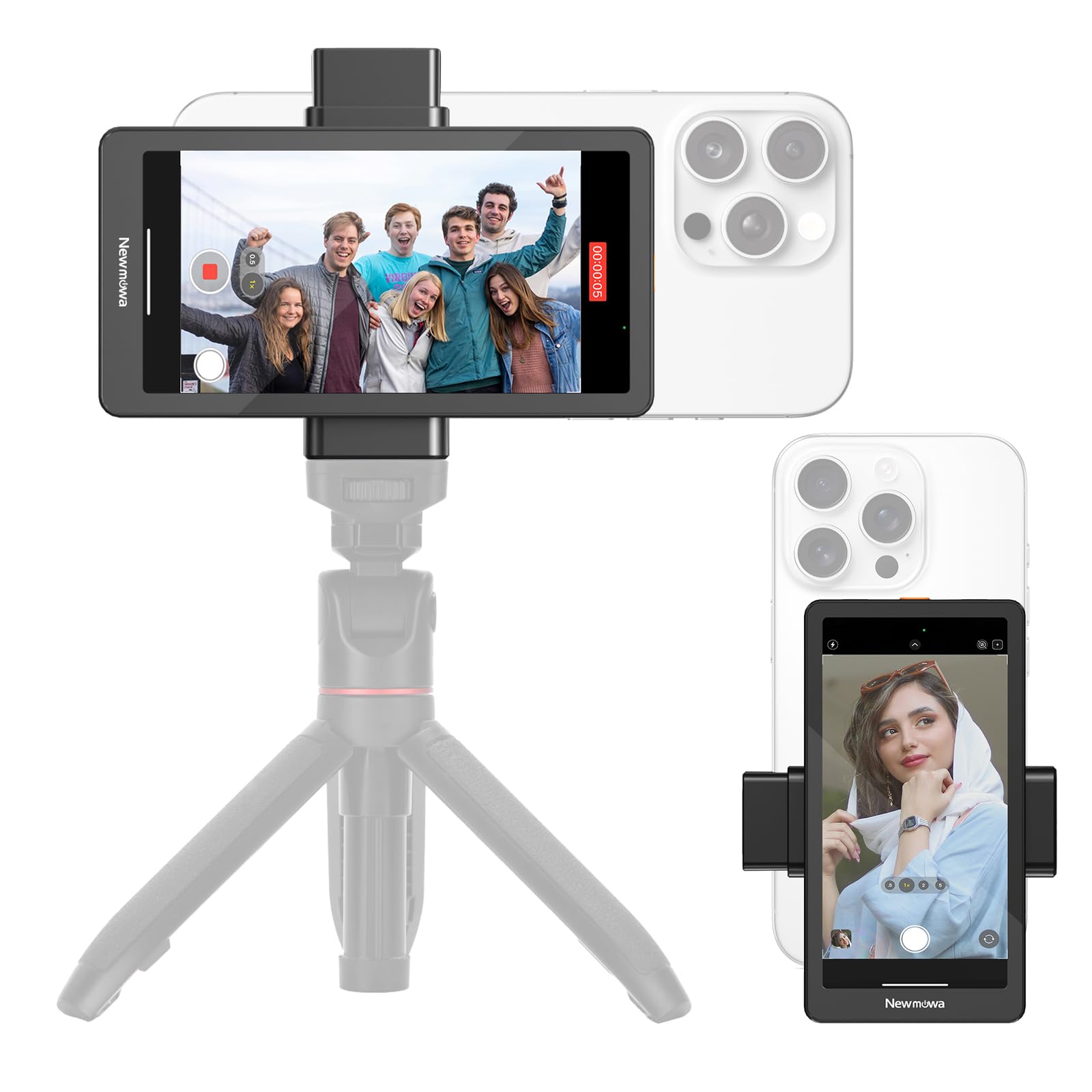
Image: Newmowa 5-inch Phone Vlog Selfie Monitor Screen demonstrating screen rotation with a dedicated button.
4. 블루투스 리모컨
The included Bluetooth remote control allows you to remotely trigger photo and video capture, providing convenience for solo shooting or group photos.
5. Using the Rear Camera for Selfies and Vlogs
The primary benefit of this monitor is to utilize your iPhone's superior rear camera for selfies, vlogs, and live streams, ensuring higher quality content compared to the front camera.

Image: Newmowa 5-inch Phone Vlog Selfie Monitor Screen attached to an iPhone, showing a user taking a selfie with the rear camera.
유지
- 청소: Use a soft, dry cloth to clean the screen and body. Avoid abrasive cleaners or solvents.
- 저장: When not in use, store the monitor in the provided soft velvet bag to protect it from scratches and dust. Keep it in a cool, dry place away from direct sunlight.
- 배터리 관리 : 배터리 수명을 연장하려면 배터리를 자주 완전히 방전시키지 마십시오. 자주 사용하지 않더라도 정기적으로 충전하십시오.
문제 해결
1. Screen Not Turning On
- 장치가 완전히 충전되었는지 확인하십시오.
- 전원 버튼을 몇 초간 길게 눌러서 켜세요.
2. 무선 연결 문제
- Verify that your iPhone's Wi-Fi is connected to the monitor's network.
- Restart both the monitor and your iPhone.
- Ensure you are within the effective range for wireless connectivity.
3. No Audio During Wireless Screen Share
- This is expected behavior for wireless recording. Audio output is only supported with a wired connection.
4. Lag in Wireless Display
- Wireless connections may experience slight latency. For critical applications requiring minimal lag, use the wired connection.
명세서
| 화면 크기 | 5인치 |
| 녹화 모드 | 4K 30fps (Wired), 1080P (Wireless) |
| 호환성 | iOS 9 and above (iPhone 11/12/13/14/15/16/17, etc.) |
| 충전 포트 | C형(5V/1A) |
| 배터리 | 1개의 리튬 이온 배터리(포함) |
| 품목 무게 | 10.5kg(0.3온스) |
| 패키지 크기 | 7.32 x 3.86 x 1.34 인치 |
공식 제품 영상
Video: Newmowa 5-inch Phone Vlog Selfie Monitor Screen - An official overview 제품의 특징과 사용법에 대한 설명입니다.
보증 및 지원
Newmowa products are backed by a manufacturer's warranty. For detailed warranty information, product support, or technical assistance, please refer to the contact information provided in the original product packaging or visit the official Newmowa web대지. 보증 청구를 위해 구매 영수증을 보관하십시오.


