
SelfieShow C15
SelfieShow C15 알루미늄 셀카봉 휴대폰 삼각대 사용 설명서
Model: C15 | Brand: SelfieShow
1. 서론
This manual provides detailed instructions for the proper setup, operation, and maintenance of your SelfieShow C15 Aluminum Selfie Stick Phone Tripod. Please read this manual thoroughly before using the product to ensure optimal performance and longevity.
패키지 내용
- 셀카봉 휴대폰 삼각대
- Wireless Remote Control (with 1 CR2032 battery included)
- 사용 설명서

Figure 1: The SelfieShow C15 Aluminum Selfie Stick Phone Tripod shown collapsed, extended as a selfie stick, and set up as a tripod with the remote control.
2. 구성 요소 이상view
Familiarize yourself with the main parts of your SelfieShow C15 device:
- Extendable Aluminum Pole: The main shaft that extends for selfie stick use or tripod height adjustment.
- 삼각대 베이스: Foldable legs at the bottom for stable freestanding use. Features anti-slip silicone pads.
- 폰 홀더: 조정 가능한 CLamp to secure your smartphone. Detachable.
- 360도 회전 가능한 볼 헤드: Allows for flexible angle adjustments of the phone holder. Includes a 1/4" screw for other accessories and a cold shoe interface.
- 무선 원격 제어: Bluetooth-enabled remote for capturing photos or starting videos from a distance. Stores securely in the handle.
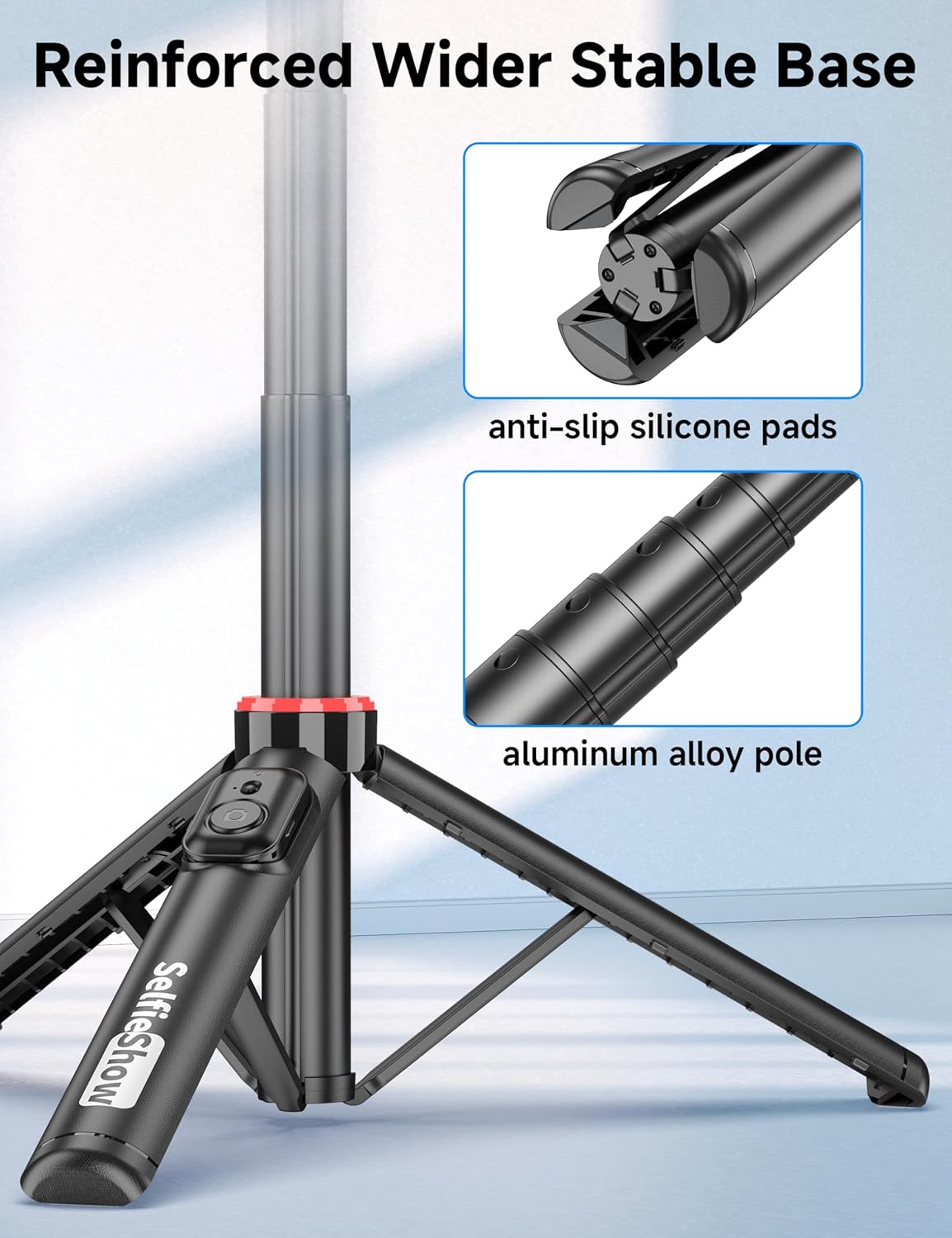
그림 2: 클로즈업 view of the reinforced tripod base, highlighting the anti-slip silicone pads and the durable aluminum alloy pole construction.
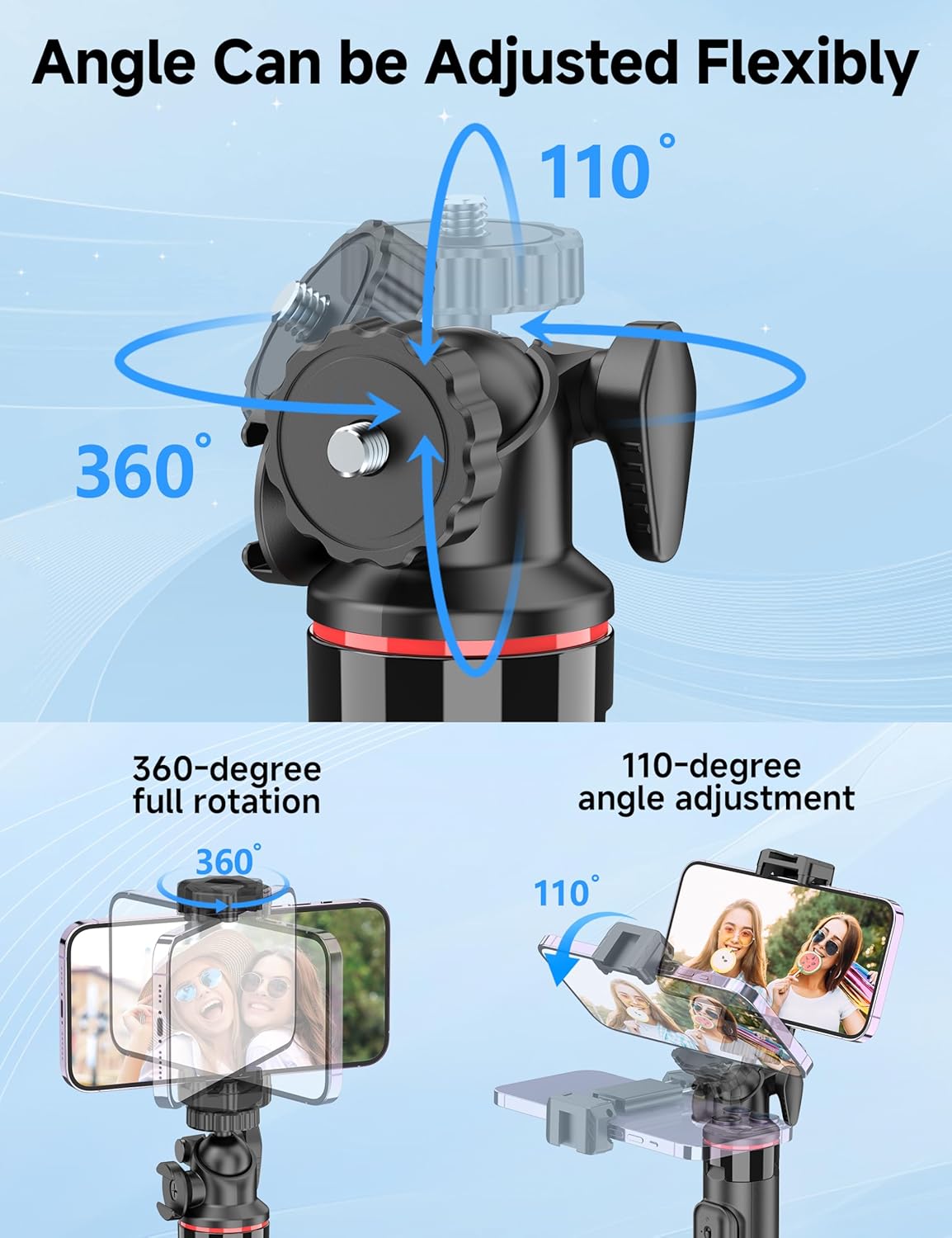
Figure 3: Illustration of the 360-degree full rotation and 110-degree angle adjustment capabilities of the ball head for flexible phone positioning.
3. 설정 지침
3.1 원격 제어 페어링
- Ensure the remote control has a working CR2032 battery.
- Press and hold the button on the remote control until the indicator light flashes, indicating it is in pairing mode.
- 스마트폰에서 Bluetooth 설정으로 가서 사용 가능한 기기를 검색하세요.
- Select "SelfieShow" from the list to pair. The indicator light on the remote will stop flashing once successfully paired.
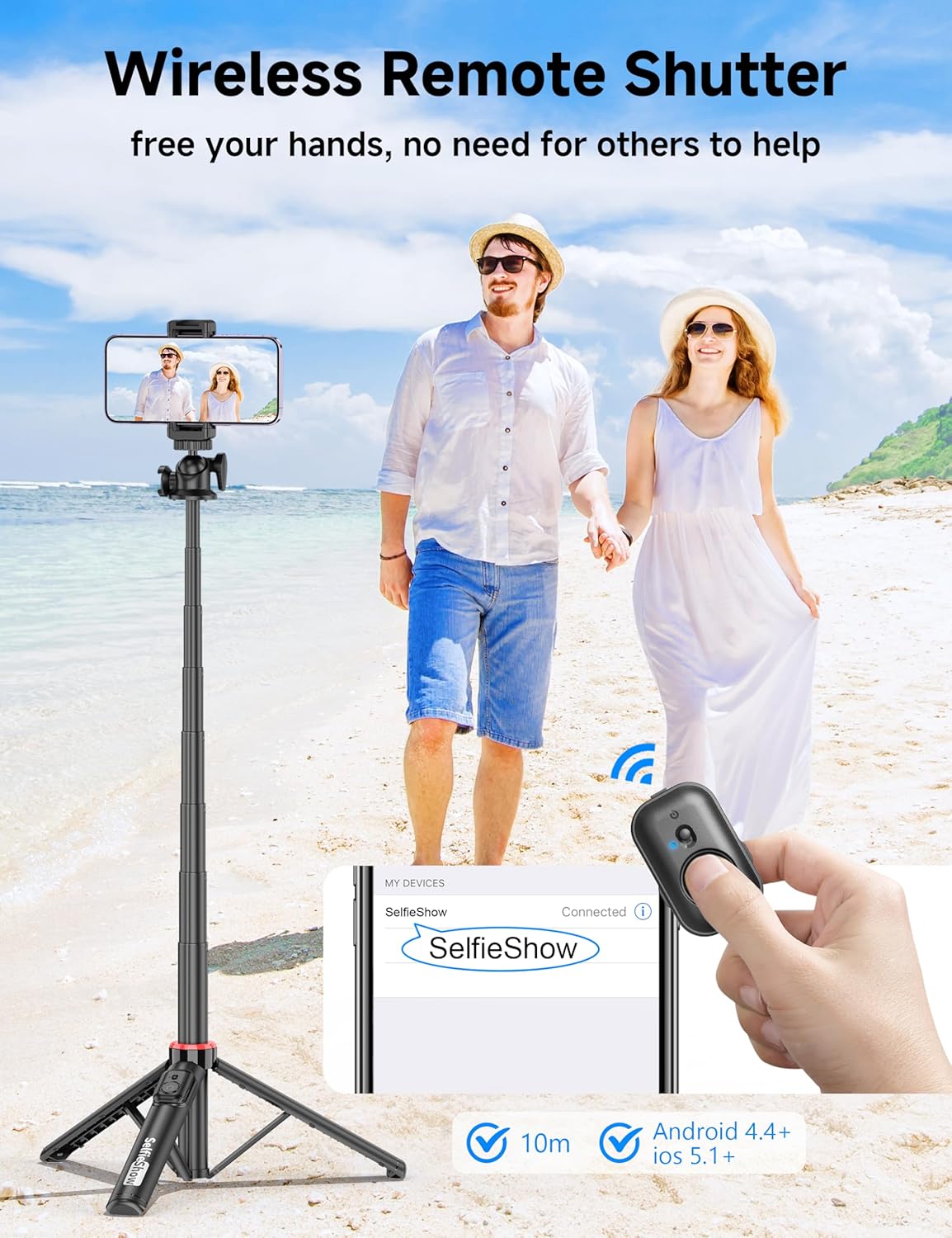
Figure 4: Visual guide for pairing the wireless remote shutter via Bluetooth, showing the remote and a phone screen with 'SelfieShow' connected.
3.2 스마트폰 연결
- 휴대폰 거치대 클립을 살살 당겨서 분리하세요.amps to expand them.
- Insert your smartphone into the holder, ensuring it is securely gripped by both clamps. The holder accommodates phones between 2.5 to 3.7 inches (6.5 to 9.5 cm) in width.
- Ensure your phone's buttons are not obstructed or pressed by the clamps.
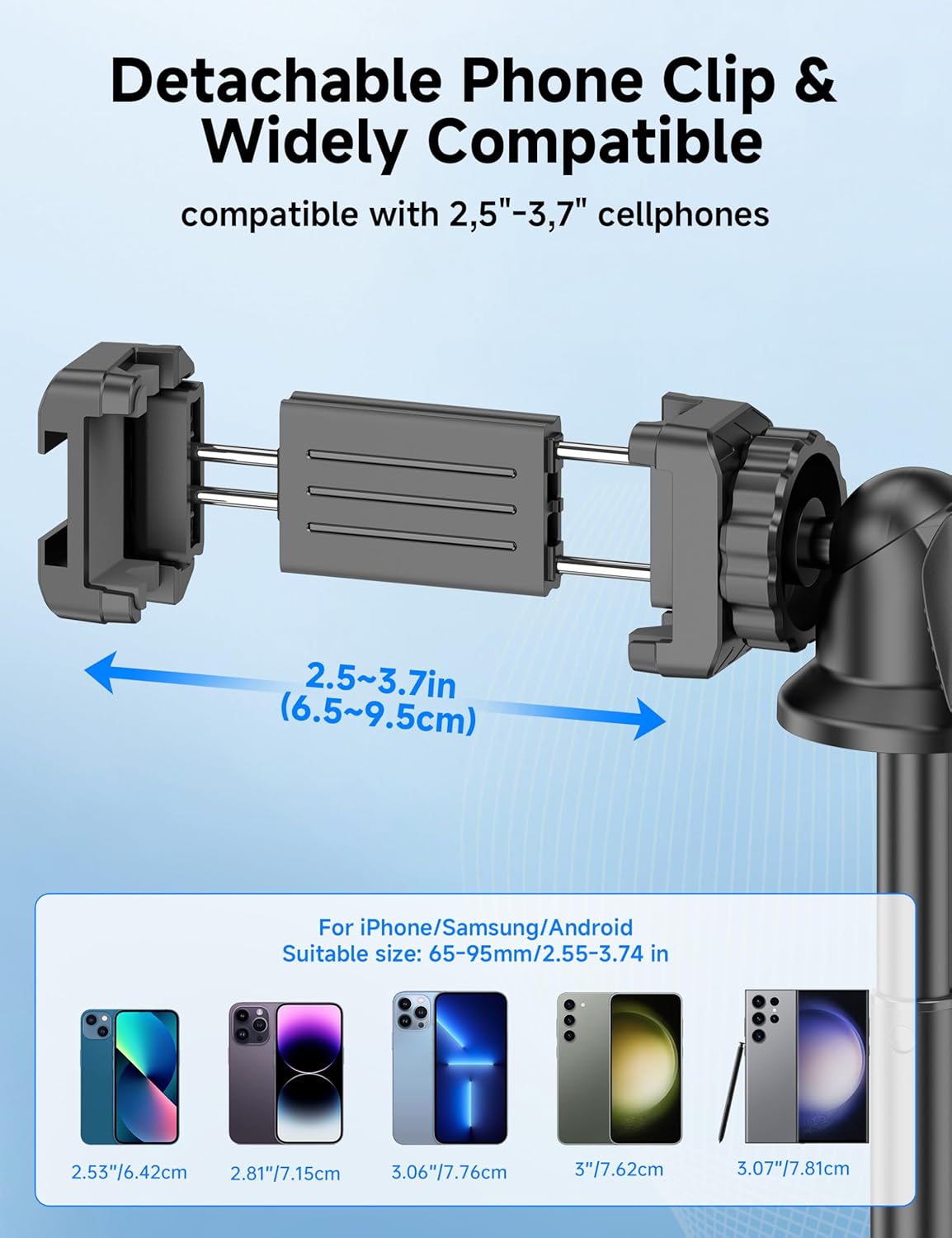
Figure 5: Diagram illustrating the adjustable width of the phone clip (2.5-3.7 inches) and its compatibility with various smartphone models.
4. 사용 설명서
4.1 셀카봉으로 사용하기
- 핸들을 단단히 잡으십시오.
- Extend the aluminum pole to your desired length. The pole can extend from 9.8 inches (25 cm) to 49 inches (126 cm).
- Adjust the phone holder's angle using the ball head to achieve the desired shot.
- Use the paired wireless remote control to capture photos or start/stop video recording.
4.2 삼각대로 사용하기
- From the collapsed position, gently pull the bottom handle downwards to deploy the tripod legs. Ensure the legs are fully spread for maximum stability.
- 삼각대를 평평하고 안정적인 표면에 놓으십시오.
- Extend the aluminum pole to your desired height.
- Adjust the phone holder's angle using the ball head.
- Use the paired wireless remote control to capture photos or start/stop video recording.
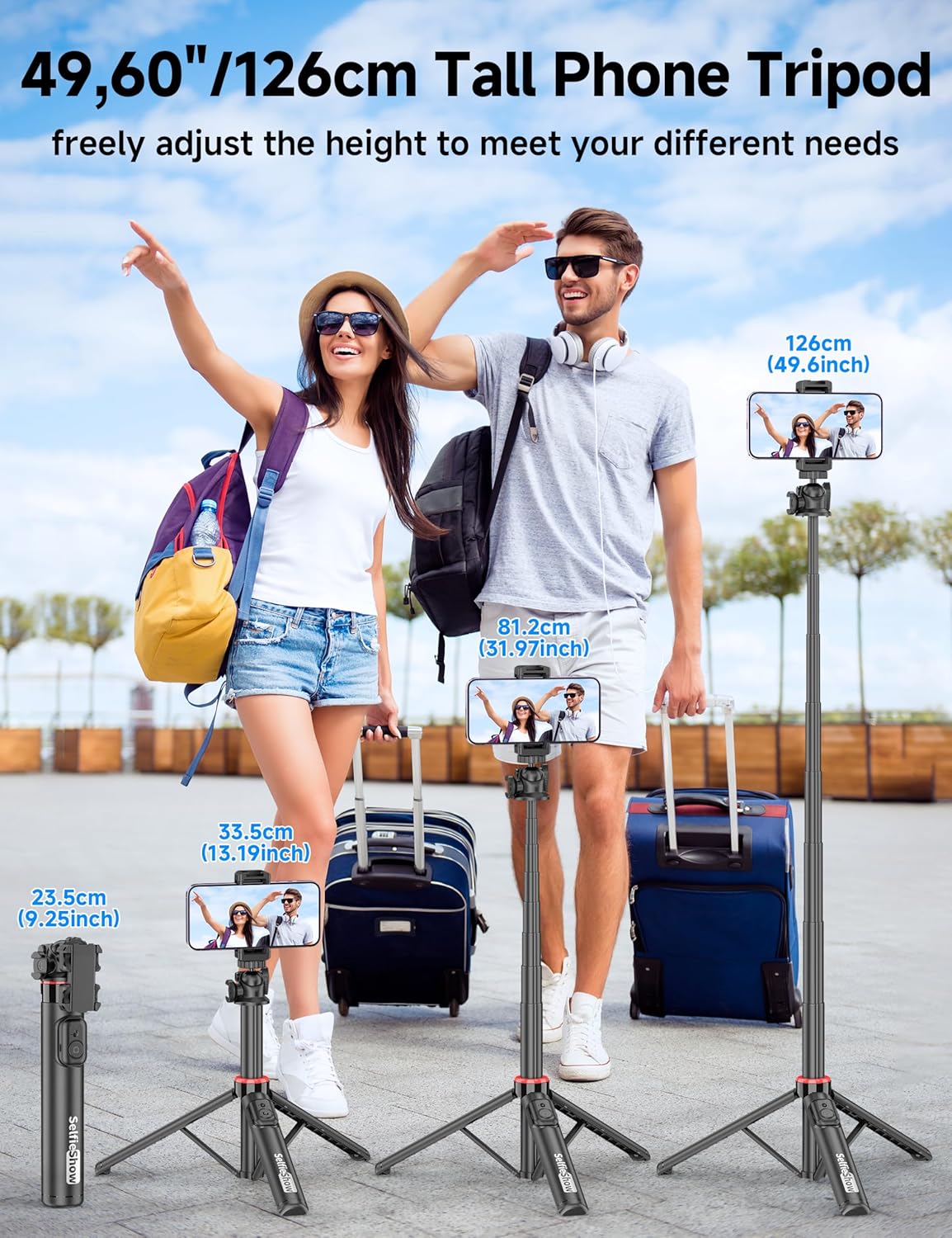
Figure 6: Visual guide demonstrating the adjustable height of the tripod from its folded state to various extended heights, up to 49 inches (126 cm).
4.3 Using the Cold Shoe and 1/4" Screw Mount
The SelfieShow C15 features a cold shoe interface and a standard 1/4" screw mount for expanded functionality:
- 콜드슈: Located on top of the phone holder, this allows you to attach accessories such as external microphones or LED fill lights.
- 1/4인치 나사 마운트: The ball head features a universal 1/4" screw, allowing direct attachment of compact cameras, action cameras (like GoPro), or other compatible accessories when the phone holder is detached.
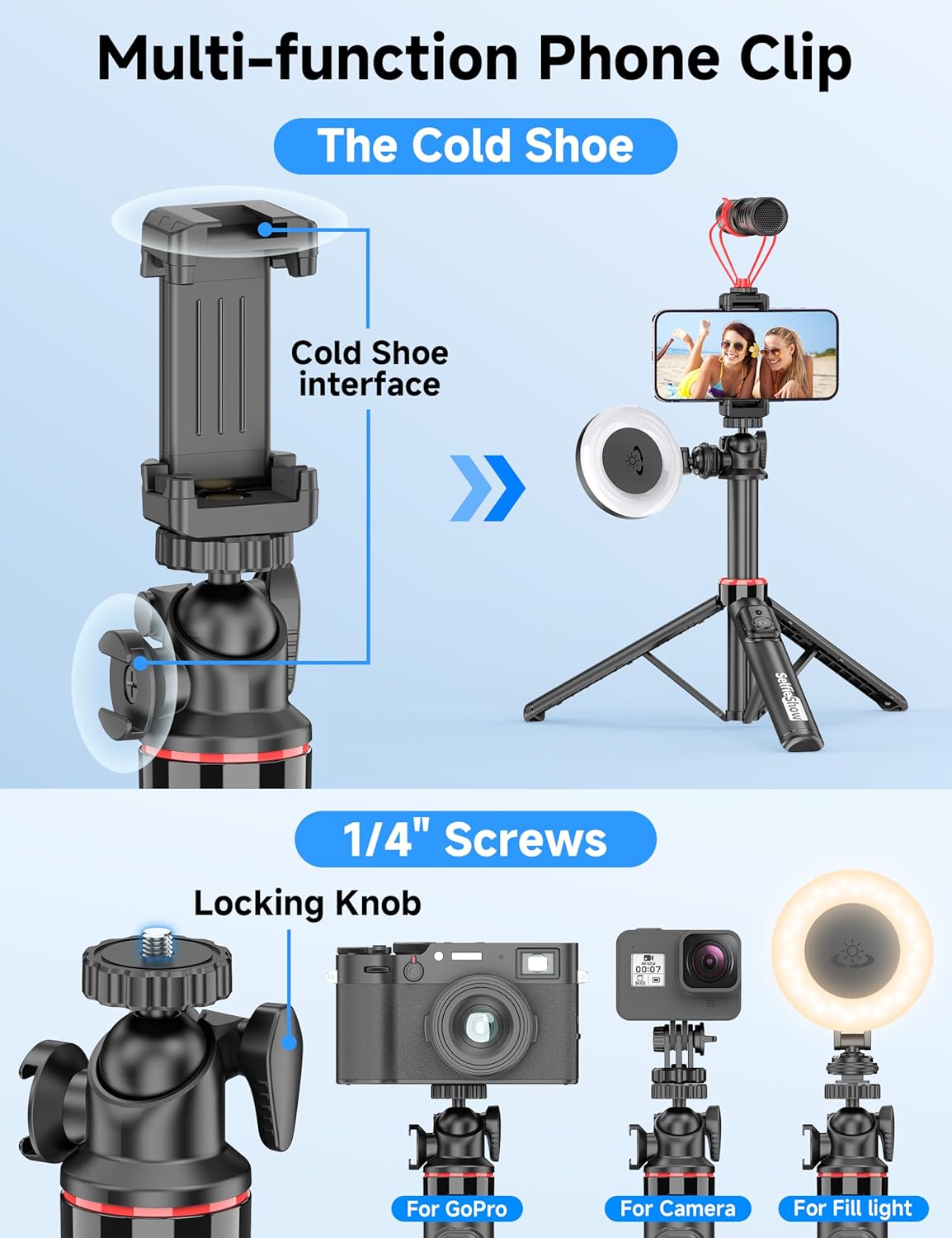
그림 7: 상세 view of the multi-function phone clip, highlighting the cold shoe interface for attaching external accessories.
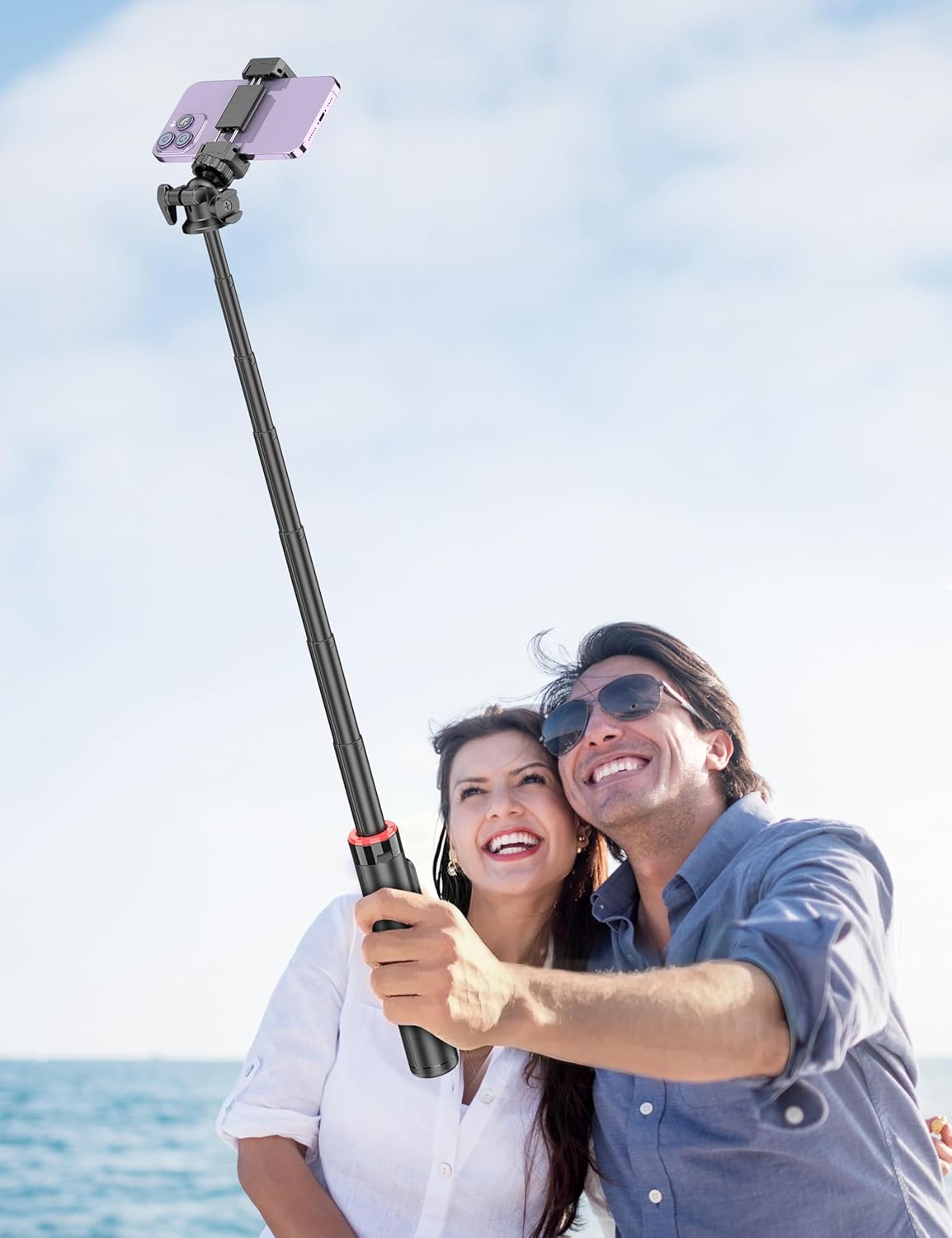
Figure 8: Image demonstrating the 1/4 inch screw mount for connecting cameras, GoPros, or fill lights, showcasing the versatility of the tripod head.
5. 유지관리
5.1 청소
- 부드럽고 마른 천으로 기기를 닦으십시오.
- 독한 화학 물질이나 연마성 세제를 사용하지 마십시오.
- 기기를 과도한 습기에 노출시키지 마십시오.
5.2 보관
- 셀카봉은 사용하지 않을 때는 서늘하고 건조한 곳에 보관하십시오.
- Ensure the remote control is securely placed in its designated slot to prevent loss.
5.3 리모컨 배터리 교체
The remote control uses a CR2032 coin cell battery. To replace:
- 리모콘에서 배터리함을 찾습니다.
- Use a small coin or tool to open the compartment.
- 기존 배터리를 제거하고 새 CR2032 배터리를 양극(+)이 위로 향하도록 삽입하십시오.
- 배터리 칸을 단단히 닫으세요.
6. 문제 해결
6.1 리모컨이 연결되지 않음
- 리모컨 배터리가 방전되지 않았는지 확인하십시오. 필요하면 교체하십시오.
- 스마트폰에서 Bluetooth가 활성화되어 있는지 확인하세요.
- Try unpairing and re-pairing the remote control in your phone's Bluetooth settings.
- Ensure the remote is within the 30 ft (10 m) operating range of your phone.
6.2 삼각대 불안정성
- 삼각대 다리가 완전히 펼쳐지고 평평하고 안정적인 표면에 고정되었는지 확인하십시오.
- Avoid extending the pole to its maximum height in windy conditions or on uneven terrain.
- Verify that your smartphone is securely seated in the phone holder and balanced.
6.3 Phone Not Fitting in Holder
- Check that your phone's width is within the compatible range of 2.5 to 3.7 inches (6.5 to 9.5 cm).
- Remove any bulky phone cases if they prevent a secure fit.
7. 사양
| 특징 | 세부 사항 |
|---|---|
| 모델명 | C15 |
| 상표 | 셀카쇼 |
| 재료 | 알류미늄 |
| 품목 무게 | 10.5 온스(297.67그램) |
| 접힌 크기 | 9.8인치(25cm) |
| 최소 높이 | 9.8인치(25cm) |
| 최대 높이 | 49인치(124.5cm) |
| 폰 홀더 너비 | 2.5~3.7인치(6.5~9.5cm) |
| 삼각대 헤드 유형 | Ball Head (360° rotation) |
| 원격 제어 범위 | 최대 30피트(10m) |
| 리모컨 배터리 | 1 x CR2032 (포함) |
| 호환 장치 | 스마트폰(아이폰, 안드로이드) |
| 추가 기능 | Cold Shoe, 1/4" Screw Mount |
8. 보증 정보
SelfieShow products are manufactured to high-quality standards. For specific warranty details, please refer to the warranty card included with your purchase or contact customer support. Typically, products are covered against manufacturing defects for a period specified at the time of purchase.
9. 고객 지원
If you encounter any issues or have questions regarding your SelfieShow C15 Aluminum Selfie Stick Phone Tripod that are not addressed in this manual, please contact our customer support team. Refer to your product packaging or the SelfieShow official web연락처 정보 사이트.
Ask a question about this manual
Ask about setup, troubleshooting, compatibility, parts, safety, or missing instructions. Manuals+ will review the question and use this page’s manual context to help answer it.