
1. 서론
This manual provides essential instructions for the proper setup, operation, and maintenance of your OnePlus Nord N30 5G smartphone. Please read this guide thoroughly before using your device to ensure optimal performance and longevity.
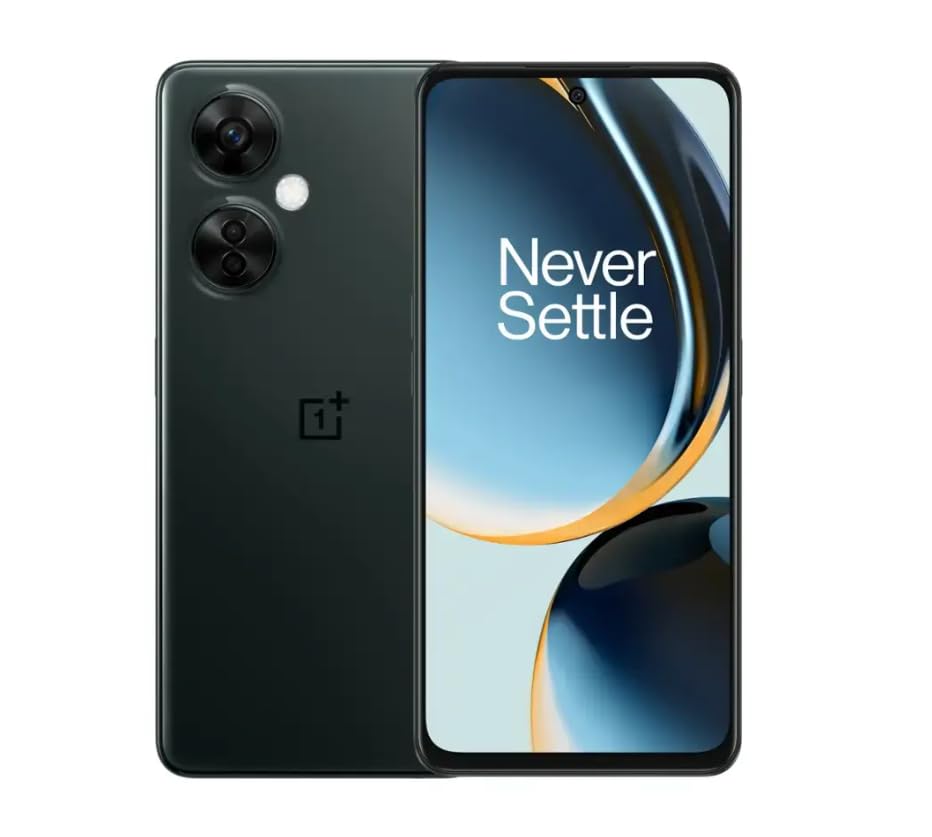
Image 1.1: OnePlus Nord N30 5G smartphone. This image displays the overall design of the device, highlighting its screen and camera module.
2. 상자 안에 무엇이 들어있나요?
패키지에 모든 품목이 들어 있는지 확인하세요.
- 원플러스 노드 N30 5G 스마트폰
- 전원 어댑터
- USB 케이블
참고: 액세서리는 지역에 따라 다를 수 있습니다.
3. 설정
3.1. SIM 카드 삽입
- 기기 측면에서 SIM 카드 트레이를 찾으세요.
- Insert the SIM ejector tool (not included, use a paperclip if necessary) into the small hole next to the tray to open it.
- Place your Nano-SIM card(s) into the tray with the gold contacts facing down. The device supports a single SIM card and a microSDXC card for expandable storage.
- 트레이를 휴대폰 본체와 딱 맞을 때까지 조심스럽게 슬롯에 밀어 넣습니다.
3.2. 초기 충전 및 전원 켜기
처음 사용하기 전에 기기를 완전히 충전하는 것이 좋습니다.
- USB 케이블을 전원 어댑터에 연결한 다음 휴대폰의 USB-C 포트에 연결하세요.
- Plug the power adapter into a wall outlet. The device supports 50W SUPERVOOC fast charging.
- Once sufficiently charged, press and hold the Power button (located on the side) until the OnePlus logo appears.
3.3. 초기 장치 구성
화면의 지시에 따라 초기 설정을 완료하세요.
- 원하는 언어를 선택하세요.
- Wi-Fi 네트워크에 연결합니다.
- Review 이용약관에 동의하세요.
- Google 계정으로 로그인하거나 새 계정을 만드세요.
- Set up security features such as fingerprint unlock or face unlock.
4. 사용 설명서
4.1. 디스플레이 및 탐색
The OnePlus Nord N30 5G features a 6.72-inch LCD display with a 120Hz refresh rate for smooth visuals. Navigate the OxygenOS interface using gestures or traditional navigation buttons.
- 위로 스와이프: 앱 서랍에 접근하세요.
- 아래로 쓸어 내려라: Access notifications and quick settings.
- 수도꼭지: 항목을 선택합니다.
- 꼬집기: 확대하거나 축소합니다.
4.2. 카메라 사용
The device is equipped with a triple rear camera system and a front camera.
- 메인 카메라: 108 MP, f/1.7 (wide) for high-resolution photos.
- 매크로 카메라: 2 MP, f/2.4 for close-up shots.
- 깊이 카메라: 2 MP, f/2.4 for portrait mode effects.
- 전면 카메라: 16 MP, f/2.4 for selfies and video calls.
Open the Camera app and select your desired mode (Photo, Video, Portrait, Macro, etc.) from the interface. Tap the shutter button to capture images or start/stop video recording.
4.3. 스토리지 관리
The phone comes with 128GB of internal storage. You can expand this up to 1TB using a microSDXC card inserted into the SIM tray.
- 저장 공간 사용량을 확인하려면 다음으로 이동하세요. 설정 > 저장.
- 이동하다 files to microSD: Use the File 관리자 앱.
4.4. 연결성
The device supports 5G cellular technology, Wi-Fi, and Bluetooth 5.1.
- 5세대: Ensure your SIM card and plan support 5G for faster mobile data speeds.
- 와이파이: 무선 네트워크에 연결 설정 > 와이파이.
- 블루투스: 무선 헤드폰이나 다른 기기와 페어링하세요. 설정 > 블루투스.
4.5. 보안 기능
Secure your device using the side-mounted fingerprint sensor or face unlock.
- To set up fingerprint unlock: Go to 설정 > 보안 및 개인 정보 보호 > 지문 잠금 해제.
- To set up face unlock: Go to 설정 > 보안 및 개인 정보 보호 > 얼굴 인식 잠금 해제.
4.6. 오디오
The device features dual stereo speakers for enhanced audio experience. It also includes a 3.5 mm audio jack for wired headphones.
5. 유지관리
5.1. 배터리 관리
5000mAh 배터리는 장시간 사용을 가능하게 합니다. 배터리 수명을 연장하려면 다음을 참고하세요.
- 극한의 온도를 피하세요.
- Use the provided 50W SUPERVOOC charger for optimal charging speed and battery health.
- 배터리를 자주 완전히 방전시키지 마세요.
5.2. 소프트웨어 업데이트
Keep your OxygenOS (based on Android 13) updated to ensure optimal performance, security, and access to new features.
- 업데이트를 확인하려면 다음으로 이동하세요. 설정 > 기기 정보 > OxygenOS 버전.
5.3. 장치 청소
부드럽고 보풀이 없는 천을 사용하여 휴대폰 화면과 본체를 닦으세요. 강한 화학 물질이나 연마재는 사용하지 마세요.
6. 문제 해결
이 섹션에서는 일반적으로 발생할 수 있는 문제에 대해 설명합니다.
6.1. 장치 전원이 켜지지 않음
- 배터리가 충전되어 있는지 확인하세요. 기기를 충전기에 최소 15분 이상 연결해 두세요.
- 전원 버튼을 10~15초간 길게 눌러 강제로 다시 시작하세요.
6.2. 네트워크 연결 문제
- SIM 카드가 올바르게 삽입되었는지 확인하세요.
- Verify that mobile data is enabled in 설정 > 모바일 네트워크.
- 장치를 다시 시작합니다.
- Contact your carrier (T-Mobile) to confirm service availability in your area.
6.3. 앱 충돌 또는 정지
- 앱을 닫았다가 다시 엽니다.
- 앱의 캐시를 지웁니다. 설정 > 앱 > [앱 이름] > Storage usage > 캐시 지우기.
- Ensure the app and OxygenOS are updated to the latest versions.
6.4. 배터리가 빠르게 소모됨
- 화면 밝기를 낮추세요.
- 블루투스, GPS, Wi-Fi 등 사용하지 않는 기능은 필요 없을 때 비활성화하세요.
- 배터리 사용량을 확인하세요 설정 > 배터리 전력 소모가 많은 앱을 식별합니다.
- Ensure background app refresh is limited for non-essential apps.
7. 사양
| 모델명 | 원플러스 노드 N30 5G |
| 운영 체제 | OxygenOS (안드로이드 13 기반) |
| 프로세서 | 퀄컴 스냅드래곤 695 옥타코어 |
| 숫양 | 8GB |
| 내부 저장소 | 128GB (Expandable up to 1TB via microSDXC) |
| 표시하다 | 6.72 inches LCD, 2400 x 1080 resolution, 120Hz Refresh Rate |
| 후방 카메라 | 108MP(광각), 2MP(매크로), 2MP(심도) |
| 전면 카메라 | 16 MP |
| 배터리 용량 | 5000mAh |
| 충전 중 | 50W SUPERVOOC Fast Charging (approx. 47 minutes for full charge) |
| 연결성 | 5G, Wi-Fi, Bluetooth 5.1, USB-C |
| 오디오 잭 | 3.5mm (XNUMXmm) |
| 치수 | 6 x 4 x 4 인치 |
| 무게 | 10.8 온스 |
| 특별 기능 | Dual SIM, Side-mounted Fingerprint Sensor, Face Unlock, Dual Stereo Speakers |
8. 새롭게 업데이트된 제품 정보
This OnePlus Nord N30 5G is an Amazon Renewed product. Renewed products are pre-owned and professionally inspected, tested, and cleaned to work like new. They come with generic or original accessories and packaging.
8.1. Amazon 갱신 조건
Amazon Renewed products are categorized based on their cosmetic condition and battery life. All renewed products are fully functional and have a battery life greater than 80% of a new equivalent.

Image 8.1: Amazon Renewed conditions overview. This image illustrates the criteria for Excellent, Good, and Acceptable cosmetic conditions for renewed products.
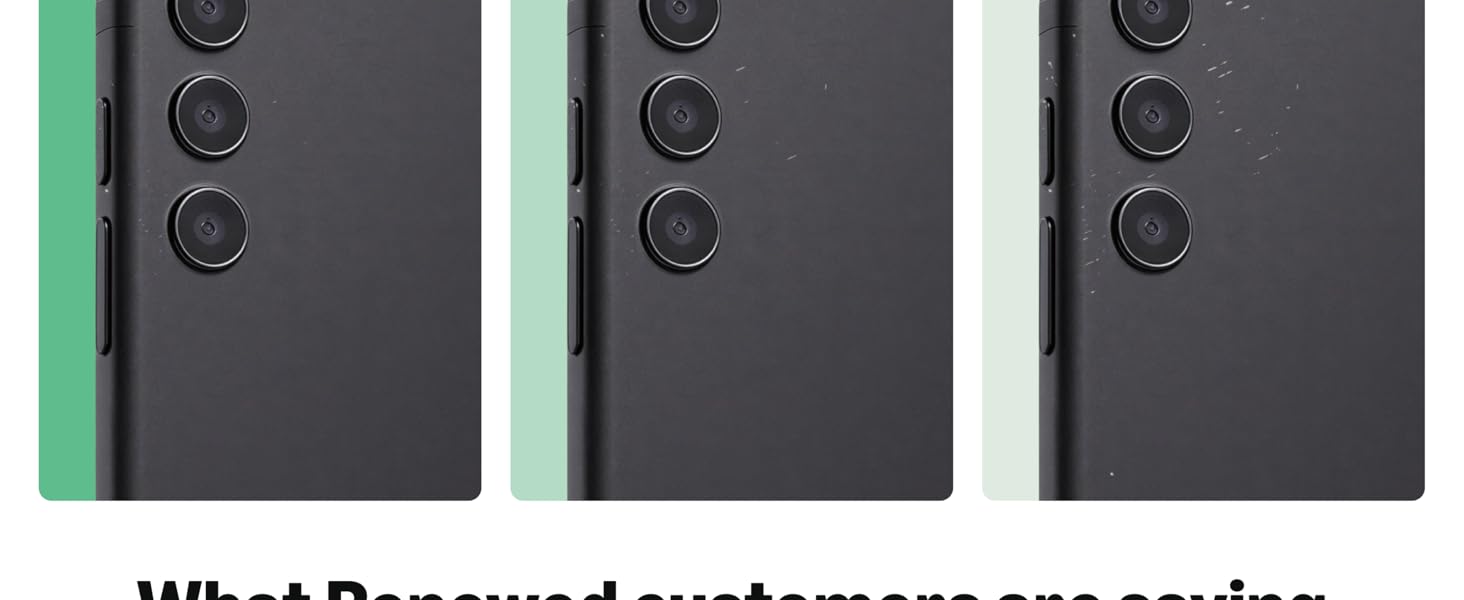
이미지 8.2: 시각적 예시amples of renewed product cosmetic conditions. This image provides visual examples of what 'Excellent', 'Good', and 'Acceptable' cosmetic conditions might look like on a phone's back.
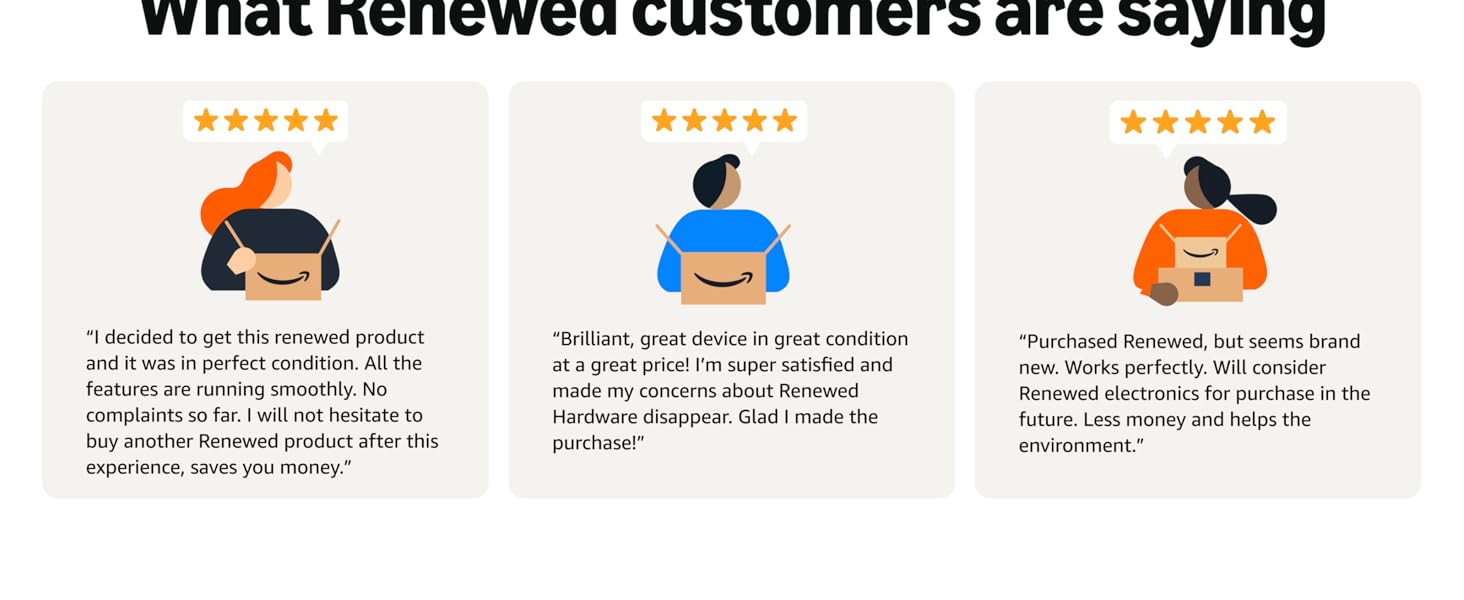
Image 8.3: Customer feedback on Amazon Renewed. This image presents testimonials from customers regarding their positive experiences with Amazon Renewed products.
9. 보증 및 지원
9.1. 보증 정보
As an Amazon Renewed product, this device is backed by the Amazon Renewed Guarantee. Please refer to the Amazon Renewed program terms and conditions for specific warranty details and coverage. This typically includes a limited warranty for a specified period from the date of purchase, covering defects in materials and workmanship.
9.2. 고객 지원
For technical assistance, troubleshooting, or warranty claims, please contact Amazon Customer Service or refer to the official OnePlus support web추가 리소스 및 FAQ 사이트.
- 아마존 고객 서비스: 방문하다 amazon.com/contact-us
- OnePlus 지원: Visit the official OnePlus support web귀하의 지역에 대한 사이트.