
1. 서론
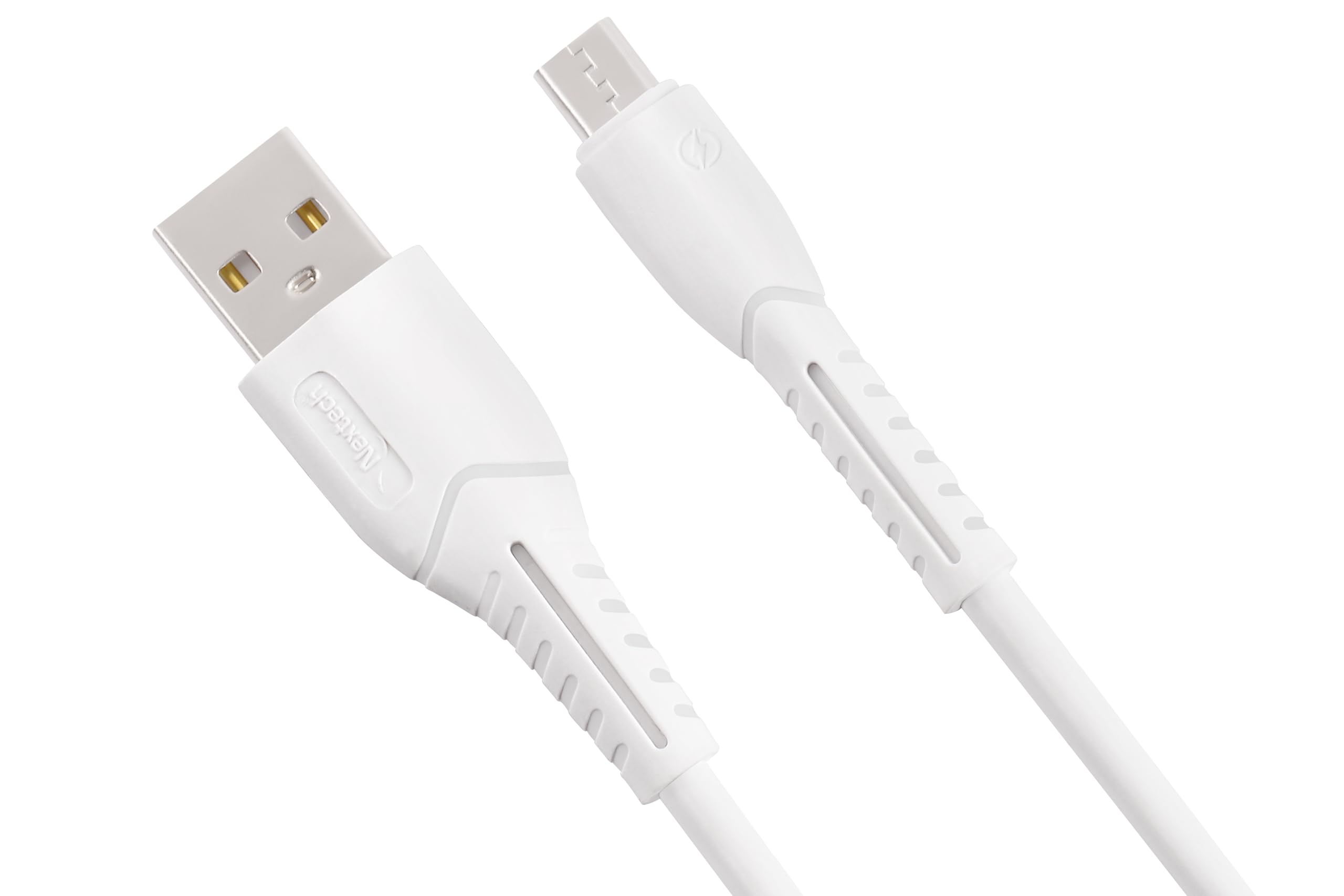
Thank you for choosing the Nextech Fast Sync & Charge Micro USB Cable. This cable is designed for efficient charging and high-speed data transfer for a wide range of Micro USB-compatible devices. Its robust construction ensures durability and reliable performance.
주요 특징:
- 빠른 충전: Supports up to 2.4A for quick power delivery.
- 고속 데이터 동기화: Achieves data transfer speeds of up to 480 Mbps.
- 보편적 인 호환성 : Works with Android smartphones, tablets, power banks, and other Micro USB devices.
- 내구성 있는 디자인: Reinforced and flexible construction for enhanced longevity.
- 안전 기능: Built-in overcharge and heat protection.

Image: Illustration demonstrating fast charging capabilities of the cable, showing a smartphone charging at 15W with 3A high-speed charging.
2. 설정
Setting up your Nextech Micro USB Cable is straightforward. Follow these steps to begin charging or transferring data:
- 커넥터 식별: The cable has two distinct ends: a standard USB Type-A connector and a Micro USB connector.
- 장치에 연결: Insert the Micro USB connector into the Micro USB port of your smartphone, tablet, or other compatible device. Ensure it is fully inserted.
- 전원/데이터 소스에 연결하세요: Insert the USB Type-A connector into a compatible USB port on a wall charger, power bank, laptop, or desktop computer.
- 연결 확인: 충전 시에는 기기에 전원이 공급되고 있음을 나타내는 표시가 나타나야 합니다. 데이터 전송 시에는 컴퓨터가 연결된 기기를 인식해야 합니다.
3. 사용 설명서
장치 충전:
- Connect the Micro USB end to your device and the USB-A end to a compatible USB wall adapter or power bank.
- Ensure the power source provides sufficient output (e.g., 5V/2.4A) for fast charging.
- The device's battery indicator will show charging status.
데이터 전송:
- Micro USB 끝을 장치에 연결하고 USB-A 끝을 컴퓨터의 USB 포트에 연결합니다.
- Your computer should detect the connected device. You may need to select a 'File Transfer' or 'MTP' mode on your device if prompted.
- You can now access your device's storage to transfer files.

Image: Image depicting data synchronization and charging, highlighting a data transfer speed of 480 Mbps between a smartphone and a laptop.
4. 유지관리
Proper care and maintenance will extend the life of your Nextech Micro USB Cable:
- 저장: 케이블은 직사광선과 극한의 온도를 피해 서늘하고 건조한 곳에 보관하세요.
- 청소: 부드럽고 마른 천으로 케이블과 커넥터를 살살 닦아주세요. 액체나 연마성 세척제는 사용하지 마십시오.
- 손질: Avoid sharp bends, kinks, or excessive pulling on the cable, especially near the connectors, to prevent internal damage. Always grasp the connector head when plugging or unplugging, not the cable itself.
- 점검: Periodically check the cable for any signs of wear, fraying, or damage. Discontinue use if damage is observed.
5. 문제 해결
If you encounter issues with your Nextech Micro USB Cable, refer to the following common solutions:
| 문제 | 가능한 원인 | 해결책 |
|---|---|---|
| 기기가 충전되지 않음 | Loose connection, faulty power source, damaged cable, dirty device port. | Ensure connectors are fully inserted. Try a different wall adapter or USB port. Inspect cable for damage. Clean device's Micro USB port carefully. |
| 느린 충전 | Low-power charger, background apps, cable damage. | Use a charger with appropriate output (e.g., 2.4A). Close unnecessary apps on your device. Check cable for damage. |
| 데이터 전송 없음 | Loose connection, incorrect device settings, faulty computer USB port, damaged cable. | Ensure connections are secure. On your device, select 'File Transfer' or 'MTP' mode. Try a different USB port on your computer. Inspect cable for damage. |
| 케이블이 손상된 것 같습니다. | 물리적 스트레스, 마모. | Discontinue use immediately to prevent potential hazards. Replace the cable. |
6. 사양
Detailed specifications for the Nextech Fast Sync & Charge Micro USB Cable (Model NC61):
- 상표: 넥스텍
- 모델 이름: 마이크로 USB 케이블
- 모델 번호: 엔씨61
- 커넥터 유형: Micro USB (Male), USB Type-A (Male)
- 케이블 유형: USB
- 호환 장치: Smartphones, Tablets, Laptops, Power Banks, Charging Adapters, Headphones
- 특별 기능: Data Transfer, Fast Charging, High Speed
- 데이터 전송 속도: 초당 480메가바이트
- 최대 전류: 3 Amps
- 왓tage: 15 와트
- 케이블 길이: 1 미터
- 색상: 하얀색
- 품목 무게: 30그램
- 원산지: 인도

Image: Diagram illustrating the universal compatibility of the Micro USB cable with various devices including smartphones, laptops, power banks, and chargers.
7. 보증 및 지원
For warranty information, technical support, or any inquiries regarding your Nextech Micro USB Cable, please contact the manufacturer directly:
- 제조업체: Amson Interconnect Pvt Ltd
- 연락처 번호: +91-9953694939
- 이메일: Social@amson.in
보증 청구를 위해 구매 증빙서류를 보관하세요.