
CHROX TX98 PRO+
CHROX TX98 PRO+ Android 14.0 TV Box User Manual
Model: TX98 PRO+
1. 서론
This manual provides detailed instructions for the setup, operation, and maintenance of your CHROX TX98 PRO+ Android 14.0 TV Box. Please read this guide thoroughly before using the device to ensure proper functionality and to maximize your viewing experience. The CHROX TX98 PRO+ is designed to transform your television into a smart entertainment hub, offering access to a wide range of applications, streaming services, and media content.
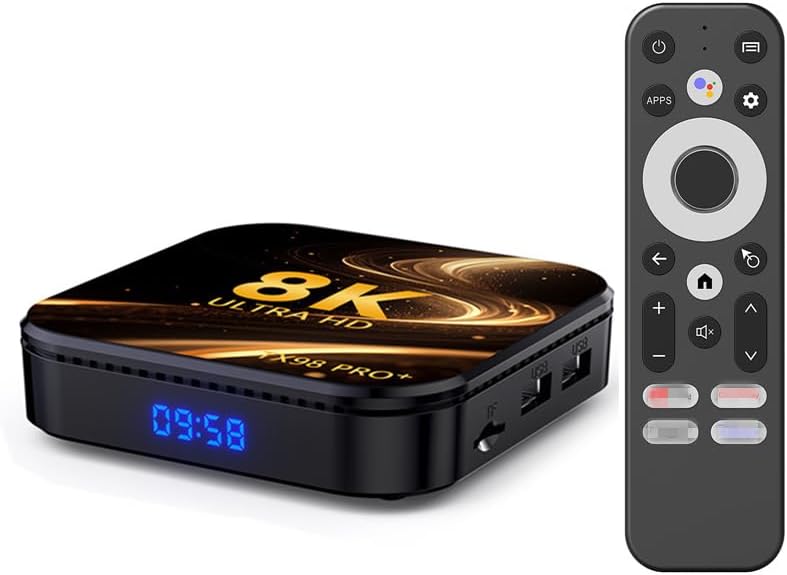
Image 1.1: The CHROX TX98 PRO+ Android TV Box and its accompanying remote control.
2. 패키지 내용
Before proceeding with the setup, please verify that all items listed below are included in your package. If any items are missing or damaged, please contact customer support.
- 1 x CHROX TX98 PRO+ Android 14.0 TV Box
- 1 x 원격 제어
- 1 x HD Cable (HDMI Cable)
- 1 x 전원 어댑터(DC 5V/2.5A)
- 1 x 사용자 매뉴얼(이 문서)

이미지 2.1: 제품 패키지에 포함된 구성품을 시각적으로 나타낸 그림.
3. 제품 오버view
The CHROX TX98 PRO+ features a compact design with various ports for connectivity. Familiarize yourself with the device's layout and available interfaces.
3.1 장치 구성 요소
- 전면 패널: Digital display (time/status).
- 사이드 패널 : USB ports, TF Card slot.
- 후면 패널 : Power input, HDMI output, Ethernet port, AV port, SPDIF port.
3.2 Available Interfaces

Image 3.1: Illustration of the various input and output ports on the CHROX TX98 PRO+ TV Box.
- USB 3.0 포트 : For high-speed data transfer with external storage devices.
- USB 2.0 포트 : 키보드, 마우스, USB 드라이브 등 주변 장치를 연결하는 데 사용됩니다.
- TF 카드 슬롯 : Supports Micro SD cards for expanded storage.
- HDMI 2.0a Output: Connects to your TV or display for video and audio output (supports up to 4K@60Hz).
- AV 포트: For connecting to older televisions using an AV cable (not included).
- LAN(이더넷) 포트: 유선 네트워크 연결(10/1000M)용입니다.
- DC 5V 전원 입력: 제공된 전원 어댑터에 연결합니다.
- SPDIF 포트: For digital audio output to compatible audio systems.
4. 설정 가이드
Follow these steps to set up your CHROX TX98 PRO+ Android TV Box.
- TV에 연결: Connect one end of the provided HDMI cable to the HDMI port on the TV Box and the other end to an available HDMI input on your television.
- 전원 연결: 전원 어댑터를 TV 박스의 DC 5V 포트에 꽂은 다음, 어댑터를 벽면 콘센트에 꽂습니다.
- 전원 켜기: The TV Box should automatically power on. If not, press the power button on the remote control or the device.
- 입력 선택: 텔레비전에서 리모컨을 사용하여 올바른 HDMI 입력 소스를 선택하세요.
- 초기 설정 : 화면의 지시에 따라 언어 선택, 네트워크 연결, Google 계정 로그인을 포함한 초기 설정을 완료하세요.
5. 사용 설명서
5.1 리모콘 기능
The included remote control allows you to navigate the Android interface and control media playback.
- 전원 버튼: 장치를 켜거나 끕니다.
- 탐색 패드: Use the directional arrows to move through menus and select items.
- 확인 버튼: 선택 사항을 확인합니다.
- 뒤로가기 버튼: 이전 화면으로 돌아갑니다.
- 홈 버튼: 메인 홈 화면으로 돌아갑니다.
- 볼륨 버튼: 오디오 볼륨을 조절합니다.
- Apps Button: Accesses the installed applications list.
- 설정 버튼: Opens the system settings menu.
5.2 안드로이드 인터페이스 탐색
The CHROX TX98 PRO+ runs on Android 14.0, providing a user-friendly interface.
- 홈 화면: 자주 사용하는 앱, 추천 콘텐츠, 시스템 정보를 표시합니다.
- 앱 서랍: 설치된 모든 애플리케이션에 접근합니다.
- 설정: Customize network, display, sound, and other system preferences.
5.3 애플리케이션 설치
You can download and install applications from the Google Play Store or other compatible sources.
- TV 박스가 인터넷에 연결되어 있는지 확인하십시오.
- Navigate to the Google Play Store app on the home screen or app drawer.
- 검색 원하시는 애플리케이션입니다.
- Select the app and choose "Install".
6. 연결성
6.1 Wi-Fi 연결
The device supports dual-band 2.4G/5G Wi-Fi 6 for fast and stable wireless internet access.
- 이동하다 설정 > 네트워크 및 인터넷 > 와이파이.
- 와이파이를 켜세요 On.
- 목록에서 원하는 Wi-Fi 네트워크를 선택하세요.
- 메시지가 표시되면 네트워크 암호를 입력하고 선택하세요. 연결하다.
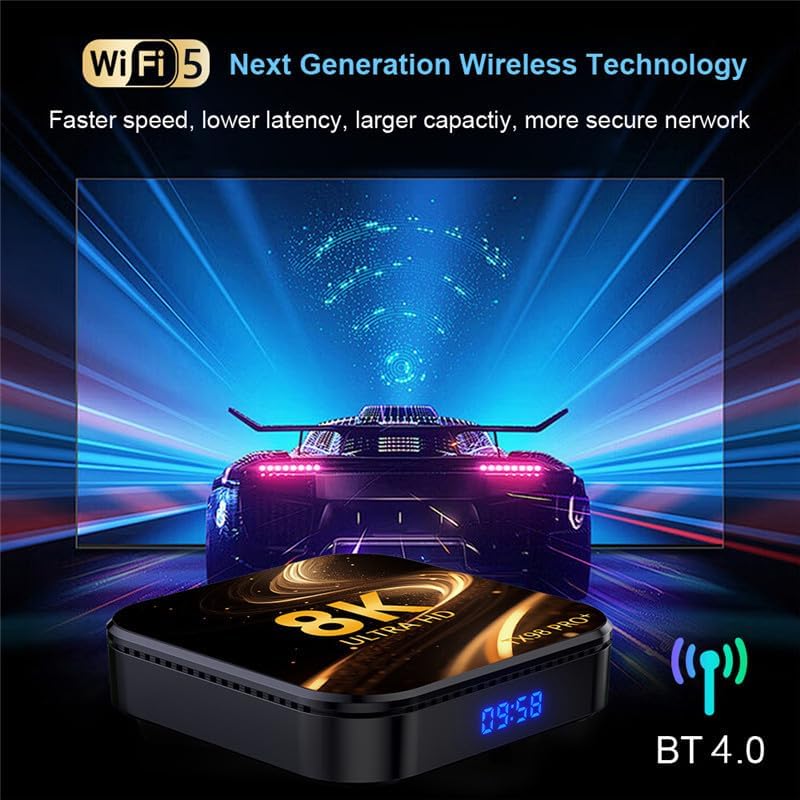
Image 6.1: The TV Box supports advanced wireless technologies for network connectivity. Note: While the image shows "Wi-Fi 5", the product supports Wi-Fi 6 for enhanced performance.
6.2 이더넷 연결
For a more stable internet connection, you can use a wired Ethernet connection.
- Connect an Ethernet cable from your router or modem to the LAN port on the TV Box.
- 기기는 자동으로 유선 네트워크를 감지하고 연결합니다.
6.3 블루투스 페어링
The TV Box features Bluetooth 4.0 for connecting wireless accessories like headphones, speakers, or game controllers.
- 이동하다 설정 > 연결된 장치 > 새 기기 페어링.
- Bluetooth 장치를 페어링 모드로 전환합니다.
- TV 화면의 목록에서 기기를 선택하여 페어링하세요.
6.4 Multi-Screen Interaction
The CHROX TX98 PRO+ supports multi-screen interaction technologies like DLNA and Miracast, allowing you to cast content from your mobile phone or tablet to your TV.
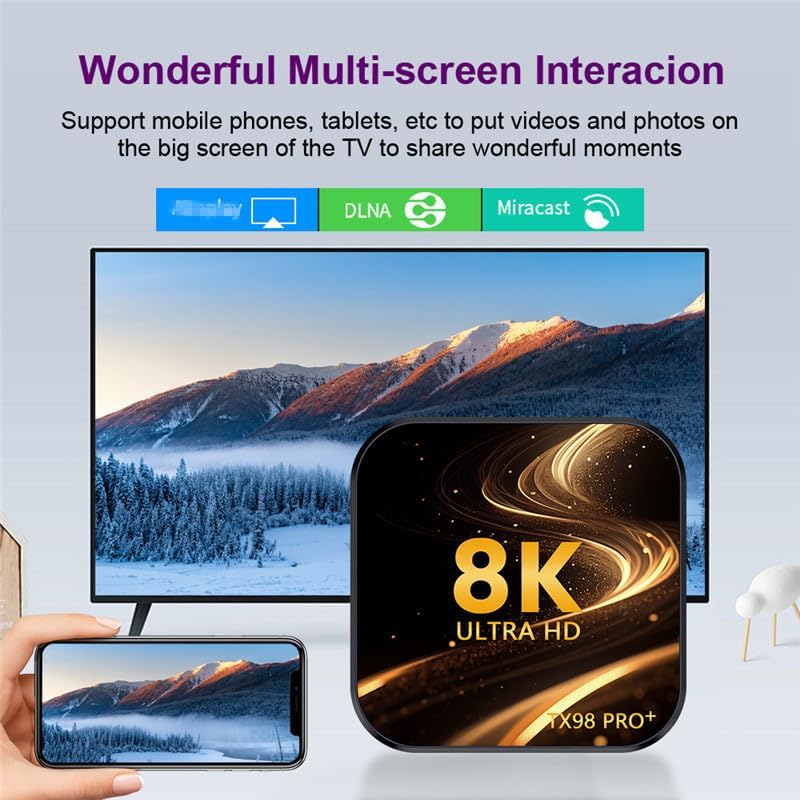
Image 6.2: Demonstrates the ability to share content from mobile devices to the TV via the TV Box.
7. 미디어 재생
The CHROX TX98 PRO+ supports a wide range of media formats and high-resolution video playback, including 8K and 4K content.
7.1 고해상도 비디오
Experience stunning visuals with support for 8K and 4K video decoding. The device utilizes H.265 technology for efficient playback, reducing bandwidth and storage requirements.

Image 7.1: The TV Box is capable of decoding and displaying 8K resolution video content.
7.2 HDR10 지원
With HDR10 support, the TV Box delivers a wider range of colors and deeper contrast, resulting in a more vivid and immersive view경험.

Image 7.2: Comparison illustrating the enhanced visual quality with HDR10 enabled.
7.3 지원되는 미디어 형식
- Decoder Formats: 4K VP9, H.265/H.264, 1080P (VC-1, MPEG-1/2/4, VP6/8).
- 미디어 형식 : Avi, Ts, Vob, Mkv, Mov, ISO, wmv, asf, flv, dat, mpg, mpeg.
- 음악 형식: MP3, WMA, AAC, WAV, OGG, DDP, HD, FLAC, APE.
- 사진 형식: HD JPEG, BMP, GIF, PNG, TIFF.
8. 유지관리
To ensure the longevity and optimal performance of your CHROX TX98 PRO+ TV Box, follow these maintenance guidelines:
- 청소: 부드럽고 마른 천을 사용하여 기기를 닦으세요. 액체 세척제나 연마재는 사용하지 마세요.
- 통풍: 기기가 과열되는 것을 방지하기 위해 통풍이 잘 되는 곳에 두십시오. 통풍구를 막지 마십시오.
- 전원 끄기 : 장기간 사용하지 않을 경우 전원 어댑터를 벽면 콘센트에서 분리하십시오.
- 소프트웨어 업데이트: Periodically check for and install system updates to ensure the latest features and security patches.
9. 문제 해결
If you encounter issues with your CHROX TX98 PRO+ TV Box, refer to the following common problems and solutions.
| 문제 | 가능한 원인 | 해결책 |
|---|---|---|
| 전원이 없습니다 | 전원 어댑터가 연결되지 않았거나 결함이 있습니다. | 전원 어댑터가 기기에 제대로 연결되어 있고 콘센트에 전원이 제대로 공급되는지 확인하세요. 다른 콘센트를 사용해 보세요. |
| TV에 신호가 없습니다 | Incorrect HDMI input selected or loose HDMI cable. | Verify the TV is on the correct HDMI input. Check that the HDMI cable is securely connected to both the TV Box and the TV. |
| Wi-Fi 연결 문제 | 비밀번호가 잘못되었거나, 신호가 약하거나, 라우터 문제입니다. | Re-enter the Wi-Fi password carefully. Move the TV Box closer to the router. Restart your router and the TV Box. |
| 리모콘이 응답하지 않음 | 배터리 부족 또는 장애물. | 리모컨의 배터리를 교체하세요. 리모컨과 TV 박스 사이에 장애물이 없는지 확인하세요. |
| 애플리케이션이 충돌하거나 정지됨 | Insufficient memory or app compatibility issues. | Close background applications. Clear app cache (Settings > Apps > [App Name] > Clear Cache). Restart the TV Box. |
If the problem persists after trying these solutions, please contact CHROX customer support for further assistance.
10. 사양
Detailed technical specifications for the CHROX TX98 PRO+ Android 14.0 TV Box.
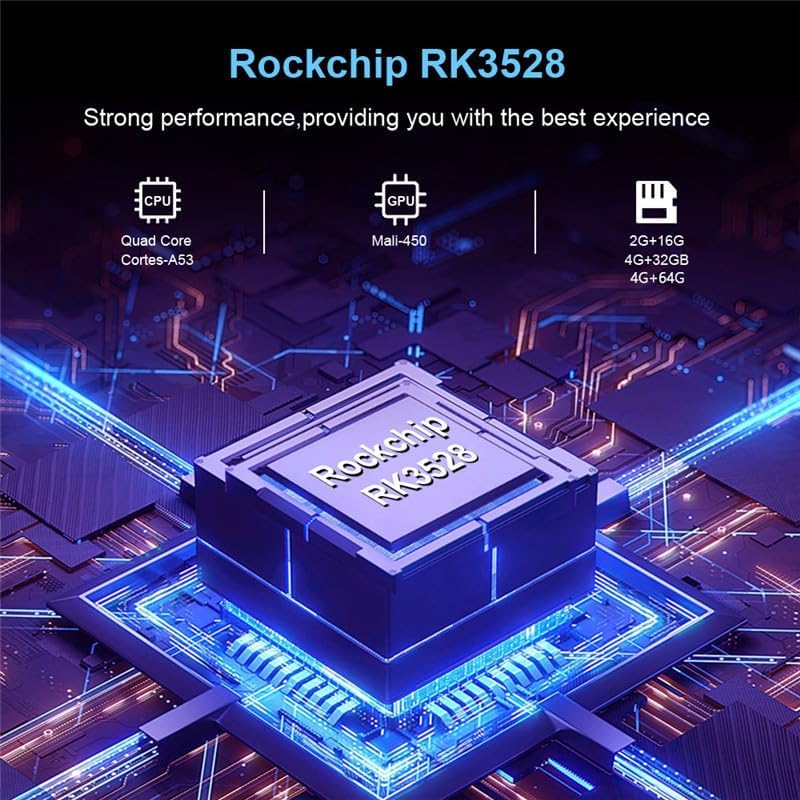
이미지 10.1: 이상view of the Rockchip RK3528 processor, highlighting its CPU, GPU, and memory configurations.
| 특징 | 세부 사항 |
|---|---|
| 운영 체제 | 안드로이드 14.0 |
| CPU | RK3528 Quad-Core 64-bit ARM Cortex-A53 |
| 그래픽 카드 | 펜타코어 Mali-450 |
| SD램 | 4GB (XNUMX기가바이트) |
| ROM 플래시 | 32 GB (available in 32GB/64GB variants) |
| 와이파이 | 2.4G/5G Dual-band Wi-Fi 6 (802.11 a/b/g/n/ac/ax) |
| 블루투스 | 4.0 |
| 랜 이더넷 | 10/1000M 표준 RJ-45 |
| USB 포트 | 1 X USB 3.0, 1 X USB 2.0 |
| HDMI 출력 | HDMI 2.0a for 4K@60Hz |
| 기타 포트 | 1 x AV, 1 x Micro SD Card Reader, 1 x Power DC 5V/2.5A, 1 x SPDIF |
| Video Decoder Support | 4K VP9, H.265/H.264, 1080P (VC-1, MPEG-1/2/4, VP6/8) |
| HDR 지원 | HDR10 |
| OSD 언어 | 영어, 프랑스어, 독일어, 스페인어, 이탈리아어 등 |
11. 안전 정보
기기 손상이나 부상을 방지하기 위해 다음 안전 수칙을 준수해 주십시오.
- 기기를 물, 습기 또는 극한 온도에 노출시키지 마세요.
- 기기를 떨어뜨리거나 심한 충격을 주지 마십시오.
- 기기를 직접 열거나 수리하지 마십시오. 모든 정비는 자격을 갖춘 기술자에게 맡기십시오.
- 제공된 전원 어댑터만 사용하십시오. 승인되지 않은 어댑터를 사용하면 기기가 손상되고 보증이 무효화될 수 있습니다.
- 장치를 직사광선과 열원에서 멀리 두십시오.
12. 보증 및 지원
Your CHROX TX98 PRO+ Android 14.0 TV Box comes with a standard manufacturer's warranty. For specific warranty terms and conditions, please refer to the documentation included with your purchase or contact your retailer.
For technical support, troubleshooting assistance beyond what is provided in this manual, or inquiries regarding your product, please contact CHROX customer service.
고객 지원: Please refer to your purchase receipt or the CHROX official web연락처 정보 사이트.
Ask a question about this manual
Ask about setup, troubleshooting, compatibility, parts, safety, or missing instructions. Manuals+ will review the question and use this page’s manual context to help answer it.