
제품 끝view
The MCHOSE X75 V2 is a versatile 75% layout mechanical keyboard designed for various uses, from gaming to professional work. It features multiple connectivity options, customizable RGB lighting, and an ergonomic design for comfortable use.
주요 특징
- 내장형 멀티미디어 조절 노브: Convenient control for media and mouse actions.
- Ergonomic Design & 75% Compact Layout: 18.5mm front height for comfortable typing, 82 keys saving 30% desktop space.
- Hot-Swappable Custom Mechanical Keyboard: Supports 3-pin & 5-pin mechanical switches, equipped with pre-lubed Hyacinth Switches.
- 5-Layer Gasket Structure Design: Enhances sound dampening and shock absorption for a consistent typing feel.
- 더블샷 PBT 키캡: Durable keycaps that resist wear and shine.
- Per-key RGB Lighting & MCHOSE HUB: 16.8 million colors, various lighting effects, customizable via MCHOSE HUB software.
- Tri-Mode Connection & Large Capacity 8000mAh Battery: Bluetooth 5.0, 2.4GHz wireless, and USB-C wired connections, with long battery life.

Image: The MCHOSE X75 V2 Wireless Mechanical Keyboard in Retro White, highlighting its compact design and vibrant RGB lighting.
상자 안에 무엇이 들어있나요?
Your MCHOSE X75 V2 keyboard package includes the following items:
- MCHOSE X75 V2 키보드
- 더스트 커버
- USB-C 케이블
- 1 x 편리한 가이드
- 2.4GHz 수신기
- 키캡 및 스위치 풀러
- 2 x Hyacinth Switches
- 1 x 사용자 설명서

Image: Contents of the MCHOSE X75 V2 keyboard box, including the keyboard, USB-C cable, 2.4GHz receiver, keycap/switch puller, extra switches, and documentation.
설정 및 연결
3중 모드 연결
The MCHOSE X75 V2 keyboard supports three connection modes: Bluetooth 5.0, 2.4GHz wireless, and USB-C wired.

Image: The MCHOSE X75 V2 keyboard supports Bluetooth 5.0, 2.4GHz wireless, and USB-C wired connections, compatible with various devices.
2.4GHz 무선 연결
- Locate the 2.4GHz USB receiver. It is stored in a hidden magnetic compartment on the right side of the keyboard.
- 수신기를 장치의 사용 가능한 USB 포트에 연결합니다.
- Toggle the switch on the right side of the keyboard to "2.4G" mode.
- 키보드가 자동으로 연결됩니다.
블루투스 5.0 연결
- Toggle the switch on the right side of the keyboard to "BT" mode.
- On your device, search for Bluetooth devices and select "MCHOSE X75 V2".
- Pair the keyboard with your device.
USB-C 유선 연결
- Connect the provided USB-C cable to the keyboard's port (located on the front top edge).
- USB-C 케이블의 다른 쪽 끝을 기기의 사용 가능한 USB 포트에 연결하십시오.
- 이 키보드는 유선 모드로 작동하며 동시에 충전도 됩니다.
Video: This video demonstrates how to connect the MCHOSE X75 V2 keyboard using its web driver and desktop driver.
작동 지침
멀티미디어 노브
The embedded multimedia knob on the left side of the keyboard allows for easy volume control. Rotate to adjust volume, press to mute/unmute.
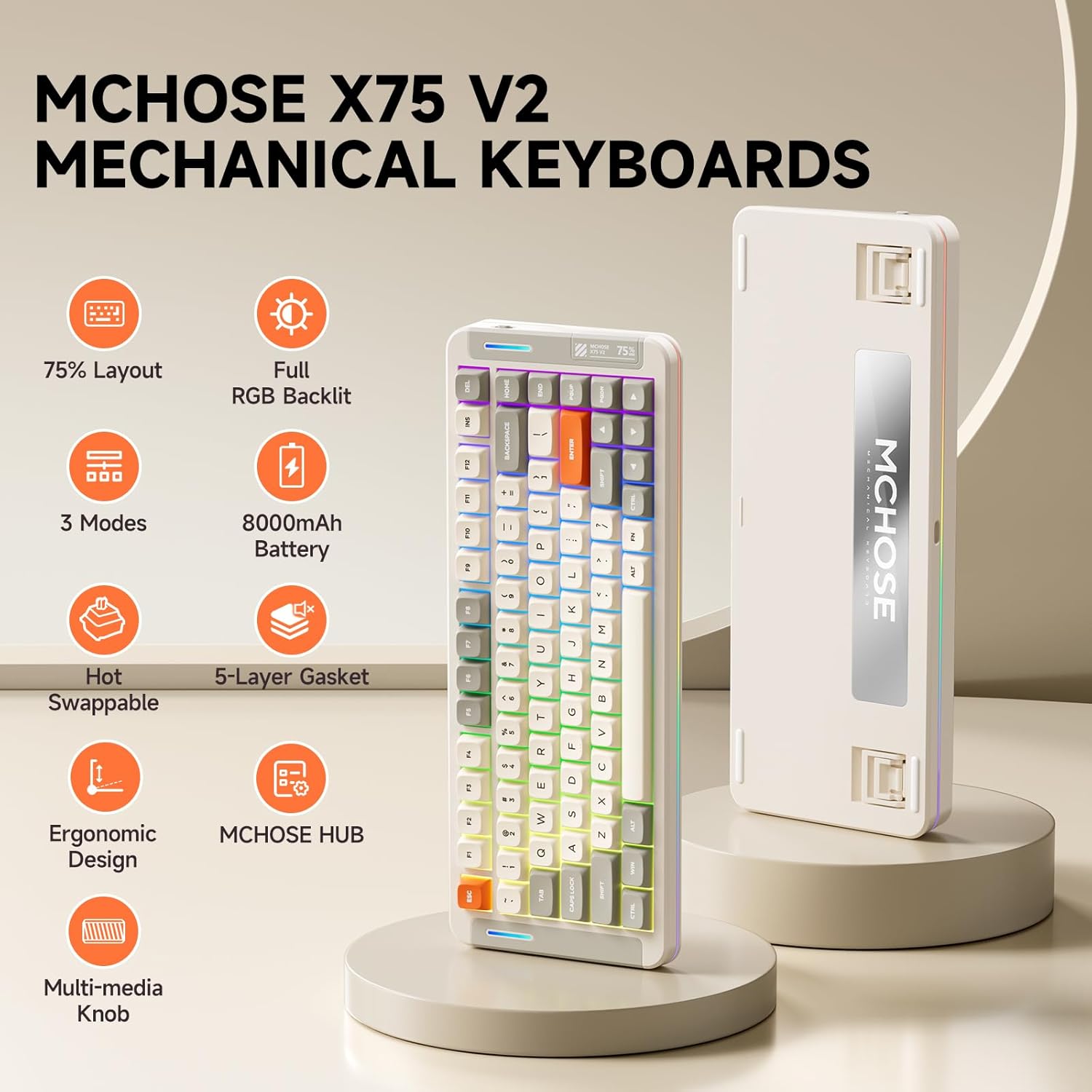
Image: The multimedia knob on the MCHOSE X75 V2 keyboard for volume control.
RGB 조명 제어
The keyboard features per-key RGB lighting and an atmosphere light bar with 16.8 million colors and various effects.
백라이트 설정
- Fn + 탭: 백라이트 색상을 전환합니다.
- Fn + Q/W/E/R/T/Y: 백라이트 모드를 전환합니다.
- Fn + 위/아래 화살표: 백라이트 밝기를 조정합니다.
- Fn + 좌/우 화살표: 백라이트 속도를 조절하세요.
Atmosphere Lighting Settings
- Fn + 오른쪽 시프트: 분위기 조명 모드를 전환합니다.
- Fn + B: 주변 조명 스트립을 전원 모드로 전환하세요.
- Fn + Z: 분위기 조명 색상을 변경하세요.

Image: Key combinations for adjusting the keyboard's RGB backlight and atmosphere lighting.
Video: An introduction to the MCHOSE X75 V2 Retro White keyboard, highlighting its features and design.
인체공학적 디자인
The keyboard features a front height of approximately 18.5mm for comfortable typing. It also includes two-stage adjustable tilt legs on the underside to customize your typing angle, reducing strain on your fingers and wrists.

Image: The ergonomic design of the MCHOSE X75 V2 keyboard with adjustable tilt legs for personalized comfort.
Customization with MCHOSE HUB
The MCHOSE HUB software allows you to customize various settings of your X75 V2 keyboard, including macros, key assignments, rhythm effects, and lighting modes. Download the software from the official MCHOSE web대지.
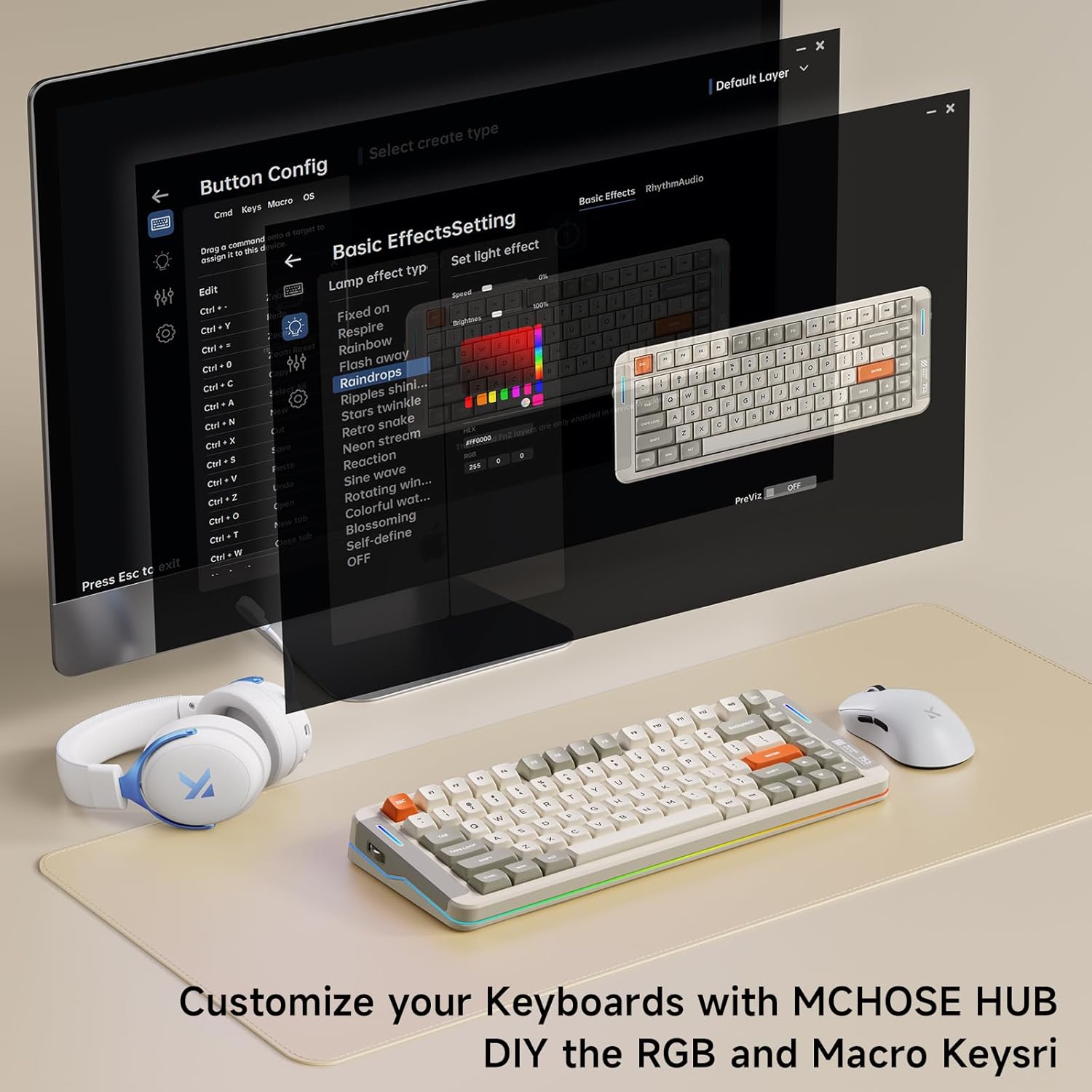
Image: The MCHOSE HUB software interface for customizing keyboard settings.
유지
핫스왑 가능 스위치
The MCHOSE X75 V2 features hot-swappable PCB sockets, allowing you to easily change 3-pin and 5-pin mechanical switches without soldering. Use the provided keycap and switch puller for safe removal and installation.

Image: The hot-swappable design allows for easy customization of switches.
키캡 관리
The double-shot PBT keycaps are designed for durability and resistance to shine and wear. Clean them with a soft, damp 옷감. 가혹한 화학 물질을 피하십시오.
5겹 가스켓 구조
The keyboard's 5-layer gasket structure enhances sound dampening and shock absorption, contributing to a consistent and pleasant typing experience. This design also helps protect internal components.

이미지: 폭발 view of the keyboard's 5-layer gasket structure, detailing its components for enhanced typing feel and sound.
Video: A typing sound test of the MCHOSE X75 V2 keyboard, demonstrating its 'creamy' sound profile.
명세서
| 특징 | 세부 사항 |
|---|---|
| 상표 | MCHOSE |
| 모델 번호 | X75 V2 |
| 연결 기술 | 2.4GHz 무선, BT5.0, USB-C |
| 키보드 설명 | 기계적 |
| 특별 기능 | 백라이트, 사용자 정의 가능한 디스플레이 키, 인체공학적, 핫스왑 가능, 충전식 |
| 색상 | White (Retro White variant) |
| 키보드 백라이팅 | RGB |
| 제품 치수 | 13.7인치 길이 x 5.5인치 너비 x 1.57인치 높이 |
| 전원 | 배터리 구동(8000mAh) |
| 스위치 유형 | Linear (Hyacinth Switches) |
| 키의 개수 | 82 |
| 인클로저 재료 | Metal, Plastic, Polycarbonate, Silicone |
문제 해결
연결 문제
- 2.4GHz 무선: Ensure the USB receiver is securely plugged in and the keyboard switch is set to "2.4G". Try a different USB port.
- 블루투스: Ensure the keyboard switch is set to "BT" and your device's Bluetooth is enabled. Re-pair the device if necessary.
- 열광한: USB-C 케이블의 양쪽 연결 상태를 확인하세요. 다른 USB-C 케이블이나 포트를 사용해 보세요.
조명이 작동하지 않습니다
- Check battery level; low battery can affect lighting.
- Ensure RGB lighting is enabled via Fn key combinations or MCHOSE HUB software.
키가 응답하지 않음
- 키보드가 제대로 연결되어 있고 전원이 켜져 있는지 확인하십시오.
- If using wireless modes, check battery level.
- For individual keys, ensure the switch is properly seated in the hot-swappable socket.
보증 및 지원
The MCHOSE X75 V2 keyboard comes with a 1-year manufacturer warranty.
For further assistance, please visit the MCHOSE Official web사이트를 방문하거나 고객 지원팀에 문의하세요.
MCHOSE Official Seller: MCHOSE 공식


