
소개
This manual provides comprehensive instructions for the assembly, operation, maintenance, and troubleshooting of your HUANUO 60x30 Inch Electric Standing Desk. Please read this manual thoroughly before use to ensure proper function and safety.
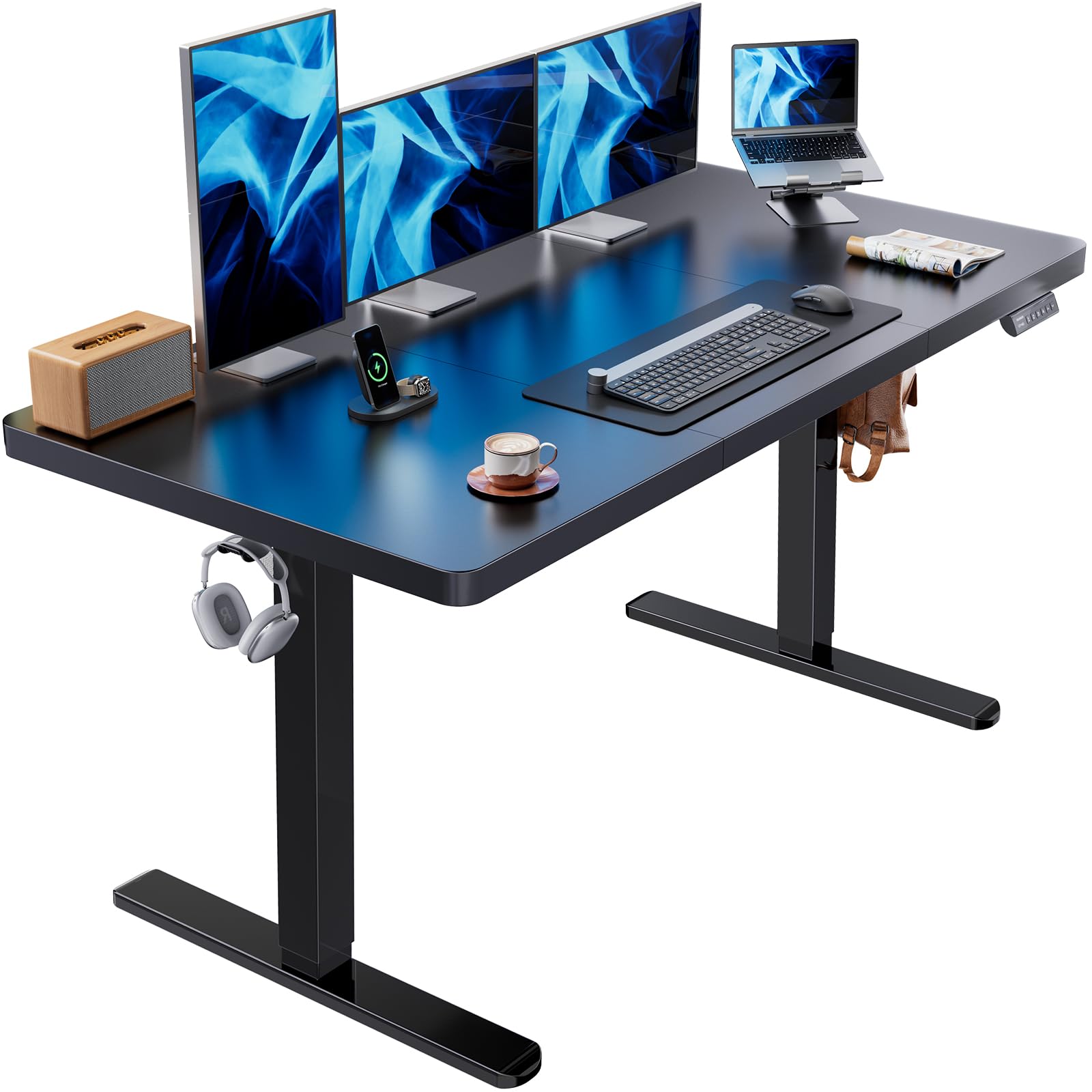
Image: The HUANUO 60x30 Inch Electric Standing Desk, showcasin사무 환경에 어울리는 디자인입니다.
안전 정보
- Do not exceed the maximum weight limit of 100 kg (220 lbs) on the desktop.
- 사용하기 전에 모든 나사와 볼트가 단단히 조여졌는지 확인하십시오.
- 작동 중에는 어린이와 애완동물이 책상에 접근하지 못하도록 하세요.
- 제어판이나 모터 부품에 직접 액체를 놓지 마십시오.
- 청소나 유지관리 작업을 하기 전에 전원을 차단하세요.
설정 및 조립
The HUANUO Electric Standing Desk is designed for straightforward assembly. The desktop and frame are shipped in two separate packages, which may arrive at different times. Please refer to the included detailed instructions and labeled hardware for a hassle-free setup.
설치 팁:
- When you receive the frame and tabletop, verify the corresponding model on the frame packaging box. Different models may have specific tabletop installation positions, as indicated in the tabletop manual.
- A cable management tray is included to attach underneath your desktop, helping organize power strips and cables.
- Two hooks are provided for hanging headphones or bags, contributing to a clean and clutter-free workspace.
- Assembly is recommended for 1 person.
- 조립에는 드라이버가 권장됩니다.

Image: Desk dimensions and packaging information, noting shipment in two boxes.
조립 비디오:
Video: A detailed assembly guide for the HUANUO Electric Standing Desk.
작동 지침
The HUANUO Electric Standing Desk features a powerful brushless motor for smooth and quiet height adjustments. The intelligent control panel allows for easy transitions between sitting and standing positions.
높이 조정:
- The desk can be smoothly adjusted from a minimum height of 27.9 inches to a maximum height of 46.5 inches.
- 사용하세요 Up 그리고 아래에 arrow buttons on the control panel to manually adjust the desk to your desired height.

Image: Visual representation of the desk's adjustable height range, suitable for both sitting and standing.
메모리 사전 설정:
- The control panel includes 4 memory preset buttons (1, 2, 3, 4).
- To save a height: Adjust the desk to your preferred height, then press and hold one of the numbered preset buttons until you hear a beep or see the display flash. The height is now saved to that button.
- To recall a saved height: Simply press the corresponding numbered preset button. The desk will automatically move to the saved height.
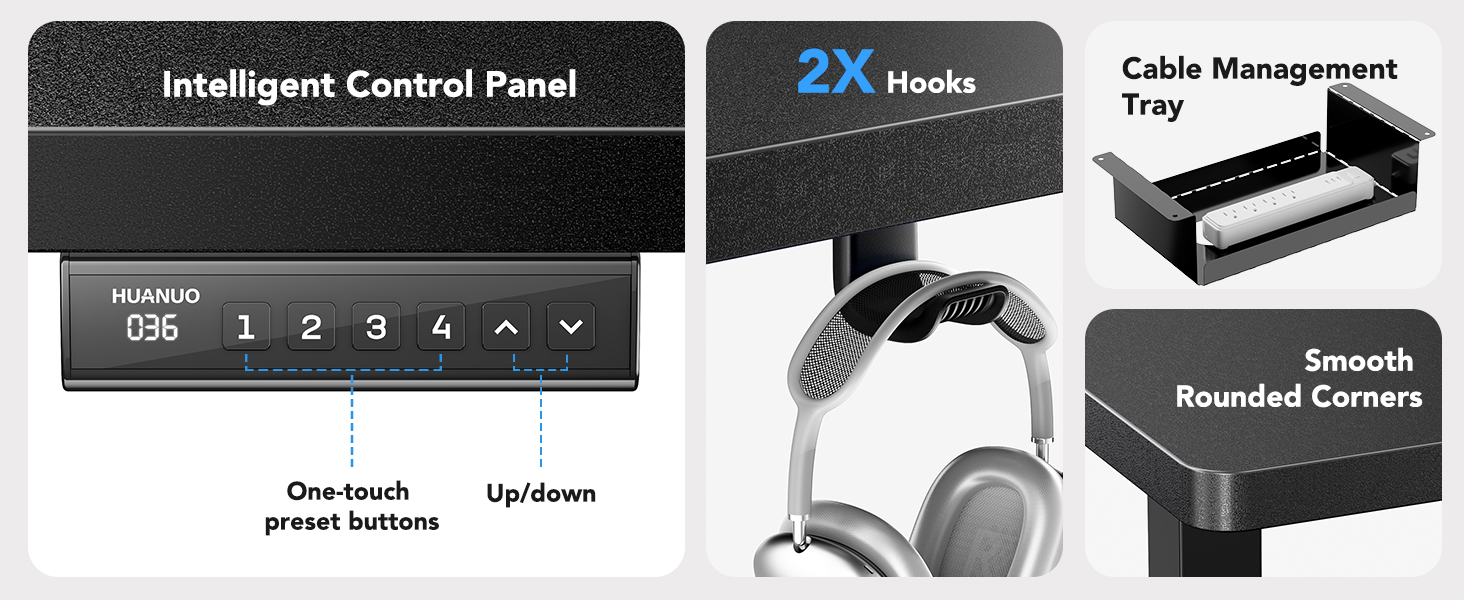
Image: The intelligent control panel with memory presets, along with the cable management tray and headphone hooks.
영상 촬영:
Video: A demonstration of the HUANUO Electric Standing Desk's features and operation.
유지
To ensure the longevity and optimal performance of your HUANUO Electric Standing Desk, follow these simple care instructions:
- Regularly wipe the desktop and frame with a damp 먼지와 유출물을 제거하는 천.
- For a thorough cleaning, use a dry cloth after wiping with a damp 물 얼룩이 생기지 않도록 천으로 덮어주세요.
- 독한 화학 약품이나 연마성 세척제는 마감재를 손상시킬 수 있으므로 사용하지 마십시오.
- 모든 나사와 연결부를 주기적으로 점검하여 단단히 고정되어 있는지 확인하세요.
문제 해결
If you encounter any issues with your HUANUO Electric Standing Desk, please refer to the following common solutions. If the problem persists, contact customer support.
일반적인 문제:
-
데스크 응답 없음:
- 전원 케이블이 책상 콘센트와 벽면 콘센트에 제대로 꽂혀 있는지 확인하십시오.
- Ensure there are no obstructions preventing the desk from moving.
- 책상 전원 코드를 10초 동안 뽑았다가 다시 꽂아서 재설정해 보세요.
-
고르지 않은 움직임:
- 책상이 평평한 곳에 놓여 있는지 확인하십시오.
- Ensure the weight on the desktop is evenly distributed and does not exceed the maximum capacity.
- Check for any loose connections in the frame assembly.
-
모터 소음:
- The brushless motor operates at less than 55 dB, which is generally quiet. If you notice unusual or excessive noise, ensure no cables or objects are interfering with the motor mechanism.
명세서
| 상표 | 화누오 |
| 모델 번호 | HNESD143B |
| 데스크탑 크기 | 가로 60인치 x 세로 30인치 |
| 높이 조절 범위 | 27.9인치에서 46.5인치까지 |
| 모터 유형 | 무브러시 모터 |
| 소음 수준 | <55dB (XNUMXdB) |
| 중량 용량 | 100kg(220파운드) |
| 프레임 소재 | 탄소강 |
| 상단 소재 | 엔지니어링 목재 |
| 메모리 사전 설정 | 4 |
| 포함된 구성 요소 | Cable Management Tray, 2 Headphone Hooks |

Image: Detailed features of the brushless motor, including low noise operation and weight capacity.
보증 정보
The HUANUO 60x30 Inch Electric Standing Desk comes with a 한정 보증. For specific details regarding coverage, duration, and terms, please refer to the warranty card included with your product or contact HUANUO customer support.
고객 지원
If you have any questions, require assistance with assembly, or need troubleshooting support that is not covered in this manual, please contact HUANUO customer service. Our team is available to help you.
For the most up-to-date contact information, please visit the official HUANUO web자세한 내용은 해당 사이트를 참조하거나 제품 포장에 제공된 연락처 정보를 참조하세요.


