
소개
Thank you for choosing the CREATE Speaker Retro. This portable Bluetooth speaker combines a classic retro design with modern audio technology, offering versatile connectivity and powerful sound. This manual will guide you through the setup, operation, and maintenance of your new speaker to ensure optimal performance and longevity.

Image: The CREATE Speaker Retro, highlighting its elegant retro aesthetic and compact form factor.
중요 안전 지침
- 제품을 사용하기 전에 모든 지침을 주의 깊게 읽으십시오.
- 이 설명서를 향후 참고용으로 보관하세요.
- Do not expose the speaker to water or excessive moisture. This product is 방수가 안됨.
- 라디에이터, 난방 조절기, 스토브 또는 기타 장치(예: 열원) 근처에 두지 마십시오. amp열을 생성하는 발전기.
- 제조사가 지정한 부속품/액세서리만 사용하세요.
- 번개 폭풍 시 또는 장기간 사용하지 않을 때는 기기의 플러그를 뽑아두세요.
- 모든 서비스는 자격을 갖춘 서비스 담당자에게 의뢰하세요.
패키지 내용
The CREATE Speaker Retro package includes:
- CREATE Speaker Retro Portable Bluetooth Speaker (1 unit)
- USB-C 충전 케이블
- 사용 설명서 (본 문서)
제어 및 포트 오버view
스피커의 컨트롤과 연결 포트에 대해 알아보세요.

이미지: 상세 view of the speaker's top control panel.
- 볼륨 노브: 전반적인 사운드 볼륨을 조절합니다.
- 베이스 노브: 저음 레벨을 조정합니다.
- 고음 노브: 고음 레벨을 조정합니다.
- 입력 선택기 스위치: Toggles between AUX, Bluetooth (BT), and USB input modes.
- 전원 스위치: 스피커를 켜거나 끕니다.
- AUX 입력(3.5mm): 오디오 케이블을 통해 외부 오디오 장치를 연결하는 데 사용합니다.
- USB 포트: USB 드라이브 재생용입니다.
- DC-IN 5V Port: 스피커를 충전합니다.
- 표시등: 전원 상태, 충전 상태, 블루투스 페어링 상태를 표시합니다.
설정
1. 스피커 충전
Before first use, fully charge the speaker. Connect the provided USB-C charging cable to the DC-IN 5V port on the speaker and the other end to a compatible USB power adapter (not included) or a computer's USB port. The indicator light will show the charging status. A full charge takes approximately 4-5 hours.
- 충전 중: Indicator light glows (color may vary).
- 완전히 충전됨: Indicator light turns off or changes color.
2. 전원 켜기 / 끄기
스피커를 켜려면 스위치를 켜세요. 전원 스위치 to the "ON" position. To power off, flip the switch to the "OFF" position.
작동 지침
1. 블루투스 모드
The speaker features Bluetooth 5.2 for wireless audio streaming with a range of up to 10 meters.
- 스피커의 전원을 켭니다.
- 설정하다 입력 선택 스위치 to "BT/AUX" and then ensure it's in Bluetooth mode (indicator light will blink, indicating pairing mode).
- 스마트폰, 태블릿 또는 기타 Bluetooth 지원 기기에서 Bluetooth를 활성화하고 사용 가능한 기기를 검색하세요.
- Select "CREATE Speaker Retro" from the list.
- Once paired, the indicator light will stop blinking and remain solid. You can now play music wirelessly.
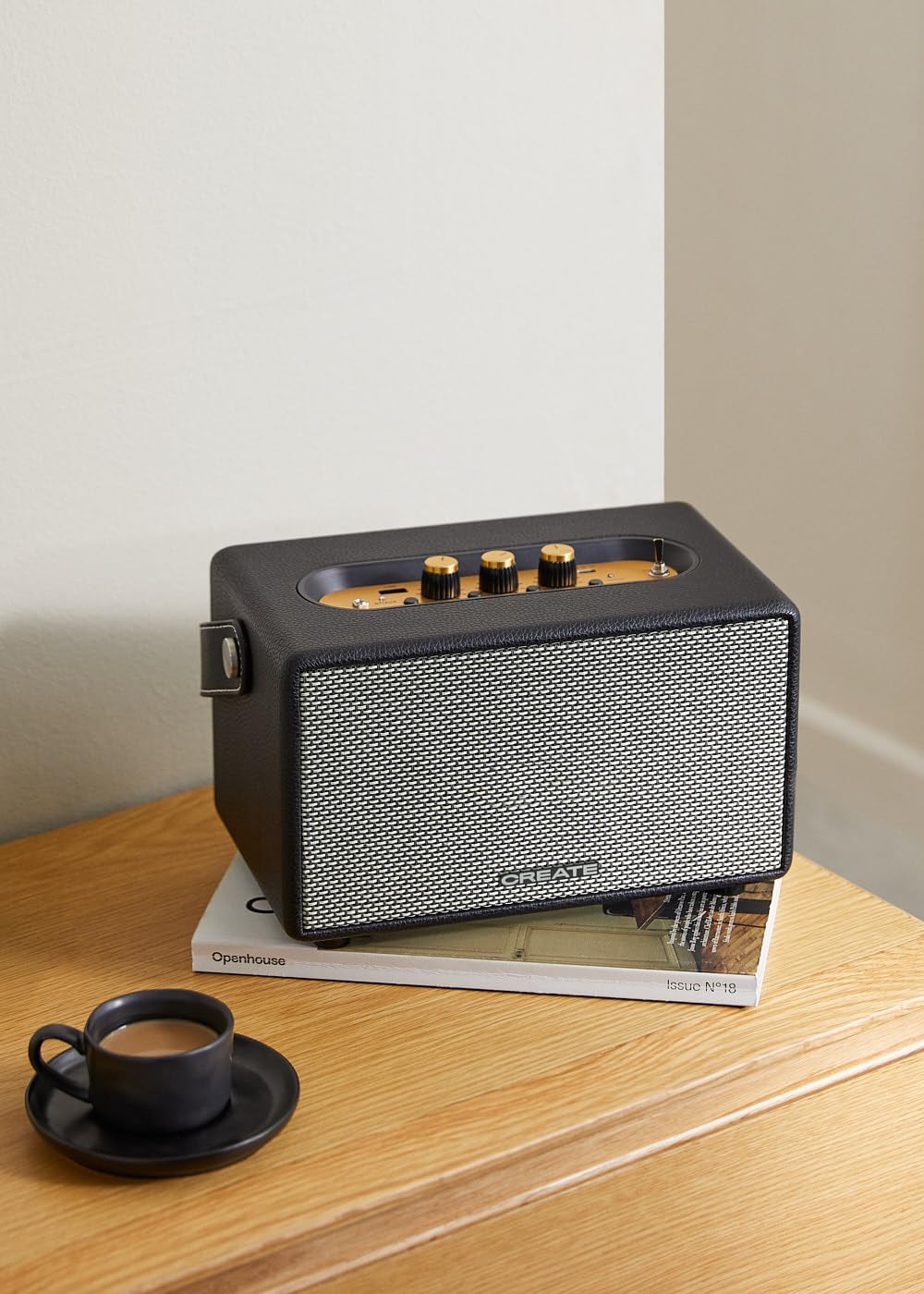
Image: Connecting to the speaker via Bluetooth from a mobile device.
2. USB 재생 모드
오디오 재생 files USB 플래시 드라이브에서 직접.
- 스피커의 전원을 켭니다.
- 오디오가 포함된 USB 플래시 드라이브를 삽입합니다. file에 s USB 포트.
- 설정하다 입력 선택 스위치 to "USB". The speaker will automatically begin playing music from the USB drive.

Image: Inserting a USB drive for direct audio playback.
3. AUX 입력 모드
3.5mm 오디오 케이블을 사용하여 외부 오디오 장치를 연결합니다.
- 스피커의 전원을 켭니다.
- 3.5mm 오디오 케이블(포함되지 않음)의 한쪽 끝을 다음에 연결합니다. AUX 입력 스피커의 포트.
- 케이블의 다른 쪽 끝을 헤드폰 잭이나 외부 기기(예: MP3 플레이어, 노트북)의 오디오 출력 단자에 연결하세요.
- 설정하다 입력 선택 스위치 to "AUX". The speaker will now play audio from your connected device.
4. 사운드 조정
Use the dedicated knobs on the control panel to fine-tune your audio experience:
- 회전하다 볼륨 노브 to increase or decrease the overall sound level.
- 회전하다 베이스 노브 to adjust the low-frequency sounds.
- 회전하다 트레블 노브 to adjust the high-frequency sounds.
유지
청소
To clean the speaker, use a soft, dry cloth. Do not use abrasive cleaners, waxes, or solvents as they may damage the finish. Avoid spraying liquids directly onto the speaker.
저장
When not in use for extended periods, store the speaker in a cool, dry place away from direct sunlight and extreme temperatures. Ensure the speaker is fully charged before storing to preserve battery health.
배터리 관리
The speaker is equipped with a built-in rechargeable battery. To maximize battery life:
- 배터리를 자주 완전히 방전시키지 마세요.
- Recharge the battery regularly, even if the speaker is not used often.
- 스피커를 45°C(113°F) 이상 또는 0°C(32°F) 이하의 온도에 노출시키지 마십시오.
문제 해결
If you encounter any issues with your CREATE Speaker Retro, please refer to the following common problems and solutions:
| 문제 | 가능한 원인 | 해결책 |
|---|---|---|
| 스피커의 전원이 켜지지 않습니다. | 배터리가 소진되었습니다. | Charge the speaker for 4-5 hours using the USB-C cable. |
| 스피커에서 소리가 나지 않습니다. | 볼륨이 너무 작습니다. 입력 모드가 잘못되었습니다. 기기가 제대로 연결되지 않았습니다. | Increase volume. Ensure the correct input mode (BT, USB, AUX) is selected. Reconnect Bluetooth device or AUX cable. |
| 블루투스 페어링에 실패했습니다. | 스피커가 페어링 모드에 있지 않습니다. 장치가 범위를 벗어났습니다. 간섭이 발생합니다. | Ensure speaker is in Bluetooth pairing mode (blinking indicator). Move device closer to speaker (within 10m). Turn off other Bluetooth devices. |
| USB 재생이 작동하지 않습니다. | Incorrect input mode; USB drive not formatted correctly or no compatible files. | Ensure "USB" input mode is selected. Check USB drive for compatible audio file(예: MP3) 파일 형식을 확인해 보세요. 다른 USB 드라이브를 사용해 보세요. |
| Play/Pause button not responding. | 하드웨어 문제 또는 소프트웨어 오류일 가능성이 있습니다. | Restart the speaker. If the issue persists, contact customer support. (참고: 사용자가 다시view mentioned this issue.) |
명세서
| 모델명 | SPEAKER RETRO |
| 모델 번호 | 181643_452174 |
| 치수(D x W x H) | 17 x 26 x 15cm |
| 무게 | 2.5kg |
| Max. Speaker Output Power | 40와트 |
| 오디오 출력 모드 | 스테레오(2.0채널) |
| 연결 기술 | Bluetooth 5.2, USB, AUX (3.5mm) |
| 블루투스 범위 | 최대 10미터 |
| 배터리 용량 | 3000mAh |
| 배터리 수명 | 최대 5시간(사용량에 따라 다름) |
| 충전 시간 | 약 4-5시간 |
| 제어 방법 | Touch (knobs and switches) |
| 색상 | 검은색 |
| 방수복 | 아니요 |
보증 및 지원
보증 정보
The CREATE Speaker Retro comes with a standard manufacturer's warranty. Please retain your proof of purchase for warranty claims. The warranty covers defects in materials and workmanship under normal use. It does not cover damage caused by misuse, accidents, unauthorized modifications, or exposure to water.
For specific warranty terms and conditions, please refer to the warranty card included with your product or contact CREATE customer service.
고객 지원
If you have any questions, require technical assistance, or need to report an issue that cannot be resolved using the troubleshooting guide, please contact CREATE customer support.
You can find more information and contact details on the official CREATE web웹사이트 또는 아마존 브랜드 스토어를 통해: