
소개
Thank you for choosing the GENBOLT GB102HD Dual-Lens Wi-Fi Indoor Security Camera. This manual provides essential information for the safe and efficient use of your device. Please read it thoroughly before installation and operation, and retain it for future reference.
The GB102HD camera is designed for indoor surveillance, offering advanced features such as dual lenses for comprehensive coverage, 1080P HD video, AI-powered motion detection, two-way audio, and versatile recording options. It is ideal for monitoring pets, children, or the elderly, providing peace of mind through remote access and smart alerts.
제품 끝view
주요 특징
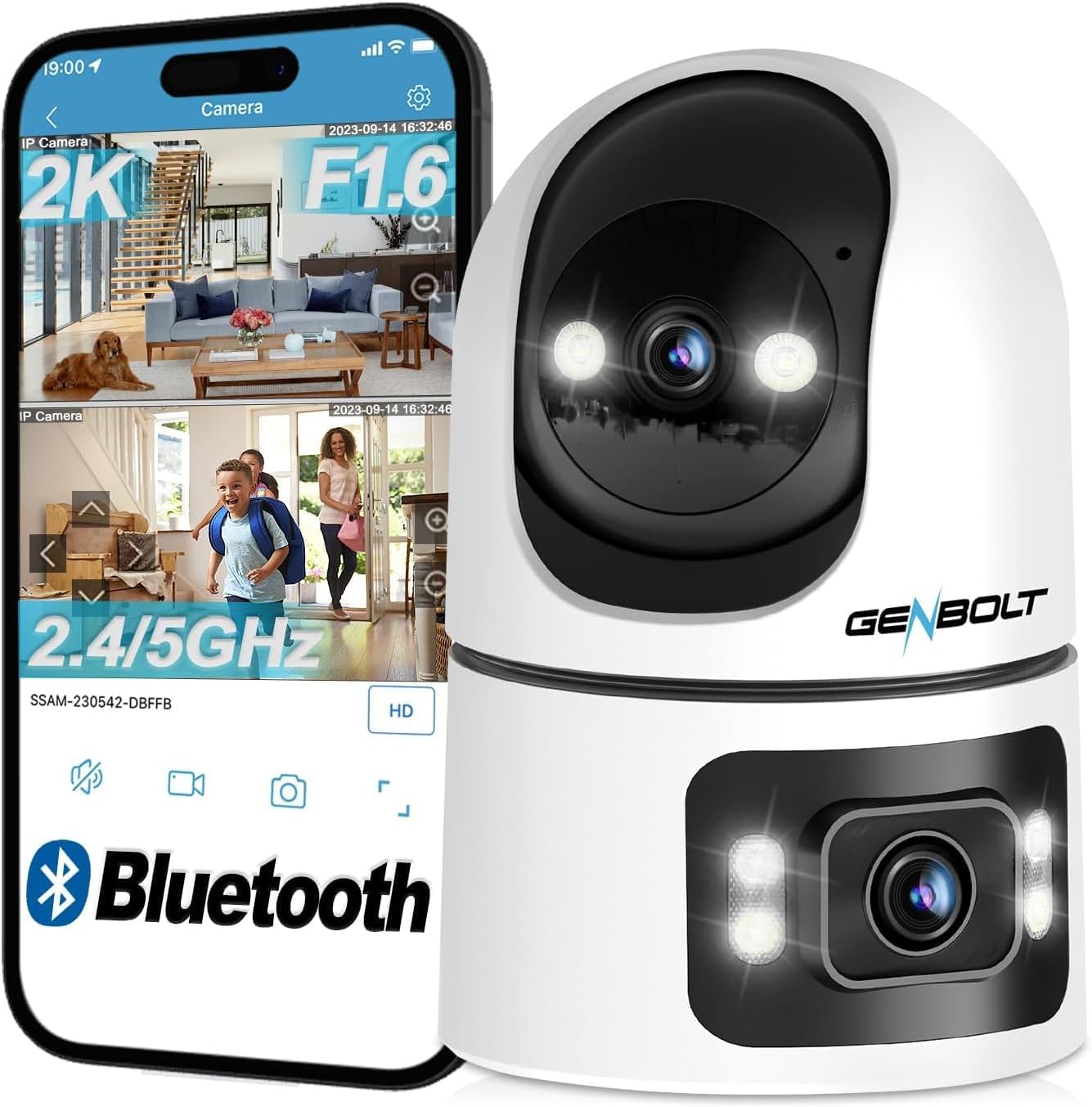
- 듀얼 렌즈 시스템: Combines a pan-tilt lens for dynamic tracking and a fixed wide-angle lens for static overview, providing a 360-degree field of view.
- 1080P HD 해상도: 선명하고 자세한 영상 제공tage.
- AI Human & Motion Detection: Intelligent algorithms detect human shapes and motion, reducing false alarms and triggering automatic tracking.
- 자동 추적: The camera automatically follows detected subjects within its field of view.
- 양방향 오디오 : Built-in speaker and microphone allow for real-time communication.
- 풀컬러 야간 투시경: Provides clear, colorful images even in low-light conditions, up to 10 meters.
- 유연한 스토리지: Supports up to 128GB MicroSD card and offers a 7-day free trial for cloud storage.
- 다양한 플랫폼에서 이용 가능: View live feeds and recordings via smartphone (iOS/Android), tablet, or computer (macOS/Windows) applications.
- Wi-Fi 연결: Supports 2.4GHz and 5GHz Wi-Fi for stable and fast network connection.
패키지 내용
- GENBOLT GB102HD Camera Body
- 사용자 설명서
- Power Adapter (USB)
- Mounting Accessories (if applicable, not explicitly listed but common for cameras)
제품 다이어그램
설치 가이드
1. 장치 전원 켜기
Connect the camera to a power source using the provided USB power adapter. The camera will initiate its startup sequence. Wait for the voice prompt indicating that the camera has started and is ready for network configuration.

2. 앱 설치
Download the "GENBOLT CAM" application from your smartphone's app store (available for iOS and Android). Install the application on your device.
3. 초기 장치 페어링
- Open the "GENBOLT CAM" app.
- "+" 아이콘을 탭하여 새 카메라를 추가하세요.
- The app may request permission to access location services and Bluetooth. Grant these permissions for proper device detection and setup. For iPhone users, ensure "New Connections" is allowed for Bluetooth.
- The app will scan for nearby Bluetooth devices. Select your camera from the list (e.g., "SSAS-200386-DFAAF") and tap "Add" or "Connect".
4. Wi-Fi 연결
- After successful Bluetooth pairing, the app will prompt you to select your Wi-Fi network. Choose your 2.4GHz or 5GHz Wi-Fi network (note: some older models may only support 2.4GHz).
- 와이파이 비밀번호를 입력하고 확인하세요.
- The camera will attempt to connect to the Wi-Fi network. Once connected, the app will confirm the successful addition of the device.
- You can then name your camera (e.g., "Living Room", "Baby Room") and begin monitoring.

작동 지침
1. 라이브 View and Dual-Lens Control
Access the live feed through the GENBOLT CAM app. The dual-lens system allows for simultaneous monitoring of two areas. The upper lens provides a pan-tilt view that can be remotely controlled, while the lower lens offers a fixed 90-degree wide-angle view.

2. Pan/Tilt and Digital Zoom
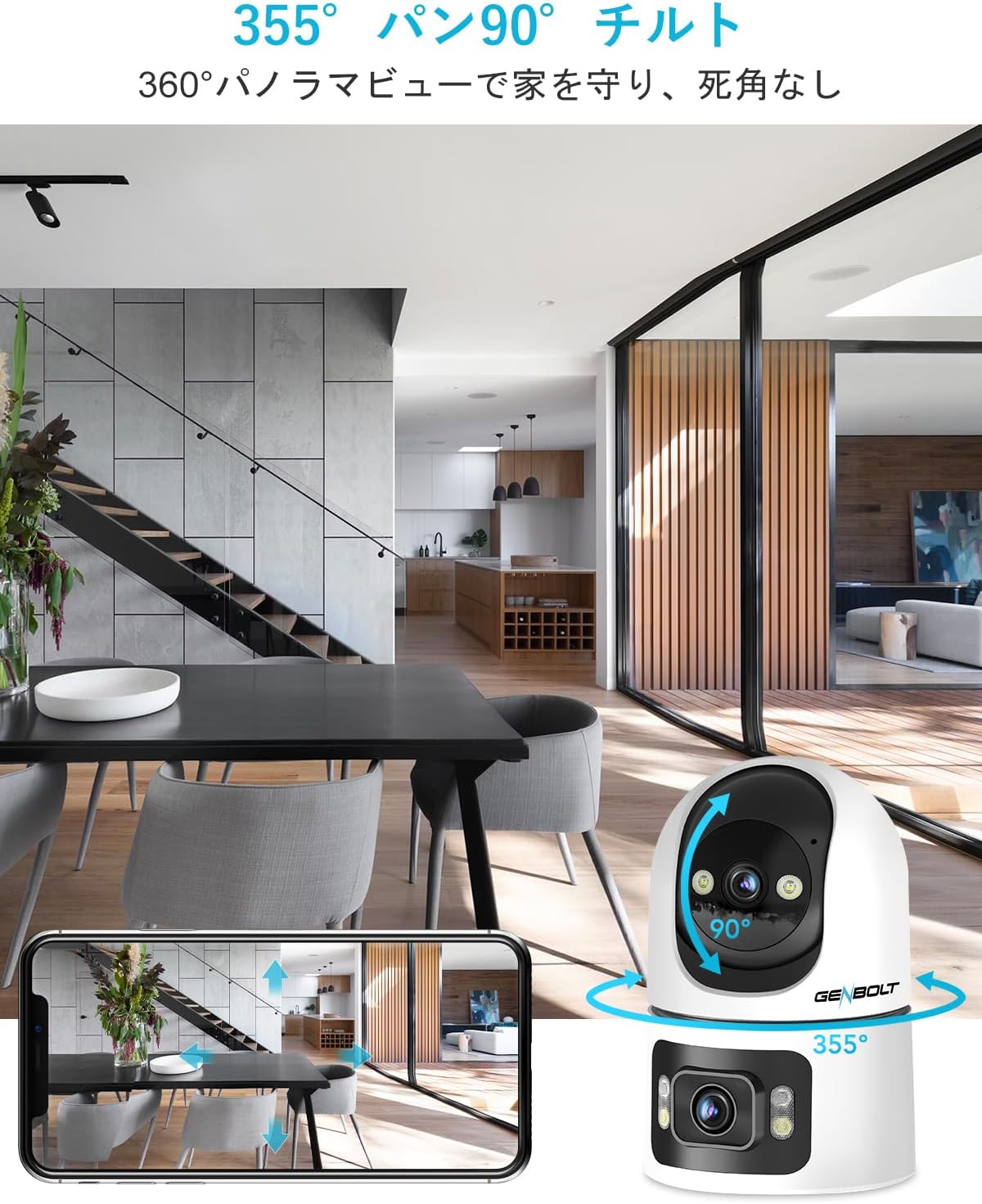
Use the controls within the app to remotely pan the upper lens 355 degrees horizontally and tilt it 90 degrees vertically. The camera also supports 4x digital zoom to focus on specific details.
3. 동작 감지 및 알림
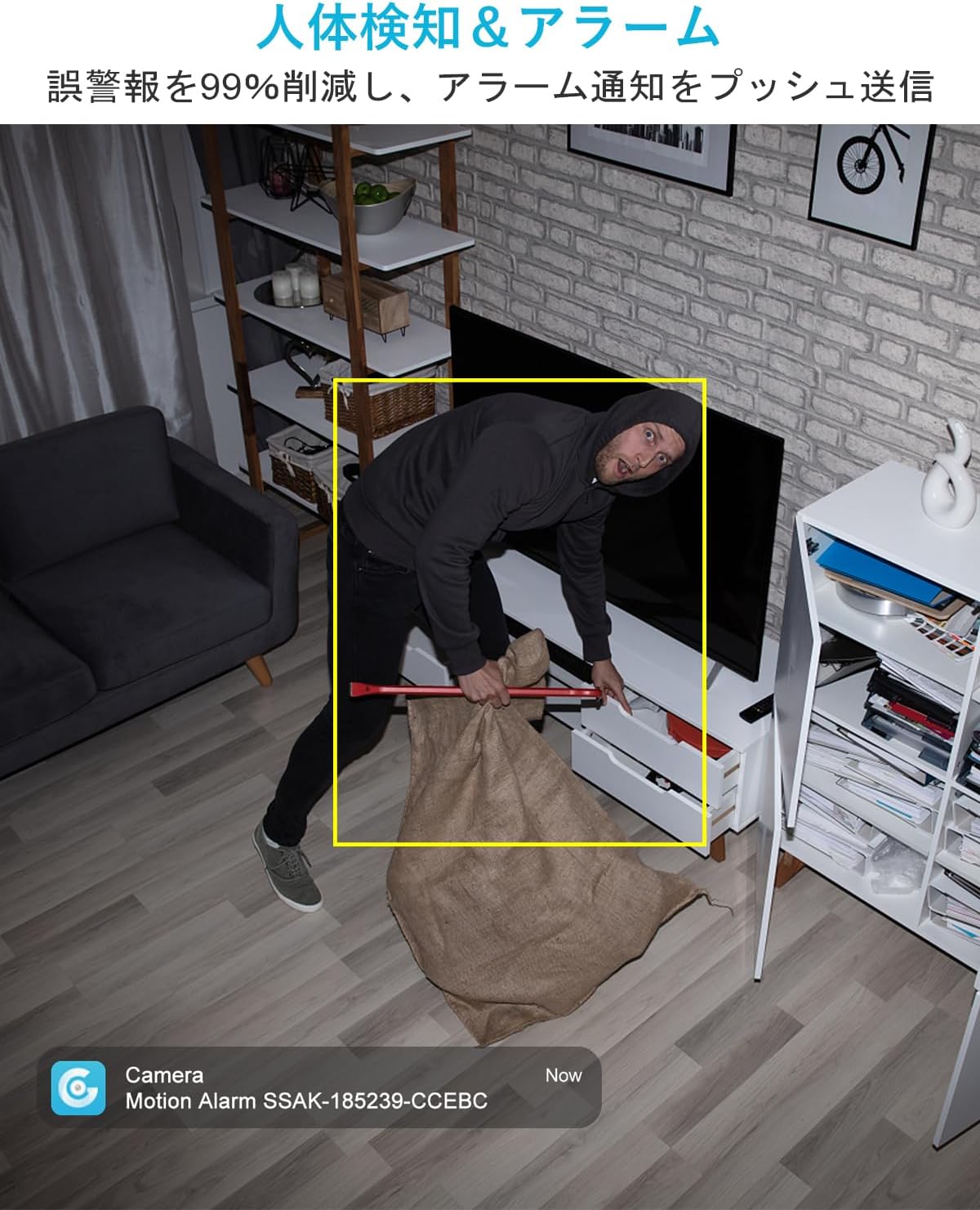
The camera features AI-powered human and motion detection. When unusual movement or a human shape is detected, the camera will automatically track the subject, record video, and send instant notifications to your smartphone. This helps ensure you don't miss important events.

4. 양방향 음성 통신
Utilize the built-in speaker and microphone for two-way communication. This allows you to speak to family members, pets, or even deter intruders directly through the camera from your smartphone, regardless of your location.

5. 야간 투시 모드
The GB102HD offers advanced night vision capabilities. It can automatically switch to full-color night vision mode in low-light conditions, providing clear and vibrant images up to 10 meters. You can also customize LED brightness and motion-triggered lighting.

6. 녹음 및 재생
The camera supports continuous recording or event-triggered recording to a MicroSD card (up to 128GB) or cloud storage. A 7-day free trial for cloud storage is available. Easily review 기록된 footag앱에서 바로 실행하세요.

7. Multi-Device Access
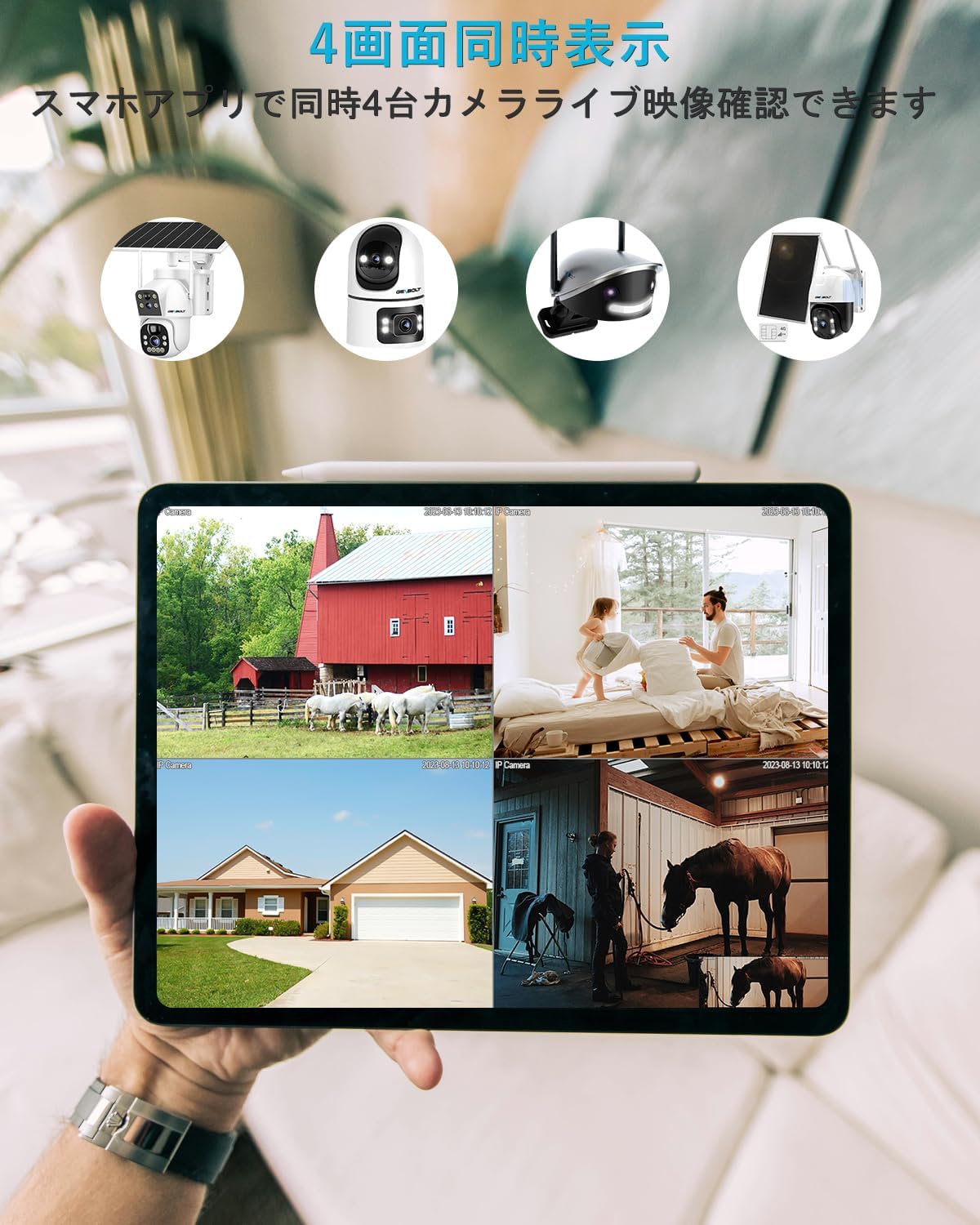
Monitor your camera feed from various devices, including smartphones (iPhone/Android), tablets, and computers (macOS/Windows). The app allows for simultaneous viewing of up to four cameras.

유지
- 청소: 카메라 렌즈와 본체를 부드럽고 마른 천으로 살살 닦아주세요. 표면이나 렌즈를 손상시킬 수 있는 강한 화학 약품이나 연마재는 사용하지 마세요.
- 놓기: 카메라를 직사광선, 극한 온도, 높은 습도를 피해 안정적인 실내 환경에 두세요.
- 소프트웨어 업데이트: Regularly check the GENBOLT CAM app for firmware updates to ensure optimal performance and security.
- 전원 공급 장치: 손상을 방지하기 위해 카메라와 함께 제공된 정품 전원 어댑터만 사용하십시오.
문제 해결
- 카메라가 Wi-Fi에 연결되지 않음: Ensure your Wi-Fi network is 2.4GHz or 5GHz (depending on camera model compatibility) and the password is correct. Move the camera closer to the router.
- 잦은 연결 끊김: Check your Wi-Fi signal strength. Reduce interference from other electronic devices.
- 알림 없음: Verify that app notifications are enabled in your phone settings and within the GENBOLT CAM app. Check motion detection sensitivity settings.
- 이미지 품질이 좋지 않음: Ensure the lens is clean. Check your internet connection speed.
- 양방향 오디오 문제: Ensure microphone and speaker permissions are granted to the app. Check volume settings on both the camera and your smartphone.
- 카메라가 응답하지 않습니다: Try restarting the camera by unplugging and re-plugging the power adapter. If issues persist, perform a factory reset (refer to the app for instructions).
명세서
| 특징 | 사양 |
|---|---|
| 모델명 | GB102HD |
| 비디오 캡처 해상도 | 1080p |
| 색상 | 하얀색 |
| 항목 수 | 1 |
| 무선 통신 기술 | 와이파이(2.4GHz/5GHz) |
| 설치 유형 | 독립형/탁상형 |
| 나이트 비전 범위 | 최대 8미터(약 26피트) |
| 재료 | 아크릴로니트릴 부타디엔 스티렌(ABS) |
| 제품 크기(LxWxH) | 7.5 x 7.5 x 15cm (약 2.95 x 2.95 x 5.9인치) |
| 방수 레벨 | Not Waterproof (Indoor Use Only) |
| 출력 모드 | USB |
| 제어 유형 | 앱 제어 |
| 추천 용도 | Pet Monitoring, Baby Monitoring, Home Security |
| 호환 장치 | Smartphones, Tablets, Desktops, Laptops |
보증 및 지원
젠볼트는 신뢰할 수 있는 제품과 탁월한 고객 서비스를 제공하기 위해 최선을 다하고 있습니다.
- 12-Month Service Warranty: Your GENBOLT GB102HD camera is covered by a 12-month service warranty from the date of purchase.
- 30일 환불 보장: 구매하신 상품에 만족하지 못하시는 경우, 30일 이내에 환불을 받으실 수 있습니다.
- 평생 기술 지원: GENBOLT offers lifetime technical support for its products.
For detailed instructions, application downloads, and further assistance, please visit our official web대지: www.genbolt.com. If you have any questions or encounter issues, please do not hesitate to contact our support team.