
1. 이상view
This manual provides essential instructions for the installation, operation, and maintenance of the QXNASU DCC-1 JYPC-7A water pump. This pump is designed as a replacement component for specific Rug Doctor Deep Carpet Cleaner models, ensuring proper water and solution delivery during the cleaning process. Please read this manual thoroughly before attempting any installation or operation.
2. 안전 정보
- 전기 안전: Always disconnect the carpet cleaner from the power source before installing, servicing, or performing any maintenance on the water pump. Ensure all electrical connections are secure and dry to prevent electric shock.
- 액체 취급: Exercise caution when handling cleaning solutions. Refer to your carpet cleaner's manual for specific instructions on solution types and concentrations.
- 전문적인 설치: If you are unsure about the installation process, it is recommended to seek assistance from a qualified technician.
- 호환성: Verify that this pump model (DCC-1 JYPC-7A) is compatible with your specific Rug Doctor Deep Carpet Cleaner model before installation.
3. 제품 구성품
The QXNASU DCC-1 JYPC-7A water pump includes the main pump unit with integrated electrical wiring and water inlet/outlet ports. No additional accessories are typically included with the pump itself, as it is a replacement part.

그림 1: 앞쪽 view of the QXNASU DCC-1 JYPC-7A water pump, showing the main body and electrical connections.
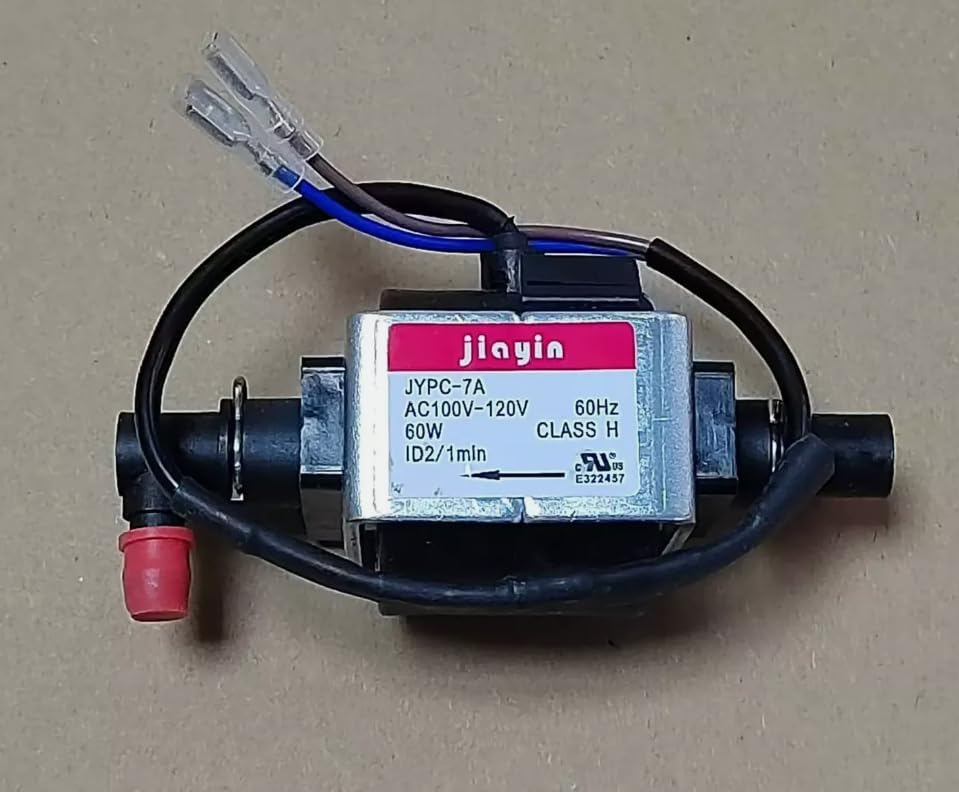
그림 2: 옆 view of the water pump, highlighting the water inlet and outlet ports with red caps, and the attached electrical wires.
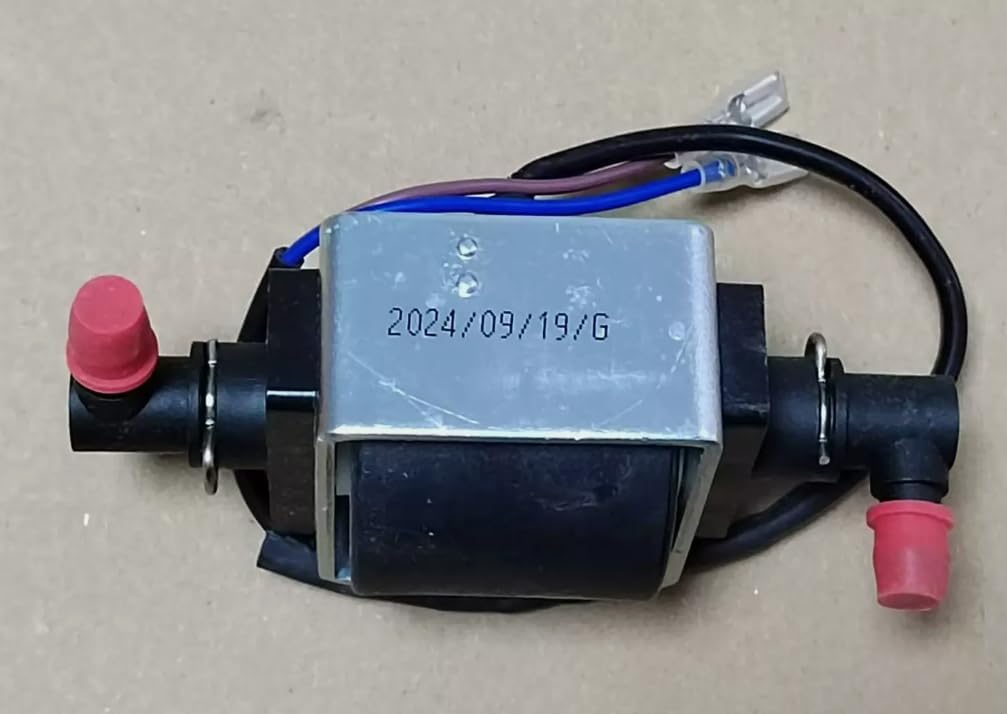
그림 3: 뒤쪽에 view of the water pump, showing the metal casing and a manufacturing date stamp (e.g., 2024/09/19/G).
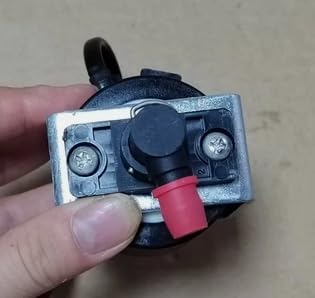
그림 4: 클로즈업 view of a water connection point on the pump, demonstrating the secure fitting.
4. 설정 및 설치
This water pump is an internal component of your Rug Doctor Deep Carpet Cleaner. Installation typically involves replacing an existing faulty pump. Refer to your specific Rug Doctor model's service manual for detailed disassembly and reassembly instructions. The general steps are as follows:
- 전원 분리: Unplug the Rug Doctor Deep Carpet Cleaner from the electrical outlet.
- 액세스 펌프: c를 조심스럽게 여세요asing of your carpet cleaner to access the internal water pump. This may require removing screws or latches.
- 오래된 펌프 분리: Disconnect the electrical wires and water hoses from the old pump. Note the orientation and connection points for reassembly.
- 오래된 펌프 제거: Remove the old pump from its mounting bracket.
- 새 펌프 설치: Secure the QXNASU DCC-1 JYPC-7A pump into the mounting bracket.
- 호스를 연결하십시오: Connect the water inlet and outlet hoses to the corresponding ports on the new pump. Ensure connections are tight to prevent leaks.
- 전기 연결: Connect the electrical wires to the new pump. Match the wire colors or terminals as per your carpet cleaner's wiring diagram.
- 보안 Casing: Close and secure the carpet cleaner's casing.
- 시험: Plug in the carpet cleaner and perform a test run with water to check for proper pump function and leaks before using cleaning solution.
5. Operating the Water Pump (Integrated with Carpet Cleaner)
Once installed, the DCC-1 JYPC-7A water pump operates as an integral part of your Rug Doctor Deep Carpet Cleaner. Its function is to draw clean water and cleaning solution from the clean water tank and deliver it under pressure to the cleaning nozzles, and to assist in extracting dirty water back into the dirty water tank.
To operate, follow the instructions provided in your Rug Doctor Deep Carpet Cleaner's user manual. The pump will activate automatically when the cleaner is powered on and the spray function is engaged.
6. 유지관리
Regular maintenance helps prolong the life of your water pump and carpet cleaner.
- 사용 후 헹구세요: After each use of the carpet cleaner, run clean water through the system to flush out any remaining cleaning solution or debris. This prevents buildup in the pump and hoses.
- 호스 검사: Periodically inspect the water hoses connected to the pump for kinks, cracks, or blockages.
- 연결 확인: Ensure all electrical and water connections remain secure.
- 저장: Store the carpet cleaner in a dry, temperature-controlled environment to prevent damage to the pump and other components.
7. 문제 해결
| 문제 | 가능한 원인 | 해결책 |
|---|---|---|
| No water/solution spray. |
|
|
| Weak water/solution pressure. |
|
|
| 물이 새요. |
|
|
For issues not covered here, or if troubleshooting steps do not resolve the problem, consult a qualified service technician or contact the manufacturer of your Rug Doctor Deep Carpet Cleaner.
8. 사양
| 특징 | 세부 사항 |
|---|---|
| 상표 | QXNASU |
| 모델 번호 | DCC-1 JYPC-7A |
| 권tage | 110V |
| 힘 | 60와트 |
| 빈도 | 60Hz |
| 품목 무게 | 14.9 온스 |
| 패키지 크기 | 5.08 x 3.5 x 2.32 인치 |
| 호환성 | Rug Doctor Deep Carpet Cleaners (verify specific model compatibility) |
9. 보증 및 지원
For warranty information regarding the QXNASU DCC-1 JYPC-7A water pump, please refer to the documentation provided with your purchase or contact the seller directly. As this is a replacement part, its warranty may be covered under the terms of the original carpet cleaner's warranty or a separate replacement part warranty.
For technical support or further assistance, please contact the QXNASU customer service or the retailer from whom you purchased the product.