
1. 서론
This manual provides essential instructions for the safe and effective operation of your Gemmac Portable Emergency Radio, Model XLN-383SW. Please read this manual thoroughly before use and retain it for future reference.

The Gemmac Portable Emergency Radio, model XLN-383SW, is shown in its grey casing, featuring a built-in flashlight, radio controls, and a solar panel. A smartphone is connected via USB, illustrating the power bank function.
2. 제품 특징
- AM/FM/SW 라디오: Access to multiple radio bands for news and entertainment.
- 비상 손전등: Integrated 1W LED flashlight for illumination.
- 조난 신호: 비상 신호를 보내면 큰 사이렌과 깜박이는 불빛이 작동합니다.
- 2000mAh 파워뱅크: Rechargeable battery to power external USB-compatible devices.
- 다양한 충전 옵션: USB input, hand crank, and solar panel.
- 휴대성 있는 디자인: Compact, lightweight, and includes a hook for easy carrying.
3. 설정 및 초기 사용
3.1 배터리 설치
The radio uses a rechargeable 18650 Lithium-ion battery. Ensure the battery is correctly inserted into the battery compartment according to the polarity markings.

This image reveals the internal battery compartment of the radio, featuring a removable 18650 rechargeable lithium battery, which serves as the primary power source and power bank.
3.2 무전기 충전
Your Gemmac emergency radio offers three methods for charging its internal battery:
- USB 충전: Connect the provided USB cable to the radio's USB input port and a standard 5V USB power source (e.g., wall adapter, computer). The charging indicator lights will illuminate.
- 핸드크랭크 충전: Extend the hand crank located on the back of the radio. Rotate the crank clockwise or counter-clockwise at a steady pace (approximately 130-150 RPM) for 3-5 minutes to generate sufficient power for short-term use or to initiate charging.
- 태양광 패널 충전: Place the radio with its solar panel facing direct sunlight. The solar indicator light will turn on when charging. This method is ideal for maintaining battery charge or for slow charging over extended periods.

A composite image illustrating the three primary charging methods for the radio: manual hand cranking, direct USB input, and solar energy absorption through the top panel.

The radio is shown outdoors with its solar panel exposed to sunlight, indicating the solar charging function.

A hand is shown actively rotating the hand crank on the emergency radio, demonstrating the manual power generation feature.
4. 사용 설명서
4.1 무선 작동
- 전원 켜기/끄기: 회전하다 권 knob clockwise to turn the radio on and adjust the volume. Rotate counter-clockwise until it clicks to turn off.
- 밴드 선택: 사용하세요 오전/FM/남서 switch to select the desired radio band.
- 튜닝 : Extend the telescopic antenna for better reception. Rotate the 곡조 다이얼을 돌려 방송국을 검색하세요. 주파수 표시창에 현재 방송국이 표시됩니다.
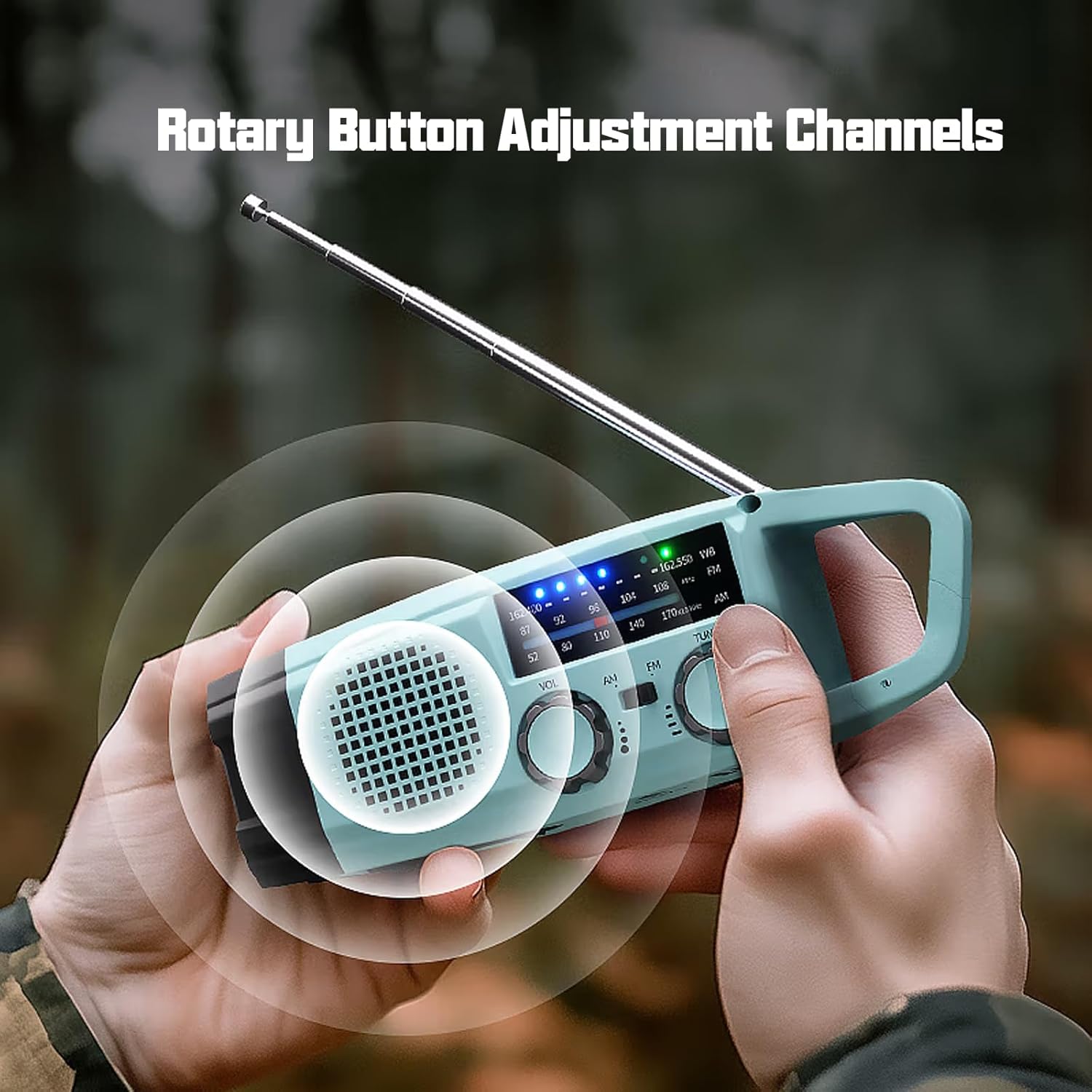
The image shows a user adjusting the rotary knobs for volume and radio tuning, indicating the ease of operation for selecting AM, FM, or SW bands.
4.2 손전등 기능
Press the dedicated flashlight button (usually located near the flashlight lens) to turn the 1W LED flashlight on or off.
4.3 SOS 알람
긴급 상황 발생 시, 버튼을 길게 누르십시오. 위급 신호 button (often marked with a bell or SOS symbol) to activate the loud siren and flashing light. Release the button to deactivate the alarm.

The radio is depicted with a visual overlay indicating the activation of its SOS alarm, which includes a loud siren and flashing light for emergency signaling.
4.4 파워뱅크 기능
To charge external USB devices, connect your device's charging cable to the radio's USB output port. The radio's internal 2000mAh battery will provide power to your device.
4.5 이식성
The radio features a convenient hook for easy attachment to backpacks, belts, or other gear, making it suitable for outdoor activities.

자세한 view of the radio's integrated hook, designed for easy attachment to backpacks or other gear, enhancing portability.
5. 유지관리
- 기기를 건조하게 유지하세요. 비나 습기에 노출시키지 마세요.
- 라디오를 부드러운 천으로 닦으세요.amp 옷감. 강한 화학 물질이나 연마성 세제를 사용하지 마십시오.
- 라디오를 사용하지 않을 때는 서늘하고 건조한 곳에 보관하세요.
- For optimal battery life, fully charge the radio at least once every three months if stored for extended periods.
6. 문제 해결
- 전원 없음: Ensure the battery is correctly installed and charged. Try charging via USB, hand crank, or solar panel.
- 라디오 수신 불량: Extend the telescopic antenna fully. Try repositioning the radio. Ensure you are within range of broadcast signals.
- 손전등이 작동하지 않음: Check battery level. Ensure the flashlight button is pressed correctly.
- 외부 장치가 충전되지 않습니다: Ensure the USB cable is securely connected to both the radio and the external device. Check the radio's battery level.
7. 사양
| 특징 | 사양 |
|---|---|
| 상표 | Gemmac |
| 모델 번호 | XLN-383SW |
| 색상 | Green (as per product details, though images show grey/light blue) |
| 라디오 대역 | AM/FM, SW |
| FM 주파수 | 87-108MHz |
| AM 주파수 | 520-1710 kHz에서 |
| SW 주파수 | 7-19MHz |
| 배터리 유형 | 리튬 이온(18650) |
| 배터리 용량 | 2000mAh |
| 충전 방법 | USB, Hand Crank, Solar Panel |
| 플래시 | 1W LED |
| 연결 기술 | Auxiliary (for charging external devices) |
| 치수 | 가로 49mm, 세로 54mm, 높이 158mm |
| 포함된 구성 요소 | USB 케이블, 사용 설명서 |
8. 보증 및 지원
8.1 보증 정보
This product is covered by a manufacturer's warranty for refund and return within 30 days of purchase. Please refer to your purchase documentation for specific terms and conditions.
8.2 고객 지원
For technical assistance, troubleshooting beyond this manual, or warranty claims, please contact the seller or manufacturer directly through the platform where the product was purchased. Contact information is typically available on your order details or the product listing page.