
소개
Thank you for choosing the Amazon Basics Pro Series 4-in-1 USB-C Hub. This compact and versatile hub is designed to expand the connectivity of your PC, MacBook, laptops, phones, monitors, and projectors, offering high-speed data transfer and seamless peripheral integration. This manual provides essential information for proper setup, operation, and maintenance of your device.
제품 끝view
The Amazon Basics Pro Series 4-in-1 USB-C Hub features a durable aluminum alloy and ABS housing, ensuring both portability and resilience. It includes a built-in 150mm USB-C cable for convenient connection to your host device.

이미지: 이상view of the 4-in-1 versatile hub, highlighting its port configuration.
주요 특징:
- USB-C 호스트 연결: Provides a versatile bridge between your laptop and peripherals.
- USB-C 포트 2개: Both support USB 3.2 Gen 2 standard for data transfer speeds up to 10 Gbps.
- Two USB-A Ports: 표준 USB 장치를 연결하는 데 사용됩니다.
- 고속 데이터 전송: Enables rapid transfer of large files.
- 플러그 앤 플레이: 설치에 드라이버가 필요하지 않습니다.
- 내구성 있는 구조: Aluminum alloy and ABS housing with a flexible TPE cable.
설정
The Amazon Basics Pro Series 4-in-1 USB-C Hub is designed for immediate use with its plug-and-play functionality. No software drivers are required for installation.
- 허브 연결: Insert the built-in USB-C cable of the hub into an available USB-C port on your host device (PC, MacBook, laptop, phone, etc.).
- 장치 인식: Your operating system will automatically detect and configure the hub. This process usually takes a few seconds.
- 주변기기 연결: Once the hub is recognized, you can connect your USB-C and USB-A peripherals (e.g., external drives, keyboards, mice) to the corresponding ports on the hub.

Image: The USB-C hub connected to a laptop, demonstrating peripheral connections.
작동 지침
The hub facilitates high-speed data transfer and expands connectivity for various devices.
데이터 전송:
- Connect USB 3.2 Gen 2 compatible devices to the USB-C ports for data transfer speeds up to 10 Gbps.
- Connect USB-A devices to the USB-A ports for standard data transfer.
- Ensure your host device's USB-C port supports the required data transfer speeds to achieve optimal performance.

Image: The hub emphasizing its ultra-fast 10Gbps data transfer capability.
보편적 인 호환성 :
The hub is compatible with a wide range of devices, including:
- PC
- 맥북
- 노트북
- 전화
- 모니터
- 프로젝터
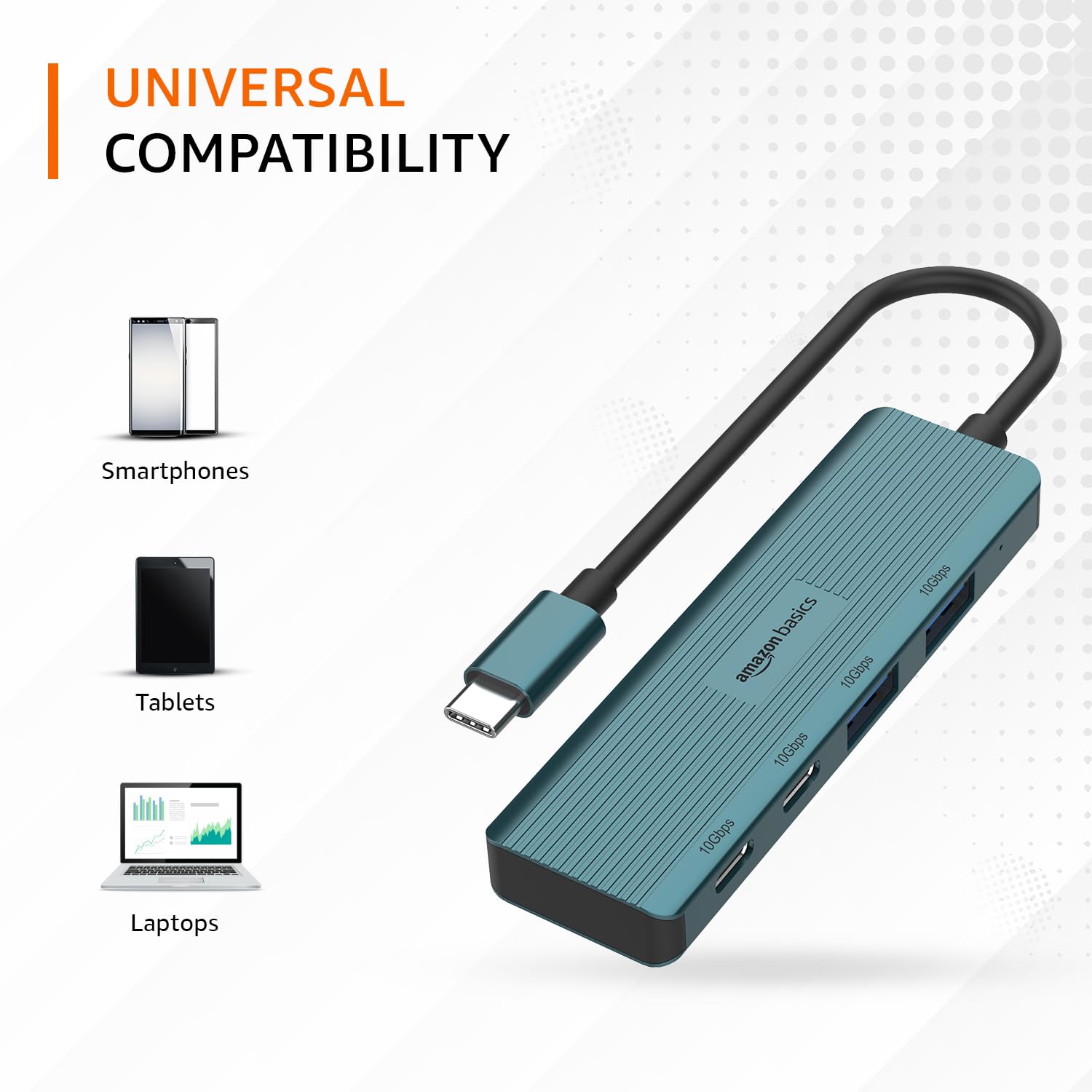
Image: The hub illustrating its compatibility with various devices like smartphones, tablets, and laptops.
유지
To ensure the longevity and optimal performance of your USB-C hub, follow these maintenance guidelines:
- 청소: 허브 외부를 닦을 때는 부드럽고 마른 천을 사용하십시오. 액체 세척제나 용제는 마감재나 내부 부품을 손상시킬 수 있으므로 사용하지 마십시오.
- 저장: 사용하지 않을 때는 허브를 직사광선과 극한의 온도를 피해 시원하고 건조한 곳에 보관하세요.
- 손질: Avoid dropping the hub or subjecting it to strong impacts. Do not bend the integrated cable excessively.
- 통풍: Ensure the hub has adequate ventilation during operation to prevent overheating, especially during prolonged high-speed data transfers.
문제 해결
If you encounter issues with your Amazon Basics Pro Series 4-in-1 USB-C Hub, refer to the following common troubleshooting steps:
- 인식되지 않는 장치:
- 허브의 USB-C 케이블이 호스트 장치의 USB-C 포트에 완전히 삽입되었는지 확인하십시오.
- 허브를 호스트 장치의 다른 USB-C 포트에 연결해보세요.
- Restart your host device (computer, laptop, phone).
- Verify that the connected peripheral devices are functioning correctly when connected directly to your host device (if applicable).
- 데이터 전송 속도가 느림:
- Confirm that both your host device's USB-C port and the connected peripheral support USB 3.2 Gen 2 (10 Gbps) for optimal speeds.
- 성능 저하가 발생하는 경우, 여러 고대역폭 장치를 동시에 연결하지 마십시오.
- Ensure the cables used for connecting peripherals are of high quality and support the desired data transfer speeds.
- 간헐적인 연결:
- Check for loose connections at both the hub and the host device.
- Ensure the hub is not being subjected to physical stress or excessive cable bending.
- If using with a power-intensive device, ensure your host device can supply sufficient power, as this hub is not externally powered.
명세서
| 상표 | 아마존 기본 |
| 모델 | 4-in-1 USB-C 허브 |
| 호스트 인터페이스 | USB-C |
| 출력 포트 | 2 x USB-C (USB 3.2 Gen 2), 2 x USB-A (USB 3.2 Gen 2) |
| 데이터 전송 속도 | 최대 10Gbps(USB 3.2 Gen 2) |
| 케이블 길이 | 150mm (built-in) |
| 재료 | Aluminum Alloy, ABS Housing, TPE Cable |
| 색상 | 터키 옥 |
| 품목 무게 | 20g |
| 호환 장치 | PC, MacBook, Laptops, Phones, Monitors, Projectors |
| 운영 체제 | MAC OS (and generally compatible with Windows, Linux, Android) |

Image: Physical dimensions of the USB-C hub.
보증 및 지원
For warranty information and customer support regarding your Amazon Basics Pro Series 4-in-1 USB-C Hub, please refer to the Amazon Basics official web해당 웹사이트를 방문하거나 아마존 고객 서비스에 직접 문의하십시오. 보증 청구를 위해 구매 영수증을 보관하십시오.