
1. 서론
This manual provides comprehensive instructions for the installation, operation, and maintenance of your Lloyd's LC-1388 4MP Indoor/Outdoor IP Camera Set. This intelligent security camera system offers remote monitoring and full control via your smartphone, featuring 180° horizontal movement, an integrated LED light, and a 4MP resolution for clear video and images. Designed for both indoor and outdoor use with an IP65 rating, it includes advanced detection capabilities, color night vision, two-way communication, and an integrated siren. Please read this manual thoroughly before use to ensure proper functionality and safety.
2. 패키지 내용
포장을 개봉하실 때 아래 나열된 모든 품목이 있는지, 그리고 양호한 상태인지 확인하십시오.
- 2 x Lloyd's LC-1388 4MP IP Cameras
- 2 x USB 케이블
- 2 x AC/DC Adapters
- 2 x 마운팅 브래킷
- 나사 및 벽 플러그 (설치용)
- 사용자 가이드 (이 문서)
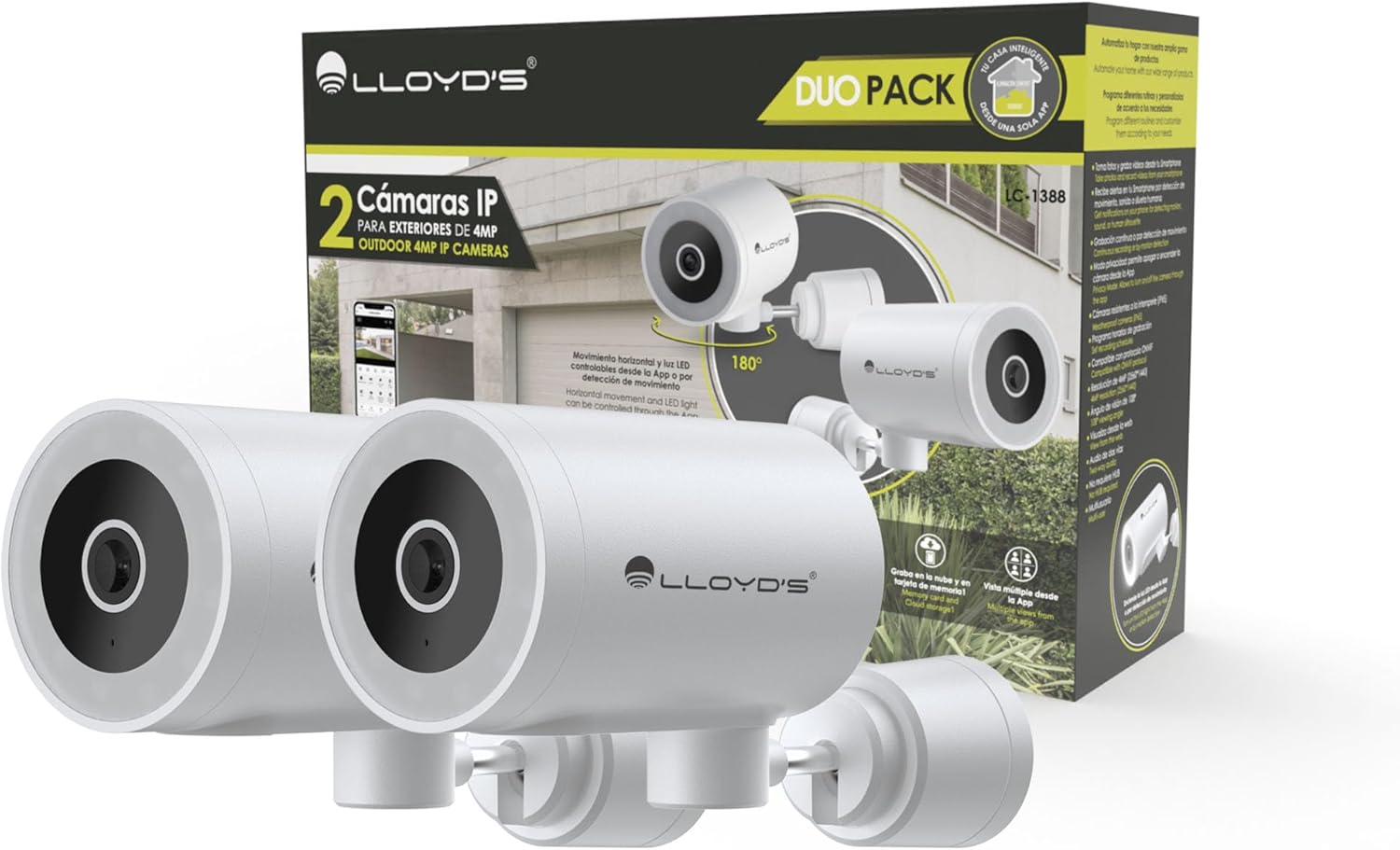
Image: The Lloyd's LC-1388 IP Camera Set, showing the product packaging and the two included cameras.
3. 안전 정보
- 전원 공급 장치 볼륨을 확인하십시오.tage matches the camera's requirements (5V DC).
- 카메라를 극한의 온도, 습도 또는 직사광선에 장시간 노출시키지 마십시오.
- 카메라를 강한 전자기장 근처에 두지 마십시오.
- For outdoor installation, ensure all connections are properly sealed to maintain the IP65 weather resistance.
- 어린이의 손이 닿지 않는 곳에 보관하세요.
- 카메라를 직접 분해하거나 수리하려고 하지 마십시오. 자격을 갖춘 서비스 담당자에게 문의하십시오.
4. 설정
4.1 설치
The Lloyd's LC-1388 camera is designed for wall mounting and can be used both indoors and outdoors (IP65 rated).
- 위치를 선택하세요: 원하는 것을 제공하는 위치를 선택하세요 viewing angle and is within range of your 2.4 GHz Wi-Fi network. For outdoor use, ensure the location offers adequate protection from direct impact and extreme weather conditions.
- 설치:
- Use the included mounting bracket as a template to mark drill holes on the wall.
- 구멍을 뚫고 벽면 플러그를 꽂습니다.
- 제공된 나사를 사용하여 장착 브래킷을 벽에 고정합니다.
- Attach the camera to the mounting bracket. Adjust the camera angle as needed.
- 전원 연결: Connect the USB cable to the camera and the AC/DC adapter, then plug the adapter into a power outlet. The camera will power on.

이미지: 측면 view of the camera, showing its compact design.
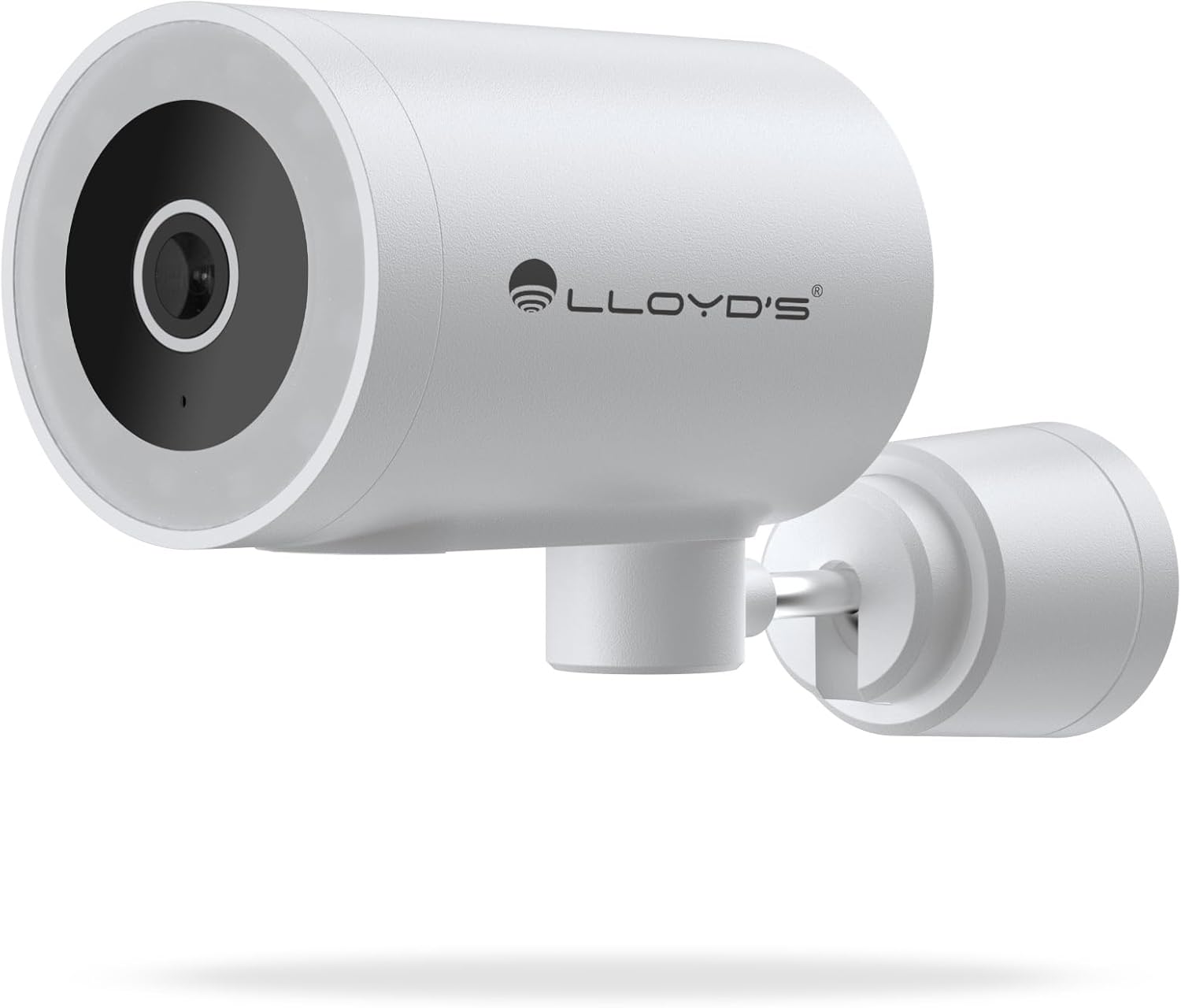
이미지: 앞면 view of the camera, highlighting the lens and sensor.

Image: Icons indicating the camera's suitability for both outdoor and indoor environments.
4.2 앱 다운로드 및 페어링
The camera operates via a dedicated smartphone application. Ensure your smartphone is connected to a 2.4 GHz Wi-Fi network.
- 앱 다운로드: 검색 "Lloyd's Smart" or similar in your device's app store (compatible with iOS 11.0+ and Android 5.0+).
- 계정 생성: 앱을 열고 화면의 지시에 따라 새 계정을 등록하거나 이미 계정이 있는 경우 로그인하세요.
- 장치 추가:
- Tap the "+" icon or "Add Device" in the app.
- Select "Security Camera" or the specific camera model (LC-1388).
- Follow the app's instructions to put the camera into pairing mode (usually indicated by a flashing LED).
- Enter your 2.4 GHz Wi-Fi network details when prompted.
- Scan the QR code displayed on your phone screen with the camera lens, or follow alternative pairing methods if provided by the app.
- 연결되면 카메라 이름을 지정하고 설정을 완료하세요.

Image: The Lloyd's app interface demonstrating multiple camera views, customizable detection zones, push notifications, and integration with voice assistants.
5. 카메라 작동
5.1 라이브 View 및 제어
- 원격 모니터링: Access live video feed from your smartphone app, web browser, or compatible smart TV (requires Chromecast / Fire TV Stick with voice remote).
- 수평 이동: Control the camera's 180° horizontal pan directly from the app to adjust the view지역입니다.
- LED 조명 제어: Turn the integrated LED light on or off via the app. The light can also be configured to activate upon motion detection.
- 양방향 커뮤니케이션: Use the built-in microphone and speaker to communicate with individuals near the camera from your smartphone.

Image: The camera illustrating its 180-degree horizontal tracking function, suitable for indoor or outdoor use (IP65), with two-way audio and multiple view앱에서요.

Image: A smartphone screen showing the "Multiple views from the App" feature, allowing simultaneous monitoring of several cameras.

Image: A user monitoring the camera feed on a television, demonstrating compatibility with smart assistants for voice control and view주고받음.
5.2 야간 투시 모드
The camera offers three night vision modes up to 10 meters:
- 자동 모드: The camera automatically switches between infrared and color night vision based on ambient light conditions.
- 적외선 모드 : 적외선 LED를 사용하여 완전한 어둠 속에서도 선명한 흑백 영상을 제공합니다.
- 색상 모드: Utilizes the integrated LED lights to provide full-color night vision, even in low-light environments.

Image: Icons representing the camera's night vision capabilities and 4MP image resolution.
5.3 Detection and Alerts
- 동작 감지: Receive alerts on your smartphone when motion is detected.
- 소리 감지 : Get notifications for unusual sounds.
- Human Body Detection: Advanced detection to specifically identify human presence, reducing false alarms.
- 사용자 정의 가능한 감지 영역: 카메라 내의 특정 영역을 정의합니다. view to monitor and receive alerts for.
- 통합 사이렌: The 90 dB siren can be activated manually via the app or automatically upon detection of an event.

Image: Icons illustrating the camera's notification system, integrated siren, and motion detection capabilities.
5.4 녹화 옵션
- 연속 녹화 : Record video continuously.
- 이벤트 기반 녹화: Record only when motion, sound, or human detection is triggered.
- 저장:
- MicroSD 카드: 로컬 저장소로 최대 128GB microSD 카드(별매)를 지원합니다.
- 클라우드 스토리지: Cloud recording is available with a subscription (sold separately).
- 일정: Program specific recording schedules and alert reception times via the app.
5.5 스마트 홈 통합
- 음성 지원: Compatible with Amazon Echo Show and Google Nest Hub. Supports Siri Shortcuts via routines created in the app.
- Lloyd's Smart Ecosystem: Create routines to trigger actions with other Lloyd's smart products.
- ONVIF 호환성: Integrate the 4MP camera with various video surveillance equipment such as NVRs and hybrid DVRs using the ONVIF protocol.
6. 유지관리
- 청소: 부드럽고 마른 천으로 카메라 렌즈와 본체를 부드럽게 닦으세요. 강한 화학 물질이나 연마성 세척제는 사용하지 마세요.
- 펌웨어 업데이트: 최적의 성능과 보안을 보장하려면 앱에서 사용 가능한 펌웨어 업데이트를 정기적으로 확인하세요.
- 전원 주기: 카메라에 문제가 발생하면 10초 동안 전원 플러그를 뽑았다가 다시 꽂아보세요.
7. 문제 해결
| 문제 | 가능한 원인 | 해결책 |
|---|---|---|
| 카메라가 Wi-Fi에 연결되지 않음 | Incorrect Wi-Fi password; Camera too far from router; Only 5 GHz Wi-Fi network available. | Verify password; Move camera closer to router; Ensure you are connecting to a 2.4 GHz Wi-Fi network. |
| 비디오 피드 없음 | Camera is offline; Power issue; Network problem. | Check power connection; Restart camera; Verify Wi-Fi connection; Check internet connectivity. |
| 동작 감지 알림이 수신되지 않았습니다. | Motion detection disabled; App notifications turned off; Detection zone not configured. | Enable motion detection in app; Allow app notifications; Configure detection zones. |
| 화질이 나쁘다 | Dirty lens; Low light conditions (in non-color night vision mode); Network bandwidth issues. | Clean the lens; Switch to Color Night Vision if applicable; Ensure stable Wi-Fi connection. |
8. 사양
| 특징 | 세부 사항 |
|---|---|
| 모델 번호 | LC-1388 |
| 상표 | Lloyd's |
| 비디오 캡처 해상도 | 4MP (2560x1440p) |
| 효과적인 비디오 해상도 | 16.9 |
| 프레임 속도 | 초당 15프레임 |
| 연결 기술 | Wireless (Wi-Fi 2.4 GHz), ONVIF |
| Wi-Fi 프로토콜 | 2.4GHz |
| 장착 유형 | 벽걸이형 (나사 고정식) |
| 사용환경 | Indoor, Outdoor (IP65 Water Resistant) |
| 나이트 비전 범위 | 최대 10미터 |
| View잉 각도 | 108도 |
| 특별 기능 | Two-way audio, Motion detector, Local recording, Built-in light, HD resolution, Night vision, Horizontal tracking, Integrated siren |
| 호환 장치 | Smartphone, Tablet, Web |
| 컨트롤러 유형 | Amazon Alexa, Android, Google Assistant, Tuya, iOS |
| 전원 | Corded Electric (5V DC, 5 Watts) |
| 재료 | 아크릴로니트릴 부타디엔 스티렌(ABS) |
| 치수(길이x너비x높이) | 8.48 x 6.2 x 15.98cm |
| 무게 | 596g |
| 원산지 | 중국 |
9. 보증 및 지원
For warranty information, please refer to the documentation provided with your purchase or contact Lloyd's customer support. For technical assistance or further inquiries, please visit the official Lloyd's web사이트 또는 고객 서비스 부서에 문의하십시오.
제조업체: Zutto Technologies S.A. de C.V.