
소개
The Starlink Mini Satellite Internet Kit, engineered by SpaceX, provides high-speed, low-latency internet access in remote and rural locations worldwide. This compact and portable kit is designed for internet connectivity on the go, easily fitting into a backpack. It features an integrated Wi-Fi router, reduced power consumption, DC power input, and delivers download speeds exceeding 100 Mbps.
This manual provides essential information for setting up, operating, and maintaining your Starlink Mini kit.

중요 공지: Outside region fees may apply. There may be a one-time charge for activation depending on the region or your zone of activation of the service.
상자 안에 무엇이 들어있나요?
Your Starlink Mini Kit includes all necessary components to get online. Please verify that all items listed below are present in your package:
- Starlink Mini Antenna and Integrated Router
- 킥스탠드
- 파이프 어댑터
- DC 전원 케이블
- 전원 공급 장치

Image: All components included in the Starlink Mini Kit.
설치 지침
Setting up your Starlink Mini is a straightforward process designed for quick deployment.
- Starlink 앱 다운로드: Before beginning, download the official Starlink App from your device's app store. This app will assist you in finding an unobstructed view of the sky, determining the best installation location, and managing your account.
- 키트 조립:
- Attach the kickstand to the Starlink Mini antenna for temporary ground placement.
- Alternatively, use the pipe adapter to mount the antenna to a pole or other suitable structure for more permanent installations.
- 전원 연결: Connect the DC power cable to the Starlink Mini antenna and then to the power supply. Plug the power supply into an appropriate power source.
- 안테나 위치: Place the Starlink Mini antenna in an area with a clear, unobstructed view of the sky. Any obstructions (trees, buildings, etc.) can interfere with the satellite signal and impact performance. The Starlink App can help identify clear sky areas.
- 전원 켜기: Once connected to power, the Starlink Mini will automatically begin searching for satellites. This process may take a few minutes.
- Wi-Fi에 연결: On your device (smartphone, laptop, etc.), connect to the Starlink Wi-Fi network. The network name (SSID) and password can be found on the label of your Starlink Mini or within the Starlink App during initial setup.
- 서비스 활성화: Follow the prompts in the Starlink App to activate your service plan. A service plan is required for operation.
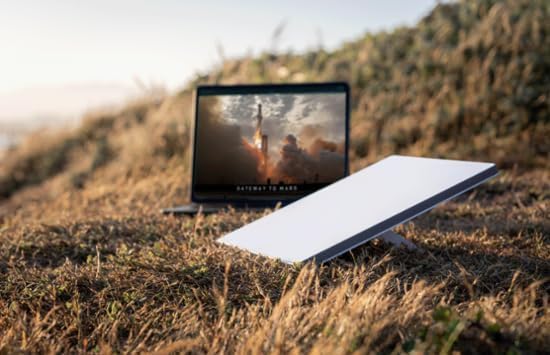
Image: Starlink Mini deployed in an open area, ready for use.

Image: Starlink Mini mounted on a vehicle, demonstrating portable use.
작동 지침
Once your Starlink Mini is set up and connected, operating it is simple.
- 연결성: The Starlink Mini provides Wi-Fi 5 connectivity. It also includes an Ethernet port for connecting third-party routers or mesh systems if desired.
- 전력 소비량: The device operates with a low power consumption, averaging 25-40 watts, making it suitable for portable and off-grid applications.
- 서비스 계획: Ensure your Starlink service plan is active and appropriate for your usage needs. Service plans can be managed through the Starlink App.
- 휴대성: The compact design allows for easy transport. When moving the unit, ensure it is powered off and securely packed to prevent damage.
- No Long-Term Contracts: Starlink service can be canceled at any time without long-term contractual obligations.
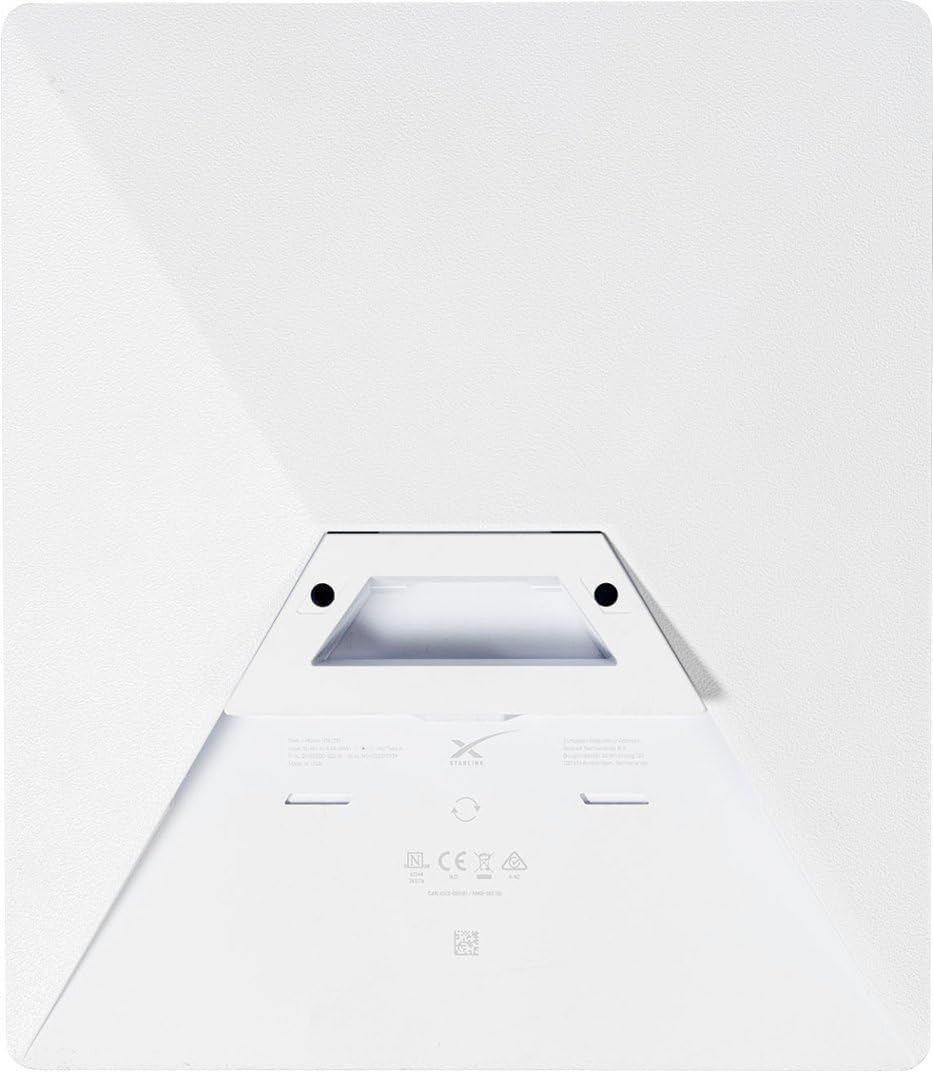
이미지: 후면 view of the Starlink Mini, highlighting its compact design and integrated features.
유지
To ensure optimal performance and longevity of your Starlink Mini, follow these maintenance guidelines:
- 분명한 View: Regularly check that the antenna maintains a clear, unobstructed view of the sky. Accumulation of snow, ice, or debris can interfere with the signal.
- 청소: 안테나 표면을 부드러운 천으로 살살 닦아주세요.amp cloth if it becomes dirty. Avoid using harsh chemicals or abrasive materials.
- 케이블 관리 : Ensure all cables are securely connected and free from kinks or damage. Protect cables from environmental hazards and physical stress.
- 날씨 보호: The Starlink Mini is designed to be weatherproof. However, during extreme weather conditions (e.g., severe thunderstorms, heavy snowfall), it is advisable to monitor its performance and ensure it remains securely positioned.
문제 해결
If you encounter issues with your Starlink Mini, refer to the following troubleshooting steps:
- 인터넷에 연결되지 않음:
- Verify that the Starlink Mini has a clear view of the sky. Use the Starlink App to check for obstructions.
- Ensure all cables are properly connected and the power supply is functioning.
- 스타링크 미니를 재시작하려면 전원 코드를 뽑았다가 30초 후에 다시 연결하세요.
- Check the Starlink App for any service outages or account issues.
- 느린 속도:
- Confirm there are no obstructions blocking the antenna's view 하늘의.
- Ensure your service plan is active and suitable for your usage.
- Minimize the number of devices connected to the Wi-Fi network or consider using the Ethernet port for critical devices.
- Wi-Fi 연결 문제:
- Ensure your device is within range of the Starlink Mini's Wi-Fi signal.
- Try forgetting and rejoining the Starlink Wi-Fi network on your device.
- If using a third-party router, ensure it is configured correctly and functioning.
- Activation Errors: If you receive an "Equipment Already Assigned" error during activation, this indicates the unit may have been previously activated. Contact Starlink Support directly for assistance with transferring service or resolving activation issues.
명세서
| 모델명 | SL-mini-kit |
| 제품 치수 | 14 x 4 x 17 인치 |
| 품목 무게 | 7파운드 |
| 특징 | 방수 |
| 주파수 대역 클래스 | 듀얼 밴드 |
| 무선 통신 표준 | 와이파이 5 |
| 호환 장치 | Personal Computer, Printer, Smartphone |
| 추천 용도 | Hiking, Home, Travel |
| 포함된 구성 요소 | Starlink Mini Antenna, Kickstand, Pipe Adapter, DC Power Cable, Power Supply |
| 연결 기술 | Ethernet, Wifi5 |
| 색상 | 은 |
| 평균 전력 소비량 | 25-40 와트 |
| 제조업체 | 스페이스 엑스 |
보증 정보
Specific warranty details for the Starlink Mini Kit are typically provided at the time of purchase or can be found within your Starlink account portal. Please refer to the official Starlink website or your purchase documentation for the most accurate and up-to-date warranty terms and conditions.
Note: Warranty coverage may vary based on region and retailer. Keep your proof of purchase for warranty claims.
지원하다
For further assistance, technical support, or account management, please utilize the following resources:
- Starlink App: The Starlink App is your primary resource for managing your service, checking system status, and accessing support articles.
- Official Starlink Web대지: Visit the official Starlink website for comprehensive FAQs, support documentation, and contact options.
- 고객 서비스: If you require direct assistance, contact Starlink Customer Service through the methods provided on their official website or within the Starlink App.


