
1. 서론
This manual provides essential information for the proper installation, operation, and maintenance of your LaView 2K Solar Camera Outdoor Wireless Security System. Please read this manual thoroughly before using the product to ensure optimal performance and safety. This system includes four (4) 2K QHD wireless cameras with integrated solar panels for continuous power.
2. 제품 오버view
더 라View 2K Solar Camera is a high-performance outdoor security solution designed for ease of use and comprehensive surveillance. Key features include:
- 2K QHD & Color Night Vision: Captures ultra-clear color images day and night.
- 100% Wireless & Solar-Powered: Eliminates wiring and manual recharging.
- 360° 회전 및 120° 기울기: Provides full coverage with no blind spots.
- 스마트 PIR 감지: Reduces false alarms by accurately detecting people, vehicles, and pets.
- 양방향 오디오 : Enables communication with visitors or deterring intruders.
- IP65 방수: 혹독한 실외 환경을 견딜 수 있도록 설계되었습니다.
- 다중 사용자 공유: Supports up to 20 simultaneous view어.
- 스마트 홈 호환성: Amazon Alexa 및 Google Assistant와 함께 작동합니다.

Figure 1: LaView 2K Solar Camera Outdoor Wireless Security System (4 Pack)
3. 상자 안에 무엇이 들어있나요?
당신의 라View 2K Solar Camera system includes the following components:
- 4 x LaView 2K Solar Camera Bodies
- 4 x Solar Panels (integrated or separate, depending on model variant)
- 설치용 하드웨어(나사, 앵커, 설치 브래킷)
- USB-C 충전 케이블
- 빠른 시작 가이드 / 사용 설명서

Figure 2: Typical box contents for LaView 2K Solar Camera.
4. 설정
4.1 초기 카메라 설정
- 카메라 충전: Fully charge the camera battery using the provided USB-C cable before installation.
- 앱 다운로드: "Wans"를 다운로드하고 설치하세요.View Cloud" app from your smartphone's app store (available for Android and iOS).
- 전원 켜기: Open the waterproof cover on the bottom of the camera. Press and hold the power button for approximately 5 seconds until you hear a chime and the camera begins its self-test rotation.
- 편성: 완즈를 열다View Cloud app, create an account, and log in. Tap the "+" or "Add Device" button. The app should automatically detect nearby devices via Bluetooth. Follow the in-app instructions to complete the pairing process. Ensure your smartphone is connected to a 2.4GHz Wi-Fi network.
4.2 물리적 설치
- 위치를 선택하세요: Select an outdoor location with good Wi-Fi signal strength and sufficient sunlight exposure for the solar panel. The camera is IP65 weatherproof.
- 카메라 장착: Use the provided mounting template to mark drill holes on your wall. Drill holes, insert anchors, and secure the camera's mounting bracket with screws. Attach the camera body to the bracket.
- 태양 전지판 장착: If the solar panel is separate, mount it in a location that receives maximum direct sunlight throughout the day. Connect the solar panel cable to the camera's 5V charging port.
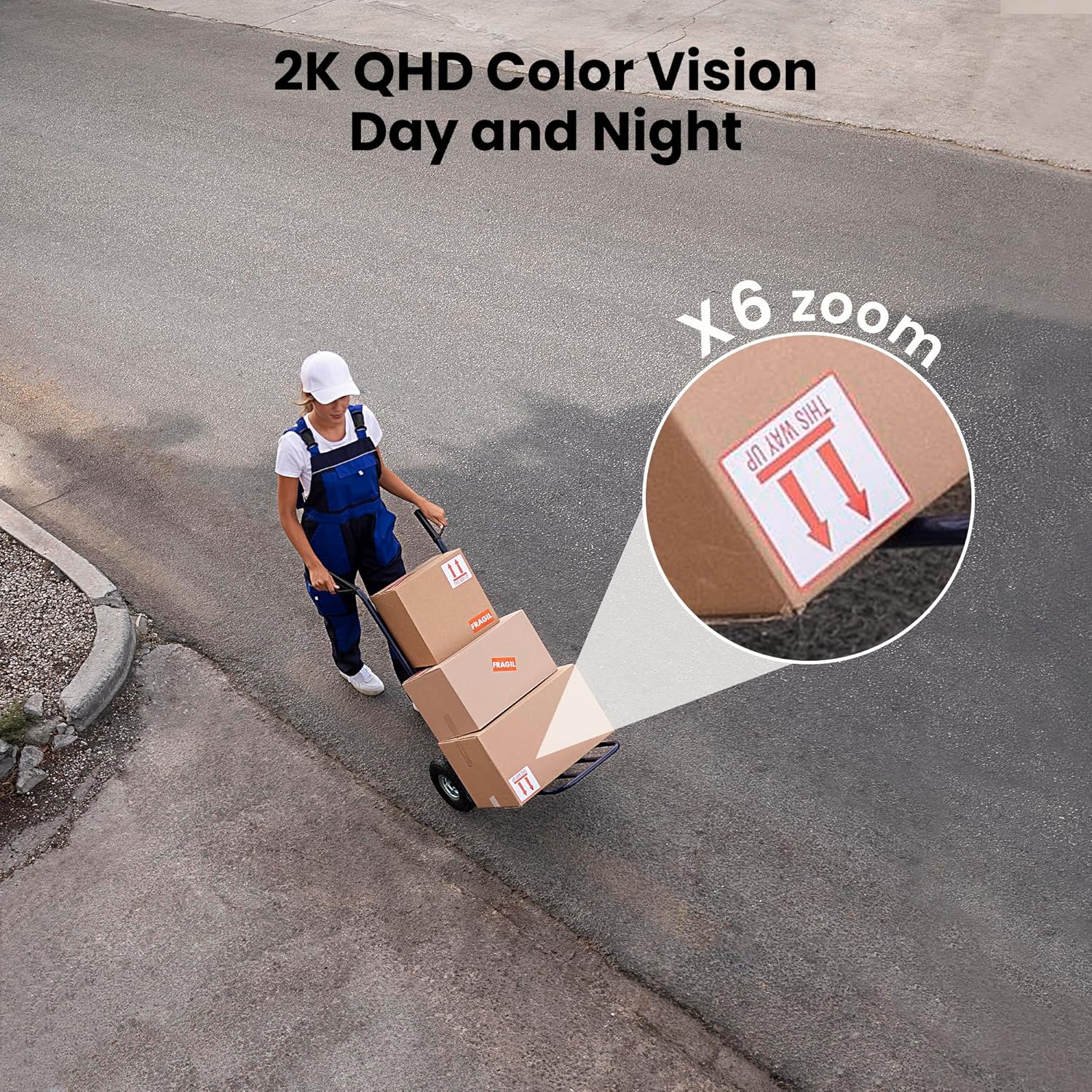
Figure 3: Flexible installation options for the LaView 2K Solar Camera.
5. 사용 설명서
5.1 라이브 View 및 카메라 제어
- 완즈를 열다View Cloud app to access the live feed from your camera.
- Use the on-screen controls to pan the camera 360° horizontally and tilt it 120° vertically for full coverage.
- 6배 디지털 줌 기능을 활용하여 view details in the 2K QHD resolution.

Figure 4: Control 360° pan and 120° tilt directly from your phone.
5.2 비디오 품질 및 야간 시야
- The camera provides 2K QHD video resolution for clear images.
- 컬러 나이트 비전: With an F/1.6 aperture, the camera captures clear color images even in low-light conditions.
- 적외선 나이트 비전: For complete darkness, the camera automatically switches to infrared mode for black and white video.
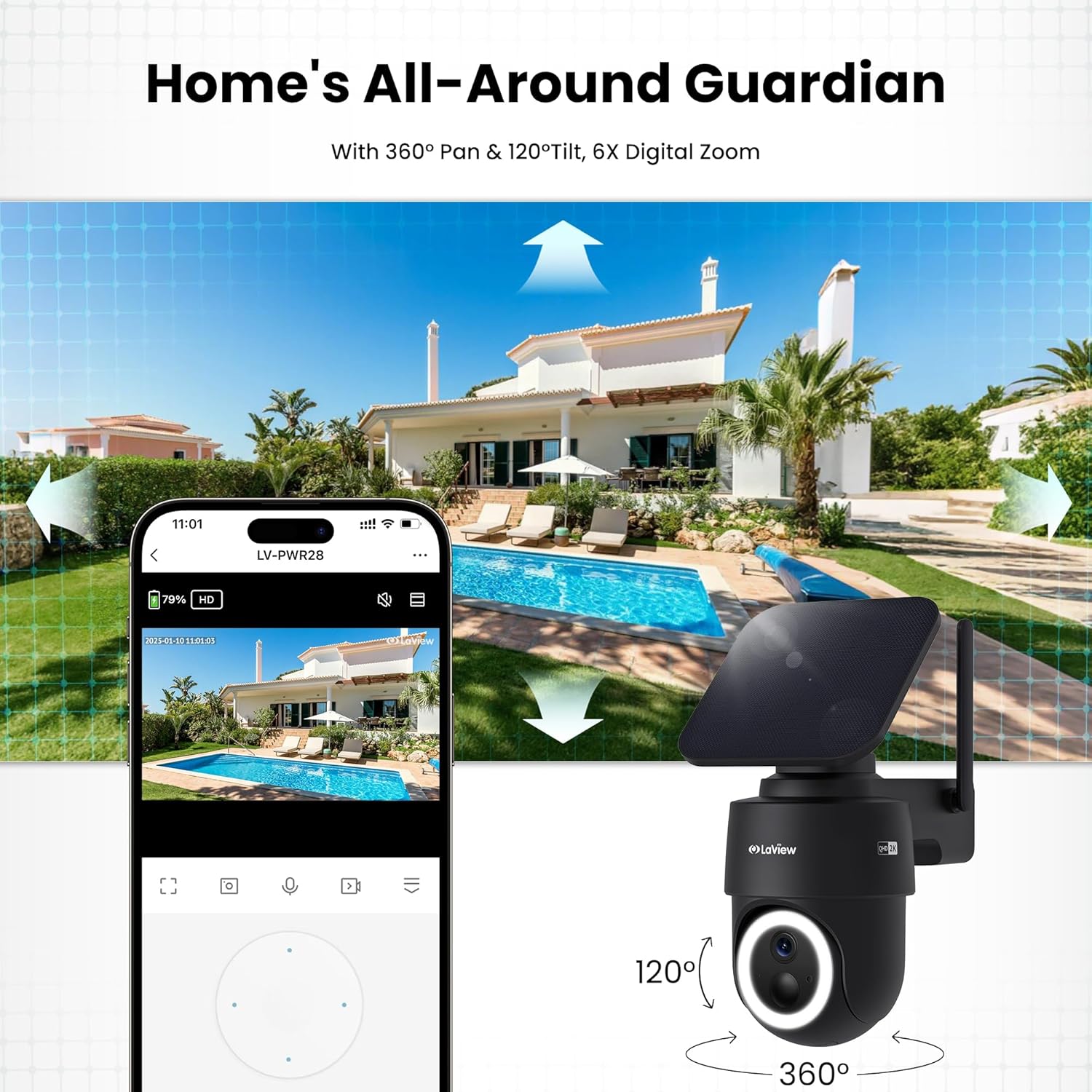
Figure 5: Experience 2K QHD color vision day and night with 6X zoom.
5.3 동작 감지 및 알림
- PIR 감지: The advanced PIR sensor and intelligent algorithms accurately detect human, vehicle, and pet motion, reducing false alarms.
- 사용자 정의 가능한 구역: Set specific detection sensitivity and zones within the app.
- 즉시 알림: 움직임이 감지되면 스마트폰으로 푸시 알림을 받으세요.
- 사이렌과 스포트라이트: Configure the camera to trigger a siren and spotlight upon motion detection for deterrence.

Figure 6: Auto-record on motion detection, capturing movement paths for clear activity tracking.
5.4 양방향 오디오
- 앱의 마이크와 스피커를 사용하여 카메라 근처에 있는 사람과 소통하세요.

Figure 7: Stay connected with two-way talk functionality.
5.5 저장 옵션
- 마이크로 SD 카드 : 녹화된 영상을 저장하려면 지정된 슬롯에 마이크로 SD 카드(최대 256GB, 별도 구매)를 삽입하십시오.
- 클라우드 스토리지: Optional cloud storage is available with a 30-day free trial. A subscription is required for continued cloud service.

Figure 8: Dual storage options: Micro SD card and Cloud Storage.
5.6 스마트 홈 통합
- The camera is compatible with Amazon Alexa and Google Assistant. Follow the instructions in your smart home app to connect the camera.

Figure 9: Works with smart home devices like Amazon Alexa and Google Assistant.
6. 유지관리
6.1 배터리 충전
- The integrated solar panel continuously charges the camera's rechargeable battery. Ensure the solar panel is clean and free from obstructions for optimal charging.
- If necessary, the camera can also be charged directly via the USB-C port using the provided cable.
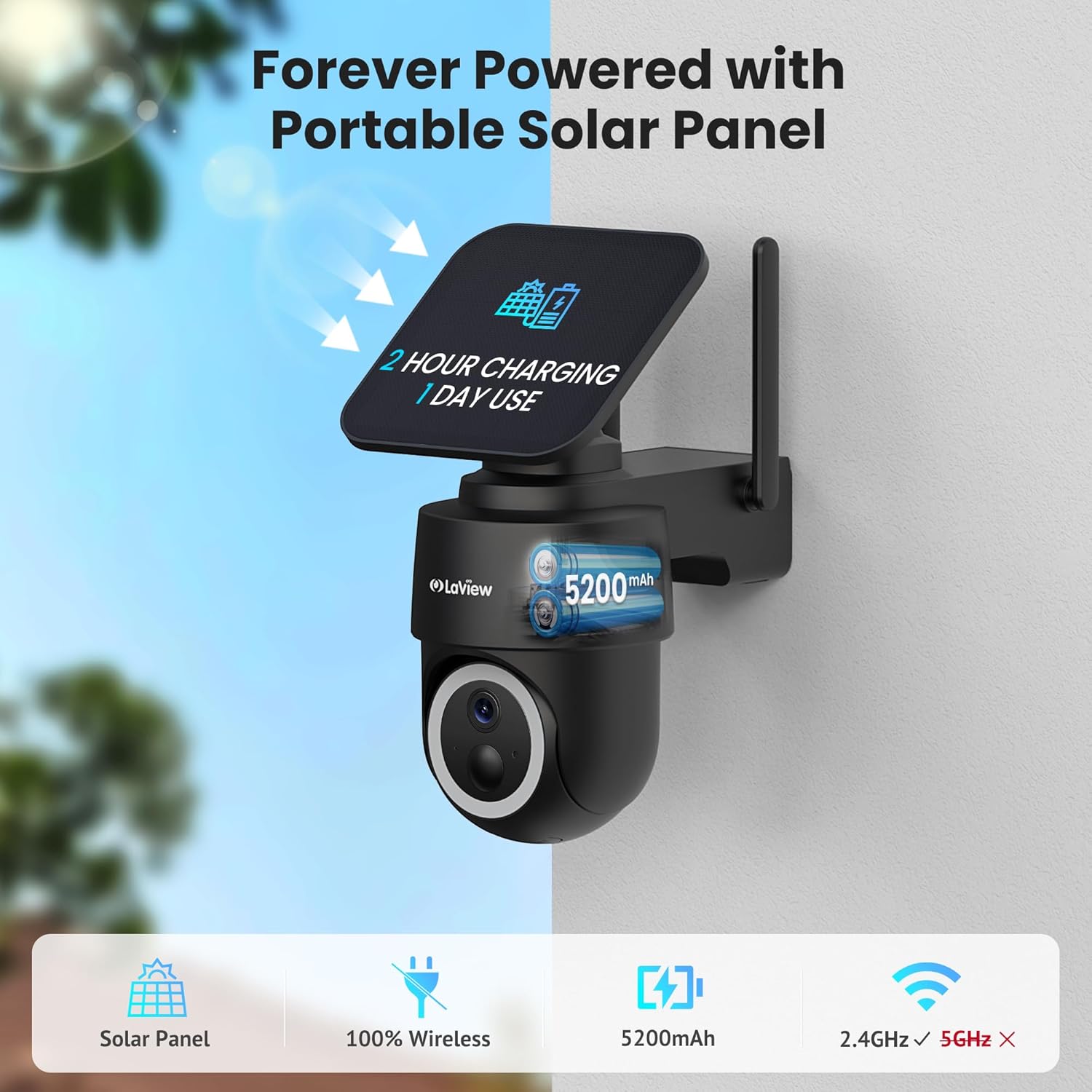
Figure 10: Forever powered with portable solar panel.
6.2 내후성
- The camera has an IP65 weatherproof rating, protecting it from dust and water jets. It operates in temperatures from 14°F to 122°F (-10°C to 50°C).

Figure 11: IP65 Weatherproof design for all conditions.
6.3 청소
- 카메라 렌즈와 태양광 패널을 부드러운 천으로 정기적으로 청소하세요.amp cloth to ensure clear image quality and efficient charging.
7. 문제 해결
- 카메라가 Wi-Fi에 연결되지 않음: Ensure your Wi-Fi network is 2.4GHz. Reboot your router and smartphone. Reset the camera by holding the reset button for 5 seconds until you hear a chime, then attempt pairing again.
- 잦은 오경보: Adjust the PIR detection sensitivity and customize detection zones within the app to minimize unwanted alerts from non-relevant motion sources.
- 이미지 품질이 좋지 않음: Ensure the camera lens is clean and free from obstructions. Check Wi-Fi signal strength.
- 배터리가 충전되지 않음: Verify the solar panel is receiving direct sunlight and is free from dirt or obstructions. Ensure the solar panel cable is securely connected to the camera.
8. 사양
| 모델명 | LV-PWR28Q-B-4PK |
| 실내/실외 사용 | 집 밖의 |
| 전원 | 태양열 전원 |
| 연결 프로토콜 | Wi-Fi(2.4GHz만 해당) |
| 비디오 캡처 해상도 | 2K QHD (3K mentioned in specs, but 2K QHD in features) |
| 컨트롤러 유형 | 아마존 알렉사 |
| 장착 유형 | 벽걸이형 |
| 비바람에 견디는 등급 | IP65 |
| 작동 온도 | 화씨 14도 ~ 화씨 122도(섭씨 -10도 ~ 50도) |
| 품목 치수(L x W x H) | 10 x 13 x 9 인치 |
| 품목 무게 | 7.88파운드 |
| 한국어: | 192728016859 |
9. 보증 및 지원
- 1년 교체 보증: 당신의 라View 2K Solar Camera system is covered by a 1-year replacement warranty.
- 평생 기술 지원: LaView offers lifetime technical support via phone for prompt and reliable solutions.
- 1-on-1 Customer Service: Dedicated customer service is available for personalized assistance.

Figure 12: LaView provides comprehensive after-sales support.