
소개
Thank you for choosing the King Lucky B900 Hybrid Active Noise Cancelling Headphones. This manual provides essential information for setting up, operating, maintaining, and troubleshooting your new headphones. Please read it thoroughly to ensure optimal performance and longevity of your device.
설정
1. 언 박스
모든 구성품을 포장에서 조심스럽게 꺼내세요. 아래 나열된 모든 품목이 있는지 확인하세요.
- King Lucky B900 Over-Ear Headphones
- High-fidelity audio cable (3.5mm)
- Type-C 충전 케이블
- 사용자 설명서

Image: King Lucky B900 headphones displayed with their included accessories: a 3.5mm audio cable, a Type-C charging cable, and the user manual.
2. 헤드폰 충전
Before first use, fully charge your headphones. Connect the provided Type-C charging cable to the charging port on the headphones and the other end to a USB power source. A full charge takes approximately 2 hours.
Image: The King Lucky B900 headphones are shown with a glowing charging icon, symbolizing their extended battery life.
Video: A demonstration of the King Lucky B900 headphones, highlighting their long battery life and charging capabilities.
3. 블루투스 페어링
헤드폰을 기기와 페어링하려면:
- 헤드폰이 충전되어 있고 전원이 꺼져 있는지 확인하세요.
- Press and hold the power button for a few seconds until the indicator light flashes, indicating pairing mode.
- On your device (smartphone, tablet, laptop), enable Bluetooth and search for "B900".
- Select "B900" from the list of available devices to connect. The indicator light will turn solid when successfully paired.
4. 헤드폰 착용
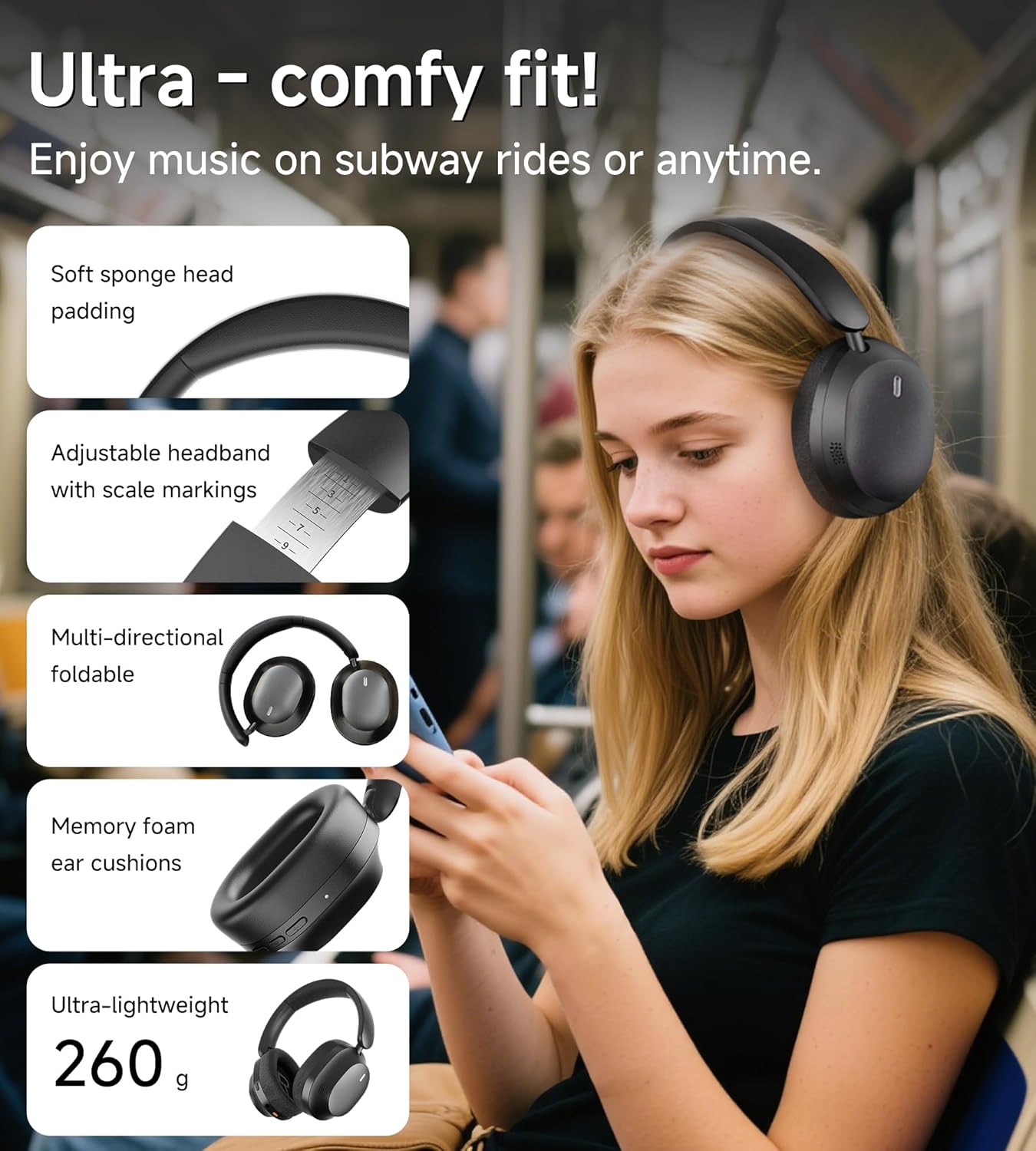
Adjust the headband for a comfortable and secure fit. The ear cushions are designed to create an acoustic seal for optimal sound and noise cancellation.

Image: A person is shown wearing the King Lucky B900 headphones, illustrating their comfortable and ergonomic design for extended use.
작동 지침
1. 통제view
The headphones feature intuitive buttons for easy control of audio playback, calls, and noise cancellation modes.
이미지: 자세한 view of the King Lucky B900 headphone's right earcup, highlighting the power, volume up/down, and ANC control buttons.
2. 능동 소음 제거(ANC) 및 투명 모드
The B900 headphones utilize hybrid ANC technology to reduce ambient noise. Press the dedicated ANC button to cycle through modes:
- ANC 켜기: Blocks out up to 90% of external noise, ideal for travel or noisy environments.
- 투명 모드: Allows ambient sounds to pass through, enabling awareness of your surroundings without removing headphones.
- ANC 끄기: Standard audio mode.

Image: A graph demonstrating the noise cancellation capabilities of the King Lucky B900 headphones, showing significant reduction in airplane and car noise compared to other products.
비디오: 짧은 데모 쇼asing the noise-canceling performance of the King Lucky B900 over-ear headphones.
3. 다중 장치 연결
The headphones support Bluetooth multi-point connection, allowing you to connect to two devices simultaneously. This enables seamless switching between audio sources, such as a laptop for work and a smartphone for calls, without re-pairing.

Image: An illustration depicting the King Lucky B900 headphones connected to both a laptop and a smartphone, demonstrating its multi-device connectivity feature.
4. 음질
Equipped with 40mm dynamic drivers, the B900 headphones deliver Hi-Res Audio with deep bass, clear mids, and crisp highs, providing an immersive listening experience for music, movies, and gaming.
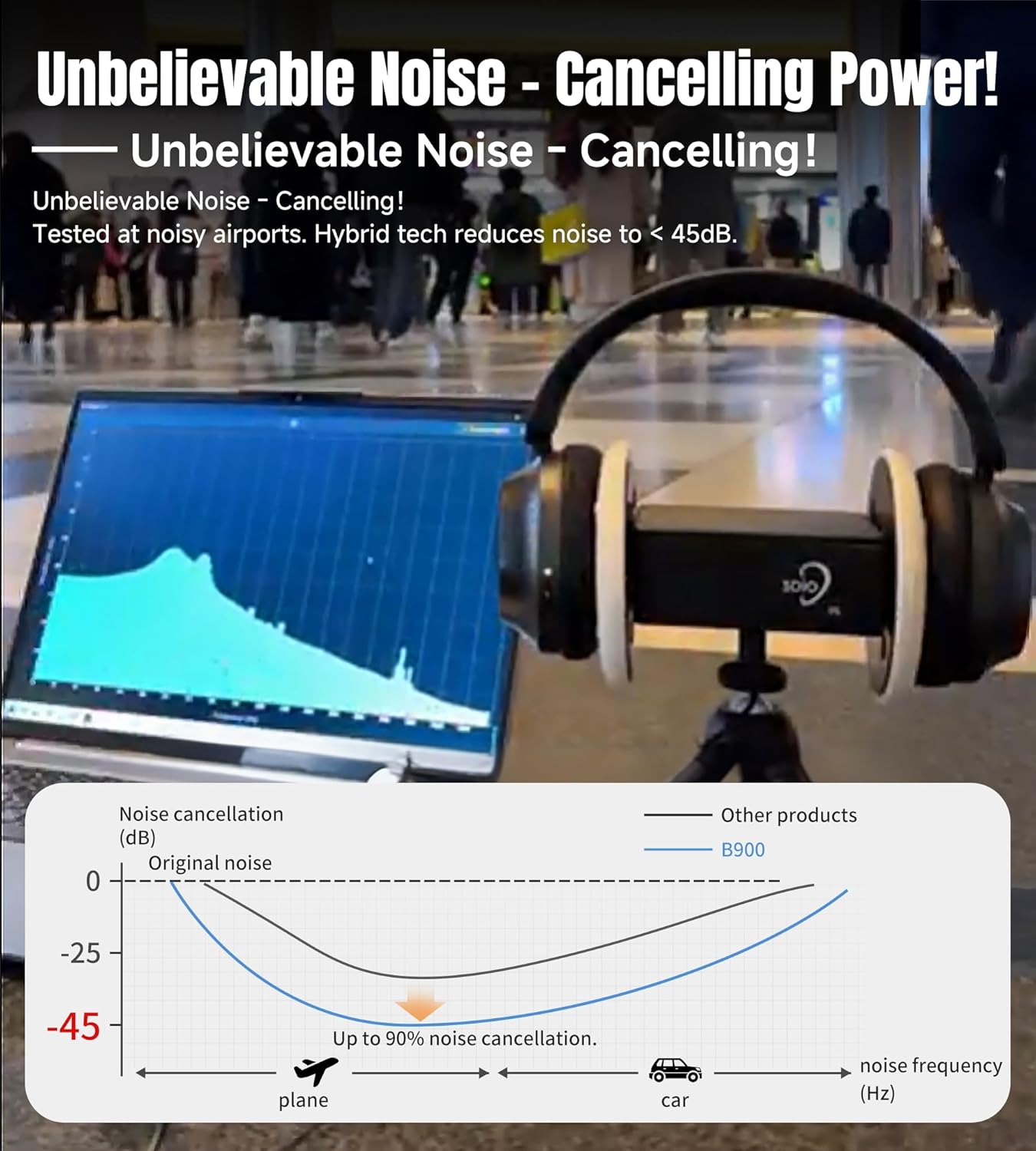
Image: The King Lucky B900 headphones in their black finish, highlighting their overall design and comfortable over-ear fit.
유지
1. 청소
Regularly clean the ear cushions and headband with a soft, dry cloth. Avoid using harsh chemicals or abrasive materials, as these can damage the finish. For deeper cleaning, a slightly damp cloth can be used, ensuring no moisture enters the speaker grilles or charging ports.
2. 보관
When not in use, store the headphones in a cool, dry place away from direct sunlight and extreme temperatures. The foldable design allows for compact storage, protecting them from damage.

Image: The King Lucky B900 headphones are shown in a folded configuration, illustrating their portability and ease of storage.
문제 해결
- 전원 없음: 헤드폰이 완전히 충전되었는지 확인하세요. 전원에 연결하고 충전 표시등을 확인하세요.
- 페어링할 수 없습니다: Make sure the headphones are in pairing mode (flashing indicator light). Ensure Bluetooth is enabled on your device and it is within range (typically 10 meters). Try restarting both the headphones and your device.
- 소리 없음: Check the volume levels on both the headphones and your connected device. Ensure the headphones are correctly paired. If using the audio cable, ensure it is securely connected to both the headphones and the audio source.
- ANC가 효과적으로 작동하지 않음: Ensure the ear cushions form a good seal around your ears. Check that ANC mode is activated.
명세서
| 모델명 | B900 |
| 상표 | 킹 럭키 |
| 연결 기술 | 무선(블루투스 5.4) |
| 소음 제어 | 하이브리드 액티브 노이즈 캔슬링 |
| 오디오 드라이버 유형 | 다이내믹 드라이버(40mm) |
| 배터리 수명 | 최대 30시간 (액티브 노이즈 캔슬링 기능 사용 시 24시간) |
| 충전 시간 | 2시간 |
| 품목 무게 | 0.56킬로그램(1.23파운드) |
| 재료 | Leather, Metal, Plastic, Rubber |
| 색상 | 검은색 |
보증 및 지원
King Lucky products come with a standard manufacturer's warranty. For detailed warranty information, product support, or service inquiries, please refer to the contact information provided in the packaging or visit the official King Lucky web대지.