
소개
구매해주셔서 감사합니다asing the Andoer Digital Camera H12. This manual provides detailed instructions for the proper use and maintenance of your camera. Please read this manual thoroughly before using the camera to ensure optimal performance and longevity.
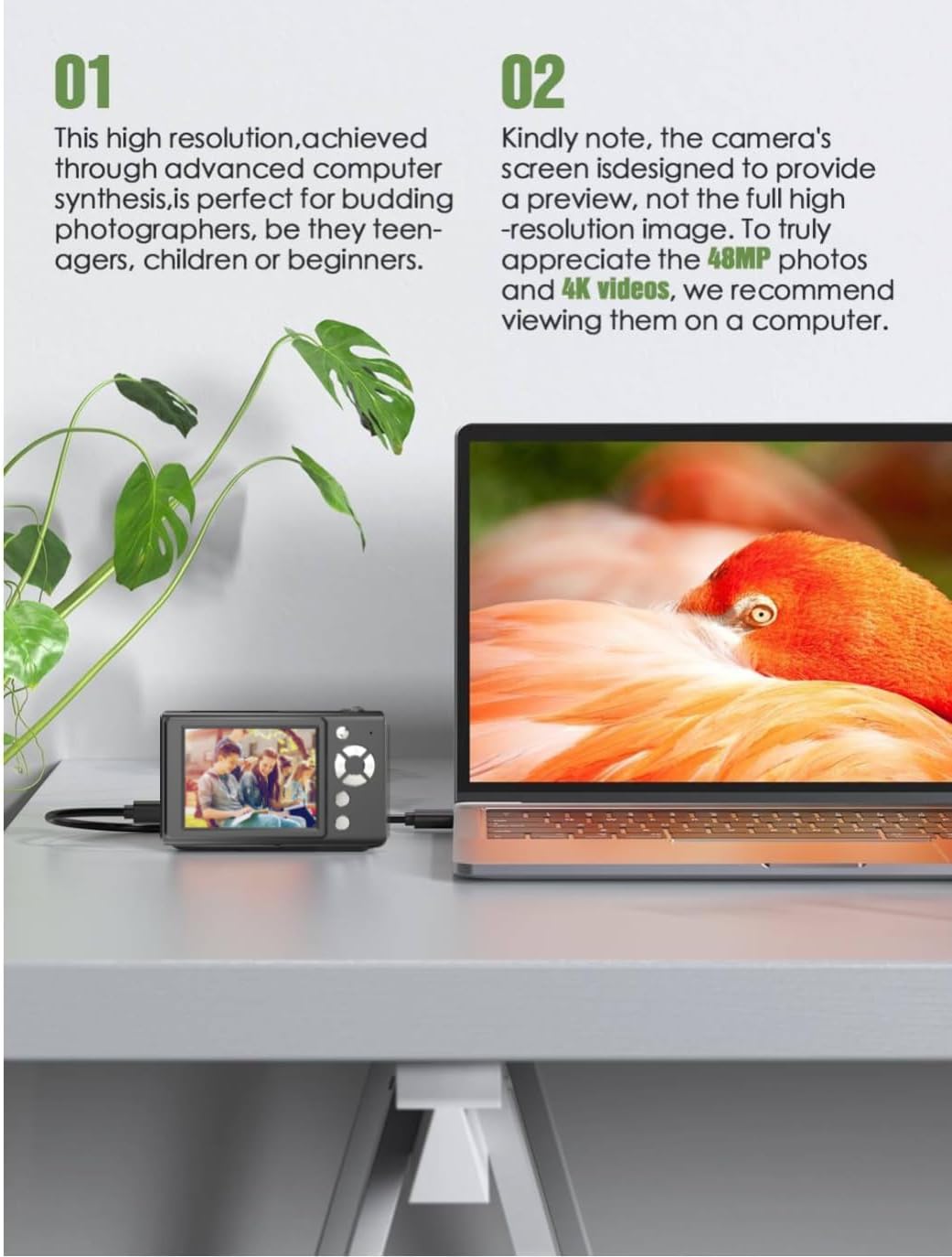
The Andoer H12 is a compact digital point-and-shoot camera featuring 1080P video recording, 48MP photo resolution, 16x digital zoom, autofocus, and an anti-shake function. It is designed for ease of use, making it suitable for various users.
패키지 내용
모든 품목이 들어 있는지 확인하기 위해 상자를 푼 후 패키지 내용물을 확인하세요.
- 1 x Andoer Digital Camera H12
- 1 x USB 케이블(Type-C)
- 1 x 손목 스트랩
- 1 x 32GB 메모리 카드
- 1의 X 카드 리더
- 1 x 사용자 설명서
설정
1. 배터리 충전
The camera is equipped with a built-in 3.7V 700mAh lithium battery. Before first use, fully charge the battery.
- Connect the included Type-C USB cable to the camera's USB port.
- USB 케이블의 다른 쪽 끝을 USB 전원 어댑터(포함되지 않음) 또는 컴퓨터의 USB 포트에 연결합니다.
- The charging indicator light will illuminate. Once charging is complete, the indicator light will change or turn off.
메모: A full charge typically takes approximately 2-3 hours. Do not use the camera while it is charging.
2. 메모리 카드 삽입
The camera supports TF (MicroSD) cards up to 128GB. A 32GB memory card is included in the package.
- 카메라 측면에서 메모리 카드 슬롯을 찾으세요.
- Gently insert the TF card into the slot with the metal contacts facing the front of the camera until it clicks into place.
- To remove the card, gently push it in again until it springs out.

3. 손목 스트랩 부착
Attach the included wrist strap to the camera for added security and to prevent accidental drops.
- Thread the thin loop of the wrist strap through the strap eyelet on the camera body.
- Pass the larger end of the strap through the thin loop and pull tight to secure it.
작동 지침
1. 전원 켜기/끄기
- 전원을 켜려면 화면이 켜질 때까지 전원 버튼을 길게 누르세요.
- 전원을 끄려면 화면이 꺼질 때까지 전원 버튼을 다시 길게 누르세요.
- The camera features an auto power-off function (off/3 mins/5 mins) which can be configured in the settings.
2. 사진 찍기
- Turn on the camera. The camera will typically start in photo mode.
- 2.8인치 IPS 디스플레이를 사용하여 구도를 잡아보세요.
- Press the shutter button halfway down to activate autofocus. The camera will recognize and track subjects.
- Once focus is achieved (indicated by a green frame), press the shutter button fully to take the picture.

3. 비디오 녹화
- Switch to video mode (refer to the camera's on-screen interface for the mode switch button).
- Press the shutter button to start recording. A red indicator or timer will appear on the screen.
- 촬영을 중지하려면 셔터 버튼을 다시 누르십시오.
The camera supports 1080P and 720P video resolutions in AVI format. Loop recording can be set for 3, 5, or 10 minutes.
4. 줌 기능
Use the zoom buttons (usually marked 'W' for Wide and 'T' for Telephoto) to adjust the 16x digital zoom. This allows you to magnify distant subjects.

5. LED 보조 조명
The camera features a built-in ring LED fill light with three lighting modes to assist in low-light conditions.
- 백색광: Bright, even, and soft illumination.
- 따뜻한 흰색 빛: Pure natural light, soft and comfortable.
- 황색 신호등: Warm color adjustment for a warm atmosphere.
Access and cycle through these modes via the camera's menu or a dedicated button (refer to the on-screen interface).

6. 기타 기능
- 셀카 타이머: Options for off, 2s, 5s, or 10s delay before taking a photo.
- 연속 촬영 : 빠르게 여러 장의 사진을 촬영하세요.
- 흔들림 방지: Helps reduce blur caused by camera movement.
- 필터 효과: Various built-in filters to enhance your photos.
- 계략: Includes 4 simple games for entertainment.
- MP3 재생: Download MP3 music to the memory card and play it through the camera.

유지
- 카메라 본체 청소: 부드럽고 마른 천을 사용하여 카메라 바디를 닦으세요. 잘 지워지지 않는 오염의 경우, 가볍게 두드리세요.ampen the cloth with water and then wipe dry. Avoid using chemical cleaners.
- 렌즈와 화면 청소: Use a specialized lens cleaning cloth or brush to gently remove dust and smudges. Do not use abrasive materials or excessive force.
- 저장: When not in use for extended periods, store the camera in a cool, dry place away from direct sunlight and extreme temperatures. Remove the memory card if not in use.
- 배터리 관리 : 배터리를 자주 완전히 방전시키지 마십시오. 배터리를 오래 사용하려면 카메라를 사용하지 않을 때에도 정기적으로 충전하십시오.
- 방수 기능: 이 카메라는 방수가 안 됨. Avoid exposure to water, rain, or high humidity.
문제 해결
| 문제 | 가능한 원인 | 해결책 |
|---|---|---|
| 카메라의 전원이 켜지지 않습니다. | 배터리가 방전되었거나 충전되지 않았습니다. | Charge the camera battery fully using the provided USB cable. |
| 사진 촬영이나 동영상 녹화가 불가능합니다. | Memory card is full, not inserted correctly, or corrupted. | Check if the memory card is inserted correctly. Delete unnecessary files or replace the memory card. Format the card if necessary (this will erase all data). |
| 이미지가 흐릿합니다. | Autofocus failed, camera shake, or dirty lens. | Ensure autofocus is engaged. Hold the camera steady or use the anti-shake function. Clean the lens with a soft cloth. |
| 화면이 검게 나오거나 멈췄습니다. | System error or temporary malfunction. | Press and hold the power button for 10 seconds to force a shutdown, then restart the camera. If the issue persists, contact customer support. |
| 전송할 수 없습니다 file컴퓨터에 연결. | Incorrect cable connection or driver issue. | Ensure the USB cable is securely connected. Try a different USB port or computer. Use the included card reader to transfer files 메모리 카드에서 직접. |
명세서
| 특징 | 세부 사항 |
|---|---|
| 모델명 | H12 |
| 표시하다 | 2.8인치 IPS LCD |
| 사진 해상도 | Up to 48MP (48M, 40M, 24M, 20M, 18M, 16M, 12M, 10M, 8M, 5M, 3M, 2M, 1M) |
| 사진 형식 | 사진 |
| 비디오 해상도 | 1080인, 720인 |
| 비디오 형식 | 아비(AVI) |
| 디지털 줌 | 16X |
| 자동 초점 | 예 (대비 감지, 9점) |
| 이미지 안정화 | 광학 |
| 센서 유형 | CMOS(1/4인치) |
| 저장 | TF card, max. 128GB (32GB included) |
| 배터리 | 내장형 리튬 배터리 (3.7V 700mAh) |
| 충전 인터페이스 | USB 타입-C |
| 셀키 타이머 | Off/ 2s/ 5s/ 10s |
| 자동 전원 끄기 | Off/ 3 mins/ 5 mins |
| 루프 녹음 | 3 mins/ 5 mins/ 10 mins |
| 내장된 기능 | LED Fill Light (3 modes), Filter Effects, 4 Games, MP3 Playback |
| 제품 크기 | 103 x 31 x 65mm |
| 제품 무게 | 149g (camera body) / 260g (item weight including packaging/accessories) |
| 방수 레벨 | 방수가 되지 않음 |
보증 정보
The Andoer Digital Camera H12 comes with a 1년 보증 구매일로부터 적용됩니다. 이 보증은 정상적인 사용 조건에서 발생하는 제조상의 결함 및 오작동에 적용됩니다. 단, 오용, 사고, 무단 수리 또는 자연재해로 인한 손상은 보증 대상에서 제외됩니다.
보증 청구를 위해 구매 증명서를 보관하십시오.
고객 지원
If you encounter any issues or have questions not covered in this manual, please contact Andoer customer support. You can typically find support contact information on the official Andoer web사이트나 소매업체를 통해 구매하세요.
추가 지원이 필요하면 다음을 방문하세요. Andoer Store on Amazon.