
볼트크래프트 VC-14452015
VOLTCRAFT WB-310 열화상 카메라 사용 설명서
모델: VC-14452015
1. 서론
This manual provides comprehensive instructions for the safe and efficient operation, maintenance, and troubleshooting of your VOLTCRAFT WB-310 Thermal Imager. Please read this manual thoroughly before using the device to ensure proper functionality and to prevent damage or injury.
The VOLTCRAFT WB-310 is a compact thermal imager designed for professional applications in industrial and trade environments. It features a wide temperature measurement range and multiple color scales for versatile use. Its robust design ensures reliable performance even in challenging conditions.
2. 안전 정보
Always observe the following safety precautions to prevent personal injury and damage to the device:
- Do not point the thermal imager directly at strong light sources (e.g., sun, lasers) as this may damage the sensor.
- 기기를 극한 온도, 높은 습도 또는 부식성 환경에 노출시키지 마십시오.
- 지정된 전원 어댑터와 액세서리만 사용하세요.
- 장치를 분해하거나 개조하지 마십시오. 모든 정비는 자격을 갖춘 기술자에게 맡기십시오.
- 장치를 물과 기타 액체에서 멀리하세요.
- 작동 중 적절한 환기를 보장하십시오.
3. 제품 오버view
Familiarize yourself with the components of your VOLTCRAFT WB-310 Thermal Imager.
앞쪽 View
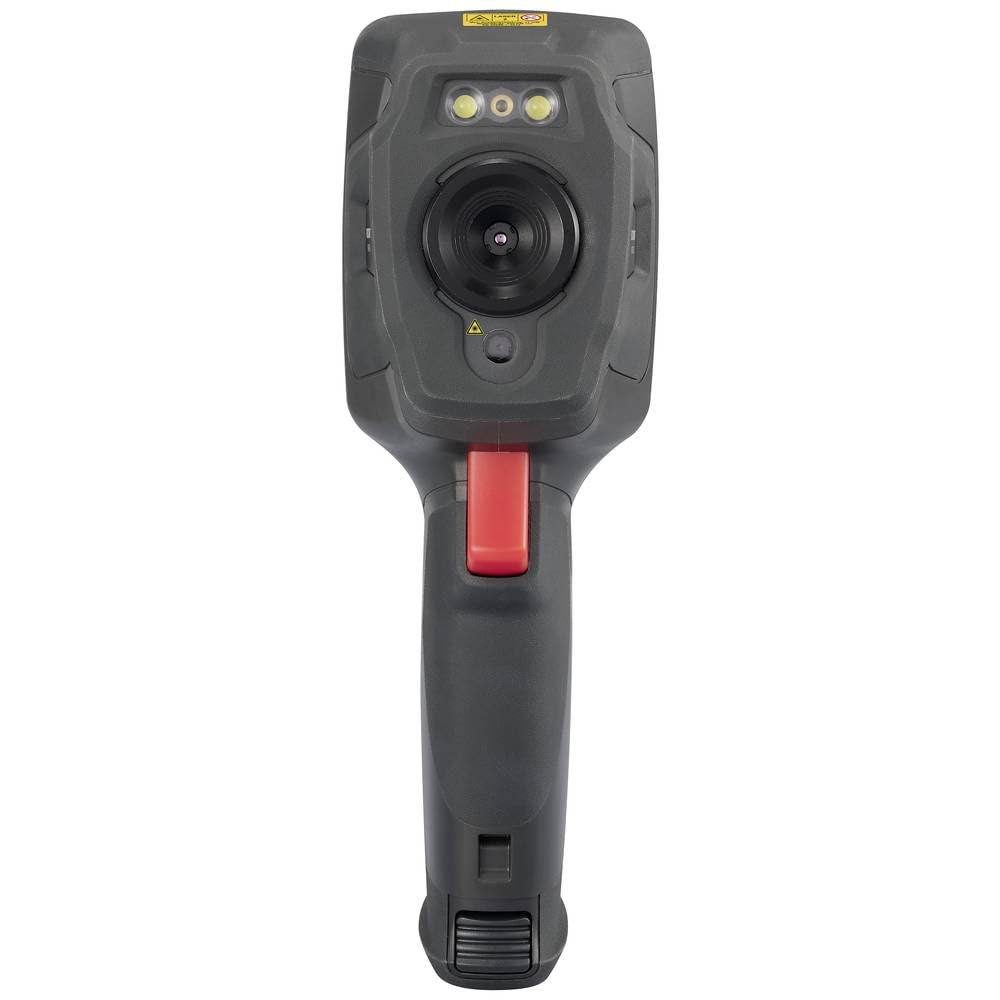
This image displays the front of the WB-310 thermal imager, highlighting the main thermal lens, the integrated visible light camera, and the LED illumination lights located above the lenses. A warning label is visible at the top.
옆 View (Screen Side)
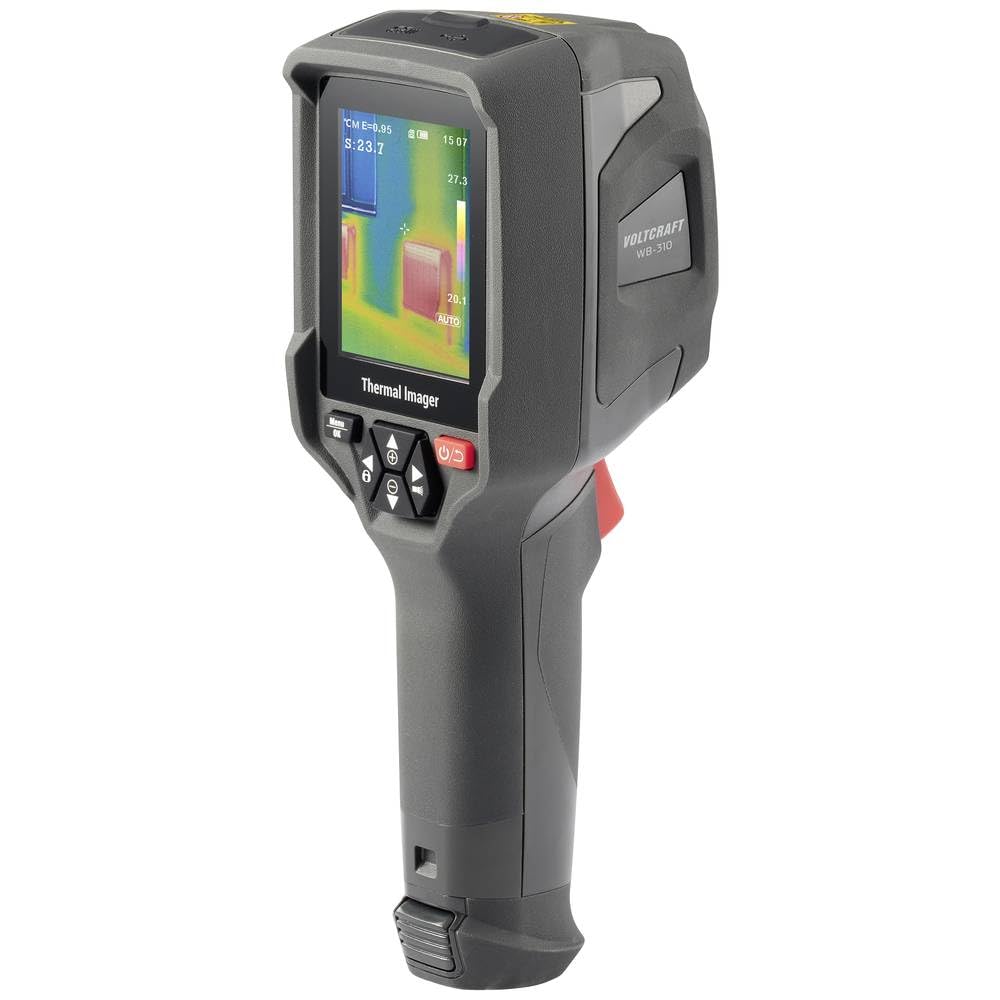
This image shows the side of the WB-310 thermal imager, focusing on the display screen which shows a thermal image with temperature readings. Below the screen are the navigation and power buttons, and the ergonomic handle is clearly visible.
옆 View (Lens Side)
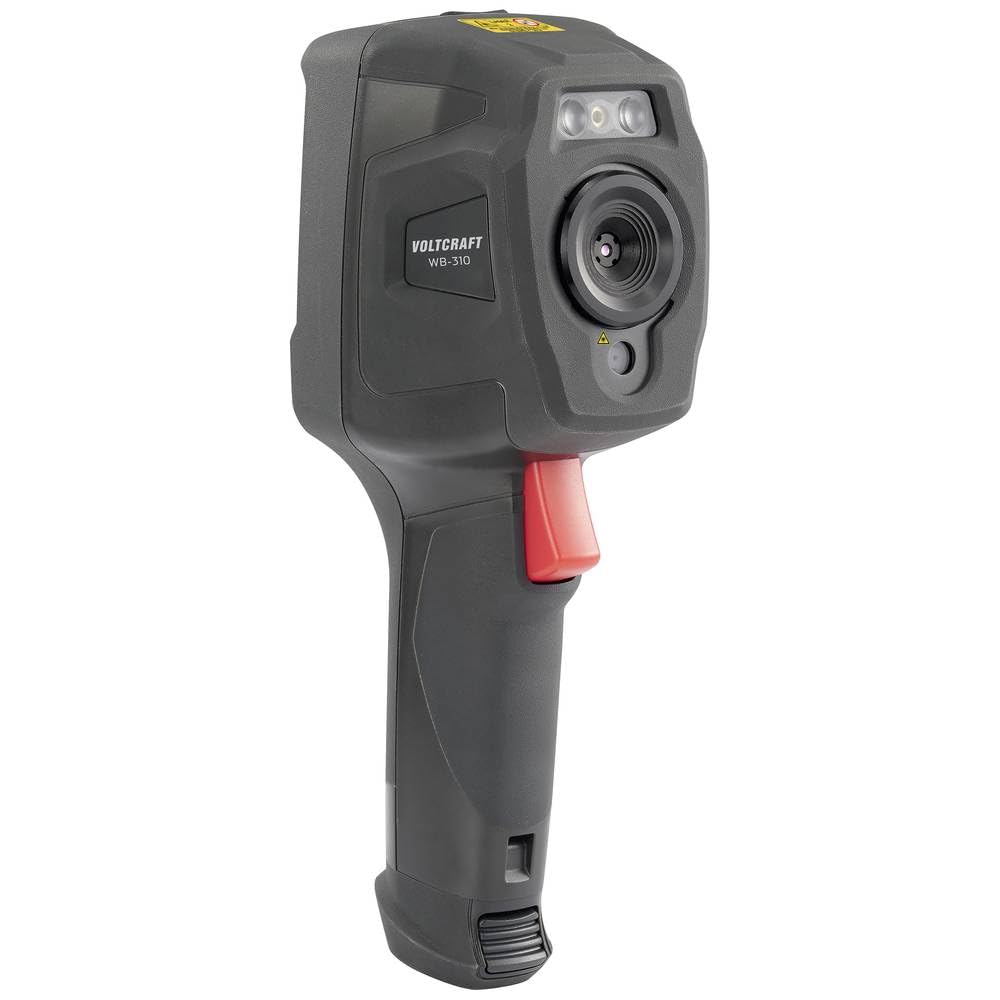
This image presents another side view of the WB-310 thermal imager, highlighting the lens assembly and the red trigger button located on the handle. The "VOLTCRAFT WB-310" branding is visible on the side casing.
뒤쪽 View
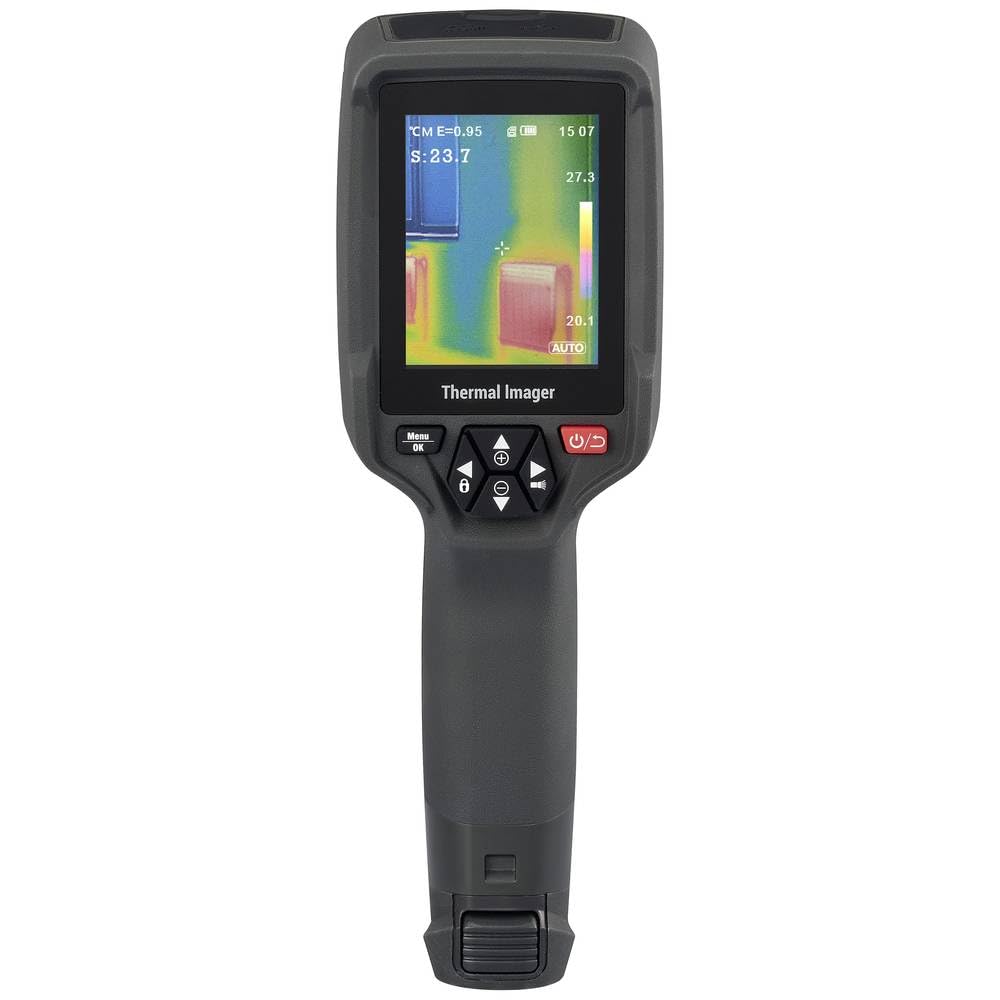
이 이미지는 후면을 보여줍니다 view of the WB-310 thermal imager, primarily featuring the display screen and the array of control buttons beneath it. The ergonomic grip is also prominent.
- 열 화상 렌즈
- 가시 광선 카메라
- LED 조명
- 디스플레이 화면
- Navigation Buttons (Up, Down, Left, Right, OK/Menu)
- 전원 버튼
- 트리거 버튼
- Micro-SD Card Slot (under protective cover)
- USB-C Port (under protective cover)
4. 설정
4.1. 배터리 충전
The device is powered by an internal rechargeable battery. Before first use, fully charge the battery using the provided USB-C cable and a compatible power adapter.
- Connect the USB-C cable to the port on the device (usually located under a protective cover).
- 케이블의 다른 쪽 끝을 USB 전원(예: 컴퓨터 USB 포트, 벽면 어댑터)에 연결합니다.
- 기기의 충전 표시등은 충전 중일 때 켜지고 완전히 충전되면 꺼집니다.
4.2. Inserting the Micro-SD Card
The WB-310 requires a micro-SD card (not included) to save thermal images and data. Ensure the device is powered off before inserting or removing the card.
- Locate the micro-SD card slot, typically under a protective rubber cover on the side or bottom of the device.
- Gently insert the micro-SD card with the contacts facing down until it clicks into place.
- 제거하려면 카드를 살짝 밀어서 튀어나오게 하세요.
5. 사용 설명서
5.1. 전원 켜기 / 끄기
를 누르고 계세요 전원 버튼 (usually marked with a power symbol) for a few seconds to turn the device on or off.
5.2. 기본 측정
- Point the thermal imager at the object or area you wish to measure.
- The display will show the thermal image in real-time.
- The central spot meter will indicate the temperature at the center of the screen.
- 를 누르세요 트리거 버튼 to capture and save the current thermal image to the micro-SD card.
5.3. 메뉴 탐색
사용하세요 메뉴/확인 버튼 to access the main menu. Use the 탐색 버튼 (Up, Down, Left, Right) to scroll through options and adjust settings. Press 메뉴 / 확인 again to confirm selections or exit a submenu.
5.4. 주요 설정
- 방사율 : Adjust this setting based on the material being measured for accurate temperature readings. Common values are provided in the specifications section.
- 색상 팔레트: Select from eight available color scales (e.g., Iron, Rainbow, Black-Hot, White-Hot) to visualize temperature differences.
- 온도 단위 : 섭씨(°C)와 화씨(°F)를 전환합니다.
- 이미지 모드 : Choose between thermal image, visible light image, or fusion modes (picture-in-picture, overlay) if available.
6. 유지관리
6.1. 장치 청소
- 부드러운 천으로 기기 본체를 닦아주세요.amp 천. 연마성 세척제나 용매를 사용하지 마십시오.
- 렌즈와 화면을 닦을 때는 흠집이 생기지 않도록 전용 렌즈 클리닝 천과 세척액을 사용하십시오.
- 청소하기 전에 기기의 전원이 꺼져 있고 모든 전원 공급 장치에서 분리되어 있는지 확인하십시오.
6.2. 배터리 관리
- Recharge the battery regularly, even if the device is not in use, to maintain battery health.
- 배터리를 자주 완전히 방전시키지 마세요.
- 장기간 사용하지 않을 때는 기기를 서늘하고 건조한 곳에 보관하세요.
6.3. 펌웨어 업데이트
Check the official VOLTCRAFT website periodically for available firmware updates. Follow the instructions provided with the update package carefully.
7. 문제 해결
| 문제 | 가능한 원인 | 해결책 |
|---|---|---|
| 장치의 전원이 켜지지 않습니다. | 배터리가 방전되었습니다. | 배터리를 완전히 충전하십시오. |
| 기기가 멈추거나 응답하지 않습니다. | 소프트웨어 오류입니다. | 전원 버튼을 10초 동안 길게 눌러 소프트 리셋을 실행하십시오. 문제가 지속되면 고객 지원팀에 문의하십시오. |
| 온도 판독값이 부정확합니다. | 방사율 설정이 잘못되었습니다. | Adjust emissivity according to the material being measured. Ensure the lens is clean. |
| 이미지를 저장할 수 없습니다. | Micro-SD card full or not inserted correctly. | Check micro-SD card insertion. Delete old files or replace card. Ensure card is formatted correctly. |
8. 사양
| 특징 | 사양 |
|---|---|
| 모델 | VOLTCRAFT WB-310 (VC-14452015) |
| 온도 측정 범위 | -20 ° C ~ + 550 ° C (-4 ° F ~ + 1022 ° F) |
| Bolometer Matrix Resolution | 160 x 120 픽셀 |
| 열 감도(NETD) | 50mK |
| 프레임 속도 | 25Hz |
| 표시하다 | 71 mm (2.8") LCD, 320 x 240 pixels |
| 연결성 | 와이파이, USB-C |
| 저장 | 마이크로 SD 카드 슬롯 |
| 치수(길이 x 너비 x 높이) | 대략. 23.5 x 10.1 x 7.55cm |
| 무게 | 약 840g |
| 전원 공급 장치 | 내부 충전식 배터리 |
9. 보증 및 지원
VOLTCRAFT products are designed for reliability and performance. For warranty information and technical support, please refer to the official VOLTCRAFT web사이트를 방문하거나 현지 유통업체에 문의하세요.
추가 지원이 필요하면 다음을 방문하세요. VOLTCRAFT Store on Amazon 또는 제품 포장에 제공된 연락처 정보를 참조하십시오.
Ask a question about this manual
Ask about setup, troubleshooting, compatibility, parts, safety, or missing instructions. Manuals+ will review the question and use this page’s manual context to help answer it.