
소개
구매해주셔서 감사합니다asing the AODK L-Shaped Computer Desk. This desk is designed for versatility, offering ample workspace and storage for various uses, including gaming, remote work, and general office tasks. It features a durable construction, integrated power outlets, and flexible storage options to enhance your productivity and comfort. Please read this manual carefully before assembly and use to ensure proper setup and safe operation.
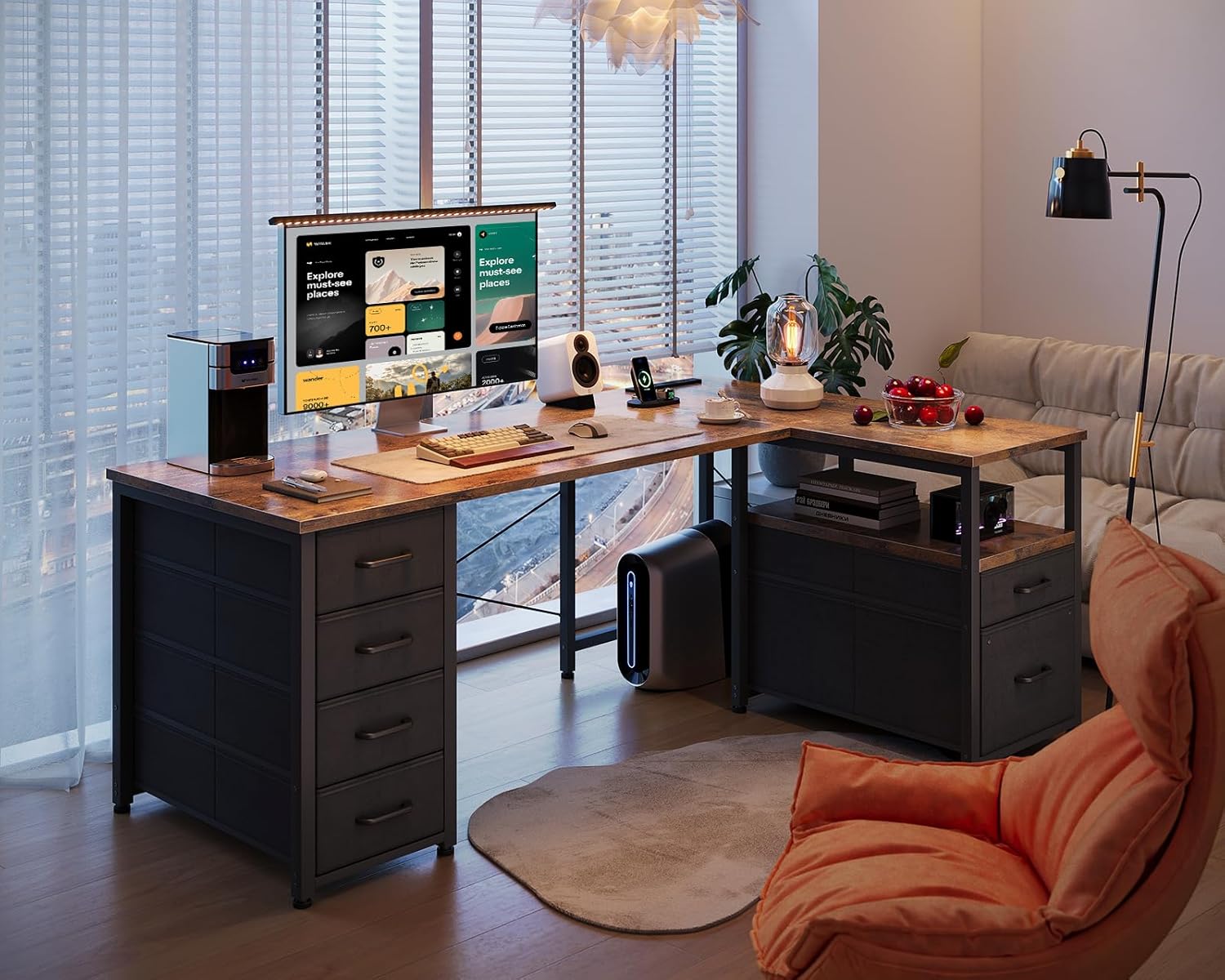
Image: The AODK L-shaped computer desk provides a spacious and organized workspace.
안전 정보
- 최대 부하 용량 : The tabletop has a maximum load capacity of 50 kg (110 lbs). Do not exceed this weight to prevent damage or injury.
- 집회: Assemble the desk on a soft, clean surface to prevent scratches. Ensure all screws and fasteners are tightened securely before use.
- 안정: Use the adjustable feet to ensure the desk is level and stable on uneven floors.
- 전기 안전: The integrated power outlet is designed for standard use. Do not overload the outlets. Keep liquids away from electrical components.
- 통풍: Ensure adequate ventilation around any electronic devices placed on or within the desk's storage areas.
- 화학 물질 냄새: During initial assembly, some materials may emit a slight odor. Ensure the assembly area is well-ventilated. The odor will dissipate over time.
패키지 내용
조립을 시작하기 전에 모든 부품이 있는지, 손상되지 않았는지 확인하십시오. 부품이 누락되었거나 손상된 경우 고객 지원 센터로 문의하십시오.
- Desk Panels (Tabletop sections, side panels, shelves)
- 강철 프레임 구성품
- 6개의 패브릭 서랍
- Integrated Power Outlet Unit (2 AC, 2 USB ports)
- 조절 가능한 발
- Assembly Hardware (Screws, bolts, nuts, etc.)
- Assembly Tools (Wrench, screwdriver)
- 사용 설명서
설정 및 조립
Assembly is required for this product. All necessary tools are included. It is recommended to have two people for assembly, though it can be completed by one person following the clear instructions.
조립 단계:
- 지역 준비: Clear a spacious area and lay down a soft cloth or cardboard to protect the desk components and your floor during assembly.
- 구성 요소 식별: Unpack all components and identify them using the provided parts list in the separate assembly guide. Each part is typically labeled.
- 프레임 조립: Begin by assembling the steel frame according to the detailed diagrams in the assembly guide. Ensure all connections are secure but do not fully tighten screws until the frame is complete.
- 책상 패널 부착: Carefully place and secure the tabletop sections onto the assembled frame. Tighten all screws once the panels are correctly aligned.
- 수납 장치를 설치하세요: Assemble the integrated drawer units and shelves. Note that the drawer units can be installed on either the left or right side of the desk to suit your preference and room layout.
- 패브릭 서랍 삽입: Fold and insert the fabric drawers into their respective compartments.
- 전원 콘센트 설치: Secure the integrated power outlet unit into its designated slot on the tabletop.
- 레벨링 발 조정: Once the desk is fully assembled and in its desired location, adjust the leveling feet at the bottom of the frame to ensure the desk is stable and does not wobble.
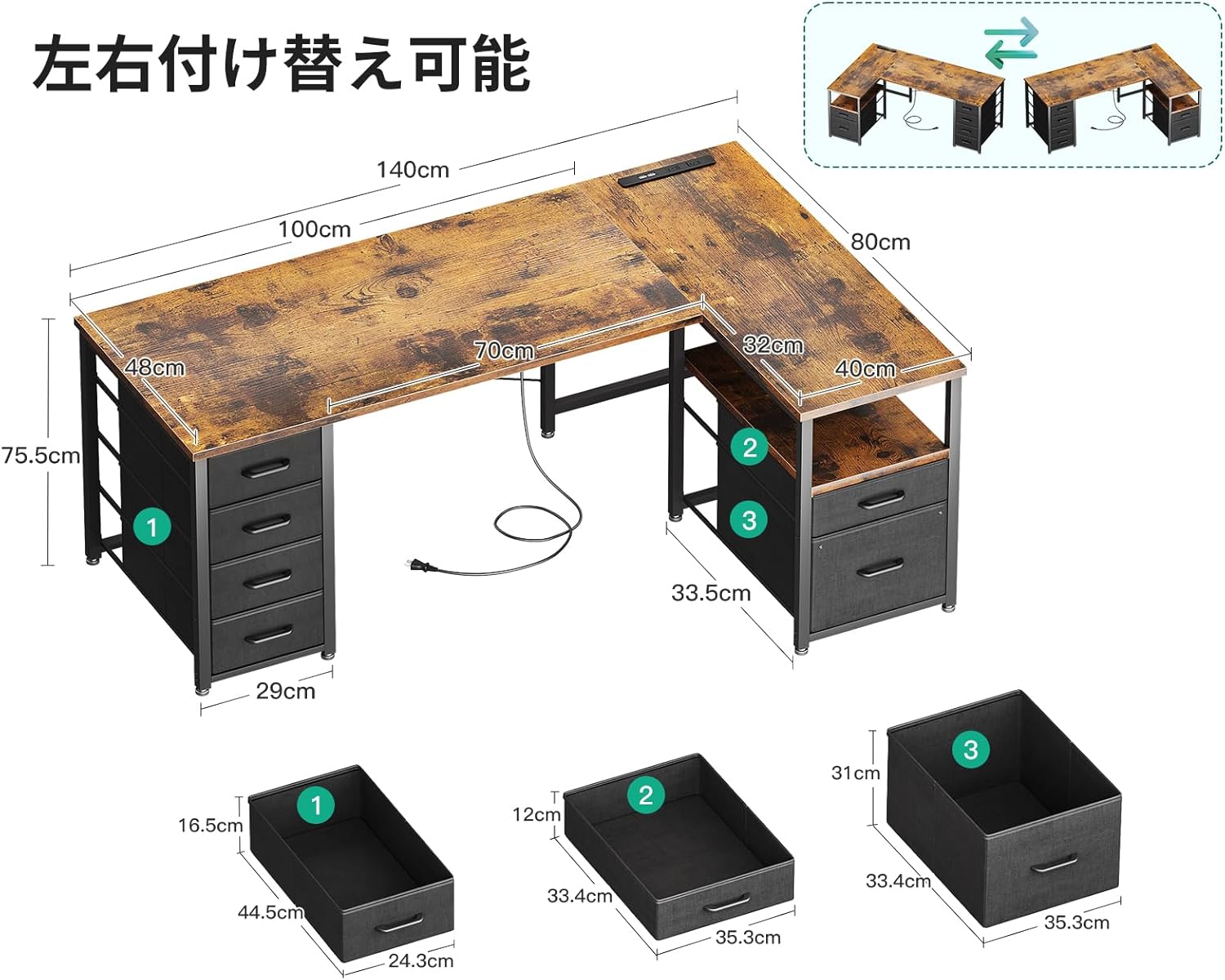
Image: Desk dimensions and reversible drawer/rack placement options.

Image: Simple three-step assembly for the fabric drawers.
작동 지침
통합 전원 콘센트:
The desk is equipped with a convenient power outlet unit featuring two AC outlets (120V/12A) and two USB ports (5V/2A). This allows for easy charging of your computer, smartphone, and other electronic devices directly from your workspace. Simply plug the desk's power cord into a wall outlet, then connect your devices to the integrated outlets.
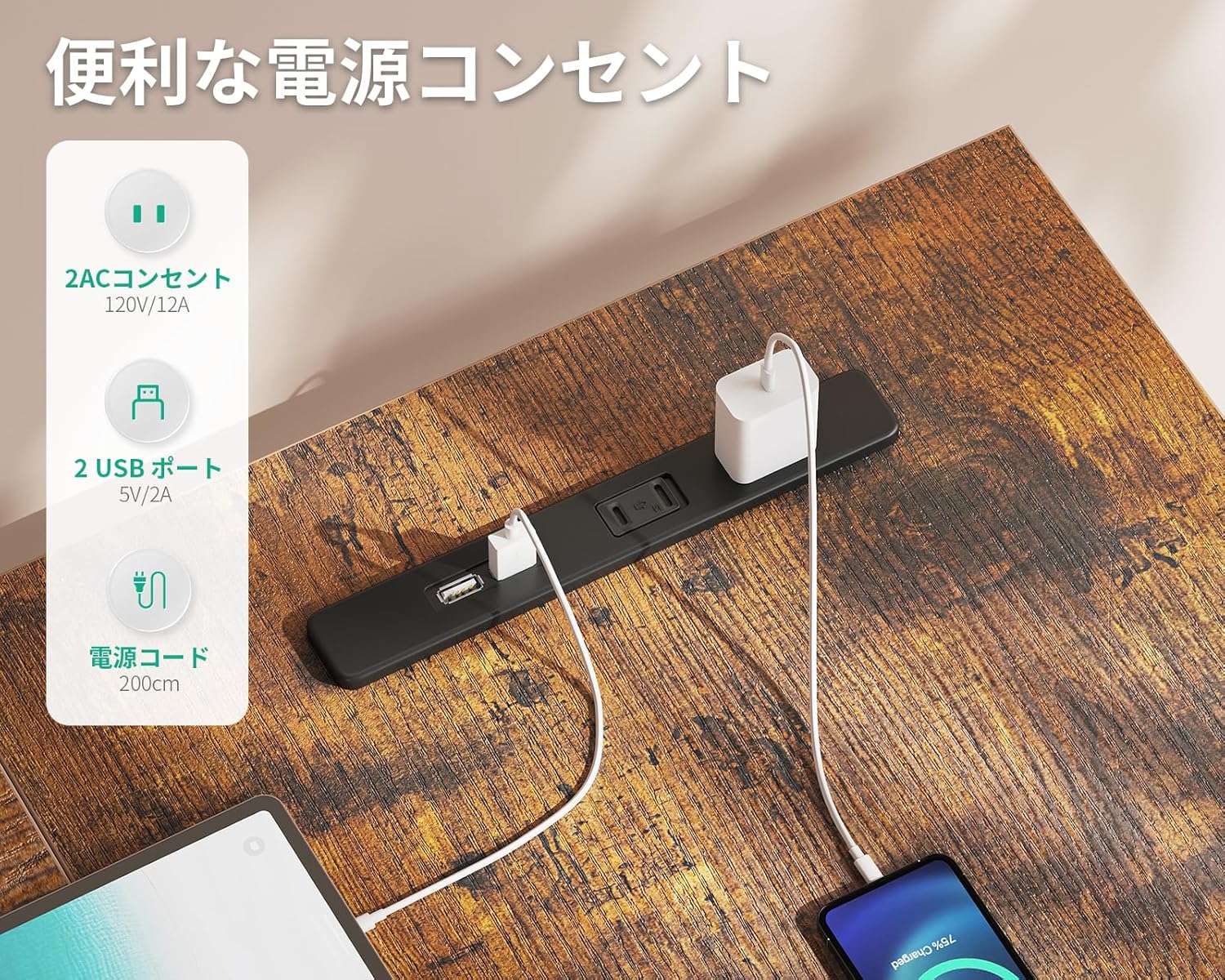
Image: The integrated power outlet provides convenient charging for multiple devices.
보관 및 구성:
The desk features six integrated fabric drawers and open shelves, providing ample storage for books, documents, office supplies, and even a PC tower. The L-shaped design maximizes corner space, offering a large surface area for multiple monitors and accessories without feeling cramped. The drawers can be configured on either the left or right side during assembly to best suit your needs.

Image: The desk offers versatile storage solutions with drawers and open racks.

이미지: 상세 view of the storage capacity, including A4 file 호환성.
유지
- 청소: 부드러운 천으로 책상 표면을 닦으세요.amp cloth. Avoid using harsh chemicals or abrasive cleaners, as they may damage the melamine finish.
- 유출: Clean up spills immediately to prevent staining or water damage to the tabletop.
- 열 보호: While the melamine surface is heat-resistant, it is recommended to use coasters or heat pads for hot items to prolong the desk's lifespan.
- 서랍 관리: 패브릭 서랍은 순한 세제와 물로 부분적으로 세척할 수 있습니다. 완전히 말린 후 다시 넣어주세요.
- 하드웨어 검사: 모든 나사와 패스너가 단단히 조여져 있는지 정기적으로 점검하세요. 안정성을 유지하기 위해 필요하면 다시 조여주세요.
문제 해결
- 책상 흔들림: Ensure all assembly screws are tightened. Adjust the leveling feet at the bottom of the desk frame to compensate for uneven floor surfaces.
- 조립 난이도: Review the assembly guide carefully, paying close attention to diagrams and part labels. Ensure you are using the correct hardware for each step. If issues persist, contact customer support.
- 전원 콘센트가 작동하지 않음: Check if the desk's main power cord is securely plugged into a functional wall outlet. Ensure devices are properly connected to the desk's outlets. Avoid overloading the power strip.
- 서랍이 부드럽게 미끄러지지 않음: Ensure the fabric drawers are correctly assembled and inserted. Check for any obstructions within the drawer compartments.
명세서
| 상표 | AODK |
| 모델 번호 | OKTB03010701007JP-3 |
| 모양 | L자형 |
| 데스크 타입 | 컴퓨터 책상 |
| 제품 치수(W x D x H) | 140cm x 80cm x 75.2cm(55.1 x 31.5 x 29.6인치) |
| 품목 무게 | 18.6kg(41파운드) |
| 색상 | 빈tage |
| 기본 소재 | Metal (Steel Frame) |
| 마무리 유형 | 파우더 코팅 |
| 특별 기능 | Integrated USB and AC Power Outlets |
| 서랍 수 | 6 |
| 최대 권장 중량 | 50kg(110파운드) |
| 조립이 필요합니다 | 예 |
| 조립 도구 포함 | 예 |
보증 및 지원
AODK is committed to providing high-quality products. While specific warranty details are not provided in this manual, if you encounter any issues or defects with your desk, please do not hesitate to contact our customer support team. We are dedicated to assisting you with any concerns or questions you may have.
구매 문서나 소매업체의 설명서를 참조하십시오. web구체적인 보증 조건과 연락처 정보는 해당 사이트를 참조하세요.