
1. 서론
Thank you for choosing the Hivento Smart Tower Fan AT-932. This intelligent tower fan is designed to provide efficient and comfortable air circulation with its WiFi connectivity, multiple speed and mode settings, oscillation, and convenient timer function. Please read this manual carefully before use to ensure proper operation and maintenance.
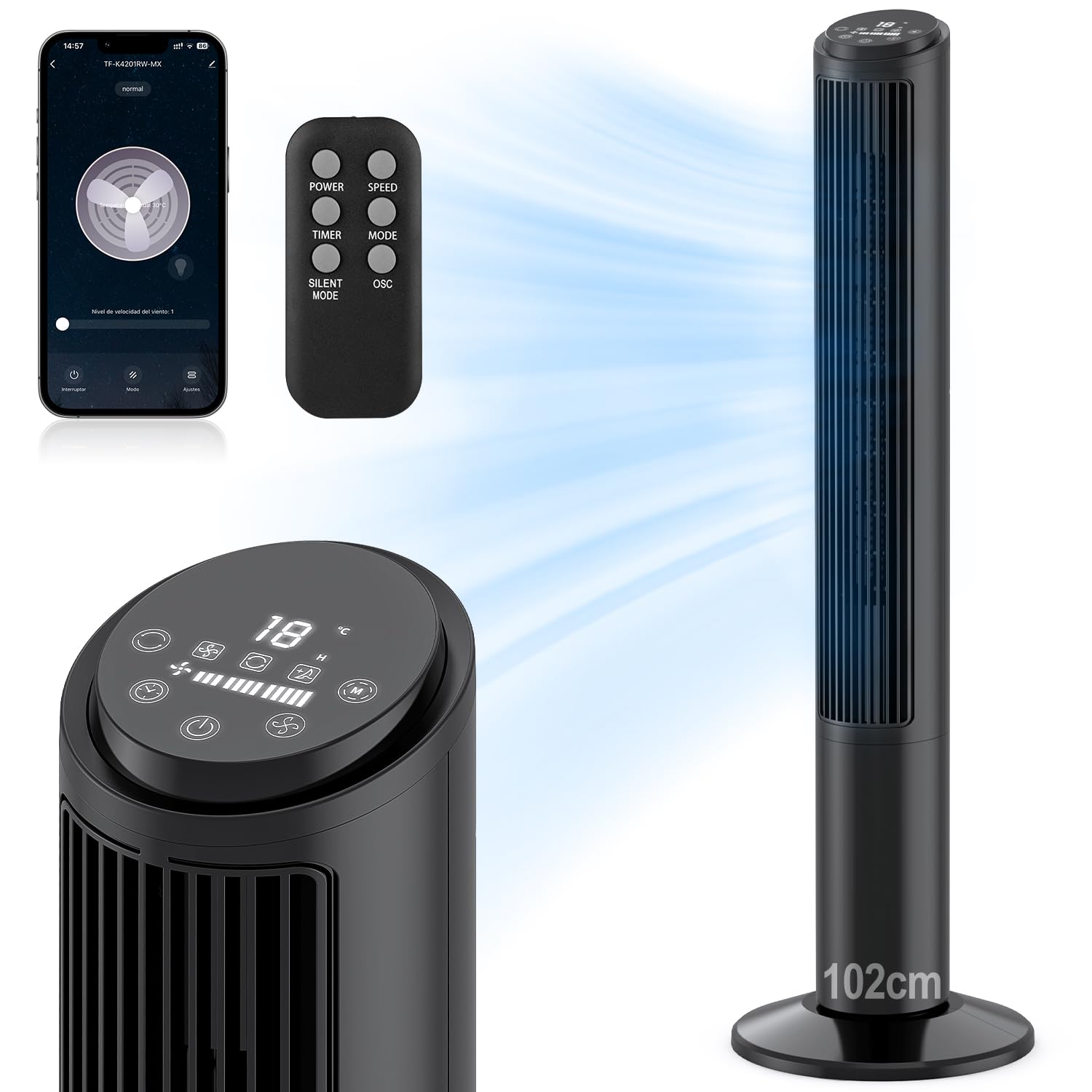
Image: Hivento Smart Tower Fan AT-932, showcasin세련된 검은색 디자인입니다.
2. 안전 지침
화재, 감전 또는 부상의 위험을 줄이려면 다음 안전 예방 조치를 준수하세요.
- 청소나 유지관리 작업을 하기 전에는 항상 팬의 플러그를 뽑으세요.
- 손상된 코드나 플러그로 팬을 작동하지 마십시오.
- Keep fingers and other objects away from the fan grille when in operation.
- 선풍기가 넘어지지 않도록 안정적이고 수평인 표면에 놓으세요.
- 습기가 있거나 d인 환경에서는 팬을 사용하지 마십시오.amp 환경.
- This fan features a bladeless design for enhanced safety, especially around children and pets. It also includes a child lock function.

Image: Bladeless design of the fan, highlighting safety features like a safety plug and child lock, with a child nearby.
3. 패키지 내용
다음 품목이 패키지에 포함되어 있는지 확인하세요.
- Hivento Tower Fan (x1)
- Installation Accessories (Base parts) (x1 set)
- 리모콘(x1)
- 사용 설명서(x1)
4. 설정
4.1베이스 어셈블리
The tower fan requires minimal assembly. The base consists of two identical parts. Simply cross these two parts and attach them to the bottom of the fan unit. Ensure they are securely fastened.
4.2 전원 연결
전원 코드를 표준 120V AC 콘센트에 꽂으세요.
4.3 초기 전원 켜기
Press the power button on the control panel or remote control to turn on the fan. The LED display will illuminate.
4.4 WiFi Setup (App Control)
To use the smart features, download the Tuya Smart app on your smartphone. Follow the in-app instructions to pair your fan:
- Download and open the Tuya Smart app.
- 계정에 등록하거나 로그인하십시오.
- Tap 'Add Device' or the '+' icon.
- Select the fan from the device list or use auto-scan.
- Follow the app's prompts to connect the fan to your 2.4GHz WiFi network. This usually involves resetting the device by pressing and holding the power button until the indicator light flashes.
- Once connected, you can control the fan via the app.

Image: Step-by-step guide on a smartphone screen demonstrating how to pair the Hivento Smart Tower Fan with the Tuya Smart app.
5. 사용 설명서
5.1 제어판 및 LED 디스플레이
The fan features an intuitive LED display and touch controls on the top. The display shows ambient temperature, current speed, mode, and timer settings.
- 전원 버튼: 팬을 켜거나 끕니다.
- 속도 버튼: 팬 속도를 조절합니다(낮음, 중간, 높음).
- 모드 버튼: Cycles through operating modes (Normal, Natural, Sleep).
- 타이머 버튼: 자동 종료 타이머를 설정합니다.
- 진동 버튼: 진동을 활성화/비활성화합니다.

Image: Close-up of the fan's LED display and touch control panel, along with the remote control, indicating various functions.
5.2 리모컨
The included remote control allows convenient operation from a distance. It duplicates all functions available on the control panel.
- 힘: 팬을 켜거나 끕니다.
- 속도: 팬 속도를 조정합니다.
- 시간제 노동자: 자동 종료 타이머를 설정합니다.
- 오시는 길 : 작동 모드를 순환합니다.
- 무음 모드: Activates a quiet operation mode (often the Sleep mode).
- OSC : 진동을 활성화/비활성화합니다.

Image: The Hivento Smart Tower Fan oscillating, with a remote control shown in the foreground, illustrating remote operation.
5.3 Smart Control (WiFi & Voice)
After successful WiFi setup, you can control your fan from anywhere using the Tuya Smart app. The fan is also compatible with voice assistants like Amazon Alexa and Google Assistant for hands-free operation.
- 앱 제어: Adjust settings, change modes, set timers, and monitor the fan remotely via your smartphone.
- 음성 제어: Integrate with Alexa or Google Assistant to control the fan with voice commands (e.g., "Alexa, turn on the fan," "Hey Google, set fan speed to medium").
5.4 모드 및 속도
The fan offers 3 speed settings and 2 operating modes:
- 속도: Low, Medium, High. Select the desired airflow intensity.
- 자연 모드: 팬 속도를 변화시켜 자연스러운 바람을 시뮬레이션합니다.
- 수면 모드 : Operates at a low, quiet speed for minimal disturbance during sleep, with a noise level of less than 30 dB.

Image: Graphic illustrating the fan's 2 modes (Natural, Sleep) and 3 speeds (Low, Medium, High), along with 70° oscillation and 6 m/s airflow.
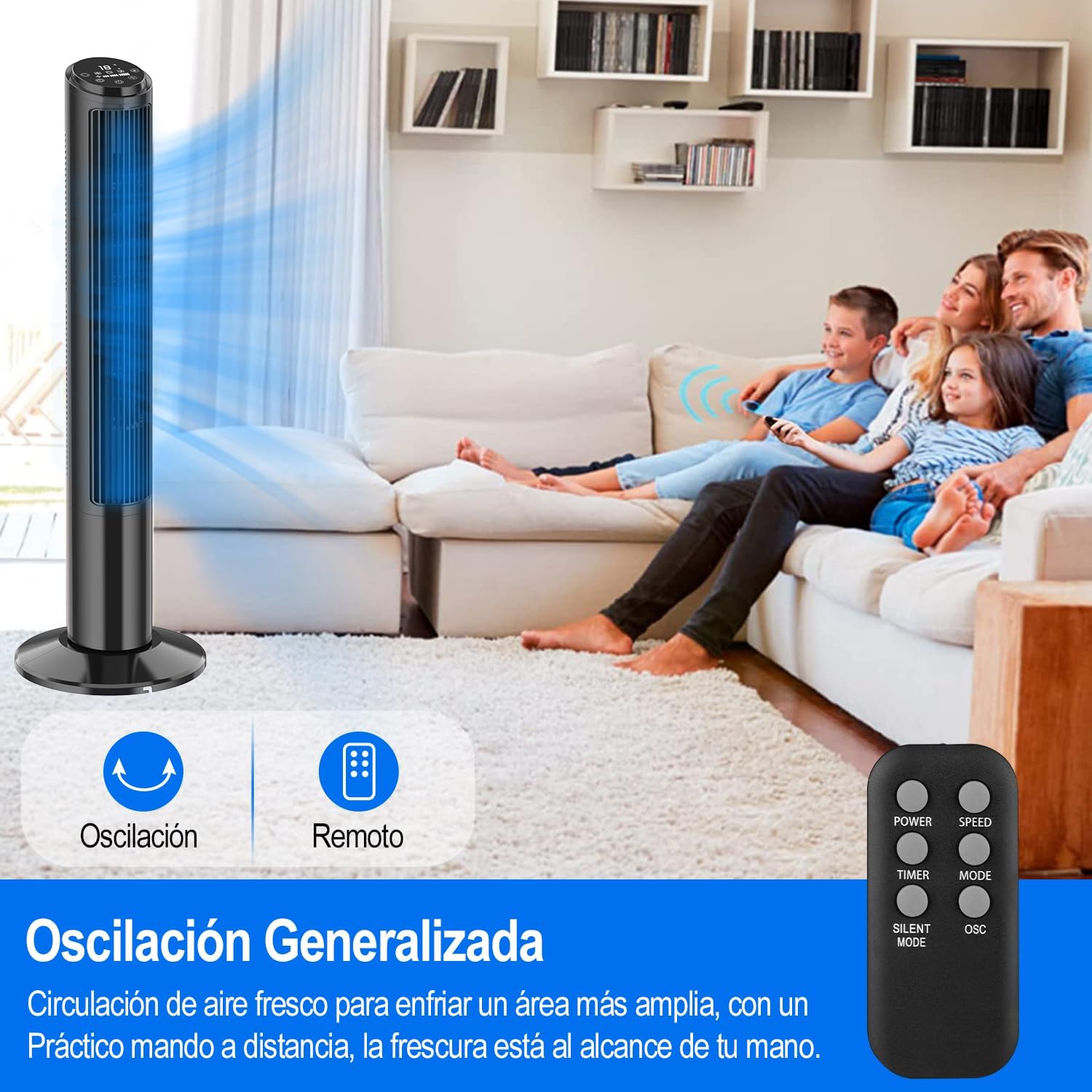
Image: A person sleeping peacefully with the Hivento Smart Tower Fan operating quietly in the background, demonstrating its low noise level for sleep.
5.5 진동 함수
Activate the oscillation function to distribute airflow across a wider area. The fan oscillates up to 70 degrees.
5.6 타이머 기능
Set the fan to automatically turn off after a specified period, from 0 to 15 hours. This is useful for energy saving or for use during sleep.

Image: Graphic showing the fan's timer function, allowing settings from 0 to 15 hours.
6. 유지관리
정기적으로 청소하면 팬의 성능을 유지하고 수명을 연장하는 데 도움이 됩니다.
- 외부 청소: 부드러운 d로 외부 표면을 닦으십시오.amp 천. 연마성 세척제나 용매를 사용하지 마십시오.
- 공기 흡입구/배출구 청소: Use a soft brush or vacuum cleaner with a brush attachment to remove dust from the air inlet and outlet grilles.
- 저장: 장기간 사용하지 않을 때는 선풍기의 플러그를 뽑고 서늘하고 건조한 곳에 보관하십시오.
주의: 팬을 물에 담그거나 모터 하우징에 물이 떨어지지 않도록 하십시오.
7. 문제 해결
| 문제 | 가능한 원인 | 해결책 |
|---|---|---|
| 팬이 켜지지 않습니다. | 전원 공급이 되지 않습니다. 전원 코드가 제대로 꽂혀 있지 않습니다. | Ensure the fan is plugged into a working outlet; Check the power cord connection. |
| 팬이 예기치 않게 멈췄습니다. | Timer function activated; Overheating. | Check if the timer is set; Unplug and allow the fan to cool down before restarting. |
| 리모컨이 작동하지 않습니다. | 배터리가 소진되었거나 잘못 삽입되었습니다. 리모컨과 팬 사이에 장애물이 있습니다. | 배터리를 교체하십시오. 팬 수신기와 수신기 사이의 시야가 확보되었는지 확인하십시오. |
| 와이파이 연결이 실패했습니다. | 와이파이 비밀번호가 잘못되었습니다. 공유기가 너무 멀리 떨어져 있습니다. 5GHz 와이파이만 사용 가능합니다. | Verify WiFi password; Move fan closer to router; Ensure you are connecting to a 2.4GHz network. |
8. 사양
| 특징 | 세부 사항 |
|---|---|
| 상표 | Hivento |
| 모델명 | Hivento Tower Fan AT-932 |
| 모델 번호 | AT-932 |
| 색상 | 검은색 |
| 치수(DxWxH) | 20 x 20 x 102cm(7.87 x 7.87 x 40.16인치) |
| 전원 | AC(120볼트) |
| 전력 소비 | 50 와트 |
| 속도의 수 | 3 |
| 작동 모드 | 2 (Natural, Sleep) |
| 진동 | 70° |
| 시간제 노동자 | 최대 15시간 |
| 소음 수준 | Minimum 30 Decibels |
| 제어 유형 | App Control, Remote Control, Touch |
| 특별 기능 | WiFi Function, Bladeless Design, LED Display, Child Lock |
| 재료 | 플라스틱 |

Image: The Hivento Smart Tower Fan with its dimensions (102cm height, 32cm base diameter) highlighted, demonstrating its compact and portable design.
9. 보증 및 지원
Specific warranty information is not provided in the product data. For warranty details, technical support, or any product-related inquiries, please contact Hivento customer service through the retailer's platform or the official brand web대지.
You can visit the Hivento store for more information: Hivento Store


