
1. 서론
This manual provides detailed instructions for the Hagibis Switch2 Dock USB C to HDMI Cable Adapter (Model: SWC10-8K). This adapter allows you to connect various USB-C enabled devices, such as the Nintendo Switch, laptops, tablets, Steam Deck, and ROG Ally, to an external display via HDMI, supporting resolutions up to 8K@60Hz and providing up to 100W Power Delivery (PD) for simultaneous charging.
2. 제품 특징
- 컴팩트한 디자인: Lightweight and portable, serving as a replacement for larger docks, ideal for travel.
- 고해상도 출력: Supports video resolutions up to 8K (7680x4320P) at 60Hz. Also compatible with 4K@144Hz and 2K@240Hz. Note: Nintendo Switch output is limited to 1080P.
- Power Delivery (PD) 100W: Features a PD certified smart chip for stable voltage conversion, enabling fast charging while playing without harming the host device. Requires an official Switch power adapter or a charger with over 39W output for Nintendo Switch.
- 폭넓은 호환성: Compatible with Nintendo Switch 1/2, Switch OLED, laptops, tablets, mobile phones, Steam Deck, ROG Ally, and other Thunderbolt 3/4 or USB-C 3.1 DP Alt mode devices. Not compatible with Switch Lite.
- Stable and Smooth Performance: Utilizes a high-performance video chip to ensure no flashing or splash screens.

Image: The Hagibis USB C to HDMI Cable Adapter, showcasin컴팩트한 디자인과 커넥터가 특징입니다.
3. 호환성
The Hagibis Switch2 Dock USB C to HDMI Cable Adapter is designed for broad compatibility with devices supporting USB-C video output (DisplayPort Alternate Mode).
| 장비 | 인터페이스 | 호환성 지침 |
|---|---|---|
| 컴퓨터 | Thunderbolt 3/4, USB 4, USB-C/Type-C | Compatible. Note: The interface supports DisplayPort (DP for short). |
| For iPad/iPhone 15 & 16 | USB-C | Compatible. Note: Lightning port is not applicable. |
| 모바일/태블릿 | USB-C/Type-C | Partially Compatible. Note: The interface is USB 3.1 or USB 3.2 and supports DisplayPort (DP for short). |
| 스팀 데크 | C타입 | 호환됨. |
| 스위치 | C타입 | Compatible. Note: Switch Lite is not applicable. |
| ROG 알리 | C타입 | Compatible. Note: Supports ROG 30W Enhanced Mode. |

Image: Detailed compatibility chart for various devices.
4. 설정 지침
- Connect the HDMI end of the Hagibis adapter to an HDMI input port on your TV or monitor.
- Connect the USB-C end of the adapter to the USB-C port on your device (e.g., Nintendo Switch, laptop, tablet).
- For power delivery and charging, connect a USB-C power adapter (e.g., official Switch charger or a 39W+ PD charger) to the PD USB-C port on the Hagibis adapter.
- 디스플레이의 HDMI 입력 소스가 올바르게 설정되어 있는지 확인하십시오.
Video: Demonstrates connecting the Hagibis USB-C to HDMI cable to a laptop and monitor, including power delivery.
Video: Shows the setup and use of the Hagibis Switch Dock with a Nintendo Switch and external display.

Image: Visual guide for connecting the HDMI, power supply, and USB-C ports.
5. 사용 설명서
Once connected, your device's display should automatically mirror or extend to the connected HDMI display. The adapter supports both mirroring and extending display modes, depending on your device's capabilities and settings.
- Nintendo Switch의 경우: The adapter enables TV mode, allowing you to play games on a larger screen while simultaneously charging your Switch.
- For Laptops/Tablets: Use your device's display settings to configure mirroring or extended desktop modes.
- For Gaming Handhelds (Steam Deck, ROG Ally): Connect to an external monitor for an enhanced gaming experience. Ensure your device's settings are configured for external display output.

Image: A laptop mirroring its display to an external monitor using the adapter.
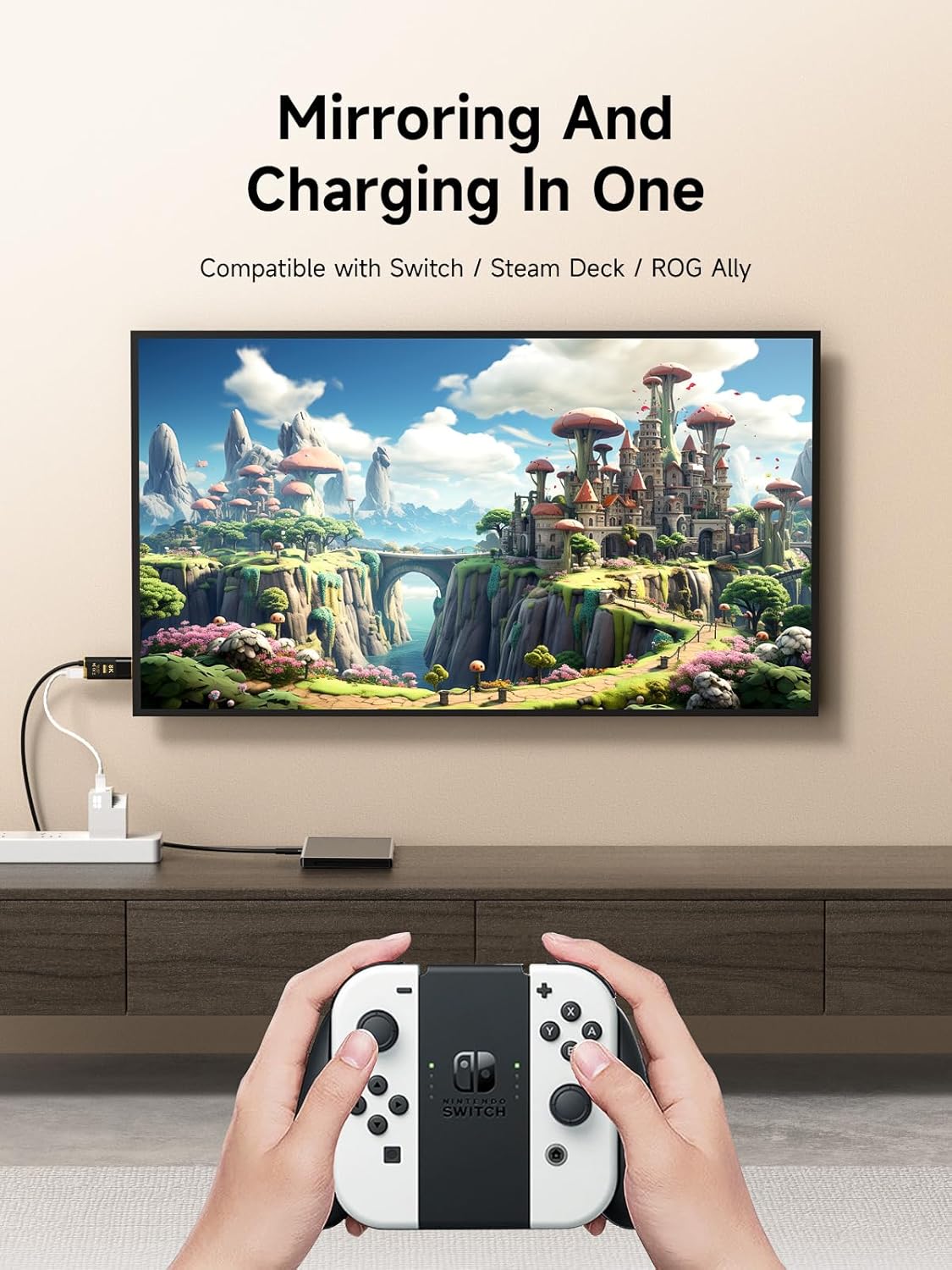
Image: A Nintendo Switch connected to a television, displaying gameplay.
6. 문제 해결
- 디스플레이 출력 없음:
- 모든 연결이 안전한지 확인하세요.
- TV/모니터의 HDMI 입력 설정이 올바른지 확인하십시오.
- Confirm your device supports USB-C video output (DisplayPort Alternate Mode).
- For Nintendo Switch, ensure an external power source (official charger or 39W+ PD charger) is connected to the adapter's PD port.
- Flickering Screen or Unstable Connection:
- Check the quality of your HDMI cable (if using an extension).
- Ensure your power adapter provides sufficient power (especially for Nintendo Switch).
- 디스플레이의 다른 HDMI 포트에 연결해 보세요.
- Nintendo Switch 2 Compatibility (Urgent Notice):
Due to potential compatibility issues with Nintendo Switch 2 system version 21.0.0 and later, the cast function of this product may be affected. Hagibis is actively working on firmware updates to address these issues. Please check the official Hagibis website for the latest firmware and update instructions if you experience problems with Switch 2.
7. 사양
| 특징 | 세부 사항 |
|---|---|
| 모델 번호 | SWC10-8K |
| 제품 치수 | 5.08 x 4.49 x 1.18 인치 |
| 품목 무게 | 2.5 온스 |
| 비디오 출력 | HDMI (up to 8K@60Hz, 4K@144Hz, 2K@240Hz) |
| 전력 공급 | USB-C PD 포트를 통해 최대 100W 출력 가능 |
| 커넥터 유형 | USB Type C (input), HDMI (output), USB Type C (PD input) |
| 케이블 길이 | 6.6피트(2m) |
| 색상 | Black with Gold accents |
| 제조업체 | 상하이 Xinxie 산업 Co., Ltd. |

Image: Detailed product parameters including dimensions and cable length.
8. 유지관리
- Keep the adapter and cable clean and free from dust. Use a soft, dry cloth for cleaning.
- 제품을 극한의 온도, 습도 또는 직사광선에 노출시키지 마십시오.
- Do not bend the cable excessively or apply undue force to the connectors.
- 어댑터가 손상되지 않도록 사용하지 않을 때는 안전한 곳에 보관하십시오.
9. 보증 및 지원
For warranty information and technical support, please refer to the documentation included with your purchase or visit the official Hagibis web사이트. 보증 청구를 위해 구매 증빙 자료를 보관하세요.