
1. 서론
Thank you for choosing the Intenso O400HA Over-Ear Headphones. These headphones are designed to provide a superior audio experience with advanced features such as Hybrid Active Noise Cancelling (ANC), Transparency Mode, and Bluetooth 5.3 connectivity. This manual will guide you through the setup, operation, and maintenance of your new headphones.
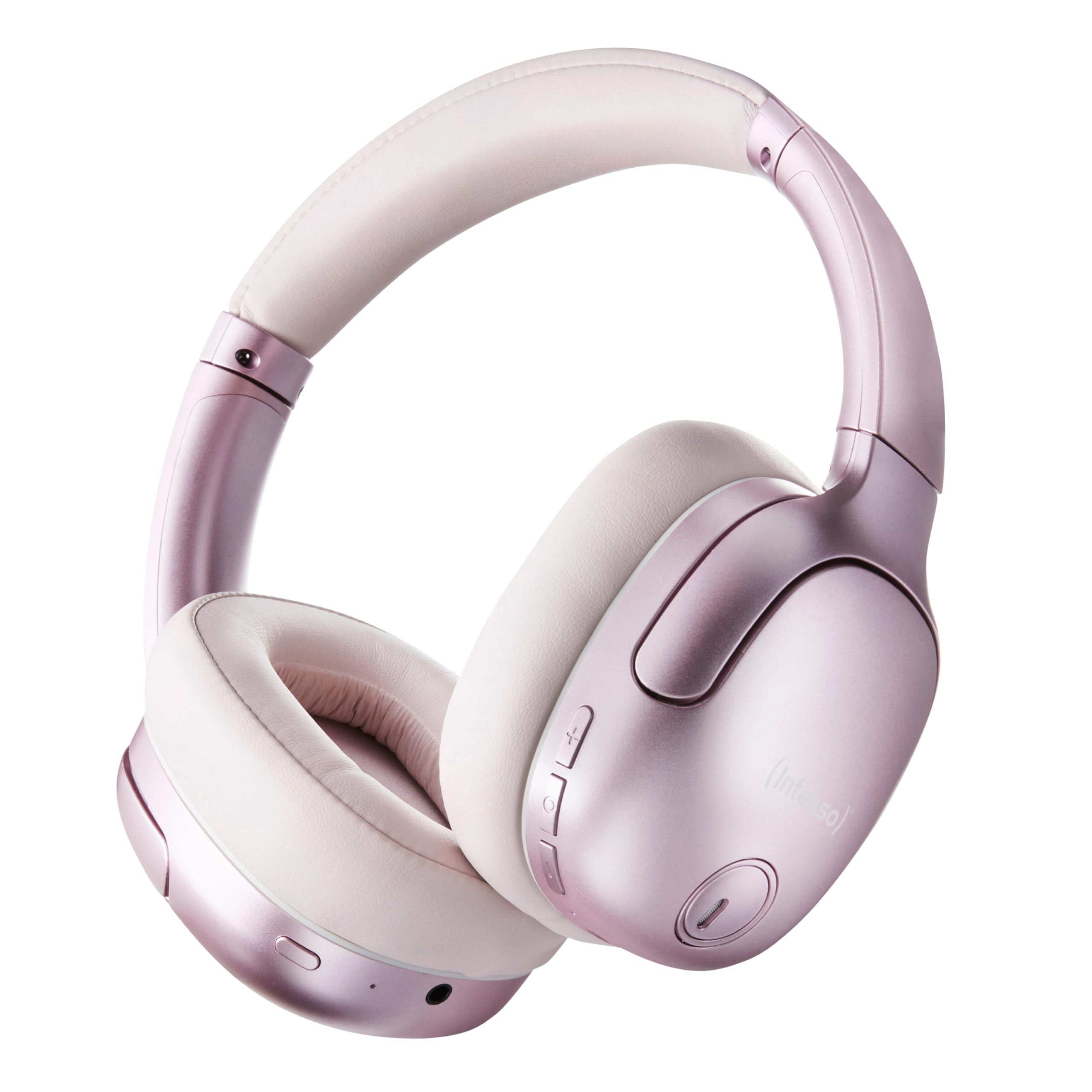
Image 1.1: Intenso O400HA Over-Ear Headphones (Pink)
The Intenso O400HA headphones feature a comfortable over-ear design with soft ear pads, an adjustable headband, and intuitive controls on the earcups.
2. 패키지 내용
다음 품목이 패키지에 포함되어 있는지 확인하세요.
- Intenso O400HA Over-Ear Headphones
- USB-C to USB-C 충전 케이블
- 1.5m Audio Cable (3.5mm jack)
- 사용자 설명서
3. 제품 오버view
Familiarize yourself with the various parts and controls of your Intenso O400HA headphones.

이미지 3.1: 측면 view of Intenso O400HA headphones with controls
This image displays the right earcup with its control buttons and ports. These typically include power, volume, multi-function buttons, and a charging port.
컨트롤 및 포트:
- 전원 버튼: 헤드폰을 켜거나 끄고 Bluetooth 페어링을 시작하는 데 사용됩니다.
- 볼륨 높이기/다음 트랙 버튼: 짧게 누르면 볼륨이 커지고, 길게 누르면 다음 트랙으로 넘어갑니다.
- 볼륨 낮추기/이전 트랙 버튼: 짧게 누르면 볼륨이 줄어들고, 길게 누르면 이전 트랙으로 이동합니다.
- 다기능 버튼(MFB): Controls playback (play/pause), answers/ends calls, activates voice assistant.
- ANC/투명 모드 버튼: Toggles between Hybrid Active Noise Cancelling, Transparency Mode, and normal mode.
- USB-C 충전 포트: 헤드폰을 충전합니다.
- 3.5mm 오디오 잭: 유선 연결용.
- 마이크: Internal and external microphones for ANC and calls.
4. 설정
4.1. 헤드폰 충전
처음 사용하기 전에 헤드폰을 완전히 충전하십시오.
- 제공된 USB-C 충전 케이블을 헤드폰의 USB-C 포트에 연결합니다.
- 케이블의 다른 쪽 끝을 USB 전원 어댑터(포함되지 않음)나 컴퓨터의 USB 포트에 연결합니다.
- LED 표시등은 충전 상태를 보여줍니다. 일반적으로 완전히 충전되면 꺼지거나 색상이 바뀝니다.
A full charge takes approximately 2 hours. A quick charge of 15 minutes provides up to 6 hours of playtime.
4.2. 블루투스 페어링
헤드폰을 Bluetooth 지원 장치에 연결하려면:
- 헤드폰이 꺼져 있는지 확인하십시오.
- 전원 버튼을 약 5~7초간 길게 눌러 LED 표시등이 파란색과 빨간색으로 깜박이면 페어링 모드임을 나타냅니다.
- 사용하시는 기기(스마트폰, 태블릿, 노트북)에서 블루투스 설정으로 이동하여 블루투스를 활성화하세요.
- 검색 available devices and select "Intenso O400HA" from the list.
- Once connected, the LED indicator will typically flash blue slowly or remain solid blue.
헤드폰의 전원을 켜면 마지막으로 페어링된 기기에 자동으로 다시 연결을 시도합니다.
5. 헤드폰 작동
5.1. 전원 켜기/끄기
- 전원 켜기: 전원 버튼을 2~3초 동안 길게 누르세요.
- 전원 끄기 : 전원 버튼을 3~4초 동안 길게 누르세요.
5.2. Audio Modes: ANC, Transparency, Music
The Intenso O400HA headphones offer three distinct audio modes to suit your environment.

이미지 5.1: 이상view of Noise Control Modes
This image illustrates the key noise control technologies: Hybrid Active Noise Cancellation (ANC) for reducing ambient noise, Environmental Noise Cancellation (ENC) for clear calls, and Transparency Mode for hearing your surroundings.

Image 5.2: Hybrid Active Noise Cancelling Explained
This diagram shows how Hybrid ANC works using both external and internal microphones to filter out up to 95% of ambient noise, such as engine sounds.
- 하이브리드 액티브 노이즈 캔슬링(ANC): Press the ANC/Transparency Mode button to activate. This mode significantly reduces ambient noise, ideal for travel or noisy environments.
- 투명 모드: Press the ANC/Transparency Mode button again to switch to Transparency Mode. This allows external sounds to pass through, enabling you to hear your surroundings without removing the headphones.
- Normal Mode (Music Mode): Press the ANC/Transparency Mode button a third time to return to normal mode, where ANC and Transparency are off. This mode provides balanced sound for a comprehensive listening experience.
5.3. 음악 재생 및 통화
- 재생/일시 중지: 다기능 버튼(MFB)을 짧게 누르세요.
- 다음 트랙: 볼륨 높이기 버튼을 길게 누르세요.
- 이전 트랙 : 볼륨 낮추기 버튼을 길게 누르세요.
- 볼륨 업: 볼륨 높이기 버튼을 짧게 누르세요.
- 볼륨 작게 : 볼륨 낮추기 버튼을 짧게 누르세요.
- 전화 받기/종료: MFB를 짧게 누릅니다.
- 전화 거부: MFB를 길게 누르세요.
- Voice Assistant 활성화 : MFB를 두 번 누릅니다.
5.4. Wired Connection (Passive Mode)
You can use the headphones in passive mode even if the battery is depleted or if you prefer a wired connection.
- 3.5mm 오디오 케이블의 한쪽 끝을 헤드폰의 오디오 잭에 연결합니다.
- 다른 쪽 끝을 장치의 3.5mm 오디오 출력에 연결합니다.
Note: ANC and Transparency modes may not function or may have reduced performance when using the wired connection without power.
6. 유지관리
To ensure the longevity and optimal performance of your Intenso O400HA headphones, follow these maintenance guidelines:
- 청소: Use a soft, dry cloth to clean the headphones. Do not use abrasive cleaners, solvents, or harsh chemicals.
- 저장: Store the headphones in a cool, dry place away from direct sunlight and extreme temperatures. When not in use, it is recommended to store them in a protective case (if provided or purchased separately).
- 물 노출: 이 헤드폰은 방수가 되지 않습니다. 물, 습기 또는 비에 노출되지 않도록 주의하세요.
- 배터리 관리 : For optimal battery life, avoid fully discharging the battery frequently. Charge the headphones regularly, even if not used for extended periods.
- 케이블 관리: Handle the charging and audio cables gently. Avoid bending or twisting them excessively.
7. 문제 해결
헤드폰 사용 중 문제가 발생하면 다음의 일반적인 문제 및 해결 방법을 참조하십시오.
| 문제 | 가능한 원인 | 해결책 |
|---|---|---|
| 헤드폰 전원이 켜지지 않습니다 | 배터리 부족 | 헤드폰을 완전히 충전하세요. |
| 블루투스로 페어링이 불가능합니다 | 헤드폰이 페어링 모드가 아닙니다. 장치 Bluetooth가 꺼져 있습니다. 간섭이 발생합니다. | Ensure headphones are in pairing mode (flashing blue/red). Turn Bluetooth on your device. Move closer to the device. Forget previous pairings and try again. |
| 소리가 나지 않거나 볼륨이 작음 | Volume too low; Incorrect audio source; Loose cable (wired mode) | Increase volume on headphones and device. Check if the correct audio output is selected on your device. Ensure 3.5mm cable is securely connected. |
| ANC가 효과적이지 않음 | ANC not activated; Improper fit | ANC 버튼을 눌러 활성화하세요. 헤드폰이 귀에 꼭 맞도록 조절하세요. |
| 음향 왜곡 | Distance from device; Interference; Low battery | Move closer to your device. Avoid strong electromagnetic fields. Charge the headphones. |
8. 사양
| 특징 | 세부 사항 |
|---|---|
| 모델명 | Over-Ear O400HA |
| 연결 기술 | Wireless (Bluetooth 5.3) / Wired (3.5mm jack) |
| 소음 제어 | 하이브리드 노이즈 캔슬링 |
| 배터리 수명 | 최대 75시간 |
| 충전 시간 | Approximately 2 Hours (15 min for 6 hours playtime) |
| 무선 범위 | 최대 15미터 |
| 주파수 응답 | 20Hz ~ 20kHz |
| 임피던스 | 32옴 |
| 제어 방법 | Touch/Buttons |
| 무게 | 0.25 킬로그램 |
| 재료 | 열가소성 엘라스토머(TPE) |
| 호환 장치 | Mobile phones, Laptops, Tablets, Gaming Consoles, Car Audio Systems |
9. 보증 및 지원
Intenso products are designed for reliability and performance. For warranty information and customer support, please refer to the warranty card included with your purchase or visit the official Intenso web사이트. 보증 청구를 위해 구매 증빙 자료를 보관하세요.
For further assistance, you may contact Intenso customer service through their official channels.